Table Of Contents
- Step 1: Set Up Your Digital Signage Screen
- 1.1. Choose Your Display Device
- 1.2. Connect Your Screen to PosterBooking
- Step 2: Upload Your Video for Looping
- 2.1. Prepare Your Video
- 2.2. Upload to PosterBooking
- Step 3: Create a Video Looping Playlist
- Step 4: Assign the Playlist to Your Screen
- Step 5: Advanced Looping Features
- 5.1. Multi-Screen Syncing
- 5.2. Schedule Looping Videos
- 5.3. Interactive Video Looping
- Why Use PosterBooking as a Video Looper?
- Final Thoughts
PosterBooking is the best video looper for digital signage, allowing businesses, event organizers, and advertisers to play seamless video loops on any screen. Unlike traditional video editing tools, PosterBooking automates looping, making it the most efficient solution for retail displays, restaurants, corporate lobbies, and event spaces.
This guide will show you how to use PosterBooking as a video looper in 2025, ensuring uninterrupted playback for your content.
Step 1: Set Up Your Digital Signage Screen
1.1. Choose Your Display Device
PosterBooking works on smart screens and regular screens connected via:
- Amazon Signage Stick (comes with a free year of Business Pro with unlimited screens).
- Amazon Fire Stick (budget-friendly option with 10 free screens).
- Raspberry Pi (for DIY digital signage setups).
1.2. Connect Your Screen to PosterBooking
- Open the PosterBooking app on your screen.
- In the PosterBooking dashboard (on a computer or smartphone):
- Navigate to Screens → Add Screen.
- Enter the unique code displayed on your screen.
- Assign a name to your screen (e.g., “Lobby Display”).
- Click Add Screen to finalize the connection.
Your screen is now linked and ready for looping content.
Step 2: Upload Your Video for Looping
2.1. Prepare Your Video
- Ensure your video is in MP4 format for smooth playback.
- Optimize the resolution for your screen:
- 1920×1080 pixels for landscape orientation.
- 1080×1920 pixels for portrait orientation.
- Keep file sizes optimized for seamless cloud playback.
2.2. Upload to PosterBooking
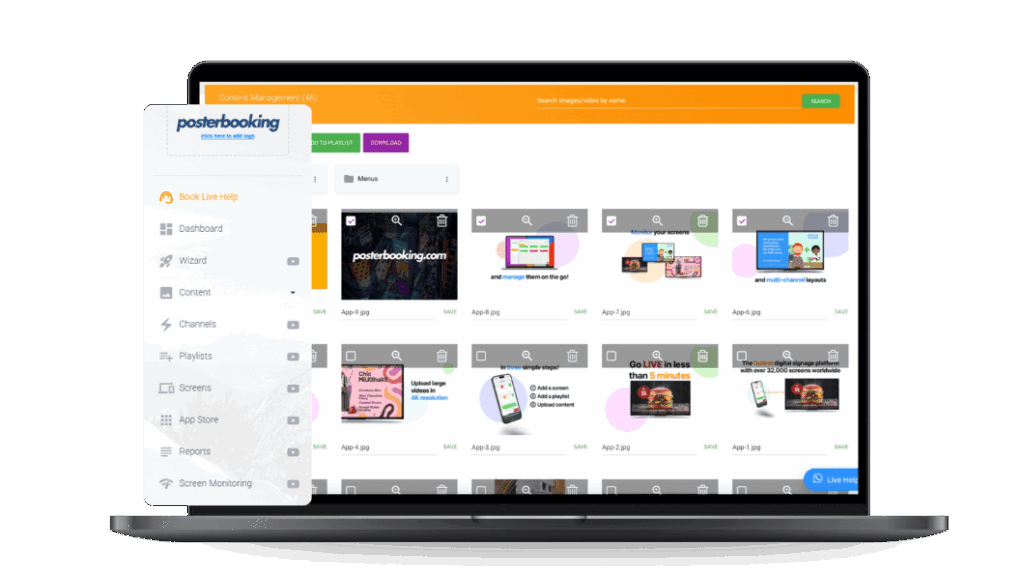
- Go to the Content section in the PosterBooking dashboard.
- Click Images/Videos → Upload Content.
- Select the video file from your computer and upload it.
Once uploaded, the video is stored in your content library for easy access.
Step 3: Create a Video Looping Playlist
- Navigate to the Playlists section in PosterBooking.
- Click Create Playlist and name it (e.g., “Product Loop” or “Event Promo”).
- Add the uploaded video to the playlist:
- Click Add Content.
- Select the video from your library.
- Enable Continuous Looping by setting the playlist to repeat indefinitely.
- Click Save to finalize the playlist.
Step 4: Assign the Playlist to Your Screen
- Go to the Screens section in the PosterBooking dashboard.
- Locate your connected screen and click the plus (+) button beneath it.
- Select the video looping playlist you created.
- Click Save to apply the playlist.
Your video will now loop endlessly on the screen without manual restarts.
Step 5: Advanced Looping Features
5.1. Multi-Screen Syncing
- Display the same looping video on multiple screens across different locations.
- Update content remotely in real time via the PosterBooking dashboard.
5.2. Schedule Looping Videos
- Automate time-based video looping for different hours of the day:
- Morning: “Breakfast Specials – 8 AM to 11 AM”
- Afternoon: “Lunch Promotions – 11 AM to 3 PM”
- Evening: “Happy Hour Deals – 5 PM to 10 PM”
5.3. Interactive Video Looping
- Add QR codes to looping videos to encourage engagement.
- Example: “Scan to Learn More” or “Buy Now” with an interactive link.
Why Use PosterBooking as a Video Looper?
| Feature | PosterBooking Advantage |
| Automatic Looping | No manual restarts, videos play continuously. |
| Multi-Screen Support | Loop videos across multiple screens remotely. |
| Cloud-Based Management | Upload and manage content from anywhere. |
| Unlimited Storage | Store and loop unlimited video content. |
| Scheduling Options | Automate when video loops start and stop. |
| Works on Any Screen | Compatible with smart screens, Fire Stick, and Raspberry Pi. |
Final Thoughts
Using PosterBooking as a video looper in 2025 is the most efficient way to create seamless, automated video playback for digital signage. Whether you’re managing in-store promotions, restaurant menus, or event advertisements, PosterBooking makes looping effortless.
Get started today with PosterBooking’s free plan, or upgrade to Business Pro for unlimited looping, screens, and storage.