Table Of Contents
- What Are WebOS and Tizen?
- How Do WebOS and Tizen Compare on Key Signage-Relevant Attributes?
- Why Tizen Often Gets the Edge for Large-Scale Digital Signage
- Where WebOS Holds Strong and May Be the Better Choice
- Key Limitations to Watch For
- How to Choose Between WebOS and Tizen for Signage: A 5-Step Checklist
- Implication for Digital Signage Projects
When comparing webOS (LG) vs Tizen (Samsung) for digital signage, the direct answer is: Tizen offers stronger enterprise-grade features, device management, and 24/7 deployment reliability, while webOS scores higher for ease of use, vibrant UI, and seamless integration on LG commercial displays. For scaled digital signage networks where performance, remote management, and uptime matter most, Tizen is generally the better choice, but many signage deployments will find webOS more than adequate, especially when paired with a robust CMS like PosterBooking.
This comparison analyzes both platforms with a signage-first lens: system architecture, SoC support, management tools, app ecosystem, and commercial deployment suitability. The article concludes with actionable recommendations depending on use case.
What Are WebOS and Tizen?
webOS is a Linux-kernel-based OS developed by LG Electronics, used in smart TVs and commercial signage displays.
Tizen is a Linux-based OS developed by Samsung Electronics (with the Linux Foundation) primarily for smart TVs, wearables, and embedded systems.
In the digital signage domain, both operate as SoC (System-on-Chip) platforms embedded in commercial displays, which means the player and screen are combined. For signage, this reduces hardware complexity and failure points.
How Do WebOS and Tizen Compare on Key Signage-Relevant Attributes?
| Attribute | webOS (LG) | Tizen (Samsung) |
|---|---|---|
| SoC Integration & Commercial Grade Support | Strong: LG offers “webOS Signage” versions (4.0, 6.0) tailored to 24/7 operation. | Strong: Samsung’s “Smart Signage Platform” (SSSP) and Tizen 7 report show high performance in commercial displays. |
| Remote Device Management & CMS Support | Good: Many CMS platforms support LG webOS. | Excellent: Broad enterprise-grade CMS integrations and APIs reported for Tizen. |
| App Ecosystem & Custom App Support | Decent: webOS supports apps, but some signage-specific features may be limited in consumer versions. | Very good: Tizen supports HTML5 apps and open APIs for signage deployments. |
| Deployment Reliability & Commercial Use Case | Suitable, but many consumer-webOS sets are not designed for continuous 24/7 use. | Tailored for commercial use, optimized for continuous operation, power efficiency, and large fleets. |
| UI & Usability for Staff / Non-Tech Users | Very strong: UI is considered intuitive and friendly. | Good, though some find navigation less intuitive than webOS in certain contexts. |
| Ecosystem Lock-in / Brand Dependence | LG ecosystem; fewer 3rd-party display brands using webOS signage versions. | Samsung ecosystem; multiple display lines and signage platforms using Tizen. |
| Cost & Hardware Flexibility | May offer broader consumer display options but commercial-grade models might cost more. | Wide range of commercial displays optimized for signage with varying price points. |
Why Tizen Often Gets the Edge for Large-Scale Digital Signage
From a signage professional perspective, Tizen pulls ahead for these reasons:
- It is architected for commercial deployments: Samsung signage lines running Tizen include features like auto-reboot, scheduled power cycles, remote management, and continuous-duty ratings.
- The open API and HTML5/JavaScript support make custom signage apps and integrations (with data feeds, audience analytics, IoT sensors) more feasible.
- Multiple vendor deployments show that Tizen-based signage networks have reduced failure points and simplified roll-out logistics (“SoC advantages … faster installation time per site, reduced hardware failure points”).
- From a management perspective, remote monitoring and firmware updates at scale are proven in Tizen deployments.
In sum, for large signage networks (retail chains, QSRs, transportation hubs) where you need uptime, fleet control, and scalability, Tizen is a strong pragmatic choice.
Where WebOS Holds Strong and May Be the Better Choice
That said, webOS has advantages that make it viable under certain conditions:
- The user interface is slick and user-friendly, which helps installations where non-technical staff may need to interact with the screen or manage content locally.
- LG’s commercial signage displays running webOS Signage versions are well-integrated with LG’s hardware and support many signage CMS solutions.
- For smaller signage networks or single-site setups, webOS can be faster to deploy with minimal complexity.
For environments with moderate demands (not ultra high-availability) and cost control as a priority, webOS-based displays may suffice.
Key Limitations to Watch For
For webOS:
- Some consumer webOS TVs are not rated for 24/7 operation; durability for commercial signage may be lower.
- Certain CMS features (like remote content monitoring or advanced auto-launch) may be limited on consumer models.
- Ecosystem lock-in: long-term use ties you to LG hardware and firmware.
For Tizen:
- Slightly steeper learning curve for staff when custom app development or advanced integrations are required.
- Lower-end Samsung models may lack full SoC signage features; verify specifications before deployment.
- More configuration overhead due to flexibility - requires structured management for firmware and network monitoring.
How to Choose Between WebOS and Tizen for Signage: A 5-Step Checklist
- Define Operational Requirements: Is the screen required to run 24/7 or only during business hours?
- Determine Fleet Size & Management Needs: Do you manage dozens of screens or a single site?
- Assess App & Integration Complexity: Will you need custom data feeds, interactivity, or analytics?
- Check Hardware Specification & Duty-Cycle: Are you using commercial-rated displays or consumer TVs?
- Evaluate Staff Training & Maintenance: Will non-technical users manage content locally, or will a central team handle it remotely?
Recommendation:
- For large-scale, always-on signage networks, choose Tizen on Samsung commercial displays.
- For smaller or simpler deployments where usability matters, choose webOS on LG signage displays.
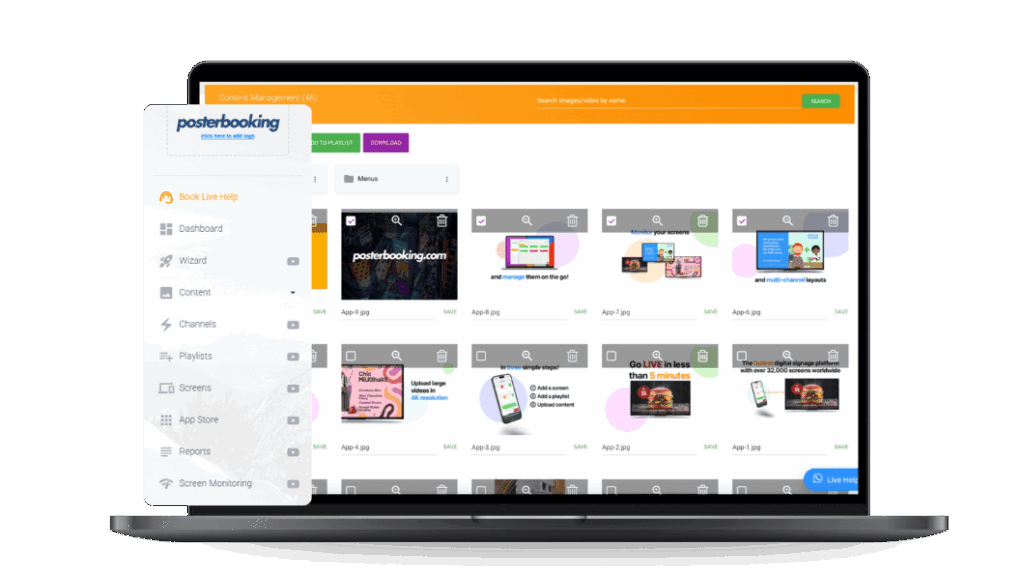
In either case, pair it with a CMS like PosterBooking to manage content, scheduling, and remote updates - making the platform choice primarily about hardware and OS, not content limitations.
Implication for Digital Signage Projects
Selecting the right OS impacts deployment scalability, maintenance cost, screen downtime risk, and long-term flexibility. If you choose webOS but later need advanced fleet control, you may hit limitations. If you pick Tizen and skip proper device management setup, the extra capabilities go unused.
Bottom line: Align your OS choice with your long-term signage strategy, not just immediate budget. With either platform, pairing it with a capable CMS like PosterBooking’s free tier (up to 10 screens) keeps your signage network flexible, scalable, and efficient.