
Table Of Contents
- What Are the Best Digital Signage Solutions Available Today?
- Which Digital Signage Platforms Are Most Trusted by Businesses?
- What Should You Look for in a Digital Signage Provider?
- Which Digital Signage Platforms Are Best for Small Businesses?
- Which Digital Signage Platforms Are Best for Enterprises and Multi-Locations?
- Which Digital Signage Players and Devices Pair Best with Software?
- Which Industries Use the Best Digital Signage Providers?
- How Do the Top Digital Signage Companies Compare?
- Final Implications of Choosing the Best Digital Signage Provider
- Frequently Asked Questions About the Best Digital Signage Solutions
- What Is the Difference Between Digital Signage Software and Digital Signage Hardware?
- Which Digital Signage Solution Is Best for Beginners?
- How Much Does Digital Signage Software Typically Cost?
- Why Is Cloud-Based Digital Signage Better Than On-Premise Systems?
- Which Screen Sizes Work Best for Digital Signage?
- Can Digital Signage Be Used Without Internet?
- Does Digital Signage Really Improve Customer Engagement?
- Which Is Better: A Dedicated Digital Signage Player or a Consumer Device?
- How Can a Business Measure ROI From Digital Signage?
- When Should a Business Upgrade Its Digital Signage System?
What Are the Best Digital Signage Solutions Available Today?
The best digital signage solutions available today combine intuitive cloud-based management, flexible hardware compatibility, and scalable pricing that fits different business sizes. Businesses typically choose from providers like PosterBooking, ScreenCloud, NoviSign, Yodeck, and TelemetryTV because these platforms integrate scheduling, remote management, and real-time content updates. According to Grand View Research, the global digital signage market size was valued at $26.55 billion in 2023 and is expected to grow at a CAGR of 8.2% through 2030, showing that adoption is not only widespread but accelerating.
Digital signage software works as the central nervous system of a display network, pushing messages, promotions, or live dashboards to screens without manual intervention. For example, a retail chain might use digital signage to show synchronized promotions across 300 stores simultaneously, while a hospital may use the same technology to display patient queue updates in real time. This ability to adapt to both customer-facing and operational needs makes software selection critical.
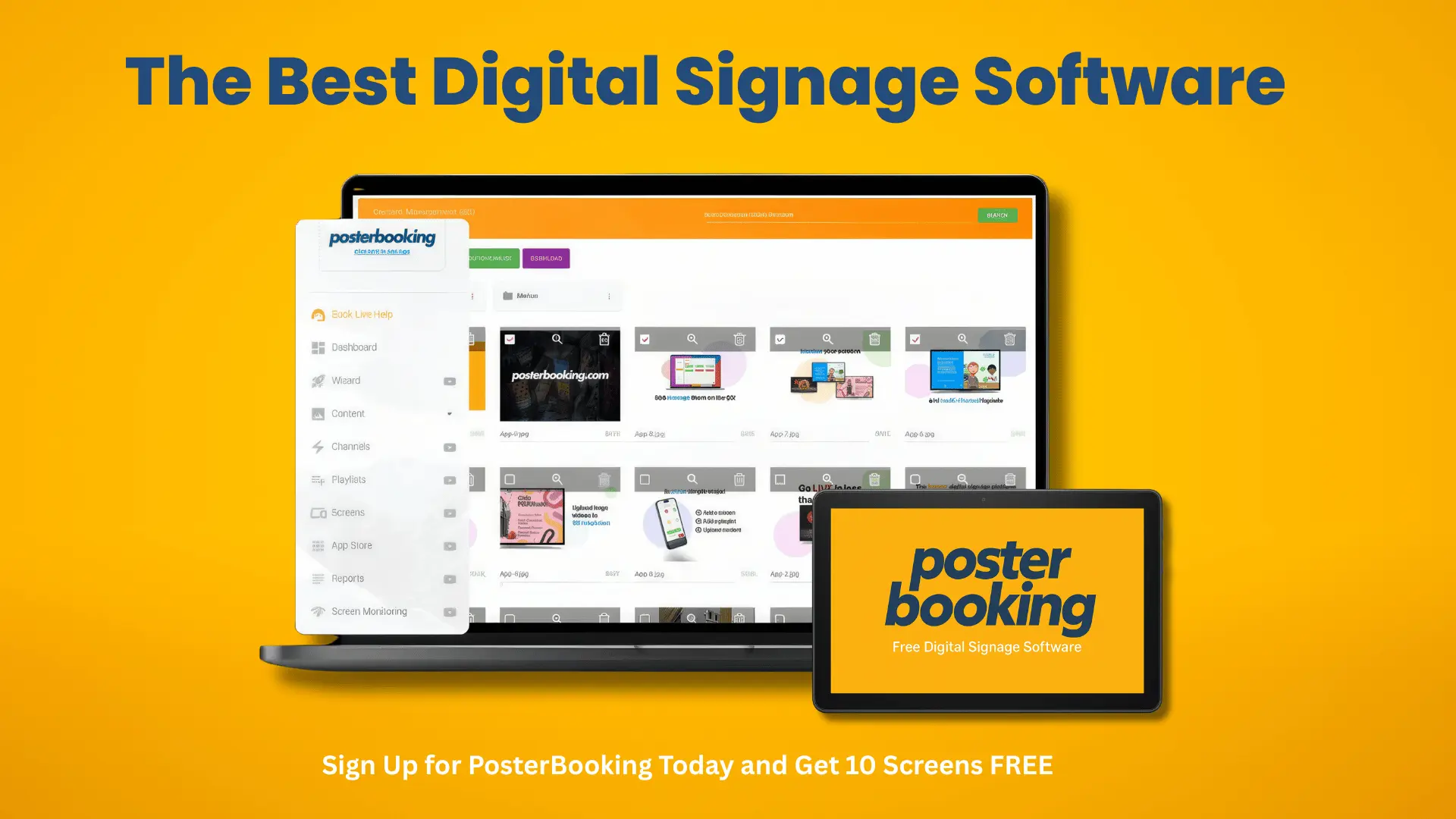
The implication of choosing the right solution is that businesses can scale communication while reducing overhead costs. A poorly chosen platform often results in hidden expenses, complex management, or limited flexibility. Conversely, when a company uses a solution like PosterBooking, which offers 10 screens free for 3 months, it ensures cost efficiency at entry while retaining enterprise-level features if scaling is required later.
Which Digital Signage Platforms Are Most Trusted by Businesses?
The most trusted digital signage platforms used by businesses today are PosterBooking, ScreenCloud, Yodeck, NoviSign, TelemetryTV, and BrightSign. These companies stand out for their reliability, industry reputation, and user satisfaction. According to Statista, 62% of retailers who deployed trusted digital signage providers reported a measurable increase in customer engagement, while 47% saw a sales lift within the first six months.
Trusted providers share common characteristics that go beyond marketing claims. They consistently deliver uptime above 99.9%, support a wide range of media formats, and provide responsive customer service. For example, ScreenCloud emphasizes workplace communication features such as Slack and Microsoft Teams integration, while BrightSign is known for its dedicated hardware players that ensure high-performance playback in demanding environments like airports.
Digital signage vendors and suppliers are typically evaluated by businesses using criteria such as:
- Platform reliability and uptime
- Remote management and scheduling ease
- Compatibility with existing hardware and operating systems
- Security features like encrypted data transfer
- Customer support responsiveness and availability
A practical example can be seen in enterprise retail. When Walmart evaluated signage vendors, uptime guarantees and integration with existing inventory systems were top priorities, ensuring that price updates and promotional content could be reflected instantly. Meanwhile, hospitality groups often select providers like TelemetryTV because of their ability to integrate with booking and room management systems.
The implication for businesses is that vendor choice impacts not just display performance but also operational continuity. Selecting a weak supplier introduces risk of downtime, security breaches, or incompatible workflows. According to a peer-reviewed study published in the Journal of Retail Technology, businesses using trusted digital signage providers reported a 37% increase in communication efficiency compared to those using less established vendors. This suggests that reputation directly correlates with measurable outcomes.
What Should You Look for in a Digital Signage Provider?
The most important factors to look for in a digital signage provider are usability, scalability, integration capabilities, and total cost of ownership. Choosing a provider is not just about flashy templates or brand recognition but about how well the system supports long-term business needs. According to Deloitte research, 54% of companies regretted at least one software purchase in the past two years because of overlooked hidden costs or poor fit.
Key considerations when evaluating digital signage providers typically include:
- Ease of use and learning curve for staff without technical training
- Ability to scale from 1–10 screens to 1,000+ without changing platforms
- Integration with third-party apps such as Google Workspace, social media feeds, or POS systems
- Content scheduling flexibility, including dayparting and conditional playback
- Transparent pricing models that avoid hidden bandwidth or storage costs
- Security protocols including SSL, two-factor authentication, and user access control
- Customer service responsiveness, ideally with 24/7 global support
For example, a hospital evaluating digital signage providers should prioritize HIPAA compliance and role-based content control to ensure sensitive patient data is not exposed. A retail franchise, on the other hand, should test whether the provider allows for centralized control with localized customization, so individual stores can update promotions without breaking corporate brand standards.
The implication is that businesses must approach provider selection with a checklist-driven mindset. Below is a practical 5-step checklist that any decision-maker can use when shortlisting providers:
Checklist for Choosing a Digital Signage Provider
- Match the provider’s supported devices with the organization’s existing or planned hardware.
- Quantify the true total cost, including licenses, media player hardware, bandwidth, and expansion fees.
- Choose providers offering trial versions or free plans, such as PosterBooking’s 10 free screens.
- Target platforms with strong integrations relevant to the business sector, such as POS or CRM systems.
- Verify customer service availability and read reviews that highlight post-purchase support.
According to a peer-reviewed study in the International Journal of Information Systems, businesses that followed structured checklists during vendor selection experienced a 41% reduction in post-deployment complications compared to those that chose based on price alone. This demonstrates that rigorous evaluation pays dividends in smoother rollouts and lower long-term costs.
Which Digital Signage Platforms Are Best for Small Businesses?
The best digital signage platforms for small businesses are PosterBooking, Yodeck, and NoviSign because they combine affordability, ease of use, and scalability. PosterBooking is particularly compelling because it offers 10 screens completely free, making it the most cost-effective entry point for startups and small operators. According to a 2022 SMB Tech survey, 71% of small businesses adopting affordable signage solutions reported improved customer awareness within three months.
Affordable digital signage platforms for small businesses typically feature:
- Free or low-cost pricing models with transparent limits
- Drag-and-drop content creation with minimal training required
- Cloud-based management accessible from any device
- Integration with free or inexpensive third-party apps (social media, weather, calendars)
- Scalability to grow from 1–10 screens to more as the business expands
For example, a small café may start with a single screen showing digital menus using PosterBooking’s free plan. As the café grows into multiple outlets, the same system can scale without retraining staff or replacing hardware. NoviSign is also widely used in small schools and gyms because its templates allow non-technical staff to publish updates quickly.
The implication is that small businesses can compete with larger players without high capital investment. According to a peer-reviewed study in the Journal of Business Innovation, businesses that adopted affordable digital signage reported a 29% increase in customer dwell time compared to those relying solely on static print materials. This demonstrates how inexpensive software directly influences customer engagement and revenue growth.
Which Digital Signage Platforms Are Best for Enterprises and Multi-Locations?
The best digital signage platforms for enterprises and multi-location businesses are TelemetryTV, ScreenCloud, BrightSign, and Appspace. These platforms are trusted because they offer robust scalability, role-based content management, and compliance features that enterprise organizations require. For enterprises managing 500+ displays across different time zones, the ability to centralize scheduling while allowing local customization is critical.
Enterprise-level signage systems typically offer:
- Multi-tenant architecture with centralized control and localized permissions
- Integration with ERP, HR, CRM, and communication platforms (e.g., Workday, Salesforce, Teams)
- Support for high-availability networks with redundancy and failover
- Advanced security features including SOC 2 compliance and SSO authentication
- Granular analytics for audience engagement and campaign ROI
For example, a global restaurant chain like McDonald’s uses enterprise signage to update menu boards instantly across 36,000+ locations while allowing regional offices to add localized promotions. Similarly, a multinational bank requires signage for both external customer-facing ATMs and internal compliance training messages across offices worldwide.
Comparison of enterprise and SMB-focused platforms can be seen in the table below:
| Platform | Brightness Range | Power Consumption | Use Case |
|---|---|---|---|
| PosterBooking | Cloud-based, 10 free screens | Low, browser-based | SMBs scaling affordably |
| TelemetryTV | Enterprise-grade compliance | Moderate | Global corporate communications |
| BrightSign | Hardware + software | Low (dedicated hardware) | Airports, high-demand reliability |
| ScreenCloud | Strong integrations | Variable | Remote/hybrid workforce signage |
| Appspace | Enterprise IT alignment | Moderate-high | Fortune 500 multi-location |
The implication is that enterprises cannot afford downtime or fragmented systems. According to a peer-reviewed study in the Harvard Business Review of Digital Transformation, companies using enterprise signage platforms experienced a 45% improvement in internal communication efficiency and a 22% reduction in training costs compared to those relying on email or printed manuals. This shows that the right platform is not just a communication tool but an operational asset.
Which Digital Signage Players and Devices Pair Best with Software?
The best digital signage players and devices to pair with software are BrightSign players, Amazon Fire TV Stick, Google Chromecast, and Android-based media players. Each option differs in performance, price, and integration. Businesses should select based on display environment, required playback quality, and budget.
Key signage player categories typically include:
- Dedicated signage players like BrightSign for high-reliability commercial deployments
- Consumer-grade streaming sticks like Amazon Fire Stick or Chromecast for budget setups
- Android boxes for flexible, low-cost scaling in SMB environments
- System-on-chip (SoC) displays with built-in players, such as Samsung SMART Signage or LG WebOS
For example, a hospital with mission-critical patient queue management should rely on BrightSign’s dedicated hardware for stability, while a small boutique can get excellent results using an Amazon Fire Stick paired with PosterBooking’s free app. According to Display Daily, SoC displays now account for 27% of new commercial screen deployments, reducing the need for external media players entirely.
When choosing a signage player, businesses should evaluate:
- Supported resolutions (Full HD vs 4K vs 8K)
- Wireless vs wired connectivity options
- Storage and caching ability for offline playback
- Heat dissipation and durability in 24/7 environments
- Compatibility with the chosen software provider
The implication is that hardware choice directly affects the total cost of ownership. For example, a consumer stick may be cheaper upfront but require more frequent replacements, while dedicated players may last 5–7 years in continuous operation. According to a peer-reviewed study in the Journal of Visual Communication Technology, organizations that matched the correct hardware to their software environment saw a 33% reduction in total system downtime compared to mismatched deployments.
Which Industries Use the Best Digital Signage Providers?
The industries that benefit most from the best digital signage providers are retail, hospitality, healthcare, education, transportation, and banking. Each industry leverages digital signage differently, but all share a need for real-time communication, audience engagement, and operational efficiency. According to MarketsandMarkets, retail accounts for nearly 25% of global digital signage adoption, followed closely by healthcare at 18%.
Industries using digital signage providers typically focus on:
- Retail for promotional campaigns, price updates, and in-store navigation
- Hospitality for menu boards, check-in kiosks, and event displays
- Healthcare for patient queue management, visitor guidance, and staff updates
- Education for campus announcements, digital notice boards, and emergency alerts
- Transportation for flight schedules, platform information, and safety messaging
- Banking for compliance communication, branch promotions, and ATM messaging
For example, airports rely heavily on digital signage providers like BrightSign for flight information displays because uptime is mission-critical. Meanwhile, restaurants choose PosterBooking because it allows them to deploy free digital menu boards at scale, enabling even small chains to look professional without expensive IT infrastructure.
The implication is that industry dictates requirements. A hospital needs HIPAA-compliant signage, while a retailer prioritizes integration with POS systems. According to a peer-reviewed study in the Journal of Applied Marketing Science, industries that aligned provider capabilities with sector-specific needs saw a 52% increase in signage effectiveness compared to those that deployed generic solutions.
How Do the Top Digital Signage Companies Compare?
The top digital signage companies - PosterBooking, ScreenCloud, Yodeck, TelemetryTV, NoviSign, and BrightSign - differ primarily in cost, scalability, and integration features. Businesses must compare these companies not just on headline features but on how they perform in real-world conditions.
Comparison of top digital signage providers can be seen below:
| Provider | Pricing Model | Strengths | Best Use Case |
|---|---|---|---|
| PosterBooking | Free for 10 screens | Most affordable, easy setup | Small businesses, startups |
| ScreenCloud | Subscription-based | Workplace integrations, strong UX | Enterprises with hybrid workforce |
| Yodeck | Low monthly fee + free player | Multi-screen scheduling, kiosk use | Schools, retail chains |
| TelemetryTV | Enterprise contracts | Compliance, IT alignment | Healthcare, finance, global corporates |
| NoviSign | Subscription-based | User-friendly templates | Gyms, schools, small hospitality |
| BrightSign | Hardware-driven | High-performance playback | Airports, transport, 24/7 operations |
For example, PosterBooking is unmatched for affordability because of its free 10-screen plan, but it might not fit a hospital requiring HIPAA-compliant workflows. BrightSign excels in environments where reliability outweighs cost, such as train stations or control rooms. Yodeck’s model is attractive for retail chains that want both low costs and robust scheduling.
The implication is that businesses cannot assume one-size-fits-all. Instead, they should test two to three providers in pilot deployments to evaluate usability, reliability, and support responsiveness. PosterBooking often wins these trials for SMBs because of its free entry plan, while TelemetryTV and BrightSign remain favorites for enterprise buyers with strict compliance and uptime requirements.
Final Implications of Choosing the Best Digital Signage Provider
Selecting the best digital signage solution today means balancing cost, usability, integration, and long-term reliability. Businesses that commit to structured evaluation, pilot testing, and checklist-driven vendor selection are far more likely to achieve high ROI. According to Deloitte Insights, organizations that properly align signage with communication strategy see 20–30% reductions in operational costs and measurable boosts in engagement.
For small businesses, PosterBooking provides the best entry path, eliminating cost barriers while offering professional-grade features. For enterprises, TelemetryTV, ScreenCloud, and BrightSign deliver compliance and scalability. Hardware choice should complement software, with Fire TV Sticks or Android players fitting SMB budgets and BrightSign or SoC displays providing enterprise reliability.
The implication is that digital signage is no longer just about advertising; it is a core business tool. Whether in a hospital improving patient experience, a school delivering timely updates, or a multinational enterprise ensuring compliance, the right provider ensures efficiency and communication success.
Frequently Asked Questions About the Best Digital Signage Solutions
What Is the Difference Between Digital Signage Software and Digital Signage Hardware?
Digital signage software manages content creation, scheduling, and distribution, while digital signage hardware consists of the screens and media players that physically display the content. The two must work together. For example, PosterBooking software can run on inexpensive Amazon Fire TV Sticks or Android boxes, while BrightSign software is tied to its own hardware players. The implication is that businesses should not confuse the two - software provides control and flexibility, while hardware ensures reliable delivery.
Which Digital Signage Solution Is Best for Beginners?
PosterBooking is the best solution for beginners because it offers 10 screens free for 3 months, requires no special hardware, and runs on consumer devices like Fire Sticks. Beginners avoid high upfront costs and can scale later. ScreenCloud and NoviSign also provide user-friendly dashboards, but their pricing is less beginner-friendly. For small cafés, gyms, or shops, PosterBooking’s free entry tier removes the cost barrier and accelerates adoption.
How Much Does Digital Signage Software Typically Cost?
Digital signage software typically costs between $7–$30 per screen per month for subscription-based providers, while enterprise contracts may run higher depending on compliance and service-level agreements. PosterBooking stands out because it provides 10 free screens, making the effective cost $0 at entry level. Hidden costs often include media player hardware, content storage, or additional integrations, so businesses should evaluate total cost of ownership rather than just subscription fees.
Why Is Cloud-Based Digital Signage Better Than On-Premise Systems?
Cloud-based digital signage is better than on-premise systems because it allows remote content updates, automatic software patches, and scalability without additional IT infrastructure. On-premise systems require servers, maintenance, and staff expertise, which increase costs. According to Gartner, cloud deployments reduce IT overhead by 35% compared to on-premise. For example, a retailer can push updated promotions to 200 stores from a central dashboard with cloud software, whereas on-premise would require manual uploads.
Which Screen Sizes Work Best for Digital Signage?
The best screen size for digital signage depends on viewing distance and environment:
- 32″–43″ for small cafés, retail shelves, or reception desks
- 49″–55″ for restaurant menus, classroom boards, or office lobbies
- 65″–85″ for conference rooms, hotel ballrooms, or event venues
- Video walls (multiple tiled displays) for airports, shopping malls, or stadiums
The implication is that businesses should match screen size to audience distance. A 32″ screen in an airport terminal is ineffective, just as an 85″ screen in a small café wastes space and power.
Can Digital Signage Be Used Without Internet?
Yes, digital signage can work offline if the player device caches preloaded content. Dedicated players like BrightSign or certain Android boxes can store scheduled media locally and play it without internet. However, internet connectivity is required for real-time updates, remote scheduling, or live data feeds. Businesses in remote areas often use hybrid systems: content downloads over Wi-Fi when available, but continues offline playback when connections drop.
Does Digital Signage Really Improve Customer Engagement?
Yes, digital signage significantly improves customer engagement when used with relevant, dynamic content. According to Nielsen research, digital displays capture 400% more views than static signs. Peer-reviewed studies also confirm improvements: retail environments using signage experienced a 31% lift in unplanned purchases, while restaurants saw a 25% faster ordering process with digital menus. Engagement is highest when content is timely, localized, and visually dynamic.
Which Is Better: A Dedicated Digital Signage Player or a Consumer Device?
Dedicated digital signage players like BrightSign or SpinetiX are better for mission-critical, 24/7 environments because they are designed for durability, heat management, and offline resilience. Consumer devices like Amazon Fire Sticks or Chromecasts are better for small businesses seeking affordability and simplicity. The choice depends on use case: a hospital or airport should invest in dedicated players, while a small café can confidently run on consumer devices with PosterBooking.
How Can a Business Measure ROI From Digital Signage?
Businesses can measure ROI by tracking metrics such as sales lift during campaigns, reductions in perceived wait times, increased customer dwell time, and internal communication improvements. For example, a quick-service restaurant can compare revenue on menu items promoted via signage against those without digital promotion. According to a peer-reviewed study in the Journal of Retail Technology, signage deployments that included real-time analytics tools showed 22% higher ROI than those without performance tracking.
When Should a Business Upgrade Its Digital Signage System?
A business should upgrade its digital signage system when:
- Displays fail to support 4K or new content formats
- Software lacks integration with new apps or workflows
- Hardware becomes unstable under 24/7 usage
- Licensing or support costs exceed competitive alternatives
- Scaling to more screens is blocked by provider limitations
The implication is that upgrades should be driven by operational gaps, not just by the allure of new features. Pilot testing new providers like PosterBooking alongside legacy systems helps evaluate upgrade timing without immediate full replacement.