The best digital signage for retail stores in 2026 is PosterBooking for independent retailers running up to 10 screens. Yodeck is best for a one-screen store or a low-cost mixed-hardware rollout. ScreenCloud is best for governed multi-location publishing. OptiSigns is best for interactive kiosks and data-led experiences. Kitcast is best for Apple TV retail fleets. Fugo is best for asset-library-driven campaign distribution. Navori is best for enterprise merchandising triggered by operational data. Broadsign is best for retailers building a monetized in-store media network.
The hidden buying problem is not how to put a picture on a television. Almost every platform can do that. Retailers must keep prices, promotions, stock messages, brand assets, local exceptions, screen health, and campaign evidence correct across physical zones. A window screen, beauty counter, pharmacy waiting area, fitting-room display, checkout screen, and staff-room board do not have the same audience or commercial job.
That distinction matters in 2026. CVS expects about 11,000 digital screens nationwide, while Kroger is expanding in-store media beyond pilots. According to a 2026 (Modern Retail) on CVS and Kroger in-store screens, Kroger rejected one placement because it distracted shoppers. More screens do not automatically produce more sales.
I analysed current plan pages, compatibility documentation, retail workflows, security and device controls, customer-review patterns, retailer deployments, 2026 to 2026 practitioner discussions, and the cost of representative 10-screen estates. I did not conduct hands-on laboratory testing. Vendor claims are identified as vendor evidence, and user reviews are treated as directional patterns rather than controlled product comparisons.
Table Of Contents
- How I Evaluated the Best Retail Digital Signage
- Best Digital Signage for Retail Stores in 2026
- 1. PosterBooking: Best Overall for Independent Retailers With Up to 10 Screens
- 2. Yodeck: Best for One Free Screen and Mixed Low-Cost Hardware
- 3. ScreenCloud: Best for Multi-Location Retail Governance
- 4. OptiSigns: Best for Interactive Kiosks and Data-Led Store Experiences
- 5. Kitcast: Best for Apple TV Retail Fleets
- 6. Fugo: Best for Asset-Library-Driven Campaign Publishing
- 7. Navori: Best for Data-Triggered Enterprise Merchandising
- 8. Broadsign: Best for Monetizing an In-Store Retail Media Network
- Hardware & Technology Trends
- Integrations & Features
- Does retail digital signage integrate with POS and inventory systems?
- Should a retailer use dynamic pricing on digital signs?
- What should retail stores show on digital signage?
- Cost & Operational Insights
- Final Buyer Guidance
How I Evaluated the Best Retail Digital Signage
I ranked these platforms by retail workflow fit first, then total cost, reliability, management depth, compatibility, evidence quality, and future scale. The weighting favors an independent store or small retail group because that is where PosterBooking’s 10-screen package is unusually relevant. Enterprise retailers should use the use-case labels, not assume that the overall order mirrors their procurement priorities.
The weighting was retail workflow and zone targeting at 25%, cost at 20%, reliability and recovery at 15%, integrations and measurement at 15%, usability and permissions at 10%, compatibility at 10%, and support, security, and evidence quality at 5%.
| Rank | Platform | Distinct best-for category | Public starting price checked in September 2026 | Main retail trade-off |
|---|---|---|---|---|
| 1 | PosterBooking | Independent retailers with up to 10 screens | $52 monthly for 10 unwatermarked screens | Past Users complained of its three-month trial and mention its not free forever |
| 2 | Yodeck | One free screen and mixed low-cost players | Free for one screen, then $8 per screen monthly on annual Basic | Advanced data and governance require higher tiers |
| 3 | ScreenCloud | Multi-location governance | $20 per screen monthly on annual Core | Expensive for a simple local loop |
| 4 | OptiSigns | Interactive kiosks and data-led store experiences | $9 per screen monthly on annual Standard | Kiosk and advanced data functions cost more |
| 5 | Kitcast | Apple TV-centered retail fleets | $7 per screen monthly on annual Starter | Best differentiator matters only if Apple TV fits the estate |
| 6 | Fugo | DAM-driven campaign publishing | $20 per screen monthly on annual Essential | Analytics and deeper controls may push buyers up tiers |
| 7 | Navori | Data-triggered enterprise merchandising | Public directories show entry pricing near $14 monthly, confirm by quote | More capability and deployment decisions than small stores need |
| 8 | Broadsign | In-store retail media monetization | Quote based | Built for media operations, not bargain signage |
Public prices are comparison points, not quotations. Tax, currency, player credits, minimums, installation, support, integrations, contract term, and volume discounts can change the result.
Discussions within digital-signage practitioner communities as early as 2025 report a sharp break between 10-screen, 100-screen, and thousand-screen projects. Recurring requirements at scale include cached playback, role separation, regional scheduling, screen tagging, security review, API access, proof of play, and logs. Practitioners also describe mixed legacy hardware and spreadsheets surviving inside supposedly modern estates.
Scale multiplies exceptions, not merely screens. Test the workflow at the future screen count and team structure.
Best Digital Signage for Retail Stores in 2026
1. PosterBooking: Best Overall for Independent Retailers With Up to 10 Screens
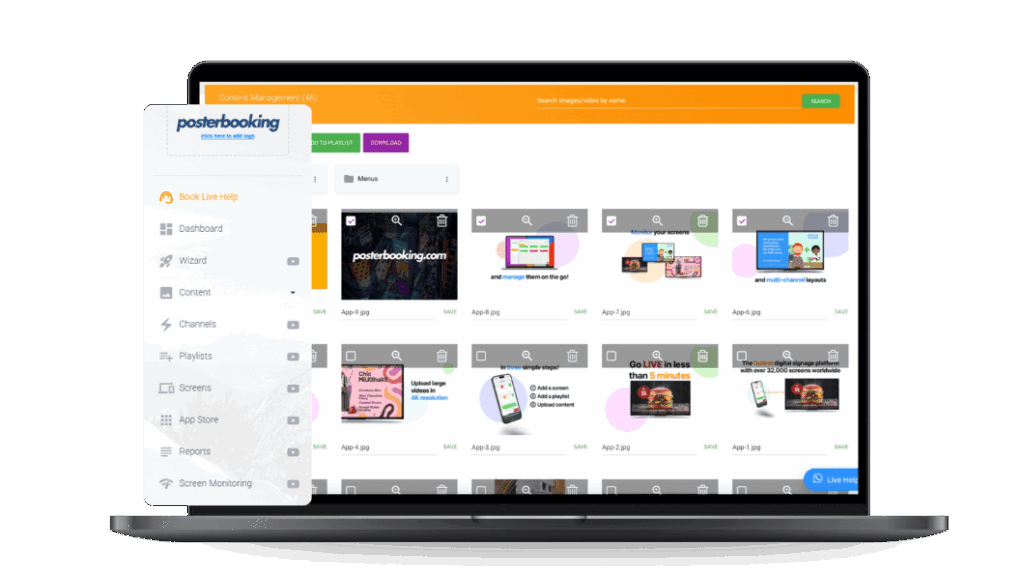
PosterBooking is the best overall retail digital signage platform for an independent store or small group that needs up to 10 straightforward promotional screens at one predictable package price. It is a cloud content-management system that turns compatible televisions and monitors into remotely managed signs through an app or external player. Its central differentiator is not advanced retail analytics. It is the ability to manage a surprisingly broad small-store screen estate without paying a separate full license for each of the first 10 screens.
In September 2026, PosterBooking listed Home Basic at $52 per month for 10 screens, with no watermark, scheduled playlists, 4K content, screen monitoring, video walls, and background music. The same page lists $6.49 per month for each screen above 10. According to a 2026 (PosterBooking) on digital signage pricing, that makes the representative annual software cost $624 for up to 10 screens before hardware and tax.
The strongest positive review theme is operational simplicity. Users repeatedly describe fast Fire TV or Android setup, uncomplicated uploads, and easy daily edits. A current retail operator should interpret that pattern narrowly. PosterBooking appears well suited to images, short videos, web content, and scheduled playlists that a store owner or marketing assistant changes directly. The review evidence does not establish superior uptime, analytics, or enterprise governance.
The more revealing difference appeared in the pricing language. The page says “Start with 10 screens free,” but the free-plan feature list also says “3-month FREE trial.” Recent reviews show that this is not a harmless wording detail. In September 2026, Trustpilot displayed 3.0 out of 5 from 291 reviews. According to a 2026 (Trustpilot) on PosterBooking reviews, positive 2026 reviewers praised easy Android setup and frequent edits, while multiple negative reviewers said the free service ended after three months and, in one case, screens showed a license-expired message during business hours.
PosterBooking therefore wins on its paid small-estate economics, not on a permanent-free claim. A retailer should treat the free offer as a pilot, record its end date, and approve Home Basic before a customer-facing screen becomes dependent on it. At $52 monthly, the cost per licensed screen is attractive only if the retailer uses several screens. A single boutique display is cheaper on Yodeck’s free tier or another low-count plan.
Discussions within retail marketing communities as early as 2026 report disagreement about whether in-house promotional signage materially changes sales in smaller stores. Some practitioners see more value when retailers sell advertiser inventory, while others emphasize software and commercial-display reliability. This does not prove that local promotions fail. It shows why every screen needs a defined job and measurement method.
What I like
- Ten unwatermarked screens under one $52 monthly package can cover several retail zones without per-screen cost anxiety.
- The core upload, playlist, schedule, and remote-update workflow matches the way small retailers actually work.
What users like
- Positive reviews repeatedly praise quick setup and simple day-to-day content changes.
- Store and hospitality users describe running several screens from one dashboard.
What I dislike
- The “10 screens free” headline and three-month-trial wording are materially inconsistent.
- Advanced security, reporting, franchise controls, and API work sit far above the basic package.
What users dislike
- Multiple 2025 and 2026 reviewers objected to the free-plan expiry and communication around it.
- Some reviewers reported unexpected paywalls or a license notice appearing on live screens.
The two meaningful limitations are commercial trust around the free offer and limited evidence for sophisticated retail integrations. The first matters whenever a store depends on an unpaid production screen. The second matters when price, inventory, loyalty, or campaign data must update without a person rebuilding content.
The ideal buyer is an independent retailer, showroom, pharmacy, salon retailer, convenience store, or small group using four to 10 promotional screens. Choose PosterBooking for low paid cost across that compact estate and a direct publishing workflow. Avoid it when you need a guaranteed permanent free plan, advanced POS automation, or enterprise-grade governance at the entry price.
2. Yodeck: Best for One Free Screen and Mixed Low-Cost Hardware
Yodeck is the best retail signage choice for one genuinely free production screen or a cost-conscious rollout that can use Raspberry Pi and mixed player hardware. It is a mature cloud signage platform with a broad app and template ecosystem. Its central differentiator is a credible entry path from one free screen to managed multi-screen installations, with a player or hardware credit included on annual paid plans.
In September 2026, Yodeck listed one screen free forever with all Basic features, unlimited storage, and unlimited users. Basic cost $8 per screen per month when billed annually and included a 1GB Yodeck Player or a $20 credit for an existing device. Premium cost $12 and Enterprise $16. According to a 2026 (Yodeck) on pricing and players, a 10-screen Basic estate costs $960 annually before tax, while one independent shop screen can remain at zero software cost.
The strongest review theme is value combined with an approachable dashboard. In September 2026, Trustpilot displayed 4.7 out of 5 from 281 reviews, although Yodeck has a paid profile and invites reviews. According to a 2026 (Trustpilot) on Yodeck support and reliability, 2026 reviewers praised intuitive deployment, remote configuration, and Raspberry Pi reuse. A small number reported frozen or failed players and slow replacement resolution.
But that was not the feature practitioners discussed most. The recurring field concern is recovery. Cheap players are attractive until a store manager has to climb a ladder, power-cycle a hidden box, or wait for support while the screen above checkout is blank.
Discussions within system-administration communities as early as 2026 describe technicians being sent to manually update or service Chromeboxes strapped behind televisions. The broader pattern is that remote content control does not equal remote device control. A retailer should test power recovery, app auto-launch, operating-system updates, screenshots, network reconnection, and player replacement as separate workflows.
Yodeck caches content for offline playback and offers central monitoring. That protects a loop when the internet drops, but it cannot refresh a live stock feed while disconnected. For a cosmetics store, cached evergreen product education is a sensible fallback. A promotion containing a precise price or availability claim needs a shorter expiry and an explicit error state.
What I like
- One free screen forever is a clear, low-risk production option rather than a multi-screen trial presented as permanent.
- Annual plans include a player or hardware credit, which makes software and playback cost easier to model.
What users like
- Reviewers consistently praise value, quick setup, and an intuitive management dashboard.
- Raspberry Pi reuse and remote screen synchronization appear repeatedly in positive feedback.
What I dislike
- The retail value proposition becomes less inexpensive when data integrations require Premium.
- Mixed hardware increases the number of configurations that someone must test and support.
What users dislike
- Isolated 2026 reviews report player freezing, offline incidents, and replacement frustration.
- Some operators want more flexible billing when screens are seasonal.
The two important limitations are higher effective pricing for automated retail data and the support burden of flexible hardware. Those limits matter most for seasonal estates, unattended displays, and stores without an accountable technical owner.
The ideal buyer is a single-screen shop, a technically comfortable independent retailer, or a small chain reusing Raspberry Pi and mixed displays. Choose Yodeck for its honest one-screen free tier and gradual path to automation. Avoid it when nobody can own player maintenance or when a turnkey POS integration is nonnegotiable.
3. ScreenCloud: Best for Multi-Location Retail Governance
ScreenCloud is the best option for a regional or national retailer that needs central campaigns, controlled local edits, strong permissions, and an approachable publishing experience. It is a cloud signage platform built for distributed organizations with multiple contributors. Its central differentiator is governance that marketing and store teams can use without turning every change into an IT ticket.
In September 2026, ScreenCloud listed Core at $20 per screen per month and Pro at $30, billed annually, with Enterprise priced by quote. Core includes more than 80 apps and integrations, unlimited storage, content creation, scheduling, and remote device management. Pro adds deeper dashboards, engagement functions, proof of play, and permissions. According to a 2026 (ScreenCloud) on retail signage pricing, a 10-screen Core deployment costs $2,400 annually before hardware, tax, and optional services.
That is expensive for a single slideshow. It becomes defensible when a merchandising team publishes national campaigns, regional managers schedule local events, store employees can correct opening hours, and IT controls devices and access. The platform should be compared against coordination cost, brand errors, expired campaigns, and site visits, not only against PosterBooking’s monthly price.
The strongest review theme is ease of use across several screens and content types. In September 2026, Capterra displayed 4.8 out of 5 from 288 reviews, with 4.8 for ease of use and 4.7 for customer service. According to a 2026 (Capterra) on ScreenCloud reviews, users praise quick uploads, scheduling, and multi-screen management. Reported limitations include cost, occasional lag or offline screens, app setup friction, and editor constraints.
Discussions within retail and corporate signage communities as early as 2026 report that one platform can serve retail and internal communications when the workflows remain separated. Retail needs store and region grouping, local promotions, and constrained access. Corporate screens need secure dashboards, alerts, and different content ownership. The practitioner view challenges the idea that buying one CMS automatically creates one manageable program.
The practical answer is to create distinct spaces, roles, templates, and approval rules. A staff-room safety message should never be eligible for a customer-facing beauty counter. A local store employee should not be able to alter nationwide pricing. Governance only works when the content model reflects the organization.
What I like
- It addresses the real organizational problem of central brand control with limited local flexibility.
- Strong review volume supports the ease-of-use proposition better than vendor testimonials alone.
What users like
- Reviewers value fast content updates and low training demands across multiple screens.
- Multi-location users praise playlist management and scheduled expiration.
What I dislike
- Core is almost four times the annual cost of PosterBooking Home Basic for 10 screens.
- The strongest governance and measurement benefits may require Pro or Enterprise.
What users dislike
- Reviewers mention price-to-value concerns for simpler use cases.
- Some report app configuration friction, limited editor behaviors, or stuck content.
The two meaningful limitations are price and the risk of buying governance that the organization never implements. They matter when one person controls a simple estate or when local roles, naming rules, and approval policies remain undefined.
The ideal buyer is a regional chain, showroom group, franchise network, or retailer with central marketing and local store contributors. Choose ScreenCloud to control who can publish what, where, and for how long. Avoid it when one person runs a small static loop and the extra governance will not prevent real work or risk.
4. OptiSigns: Best for Interactive Kiosks and Data-Led Store Experiences
OptiSigns is the best platform in this ranking for retailers that want to move from passive promotion into touch kiosks, QR interactions, product catalogs, lift-and-learn experiences, and operational dashboards. It is a broad cloud signage platform with a tiered path from simple playlists to interactive retail workflows. Its differentiator is range, not the lowest cost for the fully developed experience.
In September 2026, annual pricing was $9 per screen per month for Standard, $11.25 for Pro, $13.50 for Pro Plus, $27 for Engage, and $40.50 for Enterprise with a 25-screen minimum. A limited free plan supports up to three selected screens and adds the OptiSigns logo. According to a 2026 (OptiSigns) on plans and interactive signage, the 10-screen annual cost is $1,080 on Standard but $3,240 on Engage.
The strongest user-review theme is fast setup backed by a wide feature catalog. Current third-party review summaries place OptiSigns around 4.7 on G2 with several thousand reviews, while Trustpilot showed 110 reviews in September 2026. Large counts strengthen the usability signal, but review sources mix industries, plans, invited submissions, and hardware. They do not prove that every advanced retail workflow is easy.
According to a 2026 (OptiSigns) on retail digital signage, the platform documents touch kiosks, lift-and-learn, audience analytics, scheduling, data mapping, APIs, and workflow integration. These features connect a screen to an action, but each introduces another system boundary. A kiosk that displays a product page is not automatically integrated with stock, payment, loyalty, or order fulfillment.
Discussions within digital-signage communities as early as 2026 include both recommendations and criticism of OptiSigns. Some comments praise alternative platforms, while one unsupported comment argues that OptiSigns is shifting attention toward AI. Much of the thread includes vendor participation. The higher-level lesson is not that one comment settles the product. It is that a retailer should demand a roadmap for the exact paid feature it needs and reference customers running that workflow at comparable scale.
What I like
- Retailers can start with scheduled signage and add interaction without replacing the core CMS.
- Proof of play, approvals, secured dashboards, APIs, and remote troubleshooting cover serious operational needs.
What users like
- Large review volumes consistently support ease of setup, feature breadth, and remote management.
- Users value the template and app ecosystem for getting initial content live quickly.
What I dislike
- The experience that makes OptiSigns distinctive often requires Engage, not Standard.
- Audience analytics and interaction create privacy, accessibility, integration, and support obligations.
What users dislike
- Some reviewers cite support-response, localization, or translation frustration.
- Price sensitivity increases as estates move beyond the basic plan.
The two meaningful limitations are total cost at the interactive tier and the operational complexity surrounding peripherals and data. They matter when the project brief says “kiosk” without defining identity, stock, payment, accessibility, fallback, support, or measurement.
The ideal buyer is a showroom, specialty retailer, beauty chain, automotive retailer, or grocery operator with a specific interactive or data-driven customer journey. Choose OptiSigns when the screen must help a shopper act. Avoid it when all screens need is a reliable scheduled loop or when nobody owns the kiosk’s complete workflow.
5. Kitcast: Best for Apple TV Retail Fleets
Kitcast is the best digital signage platform for retail teams that already standardize on Apple TV and want native tvOS playback, mobile-device-management support, offline caching, and multi-store publishing. It is a multi-platform signage CMS, but its clearest differentiator is its long-standing native Apple TV route. That can simplify deployment for an Apple-centered retailer, though it is not a reason to introduce Apple TV where another estate already works.
In September 2026, Kitcast listed Starter at $7 per screen per month on annual billing and Pro at $10. Starter includes publishing, scheduling, more than 500 templates, AI-assisted content generation, offline mode, apps, unlimited users and storage, and 24/7 support. Pro adds SSO and SAML, SCIM, mobile-device management, REST API access, audit logs, and zero-touch deployment. According to a 2026 (Kitcast) on pricing and governance, 10 screens cost $840 annually on Starter or $1,200 on Pro.
The strongest review pattern is simple, dependable publishing, particularly on Apple TV. In September 2026, Software Advice showed current Kitcast review aggregates in the mid-4 range, with positive comments about interface clarity, support, and Apple TV use. The sample is much smaller than OptiSigns or Yodeck, which limits claims of broad consensus. Review data supports usability, not universal superiority.
According to a 2026 (Kitcast) on retail screen operations, the product supports Apple TV, Android TV, Fire TV, BrightSign, Samsung Smart Signage, LG webOS, ChromeOS, and macOS. It also documents dayparting, proof of play, offline playback, multi-store management, local roles, and zero-touch Apple TV provisioning. These are vendor-documented capabilities, so a buyer should validate them on the exact OS and device model.
Discussions within commercial AV communities as early as 2026 repeatedly prioritize reliability, honest specifications, post-sale support, documentation, and easy replacement over impressive marketing. Practitioners describe low-cost hardware working in value-engineered installations, but they also describe failures caused by duty cycle, cable length, or inappropriate components.
What I like
- Native tvOS, Apple Business Manager, MDM, and offline playback create a coherent Apple retail architecture.
- Starter includes a substantial core feature set at a competitive $7 annual rate.
What users like
- Review patterns emphasize clean setup, understandable controls, responsive support, and reliable Apple TV use.
- Marketers value templates and simple remote publishing.
What I dislike
- The strongest differentiator is valuable only for a retailer that has chosen Apple TV deliberately.
- Hardware and MDM costs can outweigh the low software price.
What users dislike
- Some review data places value and functionality below ease and support.
- Users occasionally report software or support frustration.
The two meaningful limitations are hardware-specific value and total deployment cost. They matter when Apple TV would be a new purchase or when the retailer already has a stable system-on-chip, BrightSign, Android, or Windows player standard.
The ideal buyer is a premium retailer, showroom group, or chain already managing Apple TV through Apple Business Manager and MDM. Choose Kitcast for native Apple deployment and cached multi-store campaigns. Avoid it when Apple hardware adds a new platform or when the existing player estate is already dependable.
6. Fugo: Best for Asset-Library-Driven Campaign Publishing
Fugo is the best choice for a retail marketing team that wants approved campaign assets in tools such as Canto, Google Drive, Google Slides, or PosterMyWall to flow into centrally scheduled store screens. It is a cloud signage platform aimed at cross-functional teams and distributed screens. Its central differentiator for retail is the bridge between creative asset sources and day-to-day screen publishing, reducing manual download, resize, upload, and replacement work.
In September 2026, Fugo listed Essential at $20 per screen per month annually, Core at $30, and Enterprise at $40. One watermarked screen can be tested indefinitely, and a full 14-day trial is available. According to a 2026 (Fugo) on pricing, roles, and offline playback, Essential includes a design studio, templates, more than 40 free apps, web links, touch content, advanced scheduling, unlimited users and spaces, broad hardware support, and local content caching.

The strongest review theme is usability for nontechnical publishers. In August 2026, Capterra displayed 4.5 out of 5 from 66 reviews, with 4.6 for ease and 4.5 for service. According to a 2026 (Capterra) on Fugo reviews, users praise drag-and-drop publishing and remote changes, while criticizing price, customization limits, and occasional performance issues. Many displayed reviews were incentivized, so the pattern is directional.
The retail workflow starts with asset authority. According to a 2026 (Fugo) on retail campaign synchronization, Canto collections, Google Drive, Google Slides, PosterMyWall, QR codes, and web content can feed screens without a manual update at every location.
The more revealing difference is what the integration does not solve. An asset library knows which creative is approved. It may not know local stock, promotion eligibility, legal copy, or the price charged at checkout. A retailer still needs metadata and publishing rules that determine which stores, zones, dates, languages, and product ranges can use the asset.
Discussions within major-retailer signage communities as early as 2025 report that large networks need federal or national content, regional variants, store tags, frequency caps, proof of play, roles, and detailed logs. Practitioners also warn that internal politics and procurement often outweigh feature lists. Marketing wants flexibility, IT wants security, and store operations wants the system never to break.
Fugo is strongest when it reduces friction between those groups. Marketing keeps using its asset system. IT defines players and identity. Store managers receive narrow permissions. The practical takeaway is to pilot the asset-change lifecycle, not simply upload a polished sample video.
What I like
- Canto and creative-tool connections address a genuine retail campaign bottleneck.
- Unlimited users and spaces support multiple departments and locations without per-user anxiety.
What users like
- Reviews consistently praise intuitive remote publishing and quick visual updates.
- Nontechnical users value the drag-and-drop interface.
What I dislike
- Essential starts at the same price as ScreenCloud Core and is costly for a simple small-store playlist.
- Analytics and deeper data integrations are not the entry-level strength.
What users dislike
- Reviews mention pricing, template or customization limits, and occasional stability concerns.
- Some users report performance or manual-restart issues at larger scale.
The two meaningful limitations are price and the gap between approved creative and accurate commerce data. They matter when a retailer has few screens or expects a DAM connector to solve stock, price, promotion, and legal synchronization automatically.
The ideal buyer is a fashion, beauty, homeware, or branded specialty retailer whose marketing team already manages approved assets in Canto or connected creative tools. Choose Fugo to shorten the path from approved campaign to store screen. Avoid it when the main requirement is the cheapest loop or a deeply transactional POS-driven display.
7. Navori: Best for Data-Triggered Enterprise Merchandising
Navori is the best platform in this shortlist for an enterprise retailer that needs screen content to respond to structured business data, audience conditions, schedules, and local operating rules. Navori is an established digital-signage CMS and player ecosystem designed for complex deployments. Its differentiator is the combination of content management, data connectors, conditional triggering, analytics options, and broad enterprise player support.
Public September 2026 pricing is less transparent than the first six products. Current software directories show entry pricing near $14 per month, while other directories present different Essential and Professional figures. According to a 2026 (Capterra) on Navori pricing and reviews, the product held 4.6 out of 5 from 31 reviews, with 4.6 for ease of use and 4.3 for customer service. Retailers should obtain a written quote covering CMS, player licenses, analytics, support, hosting, and implementation.
The strongest review theme is power that can still feel manageable. Users praise short publishing workflows, database-driven changes, triggers, broad player options, and long-term product development. The counter-pattern is equally important. Some reviewers report an overloaded interface, inconsistent generic Android performance, difficult external connectors, or weak support response.
Navori documents scheduling based on time, date, location, weather, and audience conditions, alongside APIs and connections to business data sources. It supports dedicated players and commercial display operating systems across Android, Windows, Linux, Samsung, LG, and other environments. The practical value is fewer manual campaigns and more consistent local relevance.
But automation creates a new failure mode. A perfectly functioning screen can show the wrong message because the source data, rule, or identifier is wrong. If a product code maps to the wrong region or a weather trigger has no fallback, the CMS faithfully publishes an error at scale.
Discussions within enterprise digital-signage communities as early as 2025 report that useful enterprise screens become more valuable when connected to POS, audience, inventory, weather, or other triggers. The same practitioners warn about diminishing returns from screen count alone and emphasize long evaluations, security testing, APIs, hybrid hosting, content caching, and operational stability.
What I like
- Data connectors and conditional triggers support genuinely contextual merchandising.
- Broad player and hosting options suit retailers with heterogeneous or regulated estates.
What users like
- Users value powerful scheduling, triggers, database use, and relatively direct publishing.
- Long-term customers describe continuous functional development.
What I dislike
- Public pricing is not clear enough for a simple self-service cost comparison.
- Data-triggered workflows introduce testing, governance, and integration ownership that small retailers do not need.
What users dislike
- Some reviewers describe the interface as overloaded.
- Generic Android performance and connector work receive mixed feedback.
The two meaningful limitations are procurement complexity and operational dependence on accurate data. They matter when the retailer lacks integration resources or expects advanced automation to work without ongoing rule, source, and player ownership.
The ideal buyer is a grocery, department-store, banking, travel-retail, or large specialty chain with IT, merchandising, and data owners. Choose Navori when content must react to structured conditions across a complex estate. Avoid it when the job is a simple loop or when nobody can own the data and rules behind automation.
8. Broadsign: Best for Monetizing an In-Store Retail Media Network
Broadsign is the best choice for a retailer whose screens are commercial media inventory, not merely a channel for store promotions. It is an enterprise out-of-home and digital-out-of-home platform spanning campaign planning, content delivery, inventory, programmatic transactions, and reporting. Its central differentiator is media-network operation across owned screens, advertisers, agencies, and buying systems.
Broadsign does not publish a simple small-retailer per-screen price. Buyers request a quote based on network and product requirements. That is appropriate for a grocery, pharmacy, fuel, mall, or big-box network selling campaigns across hundreds or thousands of endpoints. It is unnecessary friction for a boutique that wants to rotate six product videos.
The strongest review theme is mature campaign capability and performance at scale. In 2026, G2 displayed 4.4 out of 5 from 15 reviews. According to a 2026 (G2) on Broadsign reviews, users praise robust performance, an intuitive interface for professional media workflows, support, APIs, contextual targeting, and centralized network control. Criticism includes a steep learning curve, mobile limitations, and release-management complexity. The sample is small and many reviews are older, so it supports product characterization more than a current reliability verdict.
That tension is visible in current deployments. According to a 2026 (Modern Retail) on in-store retail media expansion, CVS expects around 11,000 screens nationwide and checkout ads in about 7,000 stores. Yet retailers are also removing placements that distract shoppers and concentrating on entrance, end-cap, pharmacy, and frozen-section contexts where a message can be useful.
Discussions within major-retailer digital-signage communities as early as 2025 report that enterprise buyers focus on revenue per square meter, ad sales, proof of play, campaign logs, frequency caps, regional targeting, APIs, and security. Practitioners also say purchase decisions often follow remodels, hardware refreshes, or contract expiry, while operational savings and avoided site visits can be easier to prove than vague engagement.
Discussions within retail marketing communities as early as 2026 add a counterpoint. Some practitioners believe selling advertiser inventory can be more economically meaningful than using screens only for small in-house upsells. That perspective is plausible but incomplete. Advertising works only when a retailer has sufficient reach, appropriate placements, brand-safe rules, sales capability, measurement, and customer tolerance.
What I like
- It treats screens as sellable media inventory with planning, delivery, programmatic demand, and reporting.
- Mature APIs and campaign controls fit large retail-media operations.
What users like
- Reviewers praise enterprise performance, professional campaign control, support, and flexibility.
- Media operators value centralized management across large networks.
What I dislike
- Quote-based enterprise procurement prevents a simple cost comparison.
- The learning and operating burden is excessive for owned promotional content alone.
What users dislike
- Reviews mention a learning curve and the need for training or consulting.
- Mobile usability and version or hotfix communication receive criticism.
The two meaningful limitations are operating complexity and the requirement for real advertising scale. They matter when a retailer lacks a media-sales team, qualified inventory, programmatic connections, reliable proof of play, or a defensible measurement model.
The ideal buyer is a grocery, pharmacy, fuel, mall, or big-box network building an in-store retail media business. Choose Broadsign when advertisers, agencies, campaign pacing, and inventory yield are central. Avoid it when the screen exists only to promote the retailer’s own offers or when the network is too small to attract sustainable demand.
Hardware & Technology Trends
Most retailers should pilot with existing displays and replaceable players, then specify commercial hardware for high-hour, high-brightness, outdoor, video-wall, interactive, or revenue-critical zones. Software cannot compensate for insufficient brightness, a consumer television that sleeps unexpectedly, exposed cables, poor cooling, weak Wi-Fi, or a player that cannot recover after an update.
| Retail zone | Best-fit hardware | Operational reason |
|---|---|---|
| Street-facing window | High-brightness commercial display, often 2,500 nits or more depending on exposure | Sunlight readability, heat management, long duty cycle |
| Entrance or decompression zone | Commercial portrait or landscape display with remote power and monitoring | High traffic, orientation, campaign impact |
| Product bay or end-cap | Smaller commercial display or shelf-edge screen | Contextual product education without aisle obstruction |
| Checkout | Compact commercial display with tightly controlled content | Short dwell time, price sensitivity, queue information |
| Touch kiosk | Commercial touchscreen, managed player, secure enclosure, accessible mounting | Interaction, privacy, cleaning, peripheral reliability |
| Video wall | Narrow-bezel commercial panels or LED with synchronized playback | Alignment, color consistency, timing, serviceability |
| Staff room | Existing television with validated low-cost player | Lower visual and uptime requirements |
| Outdoor pickup | Weather-rated, high-brightness display and protected player | Water, dust, temperature, glare, vandalism |
The 2026 market is also splitting large-format signage from electronic shelf labels. According to a 2026 (Retail Dive) on Walmart digital shelf labels, Walmart is expanding electronic labels from about 2,300 US locations to all stores within roughly a year. The labels help update prices, guide restocking, and support order picking. They operate on a closed system and, according to Walmart, do not collect shopper data.
Discussions within commercial AV communities as early as 2026 report that integrators judge hardware by reliability, documentation, post-sale support, and replacement processes. One practitioner described signage running at least 16 hours daily when cheaper transmission hardware developed problems. Individual comments are not product tests, but the recurring constraint is real: duty cycle and installation conditions change what “affordable” means.
The practical test is a 72-hour pilot using final media on final hardware. Interrupt power and network. Let the device update. Test morning startup, overnight shutdown, content caching, screenshots, time-zone schedules, portrait rotation, and thermal conditions. If the screen cannot recover without a ladder or a specialist, it is not ready for an unattended customer-facing zone.
Integrations & Features
The most important retail-signage feature is a reliable source of truth, followed by zone targeting, content expiry, offline behavior, permissions, remote recovery, and measurable actions. A catalog of 100 apps is less useful than one accurate connection between the POS, product feed, asset library, and the display beside the product.
| Retail use case | Best platform in this ranking | Required workflow |
|---|---|---|
| Four to 10 promotional screens in one store | PosterBooking | One owner schedules zone-specific playlists and budgets for Home Basic |
| One shop-window or service screen | Yodeck | Free production screen with approved cached fallback |
| Central campaigns plus local store edits | ScreenCloud | Locked templates, screen groups, roles, expiry, and audit trail |
| Product finder, kiosk, QR, or lift-and-learn | OptiSigns | Secure data source, accessible interaction, timeout, analytics, staffed exception |
| Managed Apple TV estate | Kitcast | Apple Business Manager, MDM, cached campaigns, spare player |
| Creative assets managed in Canto | Fugo | Approved collection, metadata, store eligibility, automatic refresh |
| Inventory, weather, or audience-triggered content | Navori | Validated source data, rules, logs, approval, fallback |
| Paid in-store advertising | Broadsign | Inventory, trafficking, pacing, proof of play, measurement, sales demand |
Does retail digital signage integrate with POS and inventory systems?
Yes, but support for APIs, web pages, spreadsheets, or data mapping does not prove a maintained connector to a retailer’s exact POS, ERP, PIM, pricing, or inventory system. Ask for the connector name, supported fields, authentication method, refresh interval, failure state, support owner, and added cost in writing.
Price requires the strictest governance. Walmart’s 2026 shelf-label explanation emphasizes secure, people-led approval and consistent in-store prices rather than demand-based changes during the day. That response reflects a broader trust problem. Customers may interpret dynamic displays as surge pricing even when the retailer intends scheduled discounts.
Should a retailer use dynamic pricing on digital signs?
Use digital delivery for approved markdowns, local promotions, and rapid price accuracy, but do not confuse technical flexibility with permission to change prices opaquely. Show terms clearly, synchronize the register, maintain an audit trail, and explain how pricing works when customer trust or regulation requires it.
2026 retail investment places screens inside wider store transformation. According to a 2026 (Target) on store transformation and visual displays, Target tied new stores, remodels, technology, visual displays, discovery, and personalization to one operating plan. Signage should follow merchandising architecture rather than being bolted on later.
What should retail stores show on digital signage?
Show the next useful decision for the shopper in that physical zone. Appropriate content includes:
- Window-level product stories, events, store hours, and campaign hooks.
- Entrance wayfinding, services, loyalty benefits, and seasonal navigation.
- Department-level comparisons, product education, availability, and complementary items.
- Fitting-room styling ideas, size help, and an assisted-service request.
- Beauty-counter tutorials, ingredient or shade information, and consultation booking.
- Electronics demonstrations, feature comparisons, warranties, and pickup options.
- Grocery recipes, origin information, allergens, promotions, and prepared-food menus.
- Pharmacy queue information, vaccination or service education, and privacy-safe notices.
- Checkout loyalty prompts, receipts, pickup instructions, and short relevant offers.
- Staff-only targets, safety notices, replenishment priorities, and operating updates.
Discussions within digital-signage design communities as early as 2026 warn that replacing necessary information with a 30-second advertisement slows decisions and frustrates customers. The broader principle is continuity. Required price, queue, menu, or navigation information should remain visible or return almost immediately. Promotions must not block the task the screen exists to support.
Accessibility is part of the workflow. Use readable type, contrast, captions, reachable touch targets, accessible mounting, sufficient session time, and a staffed fallback. Do not require a smartphone for a basic service.
How often should digital signage content change? Update prices, availability, safety information, and service status when the authoritative source changes. Schedule promotions by campaign and daypart, and make every temporary asset expire automatically. Creative freshness is secondary to factual accuracy.
The practical takeaway is to map every screen to four fields: audience, job, source, and owner. If any field is blank, the screen is not ready to buy.
Cost & Operational Insights
A realistic retail-signage budget includes software, players, displays, mounts, networking, installation, content labor, integration, support, replacement stock, electricity, and downtime. The monthly CMS fee is easy to compare because it is visible. The largest hidden cost is often repeated human intervention.
| Representative plan | 10-screen annual software cost | Important exclusion |
|---|---|---|
| PosterBooking Home Basic | $624 | Hardware, tax, advanced governance |
| Kitcast Starter | $840 | Players, MDM, Pro controls |
| Yodeck Basic | $960 | Premium data features |
| OptiSigns Standard | $1,080 | Engage interaction and kiosk hardware |
| ScreenCloud Core | $2,400 | Pro measurement and hardware |
| Fugo Essential | $2,400 | Core dashboards and enterprise controls |
| Navori entry reference | About $1,680 | Quote, plan scope, player, analytics, implementation |
| Broadsign | Quote | Media operations, integrations, deployment, sales stack |
Use this finance model:
Annual net benefit = tracked incremental gross profit + media margin + avoided print and labor cost + avoided site visits, minus software + hardware depreciation + installation + connectivity + support + content + repair cost.
Break-even months = upfront cash cost divided by positive monthly net contribution.
Is digital signage worth it for a retail store? Yes, when it replaces recurring manual work, keeps a necessary fact accurate, improves a measured shopper action, or creates profitable media inventory. No, when it turns an unused television into an unowned slideshow.
Start with two to four screens for 30 to 60 days. Choose one operational measure and one commercial measure. Examples include campaign-change time, print spend, store visits, out-of-date incidents, QR completions, consultation bookings, attachment gross profit, loyalty signups, promoted-item units, or advertiser margin.
Discussions within major-retailer signage communities as early as 2025 report that avoided truck rolls, stable remote operation, and campaign execution can be easier to defend than broad “engagement” claims. This practitioner view differs from conventional vendor marketing, which often leads with attention and sales lift.
The practical implication is to fund reliability and process first. A screen that avoids one urgent site visit may generate more defensible value than a beautiful animation with no attribution. Build the business case around outcomes finance can audit.
Buy the smallest system that survives a price change, a campaign expiry, a power cycle, a network outage, a staff handover, and a 30-day measurement period.
Final Buyer Guidance
Choose the platform around the fact or action that must remain correct, then test the people and hardware that keep it correct. A small retailer should not finance enterprise media technology. A national chain should not depend on one marketer’s password and a folder of MP4 files.
Use these final questions:
- What must the screen help the shopper do? Define one decision, service, product, or action for each zone.
- Which system owns the fact on screen? Name the POS, PIM, inventory feed, asset library, schedule, or human owner.
- Who can publish locally? Give store teams narrow, useful permissions and protect price, legal, and brand layers.
- What happens after power or network failure? Require auto-launch, cached fallback, monitoring, and a documented replacement path.
- What will finance measure? Choose gross profit, labor avoided, incidents, completed actions, or net media margin before launch.
- What changes at three-year scale? Price roles, SSO, APIs, screen groups, support, players, and content operations at the realistic future estate.
For one retail location with four to 10 simple screens, PosterBooking has the strongest paid cost-to-coverage ratio. Its free wording is too inconsistent to use as a permanent-budget assumption. Treat three months as the pilot and plan for $52 monthly if the screens prove useful.
For one screen or a technically comfortable rollout using Raspberry Pi, Yodeck offers the cleaner free path and a strong value reputation. Keep spare hardware for critical positions. For a chain where central and local teams both publish, ScreenCloud’s higher price becomes easier to defend through governance and fewer coordination errors.
For a defined kiosk, QR, catalog, lift-and-learn, or data-display journey, OptiSigns provides the clearest expansion path. Price the Engage-level workflow and all peripherals rather than comparing it with Standard. If Apple TV is already the managed endpoint, Kitcast gives that estate a coherent native option with offline playback and MDM support.
For a brand team distributing approved assets from Canto and related creative systems, Fugo can remove repetitive campaign handling. For enterprise merchandising driven by data and rules, Navori offers deeper conditional logic, but it also requires stronger integration ownership. For a retailer selling paid advertising across a large screen network, Broadsign addresses inventory and campaign operations that general-purpose signage does not.
The final test is deliberately uncomfortable. A promotion expires at midnight, the internet fails at 8 a.m., a player does not restart, the original administrator has left, and a regional manager needs to correct one store without changing 99 others.
The best digital signage for that retail business is the platform, hardware, and operating process that still produces the right screen the next morning.