PosterBooking is the best digital signage for most independent restaurants with up to 10 screens, Yodeck is best for a single free screen and mixed low-cost players, NoviSign is best for Toast-synced menu boards, OptiSigns is best for interactive ordering and data-driven screens, ScreenCloud is best for multi-location governance, Kitcast is best for Apple TV fleets, LOOK is best for offline-resilient mixed hardware, and Coates is best for enterprise QSR drive-thru networks.
The hidden buying problem is not how to put a menu image on a television. Almost every product here can do that. The hard problem is keeping prices, availability, dayparts, allergens, promotions, and local exceptions correct when a lunch rush begins, Wi-Fi fails, a player restarts, or the manager who built the playlist leaves.
I analysed current product documentation, September 2026 public pricing, restaurant workflows, independent review pages, vendor case studies, and practitioner discussions. I did not conduct hands-on testing, so this guide does not claim tested reliability. Review data indicates patterns, while official documentation establishes plans and capabilities. Neither alone proves business outcomes.
The trade-offs appear quickly. PosterBooking offers unusually low paid cost for 10 screens, yet its free-plan messaging is contradictory. Yodeck makes a one-screen pilot unusually credible, yet advanced automation costs more. NoviSign documents a native Toast route, but its independent review sample is thin. OptiSigns can progress into kiosks and POS-fed content, but the required plan can cost several times its headline price. ScreenCloud is expensive for a basic menu loop, while Coates does not publish an SMB-style price at all.
Restaurants also need different screen systems. A bakery changing pastries at 10 a.m. has a different source-of-truth problem from a 500-site burger chain. A buffet needs item-level allergen labels. A sports bar needs rights-cleared entertainment and dayparted offers. A drive-thru needs daylight-readable outdoor hardware, remote diagnostics, and a fallback that survives a network interruption.
Restaurant digital signage is a managed system of displays, media players, software, content, data connections, and operating rules that presents menus, promotions, order status, wayfinding, entertainment, or staff information. A television is only the visible endpoint. The value comes from the workflow behind it.
Table Of Contents
- How I Evaluated the Best Restaurant Digital Signage
- Best Digital Signage for Restaurants in 2026
- 1. PosterBooking: Best Overall for Independent Restaurants With Up to 10 Screens
- 2. Yodeck: Best for One Free Screen and Mixed Low-Cost Players
- 3. NoviSign: Best for Toast-Synced Menu Boards
- 4. OptiSigns: Best for Interactive Ordering and Data-Driven Screens
- 5. ScreenCloud: Best for Multi-Location Restaurant Governance
- 6. Kitcast: Best for Apple TV Restaurant Fleets
- 7. LOOK Digital Signage: Best for Offline-Resilient Mixed Hardware
- 8. Coates: Best for Enterprise QSR and Drive-Thru Networks
- Hardware & Technology Trends
- Can a regular TV be used as a digital menu board?
- How bright should an outdoor restaurant display be?
- Integrations & Features
- Do digital menu boards integrate with Toast, Square, or Clover?
- What should restaurants show on each screen?
- Cost & Operational Insights
- How much does restaurant digital signage cost?
- How many menu screens does a restaurant need?
- Is digital signage worth it for a restaurant?
- What is the cheapest safe starting point in 2026?
- Final Buyer Guidance
How I Evaluated the Best Restaurant Digital Signage
The ranking prioritizes restaurant workflow fit and operational simplicity over the longest feature list. The weights favor independent and small-chain restaurants running one to 10 screens, because that is the buying context in which PosterBooking’s fleet economics are most relevant.
- Restaurant workflow fit, including dayparting and menu accuracy: 25%
- Total software cost at one to 10 screens: 20%
- Ease for owners and shift managers: 15%
- Playback reliability, offline behavior, and recovery: 15%
- Hardware compatibility and deployment flexibility: 10%
- POS, data, and automation options: 10%
- Governance, support, and evidence quality: 5%
These weights are not universal. A national QSR should give more weight to governance, service levels, outdoor hardware, and integration ownership. A café with one existing TV should give more weight to permanent free use. A restaurant group already standardized on Apple TV should treat hardware fit as a larger factor.
The eight recommendation slots are intentionally distinct:
| Rank | Product | Best for | Entry price, Sept 2026 | Main caution |
|---|---|---|---|---|
| 1 | PosterBooking | Independent restaurants, ≤10 screens | $52/mo, 10 screens | “Free” is 3-month trial |
| 2 | Yodeck | Free screen, mixed fleets | $0 first screen, then $8/screen/mo | Data features need Premium |
| 3 | NoviSign | Toast-synced restaurant menus | From $20/player/mo | Thin independent review evidence |
| 4 | OptiSigns | Interactive, kiosk, POS workflows | $9/screen/mo (annual Standard) | Interactivity from $27/screen/mo |
| 5 | ScreenCloud | Governed multi-location publishing | $20/screen/mo (annual Core) | Expensive for simple playlists |
| 6 | Kitcast | Apple TV restaurant fleets | $7/screen/mo (annual Starter) | Narrows outside Apple hardware |
| 7 | LOOK Digital Signage | Mixed hardware, outage-prone sites | $13.50/screen/mo (annual) | Very few independent reviews |
| 8 | Coates | Enterprise QSR, drive-thru | Quote only | No public SMB pricing |
Note: Prices exclude tax, installation, displays, mounts, networking, content production, replacement hardware, and any POS implementation unless stated otherwise. A low plan price is not the same as a low total cost.
Best Digital Signage for Restaurants in 2026
The best restaurant signage platform is the one that keeps the correct offer visible, lets the right employee change it, and recovers without a service visit. The numbered order below reflects the evaluation weights, while each product owns a specific use case.
1. PosterBooking: Best Overall for Independent Restaurants With Up to 10 Screens
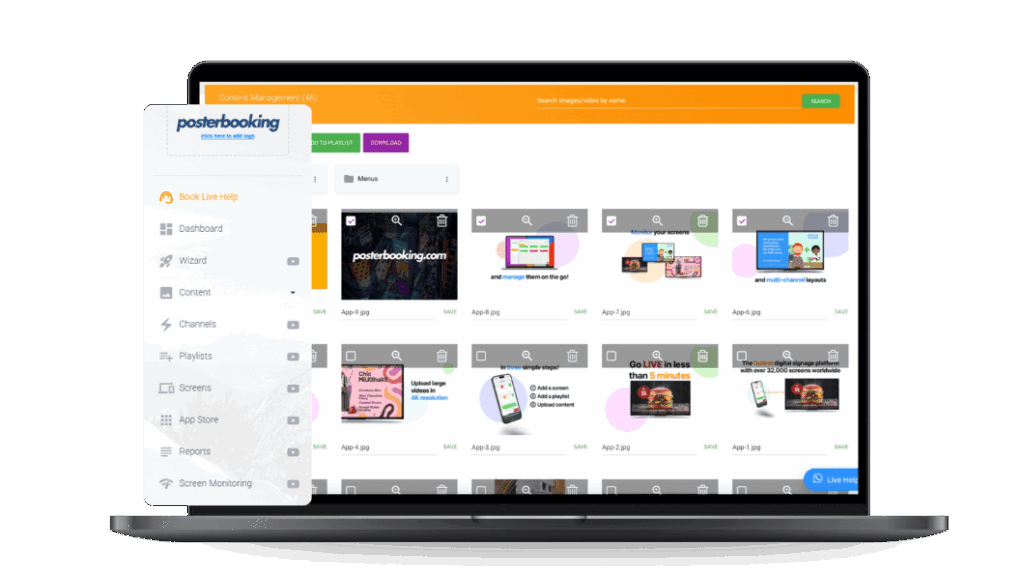
PosterBooking is the best overall choice for a one-location restaurant that wants to manage up to 10 paid screens without paying a separate per-screen subscription for each display. It is a cloud signage platform for simple image, video, playlist, and scheduled content. Its central differentiator is a $52 monthly Home Basic plan covering 10 screens, which works out to $5.20 per screen before hardware and tax.
According to a 2026 (PosterBooking) on digital-signage pricing, Home Basic includes 10 unwatermarked screens, scheduled playlists, image and video uploads, 4K content, screen monitoring, video walls, and background music. Android, Amazon Fire TV, Raspberry Pi, Windows, macOS, Linux, and LG webOS options are listed across its current site. That breadth lets an owner reuse existing TVs while choosing inexpensive players.
According to a 2026 (PosterBooking) on Amazon Signage Stick setup, an eight-digit code pairs the commercial stick with the dashboard, and the player supports auto-start after power-on. The page advertises 12 months of PosterBooking Business, but buyers should confirm the renewal price and included screens because the bundle differs from the website trial.
The strongest recurring positive review theme is setup simplicity. Current reviews describe quick Android or Fire TV pairing, straightforward uploads, and frequent remote menu changes. A 2025 fast-food franchise reviewer reported setting up 20 screens in under an hour with Amazon Signage Sticks, while a 2026 reviewer described making daily Android updates. These are individual experiences, not controlled deployment tests.
The more revealing issue appears in the negative pattern. According to a 2026 (Trustpilot) on PosterBooking reviews, PosterBooking held a 3.0 TrustScore from 291 reviews, with nine reviews in the preceding 12 months. The page showed 82% five-star and 8% one-star feedback, but recent one-star reviews repeatedly alleged that screens stopped after a supposedly permanent free plan expired.
PosterBooking’s own pricing page resolves part of the ambiguity by listing the $0 offer as a “3-month FREE trial,” even while the same page says “start with 10 screens free.” Restaurants should therefore treat 10 free screens as a time-limited pilot unless PosterBooking provides permanent terms in writing. Do not place a revenue-critical menu into production on an assumed free entitlement.
The workflow is content-led rather than POS-native. API access is available by tailored quote, but the public material reviewed did not establish a maintained native Toast, Square, or Clover connector. If a restaurant changes prices in its POS and then edits the same prices in PosterBooking, it has created two sources of truth. The lower subscription price does not eliminate that labor or error risk.
Discussions within systems-administration communities in 2026 report that low-cost signage becomes less simple when enterprise Wi-Fi blocks casting protocols. Practitioners favor dedicated players and, where possible, wired connectivity over consumer casting. The principle is straightforward: cloud management still depends on a stable path between player and service.
The best 2026 use cases are menu estates where several screens share one update rhythm. A bakery can schedule morning pastry availability and afternoon bundles. A pizzeria can reserve one panel for family deals. A café can promote cold brew when temperature rules trigger an approved asset. A buffet can use overhead category boards but should not assume PosterBooking solves item-level allergen labels without a separate structured data process.
What I like
- The paid 10-screen bundle is the lowest verified paid fleet price in this comparison.
- Broad player support makes a staged pilot possible with existing indoor TVs.
- Scheduled playlists map cleanly to breakfast, lunch, dinner, and happy hour.
What users like
- Positive reviews repeatedly mention quick pairing, simple uploads, and easy remote edits.
- Restaurant reviewers specifically mention Fire TV, menu scheduling, and multi-outlet setup.
What I dislike
- The free-plan language is internally contradictory.
- Publicly documented restaurant POS integrations are much thinner than NoviSign’s Toast route or OptiSigns’ data tooling.
What users dislike
- Multiple 2026 to 2026 reviewers report unexpected free-plan expiry and customer-facing license screens.
- Some negative reviews report slow or absent support during licensing disputes.
The first meaningful limitation is commercial trust. A menu board cannot unexpectedly display a license warning during service. This matters most to buyers relying on the free tier. The second is data duplication. Manual editing matters when prices, allergens, or sold-out items change frequently.
The ideal buyer is an independent café, bakery, pizzeria, takeaway, bar, or fast-casual restaurant running two to 10 indoor screens with one accountable content owner. Choose PosterBooking for its paid ten-screen economics and simple scheduled publishing. Avoid it when a permanent free tier, documented native POS synchronization, or enterprise-grade governance is nonnegotiable.
2. Yodeck: Best for One Free Screen and Mixed Low-Cost Players
Yodeck is the best choice for a restaurant that needs one genuinely documented free screen or wants to standardize cloud control across Raspberry Pi, Android, Windows, BrightSign, and supported smart-display hardware. It is a general-purpose signage platform with an unusually credible entry path. Its differentiator is the combination of a permanent one-screen license, annual-plan player value, offline-capable playback, and broad device choice.
In September 2026, Yodeck listed one screen at $0 forever with all Basic features, unlimited file storage, and unlimited users. Basic cost $8 per screen per month when billed annually and included a 1 GB Yodeck Player or a $20 credit for using another device. Premium cost $12 and added Google and Microsoft apps, data visualization, API access, advanced scheduling, tags, and sub-playlists. According to a 2026 (Yodeck) on pricing and players, a restaurant can pilot one board without assuming a temporary entitlement.
The strongest recurring user theme is accessible value. According to a 2026 (Trustpilot) on Yodeck reviews, the platform held a 4.7 score from 281 reviews when reviewed, and recent feedback praised Raspberry Pi setup, remote multi-location management, scheduling, and responsive help. Yodeck asks customers for reviews, so the distribution should not be treated as a random sample.
Negative experiences are operationally useful. Recent reviews include a failed-player replacement dispute and reports of freezing, offline status, or slow synchronization. A high aggregate rating does not make any individual device fail-safe. A restaurant with one critical overhead menu should hold a spare player, preserve a static fallback menu, and document the pairing process.
But hardware flexibility creates divided responsibility. When a screen goes black, the cause could be the CMS, player, SD card, power supply, HDMI handshake, television input, Wi-Fi, or local network policy. A bundled player reduces some uncertainty. A self-supplied Pi reduces purchase cost but asks someone to own imaging, storage health, updates, and physical replacement.
Discussions within IT operations communities in 2026 report Yodeck running across older HDMI televisions and multiple countries, while also warning that aging Raspberry Pi hardware can struggle with live web content. The recurring principle is that static menus are forgiving, while authenticated dashboards, web pages, and high-bitrate multi-zone video demand more capable players.
Premium is the practical restaurant tier when menus draw from Google Sheets, calendars, APIs, advanced schedules, or tagged location data. Ten Premium screens cost $1,440 annually before tax, 50% more than Basic.
Yodeck can display web pages and data sources, but a generic API does not prove a maintained restaurant POS connector. Ask which system owns item names, modifiers, prices, taxes, calorie statements, and availability. Then disable one item in the POS and time the board’s response. If a staff member still edits a slide, synchronization is not complete.
What I like
- The one-screen free plan is stated as permanent on the current pricing page.
- Annual Basic and Premium plans reduce player acquisition cost.
- Mixed-device support and cached content help restaurants reuse hardware.
What users like
- Review patterns emphasize value, approachable playlists, remote control, and Raspberry Pi deployment.
- Multi-site users frequently describe a manageable central dashboard.
What I dislike
- The features most useful for data-fed menus sit in Premium.
- Hardware freedom creates more support combinations than an appliance model.
What users dislike
- Some users report player failures, freezing, or synchronization problems.
- A failed replacement experience becomes serious when no spare player exists.
The first limitation is that the real price rises when a restaurant needs data automation. The second is operational ownership across varied hardware. Both matter more as locations and menu complexity grow.
The ideal buyer is a technically comfortable café, bar, food hall, campus dining unit, or small chain that wants one free pilot or inexpensive mixed players. Choose Yodeck for a clear free-screen path and hardware flexibility. Avoid it when nobody can diagnose device issues or when a turnkey POS-to-menu service is required.
3. NoviSign: Best for Toast-Synced Menu Boards
NoviSign is the best option for a Toast-based restaurant that wants menu items, prices, and availability to flow into digital boards through a documented integration. It is a cloud CMS built around drag-and-drop content, restaurant templates, daypart playlists, and multi-screen management. Its defining difference in this shortlist is the explicit Toast workflow rather than a generic claim of “POS compatibility.”
According to a 2026 (NoviSign) on digital menu boards, NoviSign starts at $20 per player per month and offers a 30-day trial. It documents real-time Toast synchronization for menu items, pricing, and availability, plus Android, ChromeOS, Windows, Samsung Tizen, and LG webOS playback. Its players retain the last published content during a temporary internet outage.
That integration is especially relevant in the current price cycle. According to a 2026 (Toast) on live restaurant menu pricing, August prices across its roughly 180,000-location platform sample moved at very different annual rates, from 0.8% for wings to 7.1% for hot coffee. The implication is not that every restaurant should copy the median. It is that category-level volatility makes a single authoritative price record more valuable than repeatedly editing exported menu images.
That attribute connects directly to restaurant operations. When an item is marked unavailable in Toast, the board can stop advertising it without a manager editing a separate graphic. The measurable benefit is not an invented sales percentage. It is reduced mismatch time between the ordering system and the menu display. A buyer can test it by recording how many minutes a sold-out item remains visible before and after integration.
The strongest available user theme is simplicity, but the evidence base is thin. According to a 2026 (Trustpilot) on NoviSign reviews, the profile showed 4.1 from five reviews, with only one review in the preceding 12 months. Recent feedback praised Android stability, onboarding, and support. Five reviews cannot establish broad reliability or a comparative advantage.
NoviSign’s restaurant references are more substantial, though they remain vendor-published case evidence. The current menu-board page lists deployments at more than 100 Freshslice locations, more than 100 Papa Johns restaurants in England, 22 Apache Pizza restaurants, and more than two dozen Fazoli’s restaurants. These examples show relevant deployment experience. They do not independently prove sales lift.
Templates and zones let a bakery build a portrait pastry board, a pizza concept spread categories across three displays, or a QSR schedule four dayparts. Templates reduce production time, but they cannot replace readable type, stable category positions, accurate calories, or clear modifier pricing.
In 2026, a Toast-connected board is also a compliance surface. California’s July deadline for covered chains means allergen data may need to appear on the menu or through an approved access method, while federal calorie rules still apply to qualifying chains. Synchronizing price and availability does not prove that allergen, calorie, serving-size, or modifier data is present. Each field needs its own source, owner, and validation rule.
Discussions within buffet technology communities as early as 2026 report that 40 item labels changing twice daily can make conventional screen-by-screen signage more laborious than printing. Practitioners debated electronic shelf labels, e-ink, and Raspberry Pi displays. The implication is important: NoviSign fits overhead and grouped menu boards better than dozens of tiny buffet labels unless the item data feed and hardware form factor have been designed specifically for that task.
What I like
- The Toast integration is named, scoped, and connected to real menu fields.
- Restaurant templates, dayparting, zones, and offline retention suit QSR workflows.
- Vendor-published deployment examples include pizza and fast-casual chains.
What users like
- The limited current review sample praises Android stability, onboarding, and an intuitive interface.
- Restaurant case material emphasizes remote updates and multi-location consistency.
What I dislike
- Starting cost is $2,400 annually for 10 players, equal to ScreenCloud Core.
- The public independent review corpus is too small for a confident reliability comparison.
What users dislike
- There is not enough recent independent feedback to identify a robust negative consensus.
- Limited review volume itself makes support and edge-case risk harder to assess before purchase.
The first limitation is evidence depth. Vendor references show fit, not neutral comparative performance. The second is cost for simple deployments. A restaurant that only uploads one static menu may not recover value from the Toast and template advantages.
The ideal buyer is a Toast-based pizza chain, bakery, café, counter-service restaurant, or franchise group that changes availability often. Choose NoviSign to reduce duplicate menu entry.
4. OptiSigns: Best for Interactive Ordering and Data-Driven Screens
OptiSigns is the best choice for restaurants that want digital signage to grow into touch kiosks, QR interactions, check-in, secured dashboards, or custom POS and API workflows. It is a broad cloud platform with a large application catalog and a path from simple playlists to interactive customer journeys. Its differentiator is expansion breadth, not the lowest full-feature cost.
In September 2026, OptiSigns listed Standard at $9 per screen per month on annual billing, Pro at $11.25, Pro Plus at $13.50, Engage at $27, and Enterprise at $40.50 with a 25-screen minimum. According to a 2026 (OptiSigns) on pricing and restaurant automation, Standard includes more than 100 apps, scheduling, templates, unlimited storage, multiple users, and split-screen zones.
Pro adds roles, approvals, branded templates, proof of play, and remote operating-system troubleshooting. Pro Plus adds Google and Microsoft integrations, secured websites, dashboards, data-source mapping, API connections, automated POS workflows, audit logs, SAML, and television power, brightness, and volume controls. Engage adds kiosk design, product catalogs, check-in, QR interaction, and analytics.
The practical implication is that plan comparison must follow the intended workflow. Ten Standard screens cost $1,080 annually. Ten Pro Plus screens cost $1,620. Ten Engage screens cost $3,240. Comparing an intended self-order kiosk with the $9 Standard headline price creates a false budget.
The strongest recurring review theme is support combined with ease of use. According to a 2026 (Trustpilot) on OptiSigns reviews, OptiSigns held a 4.7 score from 110 reviews, with 102 posted in the preceding 12 months. Reviewers frequently praised fast help, straightforward setup, templates, scheduling, and the ability to handle both simple and complex uses.
Restaurant use cases are unusually varied:
- A counter-service kiosk can guide ordering or open a secured web application.
- A QR panel can send guests to allergen details, loyalty enrollment, catering, or feedback.
- A pickup screen can display order-ready information from a defined data source.
- A franchise dashboard can prove required playback by location and time.
But that was not the most important distinction. A kiosk front end is not automatically a transactional restaurant system. It must connect to catalog, modifier, tax, payment, loyalty, kitchen, refund, and accessibility workflows. If the OptiSigns screen merely opens a webpage, the owner of that webpage still owns security, uptime, and the guest journey.
Interactivity also introduces an ethical design obligation. According to a 2026 (arXiv) on a McDonald’s kiosk dark-pattern audit, researchers reconstructed 12 steps in one German kiosk flow and identified patterns including false hierarchy, bad defaults, hidden information, extra steps, and pressured selling. This scenario-based audit of one flow cannot be generalized to every kiosk or vendor. It does show why an upsell that increases ticket size can simultaneously reduce clarity, accessibility, and customer trust.
The practical test is to ask a first-time guest to order the cheapest valid meal, remove a default add-on, find allergen information, apply a modifier, request help, and cancel before payment. If price or exit options are visually obscured, the restaurant has built a sales interface that may work against hospitality.
Discussions within Apple TV and small-business communities in 2026 report that users value software simple enough for a shift manager but question plan limits, MDM support, remote lock-down, and cloud dependence. The same questions apply to OptiSigns because every interactive layer expands the support surface.
What I like
- The product can grow from scheduled menus into kiosks, QR actions, dashboards, and proof of play.
- Plan documentation makes governance and device-control features comparatively visible.
- Review volume is recent and support sentiment is strong.
What users like
- Users repeatedly praise quick support, easy setup, templates, and daily publishing.
- Some reviewers value the ability to start simply and add complex applications later.
What I dislike
- The restaurant’s likely production plan may cost two or three times the Standard headline.
- Feature breadth can encourage overbuilt screen experiences.
What users dislike
- A minority of reviews mention delayed or incomplete responses and translation friction.
- Complex workflows require more follow-up than basic playlists.
The first limitation is tier escalation. Interactive and data-governed use cases require higher plans. The second is integration accountability. A custom POS route can be powerful, but it must have a named owner and tested fallback.
The ideal buyer is a fast-casual restaurant, food hall, franchise group, or hospitality venue with a defined kiosk, QR, dashboard, order-status, or proof-of-play requirement. Choose OptiSigns for its expansion path and support pattern. Avoid it when every screen only needs a dayparted menu loop or when the interactive system has no technical owner.
5. ScreenCloud: Best for Multi-Location Restaurant Governance
ScreenCloud is the best fit for a regional restaurant group that needs central marketing control, local publishing permissions, auditability, and remote device management. It is a cloud signage platform aimed at organizations with several teams and locations. Its central differentiator is governed publishing rather than restaurant-specific POS depth.
In September 2026, ScreenCloud listed Core at $20 per screen per month when billed annually and Pro at $30, while Enterprise was quote-based. According to a 2026 (ScreenCloud) on pricing and governance, Core includes more than 80 apps and integrations, unlimited storage, templates, remote device management, a GraphQL API, and web links. Pro adds premium apps, advanced dashboards, QR metrics, stronger logs, proof of play, and custom permissions. Enterprise adds SSO, onboarding, and dedicated support.
According to a 2026 (ScreenCloud) on support and annual-plan hardware, the company lists 24/7 AI support, 24/5 human support, and a free device on eligible annual plans. Buyers should confirm the player model, replacement terms, and support tier before valuing those inclusions.
That structure fits a chain in which corporate marketing owns brand campaigns, regional managers own market offers, and restaurant managers need permission to replace an unavailable item without redesigning the menu. Lockable templates protect fonts, colors, calorie placement, and category structure. Audit logs answer who changed a price. Proof of play confirms which promotion appeared and when.
The cost case depends on coordination. Ten Core screens cost $2,400 annually, nearly four times PosterBooking Home Basic. That premium is hard to justify for one owner uploading one image. It becomes more defensible when governance prevents unauthorized discounts, stale franchise creative, repeated site visits, or account access that remains active after an employee leaves.
Discussions within commercial AV communities as early as 2025 report that cloud subscriptions feel excessive for basic slideshows but more reasonable when buyers need integrations, APIs, central support, and multi-site control. This is not a disagreement about product quality. It is a disagreement about organizational complexity.
ScreenCloud suits multi-brand groups, franchises with protected creative, contract caterers, and airport or campus food services. General APIs and web links still do not establish a maintained native connector to every POS.
What I like
- Permissions, templates, audit logs, and proof of play map to franchise operations.
- Remote device management reduces avoidable visits across distributed sites.
- Core supports broad content workflows without per-user limits.
What users like
- Review patterns emphasize approachable publishing and convenient remote updates.
- Multi-site teams value central visibility and compatible player options.
What I dislike
- Entry pricing is high for independent restaurants.
- Restaurant-specific integrations are less explicit than NoviSign’s named Toast path.
What users dislike
- Fleet cost becomes a recurring concern as every location adds screens.
- Device-level problems can still require local intervention despite cloud control.
The first limitation is economic. Governance value must exceed a substantial price premium. The second is implementation discipline. Roles only reduce risk when the organization defines who may change what.
The ideal buyer is a regional chain, franchise operator, contract caterer, or multi-brand group with central marketing and local managers. Choose ScreenCloud to govern distributed publishing. Avoid it when one person manages a small screen estate and per-screen price is the dominant constraint.
6. Kitcast: Best for Apple TV Restaurant Fleets
Kitcast is the best digital signage platform for restaurants already committed to Apple TV and Apple device-management workflows. It is a multi-platform CMS, but native tvOS playback, local caching, Apple Business Manager support, MDM options, and zero-touch provisioning form its clearest differentiator.
In September 2026, Kitcast listed Starter at $7 per screen per month when billed annually and $9 monthly. Pro cost $10 annually billed or $14 monthly. According to a 2026 (Kitcast) on pricing and Apple TV deployment, Starter includes images, video, audio, PDFs, playlists, scheduling, templates, zones, unlimited storage, apps, and offline playback. Pro adds roles, dashboards, web pages, Google Workspace, Microsoft 365, SAML, alerts, monitoring, APIs, MDM, zero-touch deployment, and audit logs.
The operational outcome is coherent provisioning. A premium café group can ship an enrolled Apple TV to each restaurant, assign a site group, and avoid a different installation procedure for every television brand. Local caching keeps the last downloaded menu playing during a temporary outage. Ten Starter screens cost $840 annually before Apple TV hardware.
Hardware price can reverse that software advantage. According to a 2026 (Kitcast) on supported-player costs, its current pricing FAQ places Apple TV at roughly $199 to $249, Fire TV at $39, and BrightSign players from $380 to more than $1,300. These are vendor-listed reference prices, not quotations. For ten new screens, choosing Apple TV instead of a lower-cost supported player can add roughly $1,600 to $2,100 before mounts, tax, spares, or installation.
The strongest recurring review theme is ease and dependable Apple playback. According to a 2026 (Software Advice) on Kitcast reviews, the profile displayed 4.5 out of 5 from 35 reviews, with ease and support rated more strongly than value and functionality. That modest sample supports a directional pattern, not a universal reliability claim.
Discussions within Apple TV communities in 2026 report a real split. Some small-business users value an interface a shift manager can operate, while IT-minded participants ask about MDM deployment, lock-down, cloud independence, portrait mode, and subscription value. Kitcast is strongest when the Apple fleet is an operating standard, not when Apple TV is chosen after the CMS solely for familiarity.
What I like
- Native Apple deployment and local caching create a clean fleet model.
- Starter pricing is competitive and includes core restaurant scheduling.
- Pro documents MDM, monitoring, API, and audit capabilities.
What users like
- Reviewers emphasize simple management, stable playback, and helpful support.
- Apple-oriented teams value a familiar device and deployment model.
What I dislike
- Its clearest advantage is hardware-specific.
- Value and functionality ratings trail ease and support in the small review set.
What users dislike
- Some feedback points to subscription cost and occasional software or support friction.
- Buying new Apple TVs can erase the price advantage over reusing supported players.
The first limitation is hardware fit. Kitcast is less distinctive when the restaurant already owns managed Android, BrightSign, Samsung, or LG devices. The second is linear licensing, because every added screen increases recurring cost.
The ideal buyer is a premium café, bar, food hall, hotel restaurant, or small chain already managing Apple TV. Choose Kitcast for native Apple provisioning and an approachable CMS. Avoid it when Apple hardware would be a new expense or when the existing player fleet already performs reliably.
7. LOOK Digital Signage: Best for Offline-Resilient Mixed Hardware
LOOK Digital Signage is the best fit for restaurants that need cached playback across a broad mix of smart TVs, operating systems, and external players. It is a cloud CMS with a dedicated player option, interactive layouts, APIs, Zapier routes, proof of play, and on-premise availability. Its central differentiator here is deployment flexibility paired with explicit offline continuity.
In September 2026, LOOK listed $15 per screen per month or $13.50 with annual billing, including 5 GB of storage. According to a 2026 (LOOK) on digital-signage pricing, a 10-screen annual software budget is $1,620 before hardware and implementation.
The same 2026 pricing page offers on-premise deployment by quote. According to a 2026 (LOOK) on cloud and on-premise options, the option suits groups with stricter data-hosting requirements but transfers infrastructure, backup, update, and security work to the buyer.
Its restaurant material lists Android, Windows, Fire OS, Amazon Signage, macOS, Linux, Raspberry Pi, Samsung Tizen, and LG webOS. According to a 2026 (LOOK) on restaurant signage and offline playback, downloaded content remains on the player when connectivity drops. A rural roadside café, seasonal venue, marina restaurant, or old building with inconsistent Wi-Fi can keep showing the last published menu instead of a browser error.
Offline playback has limits. It preserves cached media, not live POS truth. If a product sells out during an outage, the screen cannot receive the update. The restaurant needs a manual “sold out” procedure, such as a local static overlay, printed card, or staff instruction. Continuity and freshness can conflict.
Discussions within systems-administration communities in 2026 report that dedicated signage players and Ethernet are often more predictable than casting across business networks, while older low-power devices can struggle with live webpages. That pattern supports LOOK’s cached-media strength but also defines its boundary. Offline video can remain smooth even when a live menu feed is stale, so an apparently healthy screen may still be operationally wrong.
Independent evidence is sparse. According to a 2026 (Trustpilot) on LOOK Digital Signage reviews, the profile had one review and a 3.7 score. The positive reliability comment is not a consensus, so you should test the exact operating system, codec, orientation, and network environment.
According to a 2026 (LOOK) on restaurant integrations, its current restaurant page names Toast and Square through Zapier and describes access to more than 1,000 apps, plus Google Sheets, Google Reviews, Instagram, QR codes, and proof of play. The practical question is whether the connection updates an image, a data field, or the entire catalog. A Zapier trigger that posts a new asset is operationally different from a maintained item-level menu connector.
What I like
- Cached playback and wide platform support suit heterogeneous restaurant estates.
- Dedicated player and on-premise options create alternatives to consumer sticks.
- APIs, Zapier, QR, proof of play, and interactive layouts allow gradual expansion.
What users like
- The tiny independent sample praises simplicity and reliability.
- Vendor case material emphasizes quick remote control across device types.
What I dislike
- Independent review evidence is too thin for a confident sentiment comparison.
- The $13.50 annual price is not especially low for a basic playlist.
What users dislike
- There are too few public independent reviews to identify recurring complaints.
- Sparse evidence raises procurement uncertainty around uncommon devices and support cases.
The first limitation is evidence quality. Buyers must compensate with a stronger pilot and references. The second is that offline playback cannot synchronize facts while offline.
The ideal buyer is a rural restaurant, mixed-hardware group, seasonal venue, or operator prioritizing cached menus during network interruptions. Choose LOOK for broad compatibility and offline resilience. Avoid it when a deep independent review corpus or a named native POS connector is required.
8. Coates: Best for Enterprise QSR and Drive-Thru Networks
Coates is the best choice for a large QSR that needs indoor and outdoor menu boards, kiosks, proprietary CMS software, analytics, installation, and ongoing services from one enterprise partner. It is not a self-service SaaS product comparable to PosterBooking. Its differentiator is an end-to-end connected restaurant program built for complex, global deployment.
According to a 2026 (Coates) on connected QSR systems, the company combines indoor and outdoor hardware, drive-thru experiences, self-service kiosks, Switchboard CMS, real-time data, analytics, and end-to-end services. Its site lists Hungry Jack’s across more than 300 locations and a McDonald’s ANZ case claiming a 15% improvement in order accuracy.
That 15% is vendor-published case evidence, not a randomized study. It is still more decision-relevant than a generic claim that signage “boosts engagement,” because order accuracy can be defined, measured, and tied to remakes, refunds, queue friction, and guest complaints. An enterprise buyer should request the baseline, period, locations, attribution method, and whether other ordering changes occurred.
Available case material emphasizes coordinated execution at scale, but public software-review evidence is too limited for a trustworthy aggregate theme. You should request references from brands with a similar country count, drive-thru mix, POS architecture, and franchise model.
Coates suits drive-thru lanes, pre-sell boards, confirmation displays, indoor menus, and kiosks. Outdoor deployment adds weather protection, structural engineering, permits, redundancy, and field service, so enterprise signage cannot be compared on CMS subscription alone.
The 2026 value-menu cycle adds another enterprise requirement. According to a 2026 (Associated Press) on simplified QSR value menus, McDonald’s moved to a clearer ten-item selection under $3 in April, while Taco Bell, Panera, Wendy’s, and KFC were also using more explicit value architectures. An enterprise CMS must handle national campaigns, regional prices, local availability, franchise approvals, and expiry without turning the board into a collage of competing deals.
Discussions within BrightSign restaurant communities as early as 2026 report that capable hardware can still require a separate CMS or custom interface before restaurant staff can make safe edits. Practitioners recommend separating the player’s technical strength from the editor’s usability. Coates reduces that vendor split, but at the cost of a more involved procurement and implementation relationship.
What I like
- Hardware, software, analytics, installation, and service can be contracted as one program.
- The McDonald’s and Hungry Jack’s examples match enterprise restaurant complexity.
- Outdoor and drive-thru requirements are treated as core, not an accessory.
What users like
- Published customer evidence centers on rollout coordination and connected experiences.
- Named deployments demonstrate relevance to high-volume QSR operations.
What I dislike
- Pricing is not public, preventing like-for-like cost comparison.
- Independent software-review depth is insufficient for a broad sentiment conclusion.
What users dislike
- Public evidence does not reveal a stable recurring complaint pattern.
- Enterprise buyers must uncover implementation, service-level, and change-request friction through references and contract review.
The first limitation is transparency. Cost and service performance require direct diligence. The second is proportionality. A single café does not need a global connected-restaurant integrator.
The ideal buyer is a national or global QSR with drive-thru, kiosk, indoor, and franchise-governance requirements. Choose Coates for end-to-end accountability and restaurant-scale deployment experience. Avoid it when the project is a few indoor screens, public pricing is essential, or the operator wants a lightweight self-service CMS.
Hardware & Technology Trends
Most restaurants should pilot indoor signage on existing TVs, then use commercial displays or professional players wherever long operating hours, heat, grease, sunlight, or downtime make failure expensive. Consumer hardware can validate a workflow. It should not be assumed suitable for every production zone.
| Restaurant zone | Best-fit hardware | Operational reason |
|---|---|---|
| Counter menu | Commercial 16/7 or 24/7 display, dedicated or built-in player | Long hours, predictable restart, readable brightness |
| Bakery or café pilot | Existing TV + supported low-cost player | Static menus, modest processing |
| Sunlit window | High-brightness commercial display | Consumer TVs wash out, overheat |
| Drive-thru | Weather-rated high-nit enclosure, remote-managed player | Rain, dust, heat, sun, service access |
| Kitchen or prep | Commercial display, heat and grease protected | Cleaning, duty cycle, safety over aesthetics |
| Buffet item label | E-ink or purpose-built small display | Low power, item-level updates |
In 2026, the middle ground between consumer sticks and industrial players became clearer. According to a 2026 (Brix) on purpose-built restaurant players, the $99 Amazon Signage Stick has 2 GB of RAM and supports an Ethernet adapter. According to a 2026 (Amazon Signage) on player and CMS requirements, the stick still requires a separate CMS, so you must price playback hardware and content software separately.
Can a regular TV be used as a digital menu board?
Yes for a controlled indoor pilot, but commercial displays are safer for long daily hours, portrait mounting, bright rooms, automatic power recovery, and warranty coverage. A television marketed for home use may not be warranted for restaurant duty cycles or vertical installation.
According to a 2026 (LOOK) on restaurant display duty cycles, high-demand kitchen screens should be rated for at least 16 hours daily, while storefront positions may need 1,000 nits or more. Treat those figures as procurement prompts because direct sun, heat, grease, viewing angle, and operating hours change the requirement.
How bright should an outdoor restaurant display be?
There is no universal number, because direct sun, shade, viewing direction, enclosure glass, and local climate change the requirement. Specify the measured site condition with an outdoor-display integrator instead of buying from a single headline nit figure.
The player deserves equal scrutiny. Test the exact codec, resolution, zones, POS-fed page, and television model. Power-cycle it, disconnect the network, leave it overnight, restore connectivity, and confirm that the signage app relaunches without a remote control.
Run the 2026 pilot as a failure drill, not only a content demo:
- Remove internet access and confirm cached menus remain visible.
- Change an item while offline and observe what remains stale.
- Cut power at the wall and verify automatic recovery.
- Reboot the router during service hours in a safe test window.
- Push a 4K video and inspect heat, dropped frames, and audio behavior.
- Confirm a remote screenshot matches what a guest sees.
- Replace the player using only the written procedure available to a shift manager.
Discussions within commercial AV hardware communities in 2026 report restaurant menu boards running at least 16 hours daily and HDMI extender failures related to cable length and color glitches. The broader lesson is that the CMS is only one link. Cabling, extenders, thermal load, input switching, and service access can defeat good software.
If a screen cannot recover after power and network interruption without staff intervention, it is not ready for a revenue-critical menu position.
Integrations & Features
The most important restaurant-signage feature is a reliable source of truth for price and availability, followed by dayparting, offline fallback, remote recovery, readable design, permissions, and measurement. One dependable menu feed is worth more than 100 decorative widgets.
| Restaurant type or use case | Best product | Restaurant-specific reason | Required workflow |
|---|---|---|---|
| Independent café, bakery, pizzeria, or takeaway, up to 10 screens | PosterBooking | Lowest verified paid cost, ten screens | One owner controls approved daypart playlists |
| One-screen café, food truck, bar, or mixed-player estate | Yodeck | Permanent free screen, player flexibility | Cached media, documented spare-player process |
| Toast-based QSR, pizza chain, or bakery | NoviSign | Named Toast fields: item, price, availability | Toast remains authoritative menu source |
| Food hall, fast-casual kiosk, pickup board, or QR journey | OptiSigns | Interactivity, secured data, proof of play, analytics | Accessible transaction path, staffed exception route |
| Regional franchise, contract caterer, or multi-brand group | ScreenCloud | Protected templates, permissions, logs, central control | Corporate standards, limited local editing |
| Premium café, hotel restaurant, or bar with managed Apple TV | Kitcast | Native Apple deployment and MDM path | Apple enrollment, lock-down, monitoring, replacement |
| Rural restaurant, marina, seasonal site, or weak connectivity | LOOK | Broad players, explicit cached playback | Offline fallback, manual sold-out procedure |
| National QSR, drive-thru, or kiosk network | Coates | Hardware, CMS, analytics, rollout, field service | Integrated POS data, outdoor engineering, SLA ownership |
| Buffet with dozens of changing item labels | None by default | Item-level form factor and allergen data favor e-ink | Test one authoritative item database first |
| Full-service dining-room ambience | Kitcast (Apple), else LOOK | Reliable scheduled media, no transactional layout | Rights-cleared content, restrained motion, zone brightness |
Do digital menu boards integrate with Toast, Square, or Clover?
Some do, but “integration” may mean a native connector, API project, Zapier automation, web page, or manual export. This analysis verified a named Toast connector for NoviSign and broad data or API routes for several others. It did not verify a maintained native connector from every shortlisted product to every major POS.
Ask the vendor to document the fields, authentication, refresh interval, fallback, implementation cost, and support owner. According to a 2026 (LOOK) on restaurant data routes, LOOK uses Zapier, Google Sheets, or APIs for Toast and Square workflows. According to a 2026 (NoviSign) on native Toast synchronization, NoviSign explicitly synchronizes item names, prices, and availability. Test a price change, an unavailable item, and a broken connection before purchase.
What should restaurants show on each screen?
Counter screens should help guests choose, pickup screens should reduce uncertainty, dining-room screens should reinforce the experience, and back-of-house screens should improve execution. Useful content includes:
- Current items, modifiers, prices, calories, and availability
- Breakfast, lunch, dinner, late-night, and happy-hour menus
- Clear bundles, sizes, add-ons, and limited-time offers
- Order-ready status and pickup instructions
- Allergen access, ingredient guidance, and staff-assistance prompts
- Wayfinding, queue direction, accessibility information, and emergency notices
- Kitchen targets, safety steps, prep changes, and staff recognition on private screens
What changed in restaurant menu content during 2026? Value became more explicit, portion architecture became more varied, and factual accuracy became more consequential. According to a 2026 (Associated Press) on McDonald’s simplified value menu, McDonald’s introduced ten items below $3 in April while several competitors reorganized value offers. The design lesson is clarity. Show the actual qualifying items and prices together instead of forcing guests to decode a discount across rotating panels.
Discussions within buffet and commercial AV communities as early as 2026 report that item labels may change twice daily and require ingredients plus allergens. Practitioners did not agree that small video screens were always the answer. Some favored e-ink, electronic shelf labels, or even simpler physical cards. The higher-level lesson is that the CMS should follow item granularity, not force every restaurant into an overhead-TV pattern.
Federal rules require covered US chains to display calorie information for standard menu items. According to a 2026 (eCFR) on federal menu labeling, calories must be declared for relevant items and sizes. According to a 2026 (California Restaurant Association) on allergen disclosures, California’s SB 68 requires covered chains to disclose allergen information for standard menu items on physical and digital menus. Requirements vary by jurisdiction, so operators should obtain local legal and food-safety advice.
How often should digital menu content change? Operational facts should change as soon as the source changes, dayparts should switch automatically, campaigns can rotate weekly or by event, and every asset should have an expiry date. Constant animation is not freshness. Stable category positions help returning guests order faster.
Food imagery requires the same restraint. According to a 2026 (The Guardian) on AI-generated restaurant menu images, operators are experimenting with AI to reduce creative cost, yet diners have criticized uncanny or misleading food visuals. Use real product photography, document approval, and do not display an idealized item the kitchen cannot reproduce.
Cost & Operational Insights
A realistic restaurant digital-signage budget includes software, players, displays, mounts, cabling, networking, installation, content labor, POS work, support, replacements, and downtime. The CMS fee is only the easiest line to compare.
| Representative plan | 10-screen annual software cost | Important exclusion |
|---|---|---|
| PosterBooking Home Basic | $624 | Hardware, tax, API work |
| Kitcast Starter | $840 | Hardware and Pro controls |
| Yodeck Basic | $960 | Premium data features |
| OptiSigns Standard | $1,080 | Pro Plus data tools, Engage kiosks |
| LOOK annual plan | $1,620 | Hardware and integration work |
| NoviSign starting price | $2,400 | Hardware, Toast implementation |
| ScreenCloud Core | $2,400 | Pro governance and hardware |
| Coates | Quote | Hardware, services, rollout, SLA scope |
How much does restaurant digital signage cost?
For these eight products, verified entry software ranges from $0 for one Yodeck screen to $2,400 annually for 10 NoviSign or ScreenCloud screens, before hardware and implementation. PosterBooking’s paid 10-screen plan is $624 annually. Its $0 listing should be treated as a three-month trial under the current pricing page.
According to a 2026 (Kitcast Research) on restaurant signage software spend, 56% of 515 surveyed operators reported paying $11 to $20 per screen monthly. The vendor survey is directional, but it shows why PosterBooking’s $5.20 effective paid rate for 10 screens is unusual.
Discussions within commercial AV communities as early as 2025 report that subscriptions feel wasteful for a simple local slideshow but become easier to defend when integrations, APIs, remote support, and multi-site control remove work. That disagreement is the correct budgeting lens. Pay for complexity only when the restaurant actually has it.
How many menu screens does a restaurant need?
Use the fewest screens that let guests read the full decision set without waiting for essential information to rotate. A compact café may need one or two. A QSR counter often needs three to five. Add screens for pickup, windows, drive-thru, dining rooms, or staff only when each has a defined job.
Pilot for 30 to 60 days. Track update time, mismatch incidents, player interventions, redemptions, item mix, order accuracy, refunds, and gross profit. Compare those measures with a valid baseline and record concurrent changes in price, staffing, and promotions.
Use this pre-purchase total-cost checklist:
- Monthly or annual CMS fee at the planned screen count
- Higher tier required for POS, API, permissions, analytics, kiosk, or SSO
- Player purchase, warranty, replacement, and spare inventory
- Commercial display, mount, enclosure, and electrical work
- Ethernet, Wi-Fi segmentation, firewall changes, and monitoring
- Menu design, photography, translation, allergen review, and campaign production
- Installation, training, staff turnover, and urgent support
- Downtime, stale-price disputes, remakes, and lost ordering capacity
Is digital signage worth it for a restaurant?
Yes when it removes duplicate work, keeps menus accurate, improves a measured choice, or supports a necessary service workflow. No when it turns an unused television into an unmeasured slideshow.
What is the cheapest safe starting point in 2026?
Use one existing indoor TV, one supported player, one stable menu, and one measurable workflow, but keep a printable fallback. Choose Yodeck for one permanent free screen or PosterBooking for a paid multi-screen pilot. Do not put a time-limited trial on the only menu without confirming what appears when the license ends.
Final Buyer Guidance
Choose around the workflow that must remain correct today, then price the roles, hardware, integrations, and support needed at the screen count you realistically expect within three years. A single café should not fund global governance. A 50-site franchise should not depend on one owner’s password and manual image edits.
Use five final questions:
- What fact must always be correct? If it is price or availability, buy around the POS source and tested refresh path.
- Who makes an urgent change during service? Test that employee’s real task, not the salesperson’s polished demo.
- What happens after power, player, or Wi-Fi failure? Require cached content, automatic restart, alerts, and a replacement procedure.
- Which financial outcome will be measured? Define gross profit, avoided labor, order accuracy, or incident reduction before launch.
- What changes when the restaurant expands? Price permissions, screen groups, local menus, integrations, and support at the future fleet size.
PosterBooking offers the strongest paid balance for an independent restaurant with up to 10 scheduled indoor screens. Budget $52 monthly and treat the free offer as a trial unless contract terms say otherwise. If one permanent free screen matters more, choose Yodeck.
Choose NoviSign when Toast-fed item availability is the center of the workflow. Choose OptiSigns when a defined interactive, QR, kiosk, dashboard, or custom-data use case justifies a higher tier. Choose ScreenCloud when central governance and local permissions remove real coordination risk.
Choose Kitcast when Apple TV is already the managed standard. Choose LOOK when mixed hardware and temporary network loss dominate the design. Choose Coates when the job includes outdoor drive-thru engineering, kiosks, hardware, CMS, rollout, and field service across a large QSR estate.
The final test is uncomfortable but useful. If the person who created the menu playlist leaves tomorrow, can a trained shift manager 86 an item, confirm every relevant screen changed, recover a failed player, and prove the system still earns its cost?
The platform that makes the answer yes is the best digital signage for that restaurant.