For most small local-government offices running up to 10 non-sensitive public-information screens, PosterBooking is the best-value digital signage platform in 2026. Xibo is best for self-hosted control, ScreenCloud for Microsoft-centered internal communication, OptiSigns for DMV-style queues and interactive forms, Carousel for CAP emergency overrides, 22Miles for accessible wayfinding, Appspace for federal workforce communication, and Navori for live operational dashboards across mixed hardware.
That answer needs an important boundary. A city-hall jobs board and a federal operations-center display are both called digital signage, but they are not the same procurement problem. The first may need an inexpensive player, scheduled notices, and a communications officer who can publish without calling IT. The second may involve controlled data, identity management, audit records, segmented networks, accessibility obligations, formal authority to operate, and emergency procedures that cannot depend on one screen.
The hidden operational problem is therefore not choosing the prettiest content editor. It is deciding which system owns each fact, who is allowed to publish it, how the screen recovers from failure, and what the public sees when a data source becomes unavailable. Those questions determine whether signage improves service or becomes another unattended endpoint.
Current government usage supports that distinction. According to a 2026 (Smart Cities Dive) on government digital-signage benchmarks, local-government content is refreshed every 7.5 days at the median, faster than most measured sectors. Government screens commonly show weather on 88% of displays and dashboards on 72%. Yet 28% of government content in the underlying vendor study was more than a year old.
That apparent contradiction is useful. Government teams update urgent notices regularly while evergreen graphics, policies, contact details, and forgotten departmental slides can remain untouched. A cloud CMS does not keep information current by itself. It only makes good content governance easier to execute.
I analysed official product documentation, current public pricing, 2026 review data, government deployment claims, security language, accessibility guidance, emergency-alert capabilities, and public-sector practitioner discussions. I did not perform hands-on product testing. Vendor claims are treated as claims, review patterns as experience signals, and community discussions as operational context rather than proof.
Table Of Contents
- How I Evaluated the Best Government Digital Signage
- Best Digital Signage for Governments in 2026
- 1. PosterBooking: Best for Small Local-Government Networks With Up to 10 Screens
- 2. Xibo: Best for Self-Hosted and On-Premises Government Control
- 3. ScreenCloud: Best for Microsoft-Centered Internal Government Communications
- 4. OptiSigns: Best for DMV Queues, Public-Service Forms, and Interactive Kiosks
- 5. Carousel: Best for CAP Emergency Overrides and Multi-Department Civic Publishing
- 6. 22Miles: Best for Accessible Wayfinding in Complex Government Buildings
- 7. Appspace: Best for Federal Workforce Communications Across Intranet, Mobile, and Screens
- 8. Navori: Best for Live Government Dashboards Across Mixed Screen Estates
- Hardware & Technology Trends
- Integrations & Features
- What should governments show?
- How often should government signage be updated?
- Cost & Operational Insights
- Is digital signage worth it for government?
- Security, Compliance & Public-Sector Procurement in 2026
- Final Buyer Guidance
How I Evaluated the Best Government Digital Signage
Government requirements change by jurisdiction, risk classification, and use case. This ranking is optimized for public agencies, municipalities, libraries, courts, DMVs, recreation departments, public works, transit facilities, and internal administrative communications. It is not a certification list for classified systems.
I weighted the evidence as follows:
- Security and deployment control, 25%: Identity, permissions, auditability, hosting options, device management, and evidence behind compliance claims.
- Reliability and emergency communication, 20%: Offline playback, health monitoring, remote recovery, alert overrides, targeting, and fallback behavior.
- Departmental governance, 15%: Separation between IT administration and content publishing, approval workflows, screen groups, and local versus central control.
- Accessibility and public-service workflow, 15%: Wayfinding, kiosks, multilingual delivery, readable layouts, queue information, and compatibility with applicable accessibility standards.
- Cost and procurement fit, 10%: Public pricing where available, hardware freedom, implementation labor, support, warranties, and contract transparency.
- Data and workplace integrations, 10%: Microsoft 365, Power BI, calendars, APIs, queue systems, transit feeds, web content, and emergency platforms.
- User evidence and vendor maturity, 5%: Current ratings, recurring review themes, public-sector examples, documentation quality, and evidence depth.
Security certifications are not interchangeable. SOC 2 reports on controls at a service organization. ISO 27001 concerns an information-security management system. FedRAMP addresses cloud security assessment and authorization for US federal use. Section 508 concerns federal information and communication technology accessibility. A vendor mentioning one does not prove compliance with the others.
In February 2026, FedRAMP clarified its authorization terminology and marketplace role. According to a 2026 (FedRAMP) on cloud-service certification, a cloud service with a FedRAMP Certification can be treated as FedRAMP authorized for statutory or regulatory purposes. A statement such as “FedRAMP-aligned,” “GovCloud-compatible,” or “built on AWS GovCloud” is not the same as a searchable FedRAMP Marketplace certification for the exact product and boundary being purchased.
The same precision applies to accessibility. According to a 2026 (U.S. Access Board) on Section 508 ICT standards, Section 508 covers information technology developed, procured, maintained, or used by federal agencies, including information kiosks and transaction machines. State and local duties may arise under other federal, state, national, or local rules. The buyer must identify the applicable standard, not ask a salesperson whether the product is generally “ADA compliant.”
| Rank | Product | Best government use | Public entry price reviewed in September 2026 | Critical qualification |
|---|---|---|---|---|
| 1 | PosterBooking | Small local-government public-information networks with up to 10 screens | Free offer for 10 watermarked screens, paid 10-screen plan $52/month | Not evidenced here as FedRAMP-certified or suitable for sensitive networks |
| 2 | Xibo | Self-hosted and on-premises control | Open-source CMS core and Windows/Linux players at zero software licence cost | Agency owns security, updates, backups, and support unless services are purchased |
| 3 | ScreenCloud | Microsoft-centered internal government communications | Core $20, Pro $30 per screen/month annually | Enterprise identity and permissions cost more than basic publishing |
| 4 | OptiSigns | Queue displays, forms, dashboards, and public-service kiosks | Standard $9 per screen/month annually | Interactive work typically requires higher tiers and accessible kiosk engineering |
| 5 | Carousel | CAP emergency overrides and multi-department civic publishing | Quote based | Signage must remain one channel in a redundant emergency system |
| 6 | 22Miles | Complex-building wayfinding and interactive directories | Quote based | Security and accessibility claims require contract-level validation |
| 7 | Appspace | Federal workforce communication across intranet, mobile, and signs | Quote based | Broad workplace scope increases cost and implementation complexity |
| 8 | Navori | Live service dashboards and mixed player estates | From $14/month in current Capterra listing, enterprise pricing varies | SOC 2 does not by itself establish federal authorization |
What is the best digital signage for government?
PosterBooking is the strongest value for a small municipality with up to 10 ordinary public-information screens. Xibo is the stronger default when self-hosting is mandatory. Carousel is stronger for CAP-driven public safety, 22Miles for complex wayfinding, and Appspace for a high-security government workplace spanning intranet, mobile, visitors, rooms, and signage.
That is why the labels are deliberately narrow. Government buyers should choose the product that fits the highest-risk workflow on the network, not the easiest slide in the demonstration.
Best Digital Signage for Governments in 2026
1. PosterBooking: Best for Small Local-Government Networks With Up to 10 Screens
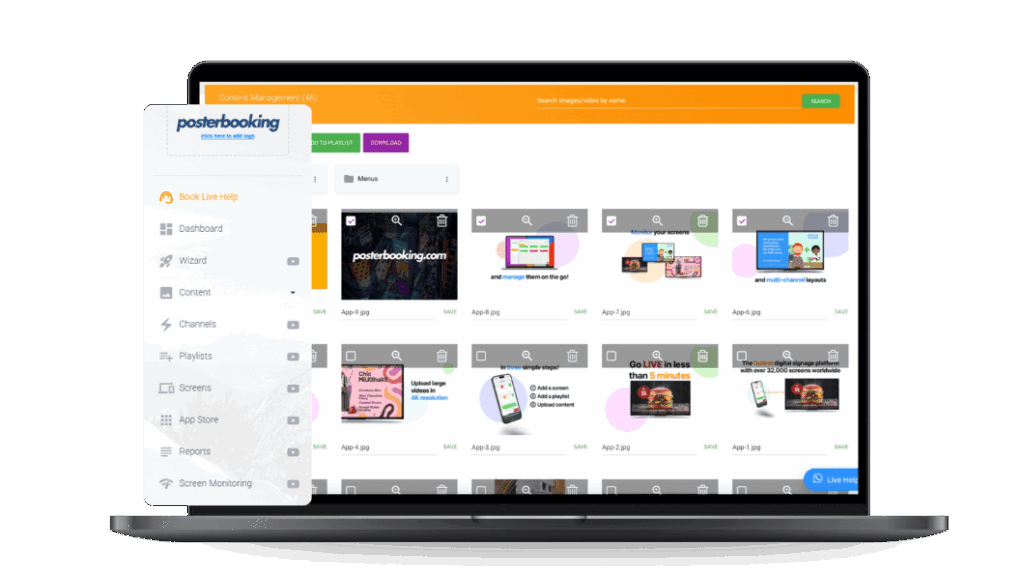
PosterBooking is the best-value choice for a city hall, library system, community center, recreation department, or small council that needs up to 10 non-sensitive public-information screens and has limited staff time. It is a cloud signage platform built around simple uploads, playlists, scheduling, and inexpensive Android-compatible playback. Its central differentiator is unusually broad small-network coverage before an agency needs enterprise-scale pricing.
In September 2026, PosterBooking listed a $0 offer for 10 screens, with a watermark, images and video, 4K content, screen monitoring, and a three-month free-trial reference. According to a 2026 (PosterBooking) on digital-signage pricing, Home Basic costs $52 per month for 10 screens and adds scheduled playlists plus watermark removal. The page lists each additional screen after 10 at $6.49 per month.
The commercial implication is straightforward. A municipality can pilot a jobs board outside human resources, council notices in the lobby, library events, pool closures, recreation timetables, and public-works reminders without buying eight separate enterprise licences. If the pilot succeeds, the paid plan costs $624 annually for 10 screens before hardware, tax, installation, and support labor.
The strongest review pattern is simplicity paired with frustration about the meaning or duration of “free.” Current Capterra and Trustpilot material contains positive reports about fast setup and inexpensive screen conversion, while critical reviews describe licence-expiry messages, plan changes, or support friction. Review platforms use different collection and moderation systems, so the pattern is more useful than mechanically comparing stars.
That tension does not invalidate the product. It changes the budget assumption. A government should treat the free plan as a pilot mechanism, obtain its duration and renewal terms in writing, and budget for Home Basic if the screens become an operational service. Public bodies should not design a permanent network around a marketing label that may change.
Setup is intentionally light. Communications staff upload approved images or videos, arrange a playlist, assign it to screens, and schedule it. A library can show branch hours and literacy events. A council lobby can rotate meeting dates, permit deadlines, election information, and service interruptions. A recreation center can publish pool closures and registration windows without waiting for printed posters.
But that was not the issue government practitioners discussed most. Discussions within local-government digital-signage communities as early as 2025 report that agencies want IT to control players, networking, identity, and health while engagement teams control only approved content. That separation matters more than drag-and-drop design once multiple departments publish.
PosterBooking lists monitoring, two-factor authentication, audit history, multi-tenant accounts, an encrypted account, dedicated-server language, and 24/7 support on its $830-per-month Enterprise Plus tier. Those are useful enterprise controls. They do not establish a FedRAMP certification, an agency authority to operate, or suitability for classified information. The public 10-screen offer should therefore be confined to low-sensitivity content unless the agency completes its own security review.
For a courthouse, that means general opening hours and wayfinding may fit. A live docket containing personal data requires a separate privacy, data-minimization, and integration review. For human resources, public vacancies may fit. Employee relations, background checks, or internal case information do not.
Compatibility is broad enough for a modest rollout, but cheap players shift work to IT. Discussions within municipal AV communities as early as 2024 report that a supposedly simple jobs board became a power, mounting, USB, warranty, and player-management problem. Practitioners disagreed between Fire TV-class pilots, USB playback, Raspberry Pi, and commercial system-on-chip displays.
PosterBooking’s greatest operational strength is that the editor does not demand a dedicated signage specialist. Its main weakness is that the public product evidence is much stronger for ordinary cloud signage than for regulated government infrastructure.
What I like
- Ten-screen coverage makes a multi-room municipal pilot possible without eight separate subscriptions.
- The paid small-network plan keeps pricing legible for budget approval.
- Scheduling, monitoring, and familiar media workflows cover many public-information jobs.
What users like
- Review patterns favor quick setup, straightforward uploads, and low entry cost.
- Small organizations value turning existing televisions into centrally managed signs.
- Non-technical publishers can generally operate basic playlists without deep training.
What I dislike
- The $0 page combines “free” language with a three-month free-trial reference, which requires written clarification.
- Important governance and security controls sit on a much more expensive enterprise tier.
- The reviewed evidence does not support treating PosterBooking as FedRAMP-certified or classified-environment software.
What users dislike
- Critical reviews mention changing free-plan expectations, licence-expiry confusion, and support friction.
- Consumer-grade players can introduce sleep, power, storage, and remote-recovery problems.
- Basic publishing becomes less compelling when an agency needs approvals, SSO, detailed logs, or live protected data.
The two meaningful limitations are security scope and lifecycle predictability. They matter when a screen consumes sensitive feeds, participates in an emergency workflow, or becomes a permanent public service.
The ideal buyer is a small municipality or public facility with one accountable content owner, no more than 10 low-risk screens, and a need to replace manual posters. Choose PosterBooking for affordable reach and staff usability. Avoid it when the procurement requires verified federal authorization, on-premises control, complex departmental approvals, or life-safety orchestration.
2. Xibo: Best for Self-Hosted and On-Premises Government Control
Xibo is the best option for a government IT team that must host the signage CMS on infrastructure it controls, inspect the software foundation, customize workflows, or keep operational data out of a vendor-managed cloud. It combines an open-source CMS with Windows and Linux players, commercial players for additional platforms, managed hosting, and professional services.
In September 2026, Xibo stated that its CMS core and Windows and Linux player applications remain under the AGPLv3 licence with zero software licensing cost. According to a 2026 (Xibo) on open-source digital signage, self-hosters provide the infrastructure, network security, maintenance, and updates. Community support is not a commercial service-level agreement.
That distinction is the heart of the product. Self-hosting reduces vendor dependence and gives an agency control over network placement, storage, backup policy, identity design, change windows, and integration code. It does not remove cost. It converts subscription spending into servers, administrator hours, monitoring, penetration testing, patching, documentation, and disaster recovery.
The strongest recurring review theme is flexibility at a reasonable software cost. In September 2026, Capterra displayed 4.6 out of 5 from 239 reviews, with 4.1 for ease of use and 4.4 for customer service. According to a 2026 (Capterra) on Xibo reviews, users value remote scheduling, RSS and data capabilities, while some report platform coverage gaps or slower content updates.
For a government, flexibility creates practical options. A city can run the CMS inside its data center, publish open-data dashboards to a public lobby, target internal cyber reminders to staff areas, and retain a cached fallback on each player. A court can separate public wayfinding from restricted staff channels. A public-works department can build a custom dataset that shows road closures without exposing the underlying administration system.
Discussions within municipal signage communities as early as 2024 report that local-government buyers often start with “Microsoft integration” as a broad requirement. Experienced practitioners urge them to specify whether that means PowerPoint playback, SharePoint files, Power BI authentication, Teams-room idle screens, Azure identity, calendar data, or approval workflows.
That nuance matters especially for Xibo. Its open architecture can support complex government integrations, but capability and ownership are inseparable. If an agency builds a Power BI or permitting-data connection, it must define token renewal, service accounts, least privilege, refresh frequency, error behavior, and who fixes it after the original developer leaves.
Scalability is technically strong because agencies can size their own infrastructure and use commercial support where required. Everyday usability depends on the templates and roles IT creates. A blank, powerful CMS can overwhelm a communications assistant. A locked template containing approved fonts, colors, zones, data fields, and expiry rules can make the same system simple.
Hardware freedom is another benefit and another source of work. Xibo supports several player families, but licensing, codecs, device policy, and remote management differ. Standardizing two approved configurations is safer than allowing every department to attach whichever smart television it already owns.
What I like
- Self-hosting gives technically capable agencies meaningful control over data, network placement, and change management.
- The open-source core reduces software lock-in and supports custom public-data workflows.
- Managed cloud and paid services provide an exit from fully internal ownership if staffing changes.
What users like
- Reviewers consistently value flexibility, scheduling depth, remote management, and cost efficiency.
- Technical teams appreciate a mature ecosystem and community knowledge base.
- Departments can use datasets, RSS, webpages, and layouts for highly specific civic information.
What I dislike
- “Free” software can conceal substantial labor, infrastructure, and security costs.
- Different player operating systems create licensing and support variation.
- The agency must design a usable front end for non-technical publishers.
What users dislike
- Reviews mention a learning curve and occasional difficulty with particular television platforms.
- Updates and custom layouts can require more technical knowledge than cloud-first alternatives.
- Community support is not a guaranteed response time.
The two meaningful limitations are technical ownership and usability engineering. They matter when an agency lacks a named administrator or when front-desk staff must publish quickly during service disruptions.
The ideal buyer is a city, county, university, defense-adjacent organization, or public authority with accountable IT staff and a defensible reason to self-host. Choose Xibo for control and customization. Avoid it when the organization expects the vendor to own patching, recovery, security operations, and publisher training.
3. ScreenCloud: Best for Microsoft-Centered Internal Government Communications
ScreenCloud is the best fit for a government organization that needs governed internal communications, secure dashboards, meeting-room content, and easy publishing across a distributed Microsoft-centered workplace. Its central differentiator is an approachable cloud CMS wrapped in stronger enterprise controls, integrations, and device management than a basic slideshow platform.
In September 2026, ScreenCloud listed Core at $20 per screen per month and Pro at $30 when billed annually. According to a 2026 (ScreenCloud) on pricing, Core includes more than 80 apps and integrations, unlimited storage, remote device management, GraphQL API access, and weblinks. Pro adds advanced dashboards, QR metrics, interactive touch support, and embeddable channels that can appear in Microsoft Teams, an intranet, or a browser.
Enterprise is quote based and adds single sign-on, custom roles and permissions, onboarding, and dedicated support. That is the relevant tier for many government deployments because identity and separation of duties are not optional extras. A cheap content licence is not a bargain if every publisher receives administrator access.
The strongest recurring review theme is usability at scale. In September 2026, Capterra displayed 4.8 out of 5 from 289 reviews, with 4.8 for ease of use and 4.7 for customer service. According to a 2026 (Capterra) on ScreenCloud reviews, users commonly praise remote multi-screen publishing. Criticism includes editor limitations and the cost or complexity of deeper functions.
For a public agency, the practical workflow can span several audiences. Human resources publishes benefits deadlines to staff rooms. Facilities shows room status and outage notices. IT displays cyber guidance. Leadership distributes a consistent message across offices. Local site managers update weather closures without altering the agency-wide template.
ScreenCloud’s public-sector page emphasizes security, scale, existing IT compatibility, remote device management, scheduling, and multi-location support. According to a 2026 (ScreenCloud) on public-sector signage, the platform supports more than 70 apps and premium integrations. Those capabilities are useful, but the agency should validate each named integration rather than relying on the total.
Power BI is the classic test. “Displays dashboards” can mean a public URL, a service account stored by the CMS, a screenshot that refreshes, or a secure integration with token handling. Government buyers should ask which authentication flow is used, whether multifactor authentication is supported, where credentials are stored, how quickly revoked access takes effect, and what remains on screen if the data source fails.
Discussions within local-government IT communities as early as 2025 report strong demand for Power BI, Azure, Teams rooms, secure webpages, and native Samsung Tizen or LG webOS applications. The broader pattern is a desire to avoid a separate PC behind every display while preserving enterprise identity and device oversight.
The pricing becomes substantial. Ten Core screens cost $2,400 annually. Ten Pro screens cost $3,600 before hardware, tax, deployment, enterprise identity, or professional services. PosterBooking’s paid 10-screen plan is much cheaper, but it does not offer the same documented integration and governance path. ScreenCloud earns its premium when coordination, permissions, and secure data display prevent recurring labor or risk.
What I like
- The platform connects physical screens with dashboards, web content, Teams, and intranet channels.
- Enterprise roles and SSO fit a central-communications plus local-publisher model.
- Strong review volume supports the usability proposition better than sparse enterprise testimonials do.
What users like
- Reviewers praise remote updates, quick learning, compatibility, and responsive support.
- Teams can manage many locations without visiting each display.
- Non-designers can publish within prepared templates and playlists.
What I dislike
- Per-screen pricing is high for a simple municipal slideshow.
- The most government-relevant identity and permission controls require Enterprise.
- Integration breadth can distract buyers from validating one critical data path.
What users dislike
- Some reviewers cite editor limitations, feature gaps, or rising fleet cost.
- Device-level issues may still require local troubleshooting.
- More advanced deployments need IT involvement despite the approachable interface.
The two meaningful limitations are cost and control depth. They matter when a small office needs only a weekly notice loop or when a high-security agency requires on-premises hosting and evidence beyond general enterprise security.
The ideal buyer is a regional authority or multi-building agency with central communications, Microsoft-based workflows, and formal IT ownership. Choose ScreenCloud for governed cross-channel publishing and secure dashboards. Avoid it when the requirement is a low-cost single-purpose screen or a disconnected classified network.
4. OptiSigns: Best for DMV Queues, Public-Service Forms, and Interactive Kiosks
OptiSigns is the best product in this ranking for agencies that want signage to progress from passive notices into queue displays, touch interfaces, public forms, QR journeys, and operational dashboards. It is a broad cloud platform with inexpensive basic signage, higher-tier permissions and data integrations, and an Engage tier for interactive experiences.
In September 2026, OptiSigns listed Standard at $9 per screen per month annually, Pro at $11.25, Pro Plus at $13.50, and higher interactive and enterprise tiers. According to a 2026 (OptiSigns) on pricing, Standard includes more than 100 apps, templates, playlists, split-screen zones, multiple users, and unlimited cloud storage. Pro adds advanced roles, folder security, approval workflow, proof of play, and remote operating-system troubleshooting.
Pro Plus connects Microsoft 365, Google Workspace, Power BI, Salesforce, and Looker Studio. Enterprise lists on-premises or private-cloud deployment, mass provisioning, dedicated support, and GraphQL API access. This tiering matters because a government buyer comparing the $9 headline with an interactive service counter is comparing different products.
OptiSigns’ government page presents public-information boards, emergency alerts, queue numbers, interactive forms, and driving regulations for DMV-style offices. According to a 2026 (OptiSigns) on government digital signage, the platform also supports multiple users, approval workflows, kiosk mode, analytics, auto restart, and more than 1,000 templates.
The strongest recurring review theme is ease combined with breadth. In September 2026, G2 listed OptiSigns at 4.7 out of 5 across more than 3,800 seller reviews. According to a 2026 (G2) on OptiSigns reviews, users frequently praise simple setup, templates, central screen control, and flexible hardware. Recurring objections include learning curve, price sensitivity, customization limits, and complexity beyond basic playback.
For a DMV, permit office, tax office, or benefits center, the platform can support a layered service journey:
- A lobby display explains required documents before a visitor joins the queue.
- A queue screen shows ticket numbers and service counters without exposing full names.
- A touchscreen presents an accessible service directory or approved form launcher.
- A QR code lets a citizen continue on a personal device in a chosen language.
- A dashboard shows estimated wait time, closures, and service availability.
- Proof of play confirms that required notices appeared at the correct location.
The operational benefit is not entertainment. It is fewer incomplete applications, less repeated verbal explanation, clearer queue movement, and faster redirection to the correct service. Those outcomes should be measured through abandonment, repeat visits, form errors, wait-time complaints, and staff interventions.
But a kiosk is not automatically a transaction system. Displaying a government webpage does not prove secure identity verification, accessible form completion, payment compliance, printer integration, document scanning, or case-system synchronization. The agency must identify where the signage platform ends and the transactional application begins.
Accessibility becomes a system requirement. According to a 2026 (U.S. Access Board) on accessible information kiosks, federal ICT standards cover information kiosks and transaction machines. Reach range, clear floor space, operable controls, privacy, contrast, keyboard access, speech output, and alternative service paths may apply depending on the hardware and jurisdiction.
The practical takeaway is that a touch-enabled screen is not an accessible kiosk merely because the website passed an automated test. Mounting height, glare, timeout behavior, audio privacy, tactile controls, mobility access, and staff assistance all affect the completed journey.
Discussions within city-hall AV communities as early as 2024 report that buyers can become preoccupied with an $80 player while overlooking power, mounting, commercial warranties, and remote restart. That pattern becomes more consequential with a kiosk because the enclosure, touch layer, computer, scanner, printer, network, and application all create failure points.
Privacy needs equal attention. OptiSigns lists sensors and AI audience analytics. An agency should not deploy demographic inference, facial analysis, or behavioral tracking simply because the CMS can connect it. Legal authority, necessity, minimization, retention, procurement notice, bias testing, and public trust must be considered first.
What I like
- The platform offers a coherent upgrade path from playlists to dashboards, proofs, touch, and APIs.
- Folder security and approvals map well to departments and locations.
- Broad hardware support allows a low-cost proof of concept before kiosk investment.
What users like
- Large review volumes favor usability, templates, remote management, and quick deployment.
- Administrators value screen folders and permission control across locations.
- Support and learning resources are commonly mentioned positively.
What I dislike
- The low entry price does not represent the cost of an interactive government deployment.
- Vendor examples do not prove integration with a specific queue or case-management system.
- Sensor and AI options introduce privacy questions that many public-information projects do not need.
What users dislike
- Reviewers mention advanced-feature complexity, customization constraints, and price growth.
- Consumer playback hardware can be unreliable under continuous public use.
- Interface simplicity does not remove integration or accessibility engineering.
The two meaningful limitations are scope ambiguity and kiosk engineering. They matter when procurement assumes one subscription includes queue orchestration, transactions, accessibility, peripherals, and enterprise support.
The ideal buyer is a DMV, permit center, public clinic reception, licensing office, or municipal service hub with a defined queue, dashboard, form, or QR workflow. Choose OptiSigns for its interactive expansion path. Avoid it when the agency needs only a passive loop or has not assigned ownership of the underlying public-service application.
5. Carousel: Best for CAP Emergency Overrides and Multi-Department Civic Publishing
Carousel is the best choice in this ranking for local and regional governments that need routine departmental signage to yield instantly to location-specific Common Alerting Protocol messages. It is an established digital-signage CMS with cloud and managed hardware options, role-based publishing, and a strong public-safety use case.
Carousel’s key differentiator is not that it can display an alert. Many platforms can replace a playlist manually. The value is an operational model in which an authenticated alert source triggers an override, targets the affected screens, displays approved instructions, and supports a controlled return to normal content.

In May 2026, Carousel described CAP as an XML-based alert format used by government, education, transportation, and corporate organizations. According to a 2026 (Carousel) on CAP-integrated public safety, CAP messages can override normal screen content across the system, target buildings, wings, or outdoor areas, and transition to all-clear or recovery information.
That workflow supports more than emergencies. During normal operation, city communications can manage council notices, facilities can publish closures, HR can update staff content, libraries can promote services, and local offices can post authorized changes. Permissions should confine each department to its channels, locations, and templates.
The strongest user theme is dependable, relatively simple playback rather than review volume. In 2026, G2 displayed 4.8 out of 5 for Carousel but from only two reviews. According to a 2026 (G2) on Carousel Digital Signage reviews, one recurring positive is easy Apple TV implementation and set-and-forget operation. Two reviews are far too few to infer broad satisfaction.
That sparse evidence is itself a buying signal. Enterprise government software should be evaluated through references, demonstrations, security documentation, support commitments, and a pilot. A high rating from two reviewers is not comparable with OptiSigns’ thousands of reviews.
Carousel reports compatibility with BrightSign, Apple TV, Sony, Philips, Samsung, LG webOS, and other environments, plus more than 45,000 screens under management. According to a 2026 (Carousel) on public-safety signage, governments can use existing displays while adding targeted alert behavior.
The real deployment question is alert governance. Which system originates the message? Who can trigger it? Which locations receive it? What takes priority if two alerts arrive? Does the player cache maps and instructions? What happens when the internet fails? How is the all-clear issued? Which logs prove delivery? How often is the workflow tested?
Discussions within municipal signage communities as early as 2024 report that integrators often recommend dedicated commercial players such as BrightSign for government networks because they support granular targeting, HTML content, and stable appliance-style deployment. Some contributors were vendors or former vendor employees, so their advice is experience evidence, not neutral comparative testing.
The higher-level principle remains valid. Emergency signage depends on the entire chain, including the alert originator, network, CMS, player, panel, power, and human procedure. Carousel can orchestrate the signage layer, but it cannot guarantee that occupants are facing a screen or can perceive a visual message.
That is why Carousel’s own guidance recommends multimodal communication across displays, public-address systems, and mobile notifications. Digital signage should reinforce an emergency communications plan, never serve as its only life-safety channel. Visual, audible, mobile, and staffed methods cover different disabilities, locations, and failure modes.
Pricing is quote based, which limits desk comparison. Government buyers should request licence cost, players, implementation, CAP connector, professional services, training, after-hours support, replacement stock, and renewal separately. A low software quote can exclude the exact emergency integration that justified the purchase.
What I like
- CAP override, precise targeting, and recovery messaging address a genuine government workflow.
- Role-based publishing can separate routine departmental content from emergency authority.
- Broad hardware options support phased replacement rather than an immediate fleet reset.
What users like
- Limited review evidence points to straightforward deployment and reliable playback.
- Integrators value appliance-style players and location targeting for public facilities.
- Government communication teams can use the same network before, during, and after an incident.
What I dislike
- Public pricing is unavailable, making early budget comparison difficult.
- Independent review volume is too thin for a strong usability consensus.
- Emergency performance depends on external alert systems, networks, hardware, and practiced procedures.
What users dislike
- Sparse review data prevents a reliable summary of recurring dissatisfaction.
- Enterprise configuration can require integrator and IT involvement.
- A multi-vendor alert chain can complicate support responsibility during an incident.
The two meaningful limitations are evidence depth and system dependency. They matter when procurement treats a CAP logo as proof of end-to-end emergency readiness.
The ideal buyer is a city, county, transport authority, public-safety campus, or multi-building agency that already has an authoritative CAP-capable alert source. Choose Carousel for targeted override and recovery workflows. Avoid it when the agency has no tested alert governance or expects screens to replace redundant life-safety systems.
6. 22Miles: Best for Accessible Wayfinding in Complex Government Buildings
22Miles is the best fit for courthouses, civic campuses, ministries, public hospitals, and administrative complexes where finding the correct room is a service outcome, not a decorative feature. Its differentiator is a single platform for interactive 3D wayfinding, kiosks, mobile directions, room signs, video walls, workplace functions, and emergency communication.
Government wayfinding has unusually high consequences. A visitor may have limited English, low vision, reduced mobility, a stressful court appointment, or only minutes before a hearing. The useful system does more than draw a route. It uses current room names, accessible paths, closures, security checkpoints, elevators, service counters, and a handoff to the visitor’s phone.
In September 2026, 22Miles documented on-premises hosting, cloud options described by the vendor as “FedRamp and GovCloud,” IPv6 with IPsec, targeted messaging, emergency alerts, and mobile wayfinding. According to a 2026 (22Miles) on government wayfinding, its Microsoft-oriented office suite includes a Teams application, Outlook plug-in, space reservations, dashboards, and Active Directory SSO.
Those claims are relevant but must be read precisely. The vendor’s phrase “FedRamp and GovCloud” does not identify the exact certification, offering, impact level, agency authorization, or system boundary. A US federal buyer should locate the product in the FedRAMP Marketplace or obtain the applicable package before treating it as authorized.
The strongest review theme is support and specialist capability, but the sample is tiny. In 2026, G2 showed 5.0 from four 22Miles reviews and explicitly stated that there were not enough reviews for buying insight. According to a 2026 (G2) on 22Miles reviews, praise centers on support and reliability, while isolated concerns mention training, complexity, performance, or hardware limits.
Discussions within local-government digital-signage communities as early as 2025 report that agencies prefer native smart-display apps to extra players when possible. For interactive wayfinding, that preference must yield to performance and peripherals. Complex maps, touch, printers, scanners, sensors, and accessible audio may justify a purpose-built kiosk computer and enclosure.
What I like
- Wayfinding, rooms, mobile handoff, and signage share one content model.
- On-premises and Microsoft workplace options fit complex public facilities.
- The product addresses the visitor journey more directly than a generic playlist CMS.
What users like
- The small review sample praises support, reliability, and specialist functions.
- City and campus examples indicate time savings over older directory systems.
- Central map updates can correct many endpoints at once.
What I dislike
- Pricing is quote based and independent review depth is weak.
- Accessibility depends on implementation, not the software label alone.
- Government security wording requires exact certification verification.
What users dislike
- Limited feedback mentions training, complexity, lag, and hardware constraints.
- Interactive deployments require more planning than passive screens.
- Map accuracy creates an ongoing facilities-data obligation.
The ideal buyer is a complex public campus with a funded accessibility and facilities-data program. Choose 22Miles when navigation errors consume staff time or prevent service access. Avoid it when a static lobby directory is sufficient or nobody owns map changes.
7. Appspace: Best for Federal Workforce Communications Across Intranet, Mobile, and Screens
Appspace is the best choice for a government organization that wants digital signage inside a wider employee-experience platform covering intranet content, mobile communication, visitors, rooms, and workplace operations. Its differentiator is channel unification rather than the cheapest screen licence.
Appspace positions its government offering for federal, state, and local organizations. In September 2026, its government page stated that the platform addresses Microsoft Government Community Cloud High and Department of Defense Cloud environments. According to a 2026 (Appspace) on government communications, agencies can combine a modern intranet, employee mobile app, visitor management, and signage across lobbies, public spaces, hallways, and meeting rooms.
That breadth creates a practical advantage. A closure notice can reach an intranet homepage, employee phone, lobby screen, and meeting area from one governed communication process. The outcome is fewer contradictions between channels and less work recreating the same message.
The strongest review theme is centralized ease across workplace functions. In April 2026, G2 listed Appspace at 4.7 out of 5 from 141 reviews. According to a 2026 (G2) on Appspace reviews, users praised central screen updates, room booking, integrations, and an approachable interface. Reported drawbacks included slow loading, mobile performance, room-availability errors, confusing features, and hardware integration that may require IT.
The government fit is strongest inside the workforce. An agency can distribute leadership messages, cybersecurity notices, shift information, building closures, meeting-room status, onboarding content, and emergency instructions. Visitor management can connect preregistration and arrival, though access-control integration must be separately validated.
The more revealing tradeoff is platform scope. Appspace can replace several disconnected products, which may simplify governance. If an agency only needs six lobby screens, the same breadth can become expensive and administratively heavy. Quote-based pricing also prevents a clean public calculation.
Security language requires the same discipline applied elsewhere. Compatibility with GCC High or DoD Cloud workflows is not automatically a FedRAMP certification for every Appspace service. The procurement team must review the exact architecture, data flows, tenant, identity integration, hosting boundary, subcontractors, logs, incident commitments, and applicable government authorization.
What I like
- One publishing ecosystem can reach signs, intranet, mobile, rooms, and visitors.
- The employee-communication model suits dispersed and frontline government workforces.
- Current review evidence is materially deeper than for several specialist vendors.
What users like
- Reviewers value centralized updates, room workflows, usability, and integrations.
- Non-technical staff can publish routine messages after configuration.
- Emergency takeover and multi-channel delivery can reduce duplicated work.
What I dislike
- Public pricing is unavailable and implementation can become a broader transformation project.
- Broad capabilities may exceed a signage-only requirement.
- High-security claims still require offering-specific verification.
What users dislike
- Reviews mention slow interfaces, mobile issues, confusing features, and integration friction.
- Physical hardware and sensors can require specialist support.
- Workplace analytics may trigger employee privacy concerns if governance is weak.
The ideal buyer is a federal or large public-sector employer consolidating employee communication and workplace tools. Choose Appspace when signage is one channel in a governed workforce strategy. Avoid it when the requirement is only a small public-information display network.
8. Navori: Best for Live Government Dashboards Across Mixed Screen Estates
Navori is the best fit for agencies that need live queue, traffic, weather, operational, or service data across a mixed estate of players and screens. Its central differentiator is data-oriented enterprise signage with broad hardware support, automation, and a government-specific operating model.
Navori’s government material emphasizes wait-time content, queue-system connections, real-time data sources, collaborative content management, automated screen schedules, wayfinding, and support for many player and panel types. According to a 2026 (Navori) on government digital signage, the vendor also states that its software is SOC 2 certified.
That combination suits an operations center, transit foyer, public-works lobby, benefits office, or city-service center. A dashboard can show service availability, queue estimates, weather warnings, traffic incidents, facility status, and scheduled public messages in distinct zones. Automated power schedules can reduce unnecessary operating hours.
The strongest review theme is capability and reliability, balanced by a more technical interface. In September 2026, Capterra listed Navori at 4.6 out of 5 from 31 reviews and a starting price of $14 per month. According to a 2026 (Capterra) on Navori reviews and pricing, the small sample supports cautious conclusions, not a universal reliability claim.
For live data, failure design matters more than animation. If the queue API stops responding, the screen should not retain an apparently current 12-minute estimate for hours. It should display a timestamp, stale-data warning, neutral fallback, or remove the affected zone. The CMS, source system, and agency integration owner must agree on that behavior.
SOC 2 is useful control evidence, but it is not a federal authority to operate. Governments should request report scope, period, exceptions, bridge letter, subservice organizations, encryption design, vulnerability management, incident terms, data residency, and deletion procedures.
Discussions within government signage communities as early as 2025 report that secure dashboards are a central requirement, but practitioners repeatedly return to authentication ownership and display failure states. The principle is simple: the screen should reveal less than the source system, not more.
What I like
- Data connectors, queue workflows, and hardware breadth match operational government screens.
- Automated device schedules can reduce energy use and panel wear.
- The platform can unify mixed legacy hardware during phased modernization.
What users like
- Reviews favor functionality, stability, scheduling, and support.
- Enterprise users value managing different screens from one system.
- Live-data capability reduces manual slide rebuilding.
What I dislike
- Public government pricing and implementation scope remain unclear.
- A 31-review sample is modest.
- SOC 2 can be misread as a complete government compliance answer.
What users dislike
- Review patterns mention learning curve and interface complexity.
- Advanced data work may require integrators or developers.
- Mixed hardware remains harder to support than a standardized fleet.
The ideal buyer is an agency with several approved data sources, mixed displays, and technical ownership. Choose Navori for live operational content and hardware flexibility. Avoid it when the need is a basic notice loop or when nobody can maintain the data integrations.
Hardware & Technology Trends
Government screens should use hardware matched to operating hours, environment, consequence of failure, and serviceability. A consumer television can support a low-risk pilot. It should not automatically become the standard for a 24/7 emergency, outdoor, transport, or high-traffic public display.
| Government location | Best-fit hardware | Main procurement concern |
|---|---|---|
| City-hall lobby | Commercial 16/7 display with managed player | Auto-start, readability, remote recovery |
| Court or DMV queue | Commercial display with cached player | Privacy, uptime, queue fallback |
| Outdoor civic kiosk | High-brightness IP-rated enclosure | Weather, vandalism, thermal control, permits |
| Emergency operations center | 24/7 commercial panels and managed players | Redundancy, monitoring, spare stock |
| Library or recreation pilot | Existing TV with validated player | Sleep settings, warranty, staff intervention |
| Transit stop | Outdoor display or e-paper with approved feed | Sunlight, connectivity, power, accessibility |
According to a 2026 (Kitcast) on signage hardware telemetry, low-cost Android devices in its unequal 12-month sample experienced substantially more offline events and replacements than Apple TV devices. This is vendor telemetry, not a controlled government trial, but it explains why sticker price can be a poor proxy for lifecycle cost.
Discussions within Commercial AV communities as early as 2024 report a genuine disagreement. Some practitioners favor thumb drives or inexpensive streaming sticks for one jobs board. Others recommend commercial panels, system-on-chip applications, or BrightSign-class players for warranties and remote management. Both positions can be rational when the consequence of failure is different.
Outdoor systems add brightness, temperature, ingress protection, vandal resistance, foundation work, connectivity, planning approval, and field maintenance. Cincinnati Metro’s 2026 modernization illustrates the service value of real-time bus information and e-ink, but the relevant lesson is not that every city needs a kiosk. It is that the display, power model, data feed, and passenger environment must be designed together.
Integrations & Features
The most important government-signage feature is a trustworthy source of truth, followed by permissions, offline behavior, remote recovery, accessibility, and an auditable emergency override. A library of 1,000 templates matters less than one accurate feed for closures, queues, transit, hearings, or room status.
| Government use case | Best platform | Required validation |
|---|---|---|
| Up to 10 public-information screens | PosterBooking | Written plan terms, player recovery, low-sensitivity scope |
| Self-hosted municipal network | Xibo | Patch, backup, identity, and administrator ownership |
| Microsoft-centered internal comms | ScreenCloud | Power BI authentication and Enterprise permissions |
| DMV queue or forms | OptiSigns | Queue API, kiosk accessibility, privacy, fallback |
| Emergency alerts | Carousel | CAP source, targeting, priority, logs, all-clear |
| Complex civic wayfinding | 22Miles | Accessible route data, audio, physical kiosk design |
| Federal workforce platform | Appspace | Exact cloud boundary and authorization evidence |
| Live operational dashboards | Navori | Data freshness, stale state, hardware standard |
Does digital signage integrate with Power BI, Teams, Azure, queue systems, GIS, GTFS, or CAP? Often, but “integration” may mean a public webpage, embedded view, connector, API project, or secure managed authentication. Buyers should demand the exact method, fields, refresh rate, credential owner, error state, logging, cost, and support boundary.
What should governments show?
Show immediate service information first, then civic context. Useful content includes opening status, queue position, required documents, room directions, council meetings, election information, transit arrivals, weather, road closures, public-health notices, library and recreation programs, employee safety, and emergency instructions.
According to a 2026 (Kitcast) on government screen content, 88% of measured government screens showed weather, 72% dashboards, 50% calendars, and only 4% social content. That pattern suggests public agencies prioritize utility over promotion. It also exposes an opportunity to replace generic weather panels with service status, accessible wayfinding, and current wait times.
How often should government signage be updated?
Operational facts should change when their authoritative source changes, urgent notices immediately, campaigns on a defined schedule, and evergreen content through mandatory review dates. The 2026 median of 7.5 days is a benchmark, not a policy. A closure cannot wait a week, while an annual records notice may remain valid for months.
Cost & Operational Insights
The real cost includes software, displays, players, mounting, power, networking, installation, accessibility, integrations, security review, training, content labor, support, spares, and field visits. Per-screen subscription price is only one line.
For 10 screens, PosterBooking Home Basic is $624 annually, OptiSigns Standard $1,080, ScreenCloud Core $2,400, and ScreenCloud Pro $3,600 at reviewed annual rates. Xibo can remove core software licence cost for self-hosted Windows or Linux deployments, but infrastructure and staff remain. Carousel, 22Miles, and Appspace require quotes. Navori’s public starting price should not be treated as an enterprise government quotation.
Is digital signage worth it for government?
Yes, when it reduces repeated staff explanation, keeps service information accurate, improves wayfinding, shortens avoidable visits, strengthens emergency communication, or replaces a costly print workflow. No, when it becomes an unmeasured slideshow with no owner.
Use a public-value model rather than a sales-only ROI formula:
Annual public value = avoided printing and staff time + reduced repeat visits + service-capacity gains + risk reduction, minus software + hardware + installation + connectivity + support + content labor + expected downtime.
Not every benefit should be monetized aggressively. A clearer evacuation instruction or accessible route has public value even when it does not create revenue. Procurement should still define measurable service indicators such as update time, wrong-desk referrals, queue abandonment, accessibility incidents, screen uptime, content age, and staff interventions.
Security, Compliance & Public-Sector Procurement in 2026
A government buyer should procure the exact system boundary, not a logo collage. Ask which product, tenant, region, player, integration, and support process each security claim covers.
FedRAMP is relevant to US federal cloud procurement, not a universal requirement for every municipality worldwide. Section 508 applies to US federal ICT. TAA, GSA schedules, state cybersecurity rules, public-records law, procurement thresholds, privacy law, accessibility codes, and data-residency requirements vary. Legal, security, records, accessibility, and procurement teams should confirm the applicable obligations.
Require these items in the request for proposal:
- Hosting model, data flows, subprocessors, residency, encryption, and deletion.
- SSO, multifactor authentication, roles, approvals, audit logs, and account offboarding.
- Player secure boot, patch ownership, remote commands, port controls, and network segmentation.
- Offline content, stale-data behavior, screenshots, health alerts, and replacement procedure.
- CAP or emergency source, priority rules, geographic targeting, all-clear, and test schedule.
- Accessibility conformance evidence for content, software, kiosk hardware, and installation.
- Content retention, public-records exports, proof of play, and legal holds where applicable.
- Support hours, escalation, service levels, vulnerability disclosure, and breach notification.
- Hardware warranty, spare stock, end-of-life notice, portability, and exit assistance.
According to a 2026 (Digital Signage Today) on stale signage content, 27% of digital-signage content overall was more than a year old and 76.5% of operators did not measure ROI. Government governance should therefore include a named owner, expiry date, source, audience, approval status, and review frequency for every operational content type.
Privacy deserves special restraint. Do not place case names, benefits status, full queue identities, personnel details, security-camera feeds, or protected dashboards on public screens merely because the integration is technically possible. Use ticket numbers, aggregate status, redaction, least privilege, and separate public from internal networks.
Final Buyer Guidance
Choose around the most consequential workflow the screen must perform, then price the organization you will become over the next three years. A four-screen library should not buy a federal workplace platform. A 40-building authority should not depend on one shared password and consumer sticks. A self-hosted system without an administrator is not controlled. A cloud system without offering-specific authorization is not compliant by assertion.
Use five final questions:
- What fact must never be wrong? Design the source, refresh interval, stale state, and owner around that fact.
- Who may publish and who may approve? Separate IT administration, central communications, emergency authority, and local content roles.
- What happens after power, network, API, or player failure? Require cached content, visible health, automatic recovery, and a tested replacement path.
- Which rule actually applies? Verify jurisdiction, system boundary, certification, accessibility duty, records policy, and contract evidence.
- How will public value be measured? Track service accuracy, wait friction, staff interventions, uptime, accessibility issues, and content age before claiming success.
For a small city hall, library, or recreation network with up to 10 ordinary screens, PosterBooking gives the clearest cost-to-coverage advantage. Budget the paid plan, document the free terms, and keep sensitive systems outside the pilot.
For agencies with capable IT and a real on-premises requirement, Xibo offers the strongest control. For Microsoft-centered employee communication across multiple facilities, ScreenCloud provides the better balance of usability, dashboards, and governance.
OptiSigns is the practical choice when a defined queue, form, QR, or kiosk workflow justifies interactivity. Carousel is the more focused option when authenticated CAP alerts must override routine content. Neither removes the need for accessible design, redundant emergency channels, or system testing.
22Miles is the specialist choice for a courthouse or civic campus where navigation is part of equal service access. Appspace is more suitable when signs belong to a larger federal employee experience spanning intranet, mobile, rooms, and visitors. Navori fits operational agencies that need live dashboards across heterogeneous displays.
The final test is intentionally uncomfortable. If the communications lead leaves, the network loses internet, and an urgent closure occurs on the same morning, can authorized staff publish the right message, confirm it reached the right screens, preserve an audit trail, and offer an accessible alternative?
The best digital signage for a government is the platform that can answer yes within that government’s real budget, security boundary, staffing model, and public-service duty.