
Table Of Contents
- What Exactly Is “Digital Signage in the IoT Context”?
- How Do IoT Triggers Change the Content Lifecycle?
- What Does a Reference Architecture for IoT Signage Look Like?
- Which Protocols and Data Models Should Be Supported?
- How to Route Events at the Edge, in the Cloud, or in Hybrid Topologies?
- Which Sensors, Feeds, and External Systems Drive IoT Signage?
- How to Map Sensor Signals to Content Logic Safely?
- What Offline and Degraded States Must Be Planned For?
- Where Are the Strongest IoT Signage Applications by Industry?
- What Real-Time Moments Matter in Retail and Grocery?
- How Do Menus Adapt in QSR and Restaurants?
- What Informs Travelers in Transportation and Smart Cities?
- How Do Corporate, Manufacturing, and Warehousing Operations Benefit?
- What Improves Experience in Healthcare and Education?
- How Do Hospitality, Venues, and Events Engage Guests?
- How to Design Content for Sensor-Driven Readability and Impact?
- How Do IoT Content Tests Run Before Going Live?
- What Security, Privacy, and Safety Practices Are Mandatory?
- How to Meet Accessibility and Regulatory Expectations?
- How to Monitor, Measure, and Improve IoT Signage Performance?
- What ROI Frameworks Make Sense for IoT Scenarios?
- How Should Implementation Be Structured: Cloud, Edge, or Hybrid for IoT Signage?
- Which Platforms and Hardware Stacks Fit IoT Signage Best for a Given Case?
- What Is the Best IoT-Ready Digital Signage Stack for Retail and QSR?
- What Is the Best Stack for Smart Buildings and Campuses?
- What Is the Best Stack for Transit, Venues, and Events?
- How Do Cloud, On-Prem, and Open-Source Approaches Compare for IoT?
- What Should Be in an IoT-Signage RFP and Scoring Rubric?
- What Is the Realistic TCO/ROI for IoT Signage vs “Plain” Signage?
- What Common Pitfalls Derail IoT Signage and How Can They Be Avoided?
- What FAQs Do Teams Ask About IoT Digital Signage?
- Does MQTT Need to Be Used or Is WebSocket Enough?
- What Is a Safe Latency Target for Queue Popups?
- How Can PII Be Avoided With Computer Vision?
- How Much Edge Storage Is Enough?
- How Are Triggers Tested Without Live Sensors?
- Can Emergency Overrides Be Forced?
What Exactly Is “Digital Signage in the IoT Context”?
IoT digital signage is a network of screens that adapts content in near real time based on signals from connected devices, data feeds, and enterprise systems. The defining difference versus “plain” digital signage system is event-driven logic: sensor or system events are ingested, evaluated against rules, and immediately mapped to creative variants, layouts, or playlists.
According to OASIS, MQTT provides a lightweight publish/subscribe fabric well-suited to moving these small, frequent events from devices to services or players, which is why many IoT signage stacks adopt it at the edge and core.
Core capabilities of IoT digital signage include:
- Event-Driven Targeting
- Rule-Based Playlist Switching
- Real-Time Data Rendering
- Local and Cloud Failover
- Health and Telemetry Feedback
- Privacy-Preserving Analytics
Traditional vs IoT-Enabled Signage includes:
| Capability | Traditional Signage | IoT-Enabled Signage |
|---|---|---|
| Trigger Logic | Time/daypart only | Sensor/transaction/event + time |
| Latency Target | Minutes–hours | Sub-second–seconds |
| Data Inputs | Static media, basic feeds | Sensors, POS, BMS, GTFS-RT, weather |
| Decision Location | CMS only | Edge + cloud hybrid |
| Feedback Loop | Manual reporting | Telemetry + A/B + rule hit-rates |
How Do IoT Triggers Change the Content Lifecycle?
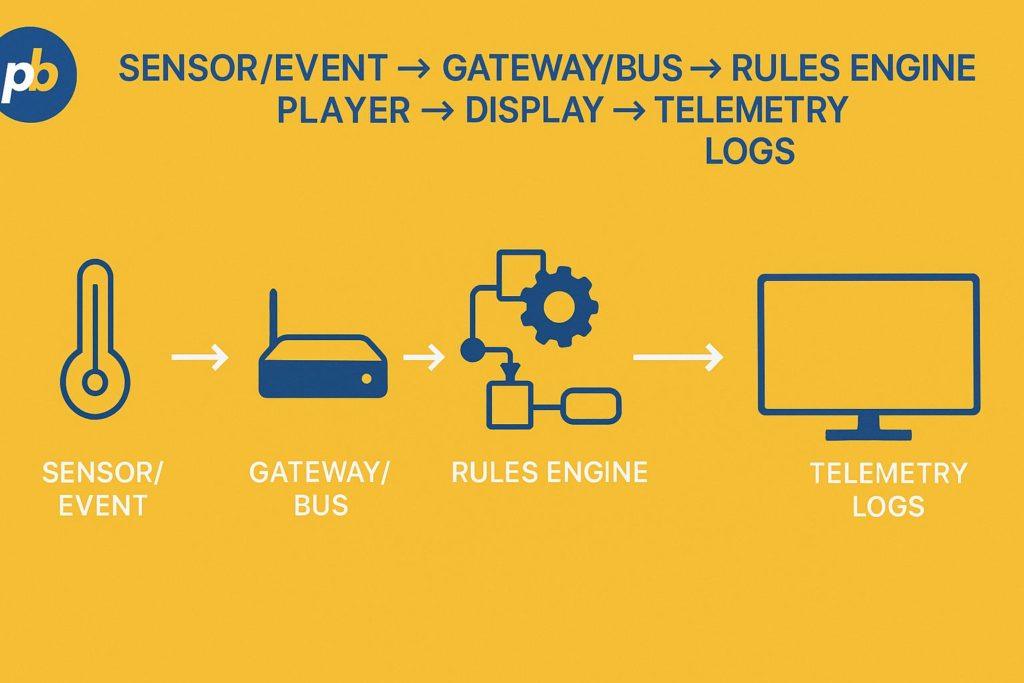
IoT triggers compress the cycle from event to on-screen action by inserting ingestion and evaluation steps before scheduling. The practical effect is a lifecycle of event ingestion → rule evaluation → content selection → render → telemetry feedback, with synchronous triggers (e.g., safety alerts) and asynchronous triggers (e.g., inventory updates) coexisting under precedence rules.
Sample triggers for IoT signage include:
- Occupancy Threshold Crossed
- Queue Length Increase
- POS Discount Activation
- Weather Change Detected
- Vehicle Arrival/Departure
- Room Check-In/No-Show
- Air-Quality Exceeds Limit
Event types with target reaction times include:
| Event Type | Example | Target Reaction |
|---|---|---|
| Safety Override | Emergency alert received (CAP) | < 1 s to full-screen takeover |
| Operational | Queue length > N | ≤ 5 s to switch layout |
| Marketing | Inventory back in stock | ≤ 60 s to update shelf card |
| Informational | Weather/air quality change | ≤ 60 s for banner update |
According to UNDRR and NOAA, CAP defines a common, signed XML format for public warnings, enabling programmatic overrides and consistent behavior across channels - including signage takeovers.
What Does a Reference Architecture for IoT Signage Look Like?
A pragmatic reference stack layers devices and sensors, an edge gateway, transport/messaging, rules and content services, player apps, and observability. Edge gateways normalize protocols (e.g., BACnet, Modbus, BLE), while the transport layer (MQTT/WebSockets/HTTP) fans events to cloud and players. Rules compile into compact edge policies so critical logic runs even if the WAN is down.
Layer responsibilities with key technologies include:
| Layer | Responsibilities | Key Tech |
|---|---|---|
| Device/Sensor | Generate signals | BLE, RFID/NFC, cameras (privacy-aware), counters |
| Edge Gateway | Normalize, filter, cache | MQTT broker, Node-RED, protocol bridges |
| Transport | Move events reliably | MQTT, WebSockets, HTTPS/REST |
| Services | Rules, CMS, identity | Rules engine, CMS, OAuth2, PKI |
| Player | Render, cache, heartbeat | HTML5, native SDK, watchdog |
| Observability | Health, metrics, traces | Logs, screenshots, SNMP/API alerts |
Deployment patterns for IoT signage include:
- Cloud-First With Edge Caching
- Edge-First With Cloud Coordination
- On-Prem for Regulated Sites
- Hybrid for Multi-Region Resilience
- Air-Gapped With Periodic Sync
Which Protocols and Data Models Should Be Supported?
MQTT, WebSockets, SSE, CoAP, and HTTPS each solve a different transport need; JSON remains the lingua franca, with CBOR favored for constrained links. Versioned schemas and digital-twin models help players interpret state in a forward-compatible way.
Protocol pros/cons and typical uses include:
| Protocol | Strength | Caveat | Typical Use |
|---|---|---|---|
| MQTT | Low-overhead pub/sub | Requires broker | Device→edge/cloud events |
| WebSockets | Full-duplex, low latency | Stateful sessions | Cloud rules → players |
| SSE | Simple server-push | One-way | Live scoreboards/tickers |
| CoAP | Constrained REST over UDP | NAT/firewall hurdles | Battery IoT sensors |
| HTTPS/REST | Ubiquitous, cacheable | Polling overhead | Content, status APIs |
Payload design tips for IoT signage include:
- Version Fields in Every Message
- ISO Timestamps With Time Zone
- Minimal, Typed Properties
- Human-Readable Enums and IDs
- Explicit TTL for Content Decisions
How to Route Events at the Edge, in the Cloud, or in Hybrid Topologies?
Route events at the edge when latency, privacy, or offline survivability is paramount; route in the cloud when orchestration, analytics, and cross-site coordination dominate. Hybrid policies compile rules to both places so critical decisions continue during outages.
Decision matrix for event routing includes:
| Constraint | Edge Preferred | Cloud Preferred |
|---|---|---|
| Latency < 1 s | Yes | No |
| PII On-Premise | Yes | No |
| Cross-Network Coordination | Sometimes | Yes |
| Complex Analytics | Sometimes | Yes |
| Offline Survivability | Yes | No |
Which Sensors, Feeds, and External Systems Drive IoT Signage?
Occupancy sensors, BLE beacons, privacy-aware computer vision, RFID/NFC, POS/inventory, building systems, transit feeds, weather/air quality, and ticketing/queues all provide structured signals that can map to content changes.
Data source characteristics for IoT signage include:
| Data Source | Refresh/Latency | Reliability | Example Use |
|---|---|---|---|
| People Counters | 1–5 s | High with edge cache | Queue banners |
| BLE Beacons | 100–500 ms | Medium (RF noise) | Welcome scenes |
| POS/Inventory | 5–60 s | High | “Low stock” tags |
| BMS (BACnet/Modbus) | 1–30 s | High on LAN | Energy dashboards |
| GTFS-Realtime | 5–30 s | Medium (provider) | Departures/alerts |
| Weather/Air | 5–15 min | High | Outdoor comfort tips |
According to BACnet/ASHRAE 135, BMS integrations standardize multi-vendor building data, and Modbus remains a simple polling protocol for industrial devices.
Data quality checks for IoT signage include:
- Range Validation Against Physical Limits
- Debounce Windows for Noisy Inputs
- Timestamp Skew Detection
- Fallback Defaults on Missing Fields
- Dead-Man Timers for Stale Feeds
How to Map Sensor Signals to Content Logic Safely?
Use thresholds, debouncing, hysteresis, rate limiting, and cool-downs before allowing rules to fire; attach a fallback creative to every rule so screens never stall.
Signal-to-content mapping with fallbacks includes:
| Signal | Rule | Content | Fallback |
|---|---|---|---|
| Queue Length ≥ 8 | Switch to triage layout | Now-serving + line guidance | Standard loop |
| AQI > 100 | Show “Poor Air” banner | Mask/ventilation notice | Remove banner |
| Out-of-Stock | Remove promo tile | Replace with category ad | Generic ad |
| Room Free | Flip to “Available” | Direction arrow | Floor map |
Guardrails for IoT decisioning include:
- Apply Hysteresis to Avoid Flapping
- Enforce Per-Rule Cool-Downs
- Cap Frequency Per Minute
- Attach Fallback Creatives
- Log Every Decision With Reason
What Offline and Degraded States Must Be Planned For?
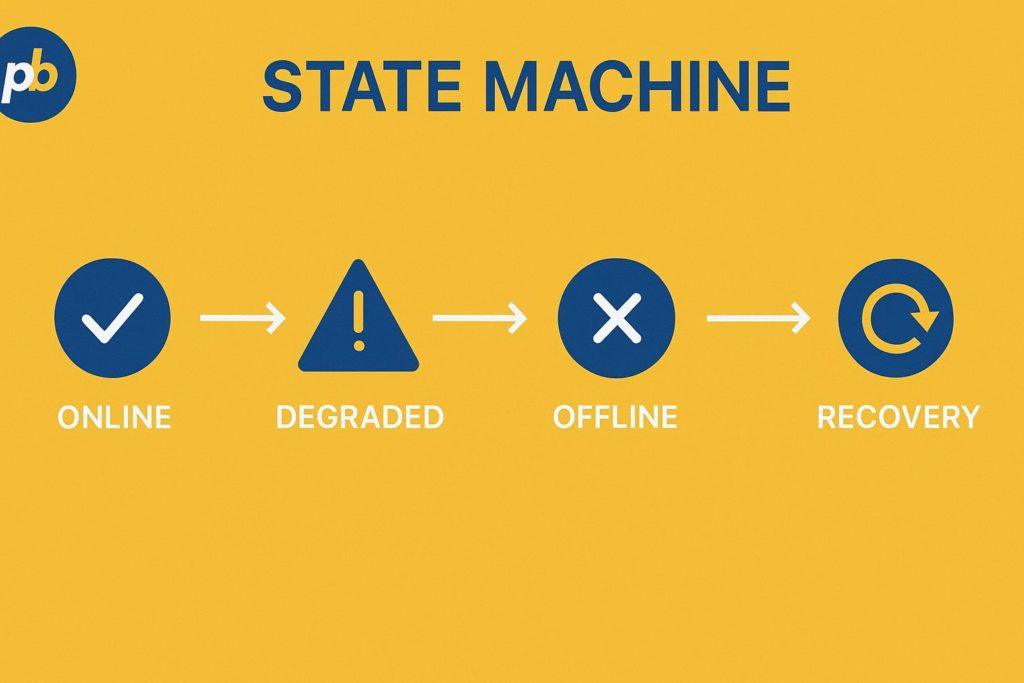
Screens must operate under stale-while-revalidate, caching decisions and media, applying safe defaults, and tripping circuit breakers to stop bad rules during outages.
Offline policy for IoT signage includes:
- Cache Latest “Good” Decisions Locally
- Serve Emergency Overrides From Local Store
- Disable High-Frequency Polling in Degraded Mode
- Alert on Missed Heartbeats With Escalation
- Switch to Low-Bitrate or Static Layouts
Where Are the Strongest IoT Signage Applications by Industry?
IoT signage thrives when “objective + trigger + content + KPI” are tightly defined.
Top vertical scenarios for IoT signage include:
| Industry | Scenario | Trigger | KPI |
|---|---|---|---|
| Retail/Grocery | Stock-Aware Endcaps | Inventory low/back | Attachment rate |
| QSR | Kitchen Load Balancing | Ticket queue spike | Throughput/time |
| Smart Buildings | Energy Dashboards | Peak load event | kWh reduction |
| Transit | Headway/Delay Boards | GTFS-RT alert | On-time info rate |
| Healthcare | Wait-Time Boards | EHR/queue API | Satisfaction score |
| Education | Capacity & Alerts | Occupancy limit | Compliance time |
What Real-Time Moments Matter in Retail and Grocery?
High-ROI moments include distance-based promos, queue routing, and weather-responsive offers. In field experiments with 7,009 shoppers, researchers observed that promoting discounts on digital screens significantly increased spending on discounted products located farther from the screens, highlighting the importance of placement logic in IoT-style campaigns.
Retail playbook elements for IoT signage include:
- Deploy Distance-Aware Discount Promos
- Route Queues Via Live Counter Data
- Rotate Weather-Responsive Offers
- Elevate Low-Stock Alternatives
- Surface Social Proof Without PII
Retail triggers mapped to uplift metrics include:
| Trigger | Content | Uplift Metric |
|---|---|---|
| Weather Heatwave | Cold drinks bundle | Category lift |
| Queue > N | Guidance + reassurance | Abandonment drop |
| Low Stock | Switch to substitute | Attachment rate |
| Loyalty Event | Tier-specific offer | Enrollment spike |
How Do Menus Adapt in QSR and Restaurants?
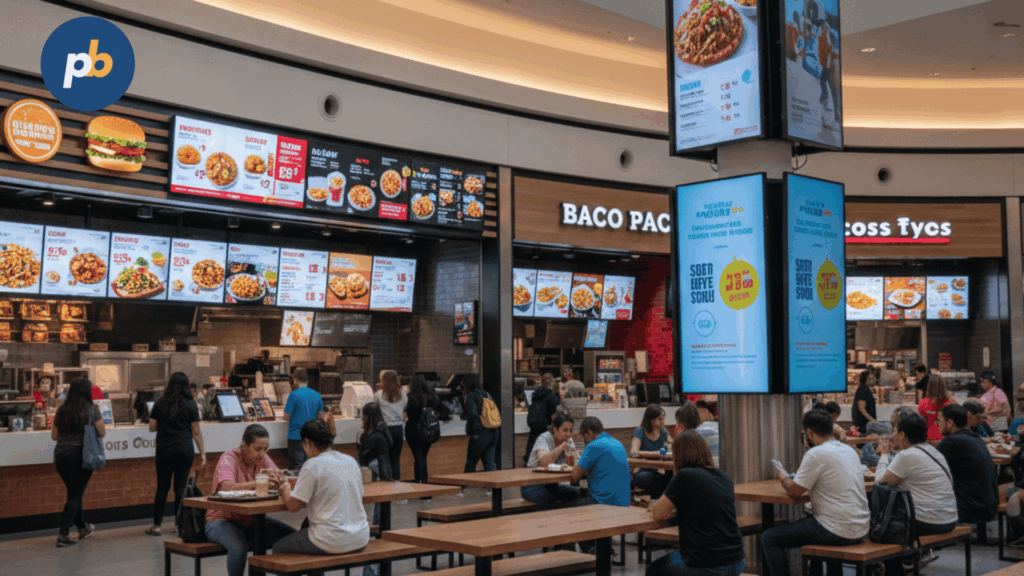
Menus adapt to dayparts, kitchen load, and drive-thru sensors. Rules blend static pricing with dynamic callouts for allergens and limited-time scarcity.
Menu board checklist for IoT signage includes:
- Bind Dayparts to Store Time Zone
- Mirror Kitchen Load on Combos
- Flag Allergens With Data Tags
- Show LTO Inventory Countdown
- Fail Safe to Full Menu Offline
What Informs Travelers in Transportation and Smart Cities?
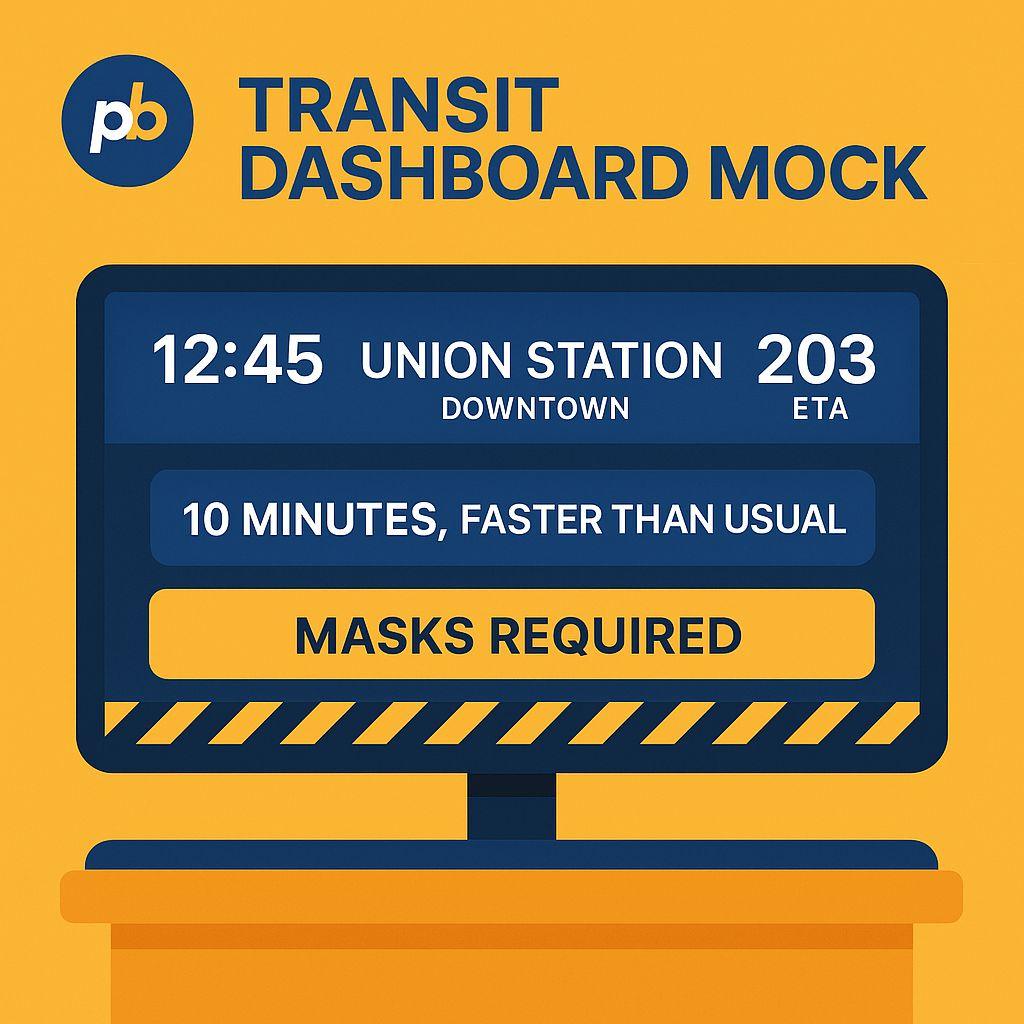
GTFS-Realtime headways, delays, and service alerts drive wayfinding and alerts. Crowd sensors inform platform guidance; safety overrides always preempt.
Feeds, SLAs, and fallbacks for transit signage include:
| Feed | SLA | Fallback |
|---|---|---|
| GTFS-RT Trip Updates | < 30 s | Show static timetable |
| Service Alerts | Immediate | Safety strip only |
| Vehicle Positions | < 10 s | Last known location |
How Do Corporate, Manufacturing, and Warehousing Operations Benefit?
OEE/ANDON boards, safety alerts, pick-to-light cues, and occupancy/room signs are typical. BACnet/Modbus gateways surface machine states as tiles and alerts.
KPI board elements for IoT signage include:
- OEE With Live Uptime
- Safety Incident Counters
- Pick-Rate vs Target
- Energy Usage vs Baseline
- Maintenance Due Soon
Machine signals mapped to status tiles include:
| Signal | Tile | Action |
|---|---|---|
| Machine Fault | Red alert | Dispatch tech |
| Uptime 98% | Green KPI | Congratulate team |
| Energy Peak | Amber warning | Shed noncritical load |
What Improves Experience in Healthcare and Education?
Wait-time boards, capacity limits, event schedules, and emergency messaging improve wayfinding and satisfaction when designed accessibly and with privacy by default.
Privacy watch-outs for IoT signage include:
- Avoid PII in Public Areas
- Aggregate Metrics Before Display
- Purge Logs Per Retention Policy
- Display Clear Alert Sources
- Provide Override Controls
How Do Hospitality, Venues, and Events Engage Guests?
Arrival sensors can trigger welcome scenes, conference schedules synchronize from calendars, and heatmaps guide staff dispatch - all with sponsor rotations tied to event blocks.
Moments, content, and sponsor metrics include:
| Moment | Content | Metric |
|---|---|---|
| Arrival | Personalized welcome | Check-in speed |
| Session Change | Room directions | On-time starts |
| Peak Concourse | Crowd guidance | Dwell balancing |
| Sponsor Block | Rotating creatives | QR scans/leads |
How to Design Content for Sensor-Driven Readability and Impact?
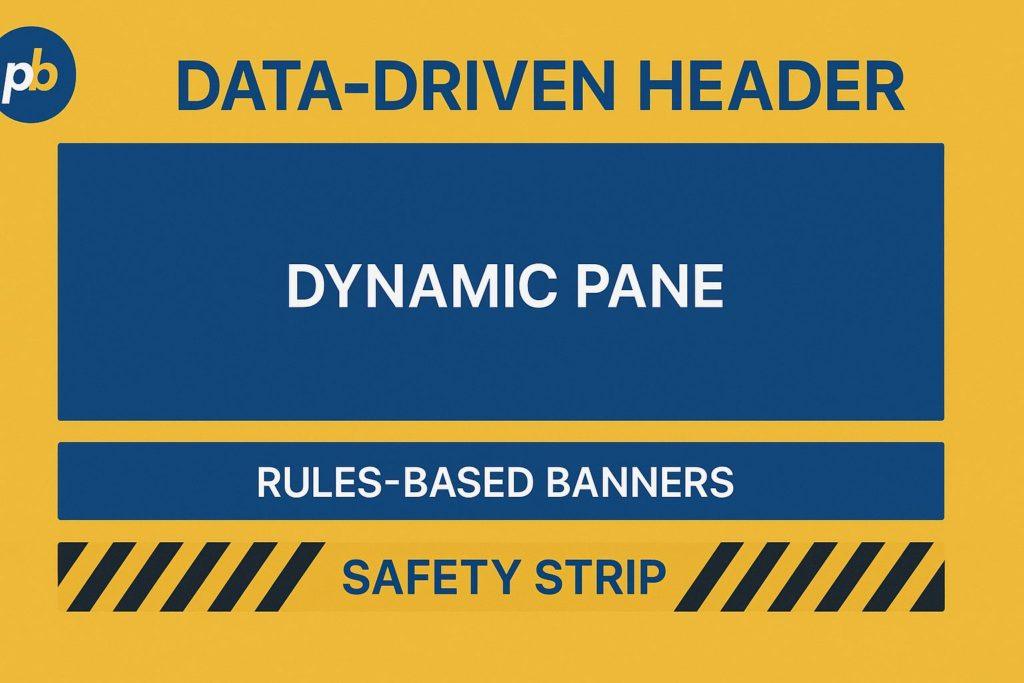
Design “responsive signage” templates with clear hierarchy that tolerate unpredictable dwell and quick glances, with motion budgets calibrated for attention without overload.
Distance-to-minimum font size includes:
| Viewing Distance | Min Body Size |
|---|---|
| 2–3 m | 24–30 px |
| 5–7 m | 36–48 px |
| 10+ m | 60+ px |
“Responsive signage” rules include:
- Reserve Safe Zones for Overrides
- Limit Motion to Key Accents
- Keep Contrast at WCAG AA+
- Pre-Render Data Cards for Low Latency
- Provide QR/NFC Handoff Paths
According to WebAIM and federal Section 508 guidance, Level AA contrast requires at least 4.5:1 for normal text and 3:1 for large text, which applies equally to screen signage.
How Do IoT Content Tests Run Before Going Live?
Simulators and “record & replay” event streams validate rules under chaos conditions. Shadow mode runs decisions without changing screens, producing traces for review.
Test plan for IoT signage includes:
- Build Event Simulators and Replays
- Run Shadow Mode for a Week
- Execute A/B on Rule Variants
- Inject Faults (Chaos Testing)
- Gate Launch on Pass/Fail Criteria
Scenario tests with expected behavior include:
| Scenario | Expected Behavior | Pass/Fail |
|---|---|---|
| Flapping Sensor | Debounce holds layout | Pass if ≤ 1 switch/min |
| WAN Outage | Edge rules persist | Pass if 100% overrides |
| Queue Spike | Triage layout in ≤ 5 s | Pass if median ≤ 3 s |
| CAP Alert | Full takeover | Pass if < 1 s to paint |
What Security, Privacy, and Safety Practices Are Mandatory?
Provision device identities and certificates, ship signed players, enforce least-privilege APIs, segment networks/VLANs, and encrypt transports end-to-end. Privacy-by-design defaults to no PII; retention windows are defined, and transparency statements are displayed at sites.
Threats, mitigations, and owners include:
| Threat | Mitigation | Owner |
|---|---|---|
| Device Spoofing | mTLS + cert rotation | IT/IoT Ops |
| Payload Tamper | Signed bundles | Platform |
| Lateral Movement | VLAN segmentation | Network |
| PII Exposure | Edge aggregation | Data Gov |
| Alert Failure | CAP drills | Safety |
Privacy checklist for IoT signage includes:
- Default to Non-PII and Aggregates
- Define Log Retention Windows
- Publish Site Transparency Notices
- Offer Clear Opt-Out Where Applicable
- Redact/Hash IDs in Analytics
How to Meet Accessibility and Regulatory Expectations?
Ensure contrast, captions, and language toggles; ensure emergency overrides take precedence; ensure local codes for brightness/egress and mounting are followed. According to BACnet/ASHRAE, building integrations should respect safety system boundaries.
Accessibility do’s and don’ts for IoT signage include:
- Use Sufficient Contrast in Templates
- Provide Captions for Audio Video
- Offer Language Toggle Where Needed
- Keep Motion Within Safe Limits
- Keep Critical Info in Safe Zones
Requirement verification mapping includes:
| Requirement | Verification |
|---|---|
| Contrast AA | Contrast checker logs |
| Caption Availability | Content audit |
| Emergency Precedence | Drill runbooks |
| Mounting Clearances | Site inspection |
How to Monitor, Measure, and Improve IoT Signage Performance?
Track device health, event processing SLAs, time-to-first-paint (TTFP), rule hit-rates, and real-world outcomes (QR scans, POS correlation). Feed telemetry into creative iteration and rule tuning.
KPI collection and cadence include:
| KPI | How Collected | Cadence |
|---|---|---|
| TTFP | Player traces | Per push |
| Rule Hit-Rate | Rules engine logs | Daily |
| Uptime | Heartbeats | 1 min |
| Queue Time | Sensor analytics | Hourly |
| Sales Lift | POS tie-in | Weekly |
Experiment ideas for IoT signage include:
- Test Distance-Aware Promo Rules
- Compare Motion vs Static Banners
- Optimize Queue Layout Variants
- Trial Weather-Responsive Bundles
- Tune Hysteresis Windows
- Vary QR Placement and Size
- Adjust Copy Length by Dwell
- Explore Color Temperature Variants
- Try Edge vs Cloud Decision Splits
- Sequence Sponsor Blocks by Crowd
What ROI Frameworks Make Sense for IoT Scenarios?
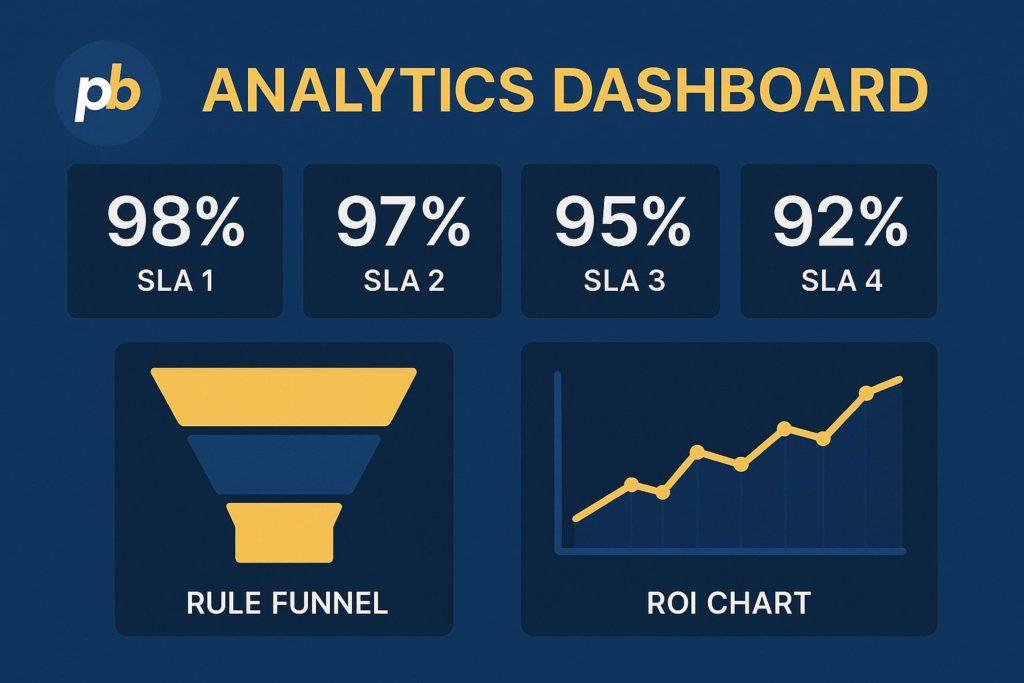
ROI is the sum of revenue lift from timely messaging plus operational savings (e.g., queue reductions) plus risk reductions (e.g., safety compliance). Peer-reviewed research from IDEAS indicates context matters: store format and message type alter lift direction and magnitude.
Calculator inputs for IoT signage ROI include:
- Incremental Impressions and Views
- Conversion/Attach Rate Changes
- Average Order Value Delta
- Queue Time Reduction Value
- Implementation and Ops Costs
Scenario mapping to expected KPIs includes:
| Scenario | KPI | Expected Range |
|---|---|---|
| Distance-Aware Retail Promos | Category lift | Positive for distant items |
| Queue Guidance | Abandonment | Decrease with routing |
| Energy Demand Response | kWh/cost | Decrease during peaks |
According to Journal of Retailing work, price-promotion content and large-format environments tend to produce stronger sales effects than small, task-focused formats; these nuances should be reflected in forecasts.
How Should Implementation Be Structured: Cloud, Edge, or Hybrid for IoT Signage?
Pick cloud for speed and coordination, edge for latency/privacy/offline, hybrid for resilience. Compile rules to the player or gateway for safety-critical decisions; coordinate versions in the cloud.
Workload placement guidance includes:
| Workload | Best Placement |
|---|---|
| Safety Overrides | Edge |
| Marketing Rules | Hybrid |
| Analytics | Cloud |
| Health Checks | Both |
| Video Rendering | Player/Edge |
Edge hardening tips include:
- Ship Watchdogs and Auto-Restart
- Bundle Local Overrides and CAP
- Rotate Certificates on Schedule
- Log Decisions With Timestamps
- Test Recovery From Power Loss
Which Platforms and Hardware Stacks Fit IoT Signage Best for a Given Case?
The best fit is the stack that matches latency/privacy constraints to capabilities for rules, transport, and device management - rather than a single vendor label.
Choose-by-needs decision prompts include:
- Require Sub-Second Overrides → Favor Edge Rules and WebSockets
- Require On-Prem Privacy → Favor Gateway + Local Broker
- Require Cross-Site Orchestration → Favor Cloud Rules With Edge Cache
- Require Cost Control → Favor SoC Players With Lightweight SDK
- Require Deep Integrations → Favor Open APIs + MQTT/REST Bridges
One-Minute Fit Quiz includes:
- Is Latency Under One Second Mandatory?
- Is Any PII Processed On-Premise by Policy?
- Are WAN Outages > 10 Minutes Common?
- Are Rules Mostly Operational vs Marketing?
- Are Existing Systems BACnet/Modbus/GTFS-RT?
What Is the Best IoT-Ready Digital Signage Stack for Retail and QSR?
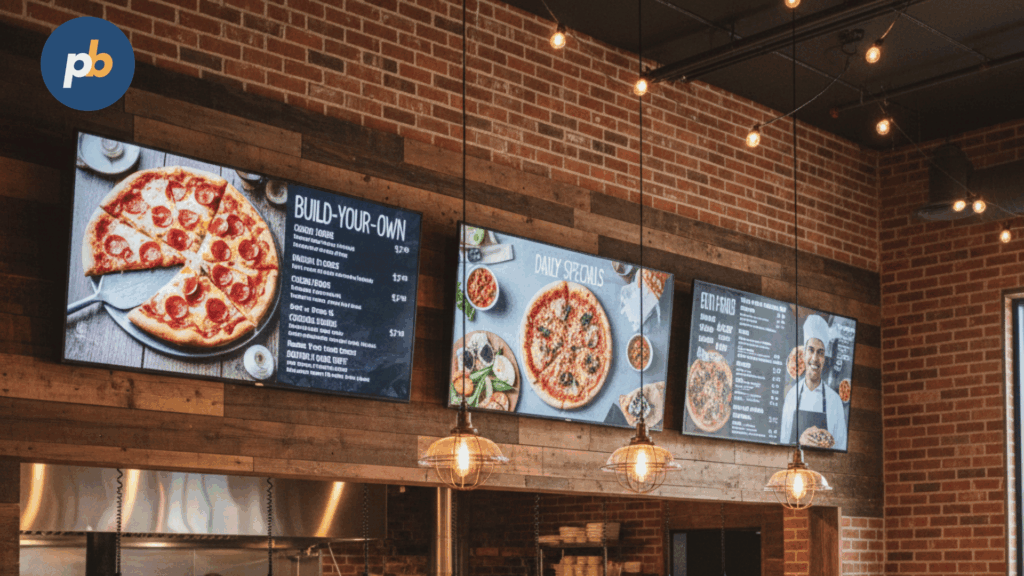
The most reliable pattern is an edge-enhanced cloud CMS with MQTT/WebSocket rules, high-bright signage displays where needed, POS/inventory connectors, and queue sensors feeding dayparted menus and promos.
Bundle archetypes, pros/cons, and budgets include:
| Archetype | Pros | Cons | Typical Budget |
|---|---|---|---|
| Cloud CMS + Edge Rules | Fast to deploy; resilient | Two rule planes to govern | $$ |
| On-Prem CMS + Broker | Privacy; low latency | Higher ops overhead | $$–$$$ |
| Open-Source CMS + Node-RED | Flexibility; low license cost | DIY support burden | $ |
Deployment pitfalls in retail/QSR include:
- Overlooking Window-Facing Brightness Needs
- Failing to Sync Menu Data to Pricing Source
- Ignoring Drive-Thru Sunload and IP Ratings
- Overusing Motion Near Order Points
- Skipping Offline Menus for Outages
What Is the Best Stack for Smart Buildings and Campuses?
A building-first stack uses BACnet/Modbus bridges, room booking, occupancy dashboards, and wayfinding with strong identity and RBAC.
Integration options include:
| Integration | Use | Note |
|---|---|---|
| BACnet Gateway | Energy/alarms tiles | Avoid safety cross-control |
| Room Booking | Room/totem screens | ICS/Cal API |
| Occupancy | Capacity signage | Anonymous counters |
| Wayfinding | Kiosk/QR handoff | Indoor maps SDK |
Security constraints include:
- Segment BMS From Guest Networks
- Enforce mTLS for Bridges
- Rotate Credentials With Least Privilege
- Audit All Control Plane Access
- Exercise Emergency Precedence Drills
What Is the Best Stack for Transit, Venues, and Events?
Transit/venue stacks favor GTFS-RT, crowd flow cues, CAP-based announcements, and timed sponsor rotations bound to events.
Feed support and SLAs include:
| Feed | SLA | Notes |
|---|---|---|
| GTFS-RT | 5–30 s | Merge alerts with trips |
| Crowd Counters | 1–5 s | Smooth before acting |
| CAP Alerts | Immediate | Signed, auditable |
Redundancy tactics include:
- Dual WAN or Cellular Backup
- Edge Cache of Last Known Routes
- UPS for Players and Switches
- Auto-Reboot With Watchdogs
- Heat-Safe Enclosures for Kiosks
How Do Cloud, On-Prem, and Open-Source Approaches Compare for IoT?
Cloud offers speed and reach; on-prem offers control and privacy; open-source offers flexibility with a duty to engineer.
Approach comparison includes:
| Approach | Capabilities | Costs | Risks |
|---|---|---|---|
| Cloud Managed | Fast features; global scale | OpEx | Vendor lock-in |
| On-Prem | Privacy; deterministic latency | CapEx + Ops | Talent, upgrades |
| Open-Source | Tailor fit; integratable | Build/maintain | Support burden |
What Should Be in an IoT-Signage RFP and Scoring Rubric?
An RFP must probe protocol support, rules engines, security posture, analytics, roadmap cadence, and SLAs.
Scoring matrix includes:
| Criterion | Weight | Notes |
|---|---|---|
| Protocols (MQTT/WebSockets/REST) | 20% | Native + gateways |
| Rules Engine (Edge + Cloud) | 25% | Latency, priority |
| Security Posture (PKI, SSO) | 20% | Audits, certs |
| Analytics and A/B | 15% | APIs, exports |
| Support SLAs | 10% | Response targets |
| Roadmap Cadence | 10% | Quarterly reviews |
RFP questions to ask include:
- Provide Proof of Edge Rule Execution Logs
- Detail Certificate Lifecycle and mTLS
- Demonstrate CAP Override With Audit
- Show Shadow Mode and Replay Testing
- Share Roadmap and End-of-Life Policy
What Is the Realistic TCO/ROI for IoT Signage vs “Plain” Signage?
IoT adds sensors and gateways and integration effort, but reduces waste and improves timeliness. In large-format environments, price-promotion content and distance-aware strategies are linked to higher sales effects; in small stores, effects can be neutral or negative, so scope accordingly.
TCO/ROI inputs for IoT signage include:
- Sensor and Gateway Hardware
- Integration and Rule Engineering
- Cloud/On-Prem Licensing and Ops
- Uptime Gains and Waste Reduction
- Sales and Satisfaction Changes
Cost drivers, levers, and impacts include:
| Driver | Lever | Impact |
|---|---|---|
| Integration Hours | Reuse connectors | ↓ Build cost |
| Sensor Count | Right-size coverage | ↓ Hardware |
| WAN Reliance | Edge rules | ↑ Uptime |
| Energy Use | Auto-dimming | ↓ OpEx |
What Common Pitfalls Derail IoT Signage and How Can They Be Avoided?
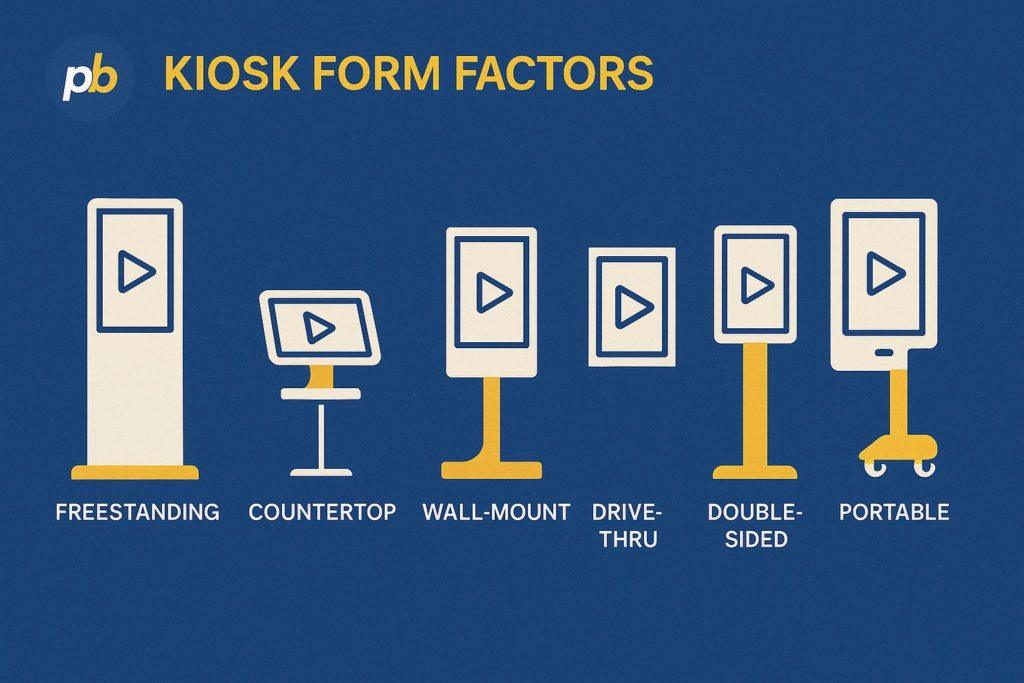
Most failures stem from noisy sensors, over-fitted rules, privacy oversights, under-spec’d edge devices, missing offline plans, and alert fatigue.
Top 12 mistakes with quick fixes include:
- Trusting Raw Sensor Values Without Debounce → Add Hysteresis
- Overfitting Rules to One Site → Generalize and A/B
- Embedding PII in Payloads → Hash/aggregate by default
- Starving Players of CPU/GPU → Match spec to content
- Ignoring Offline → Ship cached loops and rules
- Overusing Motion → Respect motion budgets
- Failing CAP Drills → Schedule quarterly tests
- Using Wi-Fi Only for Critical Links → Prefer Ethernet
- Skipping Contrast Checks → Enforce AA or better
- Neglecting Heat/Ventilation → Validate enclosure airflow
- Omitting Device Naming → Standardize inventory tags
- Spamming Alerts → Use priorities and throttles
What FAQs Do Teams Ask About IoT Digital Signage?
Concise answers for common questions include:
Does MQTT Need to Be Used or Is WebSocket Enough?
MQTT is preferred for device→broker scaling; WebSockets suits cloud→player pushes; many stacks use both.
What Is a Safe Latency Target for Queue Popups?
Under five seconds end-to-end, with sub-second for safety overrides.
How Can PII Be Avoided With Computer Vision?
Use on-device aggregation, avoid storing faces, and publish counts not identities.
How Much Edge Storage Is Enough?
Cache at least one full day of content and rules; more for air-gapped sites.
How Are Triggers Tested Without Live Sensors?
Use simulators and record/replay with shadow mode before production.
Can Emergency Overrides Be Forced?
Yes - CAP-formatted alerts should preempt schedules at the player with audit trails.