
Digital signage for gas stations works by coordinating outdoor and indoor screens to move drivers from the forecourt to the convenience store, increase basket size, and streamline services like car wash and EV charging, and the best setup aligns screen placement and brightness with dwell patterns while syncing prices, loyalty, and offers in real time.
An end-to-end approach connects a CMS to ruggedized displays and players, uses playlists and triggers keyed to traffic peaks and weather, and measures uplift through POS correlation, car-wash attach, and loyalty enrollment.
Table Of Contents
- What Exactly Counts as Digital Signage for Gas Stations?
- Where Can Screens Live Across the Forecourt and Store?
- How Does a Gas-Station Signage System Work End-to-End?
- Which Systems Should Signage Integrate with in This Vertical?
- What Content Should Be Shown Outside vs Inside?
- What Works at Pumps and Under the Canopy?
- What Works in the C-Store and Foodservice Areas?
- What Compliance and Brand Rules Apply to Content?
- Which Hardware Fits Forecourt, Window-Facing, and Indoor Zones?
- What Is Special About Pump-Top and Canopy Screens?
- How Do Price Signs and LED Digits Relate to the CMS?
- How Should EV Charger Screens Be Handled?
- Which Software Features Matter Most for Gas Stations?
- Cloud, On-Prem, or Open-Source: Which Deployment Model Fits?
- How Do Safety, Accessibility, and Roadside Regulations Get Handled?
- How Much Does Gas-Station Digital Signage Cost and What Drives ROI?
- How Should Performance Be Measured and Impact Be Proven?
- How Do You Install and Commission With Minimal Disruption?
- How Do You Operate and Maintain Reliably Year-Round?
- Which Digital Signage Setup Is Best for a Station Type?
- What Is the Best Entry-Level Kit for Independents?
- What Is the Best Multi-Site Kit for Small Chains?
- What Is the Best Forecourt-First Kit (Pump/Canopy)?
- What Is the Best Foodservice-Focused Kit (Menu Boards)?
- How Do Common Choices Compare on TCO and Risk?
- What Belongs in an RFP and Vendor Scoring Rubric?
- What FAQs Do Station Owners and Operators Ask?
- How Bright Should Window/Forecourt Screens Be?
- Can Pump-Top Content Include Audio?
- How Fast Can Prices Sync To Signs?
- Do 4K Players Need To Be Deployed?
- How Is Car-Wash Attach Uplift Measured?
- What Is Upkeep In Winter/Sand/Salt?
- Can Playback Run Offline?
- How Is UGC Or Ads Moderated?
What Exactly Counts as Digital Signage for Gas Stations?
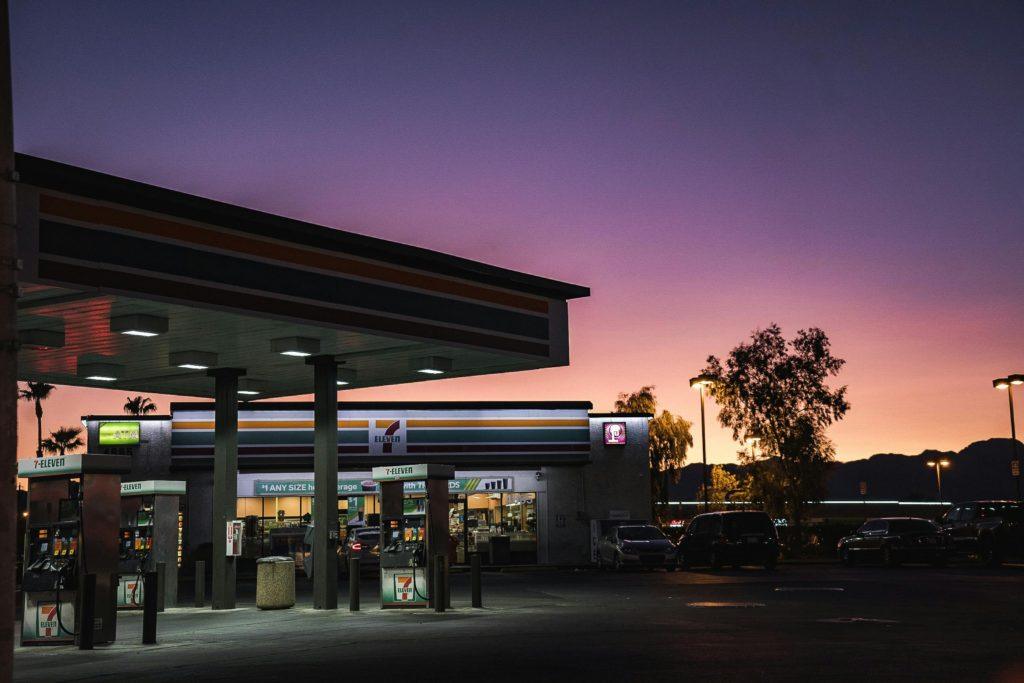
Digital signage for gas stations includes forecourt canopy and pump-top screens, window-facing high-brightness displays, in-store menu boards and promo screens, car-wash and EV charger panels, and back-office dashboards, and it differs from traditional price signs by combining scheduled content, real-time data, and proof-of-play reporting across an owned network or a DOOH monetization layer.
A modern stack spans the price monument, pumps, doors, counters, and queues with unified control and safety-first overrides.
Channel Types for Gas-Station Digital Signage include:
- Forecourt Canopy And Pump-Top Screens
- Payment Terminal Prompters (Non-interactive Content Areas)
- Window-Facing High-Brightness Displays
- In-Store Menu Boards And Promo Endcaps
- Queue Displays And Wayfinding Pointers
- Car-Wash Lane And Exit Screens
- EV Charger Interfaces With Promo Zones
- Back-Office Operational Dashboards
Table: Zone, Goal, Dwell Time, and Content Format
| Zone | Primary Goal | Typical Dwell | Best Format |
|---|---|---|---|
| Pump-Top/Canopy | Safety then upsell | 5–30 s | Short silent video, bold captions |
| Window-Facing | Pull-through to store | Drive-by glance | 3,000-nit stills/video with large CTAs |
| Coffee/Food Counters | Menu clarity and combos | 30–90 s | Menus, price grids, motion accents |
| Aisles/Queues | Add-on and wayfinding | 15–60 s | Offers, aisle pointers, countdowns |
| Car-Wash Lanes | Package selection | 20–60 s | Tier compare, weather-based nudges |
| EV Chargers | Session info + promos | 5–15 min | Split UI: session + contextual content |
Where Can Screens Live Across the Forecourt and Store?
Screens can live at canopy soffits, pump-tops, payment terminal headers (read-only zones), storefront windows, coffee and hot food counters, checkout queues, restrooms, car-wash entry/exit lanes, EV stalls, and back-office walls, and each location imposes unique constraints for brightness, mounting, audio, and safety.
Per-Zone Constraints for Gas-Station Screen Placement include:
- Canopy And Pump-Top Glare And Sun Angles
- Cable Routing And Secondary Retention Requirements
- IP/IK Ratings And Thermal Management Outdoors
- ADA Protrusion Limits In Aisles And Queues
- Window Reflections And Daylight Contrast
- Food Prep Areas With Grease And Steam Exposure
- Vehicle Clearances In Lanes And At Islands
- EV Stall Sightlines And Cord Management
How Does a Gas-Station Signage System Work End-to-End?
A gas-station signage network works by moving content through plan → create → approve → schedule/daypart → distribute via CDN → cache/playback at players → monitor/alert → analyze/optimize, and the workflow enforces price accuracy, safety priorities, and localized offers per site or pump group. Offline caching preserves playback during WAN blips, while health heartbeats and screenshots validate uptime.
Role Handoffs in Gas-Station Signage Programs include:
- Marketing Defines Offers, Safety Scripts, And Brand Kits
- Pricing And Fuel Teams Publish Price Feeds And Change Windows
- Store Ops Confirms Menu Items, Inventory, And Hours
- IT/AV Manages Players, Networks, And Monitoring
- Compliance Reviews Restricted Items And Disclaimers
- Finance Tracks Co-Op, Proof-Of-Play, And ROI
Which Systems Should Signage Integrate with in This Vertical?
Signage should integrate with POS for price and basket analytics, fuel controllers for price and pump status, price monument controllers, loyalty/CRM for offers, car-wash controllers, lottery and kitchen display systems for promos and order status, EV chargers for session data, and weather/traffic feeds for contextual rules.
Table: Source, Data, Trigger, and Example Content
| Source | Data | Trigger | Example Content |
|---|---|---|---|
| POS | Prices, combos | New promo period | “Bundle & Save” at counter |
| Fuel Controller | Price change | Sync event | Monument and pump price sync |
| Loyalty/CRM | Offers, tiers | Member detected | Member-exclusive coffee price |
| Car-Wash Controller | Package, status | Rain/snow | “Protect With Ceramic Coat” |
| EV Charger | Session state | Session start | Session UI + store coupon |
| Weather | Rain/sun/temp | Threshold | Wiper fluid or iced drink promo |
| Traffic | Peak/incident | Delay | “Grab Hot Snack in 2 Minutes” |
How Do Playlists, Dayparts, and Triggers Align With Fuel Peaks?
Playlists, dayparts, and triggers align with weekday commute peaks, weekend travel, and weather conditions by front-loading safety reminders, mapping fuel-grade education and loyalty to morning and evening peaks, and activating weather or stock triggers for relevant offers like washer fluid or hot drinks.
Table: Trigger, Rule, and Content Example
| Trigger | Rule | Content |
|---|---|---|
| Morning commute | 6–10 a.m. | Coffee combo, loyalty sign-up |
| Evening commute | 4–8 p.m. | Dinner bundles, car-wash upsell |
| Rain/snow | Weather API threshold | Wiper fluid, defroster promos |
| Low stock | Inventory below X | Swap to alternate item |
| Weekend travel | Fri–Sun | Snacks, cooler deals, map wayfinding |
Scheduling Best Practices for Gas-Station Networks include:
- Prioritize Safety Cards Before Any Promotion
- Keep Pump-Top Spots To 6–12 Seconds With Bold Captions
- Align Dayparts To Real Traffic And POS Peaks
- Use Tagging For Pump Groups, Windows, And Counters
- Pre-Cache Heavy Video During Off-Hours Windows
What Content Should Be Shown Outside vs Inside?
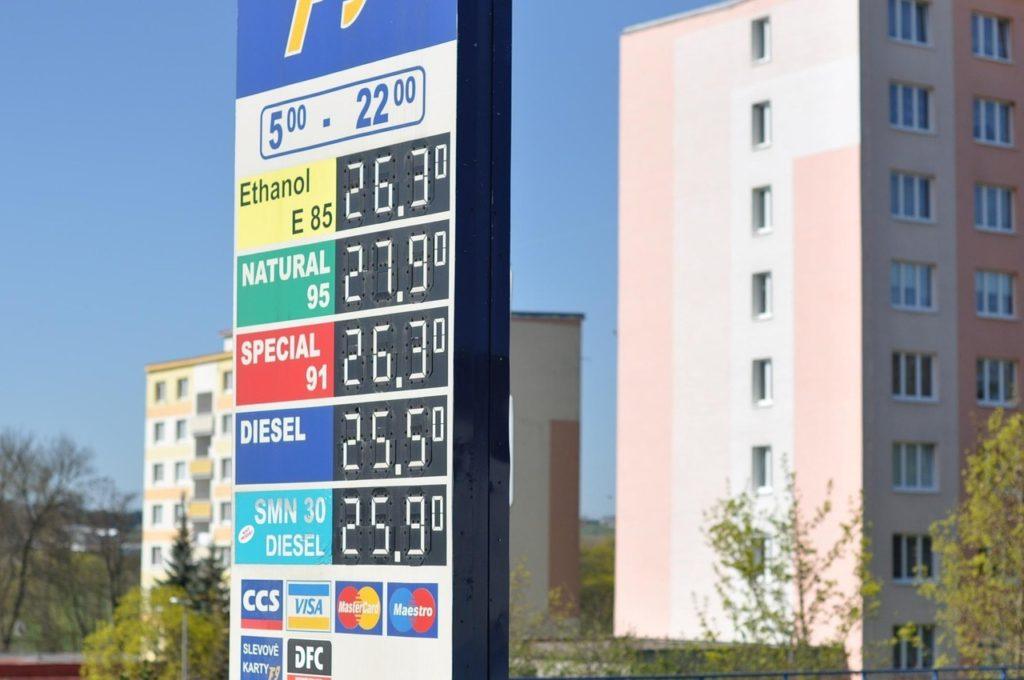
Outside content should be concise, high-contrast, and silent-captioned to match 5–30-second micro-dwell at pumps and drive-by windows, while inside content should present complete menus, combos, and wayfinding for longer dwell, and both must feature clear CTAs that do not require touch.
Creative Do’s And Don’ts for Gas-Station Digital Signage include:
- Lead With Safety And Price Integrity Before Offers
- Use Large Text, High Contrast, And Tight Color Palettes
- Cap Motion Speed And Avoid Flashing Near Roadways
- Design Captioned Video With 6–8 Word Lines
- Reserve QR Codes For In-Store Zones With Stable Dwell
- Avoid Small Type, Busy Backgrounds, And Long Paragraphs
- Avoid Audio Outdoors Unless Local Policy Explicitly Allows
What Works at Pumps and Under the Canopy?
At pumps and under the canopy, safety prompts should precede promotions, followed by loyalty sign-ups, fuel-grade education, car-wash upsells, weather-based offers, and concise “bundle & save” promos that fit 6–12-second spots with legible captions.
Table: Forecourt Message, Ideal Length, and Proof Point
| Message Type | Ideal Length | Proof Point |
|---|---|---|
| Safety first (no phone, static hazard) | 3–5 s | Required compliance step |
| Loyalty join CTA | 6–8 s | Member savings and perks |
| Fuel-grade tips | 6–8 s | Engine or MPG benefit |
| Car-wash upsell | 6–8 s | Weather tie-in |
| Quick bundle | 6–8 s | POS combo margin |
Safe Motion And Contrast Guidelines for Forecourt Screens include:
- Keep Motion Under 4–6 Hz And Avoid Full-screen Flashes
- Use 3,000+-Nit Window Displays Or Outdoor-Rated Panels
- Apply Anti-Reflective Glass And Maintain Caption Safe Zones
- Maintain 4.5:1 Contrast For Text And 3:1 For Large Type
- Keep Critical UI Above Pump Hardware Sightline
What Works in the C-Store and Foodservice Areas?
In the c-store and foodservice areas, digital menu boards, combo deals, coffee subscriptions, seasonal and limited-time items, queue boards, and directional cues to high-margin categories perform best when prices and allergens are clear and motion is secondary to readability.
Table: Zone and Recommended Widgets
| Zone | Recommended Widgets |
|---|---|
| Coffee counter | Menu grids, loyalty badges, timers |
| Hot food line | Combo builders, allergen icons |
| Checkout queue | Upsell cards, “2-for” promotions |
| Endcaps | Seasonal features, priced callouts |
| Coolers | Price bands, flavor highlights |
What Compliance and Brand Rules Apply to Content?
Compliance and brand rules apply to price accuracy, placement and advertising of age-restricted categories, emergency override precedence, brand kits (colors, type, logo spacing), and multilingual variants for neighborhoods and tourist corridors.
Compliance Checklist for Gas-Station Content include:
- Validate Prices Against POS And Fuel Controller Feeds
- Follow Local Rules For Age-Restricted Placements
- Reserve Emergency Slots And Priority Overrides
- Use Approved Brand Palettes, Type, And Logo Lockups
- Provide Multilingual Variants For Target Demographics
Table: Content Type and Approval Owner
| Content Type | Owner |
|---|---|
| Fuel prices | Pricing/fuel team |
| Menu items | Store operations |
| Age-restricted promos | Compliance/legal |
| Loyalty offers | Marketing/CRM |
| Emergency alerts | Safety/operations |
Which Hardware Fits Forecourt, Window-Facing, and Indoor Zones?
Hardware fits by zone when outdoor and window-facing screens use high-brightness LCDs (3,000–5,000-nit class) with AR glass, IP/IK ratings, and thermal management, while indoor areas use commercial 16/7–24/7 LCDs with 500–700-nit brightness and non-glare coatings; rugged mounts, sealed cabling, and remote power control complete the stack.
Table: Zone, Brightness (Nits), IP/IK, and Mounting Notes
| Zone | Recommended Nits | IP/IK | Mounting Notes |
|---|---|---|---|
| Pump-top/canopy | 2,500–4,000+ | IP55–66 / IK08+ | Secondary retention, sealed glands |
| Window-facing | 1,500–3,000 | IP5X | AR laminated glass, sunload care |
| Indoor menus | 500–700 | IP20 | Tilt/servicing mounts |
| Car-wash lane | 3,000–5,000 | IP55–66 / IK08+ | Vibration-resistant fixings |
| EV chargers | 700–1,500 | IP54–65 / IK08+ | Vandal-resistant glass |
Representative models include Samsung OH55A 3,500-nit (peak 4,000) outdoor displays, LG XE4F-M 4,000-nit outdoor displays, and DynaScan 55-inch 4,000-nit high-brightness LCDs for direct sun and window applications.
What Is Special About Pump-Top and Canopy Screens?
Pump-top and canopy screens are special because they must control glare, survive heat and weather, route power and signal safely through the island, include secondary retention, and respect non-intrusive audio policies that avoid spill into the public roadway.
Pump-Top Installation Checklist for Gas-Station Screens include:
- Specify AR Laminated Glass And High-TNI Panels
- Use Sealed Cable Glands And Drip Loops
- Add Safety Cables And Secondary Retention
- Validate Brightness Schedules Against Local Dark-Sky Rules
- Avoid Outdoor Audio Unless Permitted And Scoped
How Do Price Signs and LED Digits Relate to the CMS?
Price signs and LED digits relate to the CMS through secure price feeds and validation workflows that synchronize monument digits, pump screens, and menus while maintaining audit logs and rollback steps to prevent posting errors.
Table: Price Change Event and Verification Steps
| Event | Verification Steps |
|---|---|
| Price update from POS | Compare to last price; stage preview |
| Publish to monument | Confirm digit state; screenshot |
| Publish to pumps | Confirm playlist tag and value |
| Publish to menus | Update price grids; cache |
| Post-change audit | Log timestamp, operator, and source |
Rollback Steps for Fuel Price Corrections include:
- Trigger Previous Approved Price From Audit Log
- Force Refresh Of Monument And Pump Groups
- Notify Store And Fuel Teams With Timestamped Note
- Escalate To Controller Vendor If Sync Fails
Daktronics publishes LED price displays and controllers designed to integrate with POS and signage workflows.
How Should EV Charger Screens Be Handled?
EV charger screens should separate the session UI from a promo zone, observe ADA sightlines and reach ranges, avoid retention through pixel-shift and dark themes, and modulate brightness by ambient light and energy policy.
EV-Specific UX Tips for Charger Screens include:
- Reserve A Stable Session Pane For State Of Charge And ETA
- Place A Secondary Promo Pane For Store Offers
- Use Large Text And High Contrast In Daylight
- Enable Pixel Shift And Periodic UI Variants
- Dim The Panel Responsively When Idle Or Overnight
Which Software Features Matter Most for Gas Stations?
The most important software features are multi-site control, store tagging, compliance locks and audit trails, real-time price synchronization, proof-of-play for co-op ads, robust offline caching, remote screenshots and restarts, and emergency override behavior.
Table: Feature, Why It Matters, and How To Test
| Feature | Why It Matters | How To Test |
|---|---|---|
| Tag targeting | Per-zone content control | Publish to pump group only |
| Price sync | Integrity and compliance | Simulate POS price change |
| Offline cache | Forecourt resilience | Kill WAN, check playback |
| Remote screenshots | Visibility | Compare to live camera |
| Emergency override | Safety | Trigger alert, verify preemption |
| Proof-of-play | Co-op revenue | Export logs and reconcile |
Admin Policies for Gas-Station Signage include:
- Enforce Role-Based Access With Approvals
- Lock Price Templates And Prevent Manual Text Edits
- Require Screenshots On Commissioning And Post-Change
- Schedule Cohorted Player Updates With Rollback
- Archive Proof-Of-Play And Price Audit Trails
Cloud, On-Prem, or Open-Source: Which Deployment Model Fits?
Cloud fits most multi-site gas-station networks due to SLAs and easy scale, on-prem fits sites with strict data policies or limited WAN, and open-source fits teams with DevOps skills seeking low license cost but accepting higher maintenance.
Table: Model, Pros/Cons, and Best For
| Model | Pros | Cons | Best For |
|---|---|---|---|
| Cloud | Fast scale, global updates | WAN dependence | Chains and franchises |
| On-prem | Data control, local caching | Hardware/ops burden | Regulated or isolated sites |
| Open-source | License savings, flexibility | Higher DIY overhead | Technical owners and pilots |
Which OS/Platforms Should Players Support?
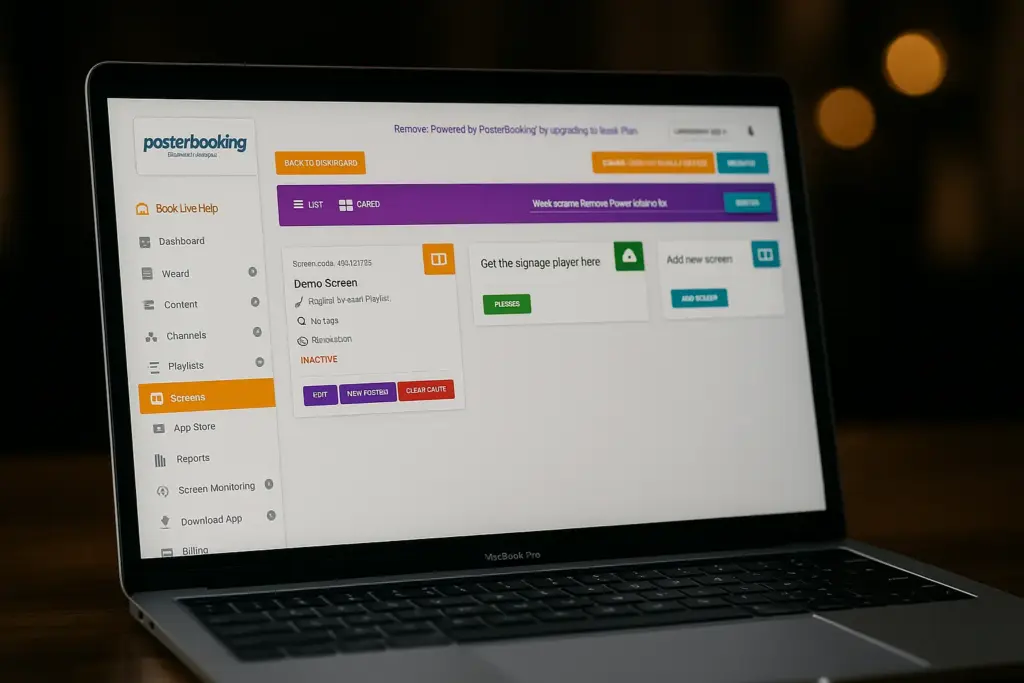
Players should support Android(APK), Windows(.exe) , Linux, ChromeOS, or SoC platforms and provide kiosk mode, watchdogs, hardware video acceleration, and RS-232/CEC power control for safe restarts and schedules.
Table: OS, Stability, Management, and Gotchas
| OS/Platform | Stability | Management | Gotchas |
|---|---|---|---|
| Android (box/SoC) | High with vetted builds | EMM/MDM options | Vendor forks and updates |
| Windows (mini-PC) | Enterprise-grade | MDM/AD | Patch cadence planning |
| Linux (x86/ARM) | Stable, lean | DevOps tooling | Driver and codec choices |
| ChromeOS | Managed kiosks | Cloud console | App model constraints |
| SoC Displays | Fewer boxes | Vendor tools | Ecosystem lock-in |
Hardening Checklist for Player Platforms include:
- Enforce Auto-Start And App Allow-Listing
- Enable Watchdogs And Scheduled Reboots
- Apply TLS Certificates And Certificate Pinning
- Lock Unused Ports And Services
- Enroll Devices In MDM/EMM With Audit Logs
How Do Safety, Accessibility, and Roadside Regulations Get Handled?
Safety, accessibility, and roadside rules are handled by limiting brightness and motion near roads, presenting safety messages first at pumps, placing indoor menus at ADA heights with readable contrast, and ensuring emergency alerts preempt all content with failsafe defaults.
Table: Requirement, Test, and Pass Criteria
| Requirement | Test | Pass |
|---|---|---|
| Roadside motion limits | Review animation frequency | Below flashing thresholds |
| Pump safety precedence | Trigger alert over playlist | Safety card renders first |
| ADA menu height | Measure AFF and reach | Within local code band |
| Contrast ratios | Measure with meter | 4.5:1 (text) / 3:1 (large text) |
| Emergency override | Simulate EAS/CAP feed | Immediate preemption |
Safety Do’s And Don’ts for Gas-Station Signage include:
- Put Safety Slides Before Any Promotion At Pumps
- Keep Motion Moderate And Avoid Flashing Near Roads
- Mount Menus Within ADA Viewing Bands
- Maintain AR Glass And Clean Optics For Contrast
- Avoid Outdoor Audio Unless Approved By Policy
How Much Does Gas-Station Digital Signage Cost and What Drives ROI?
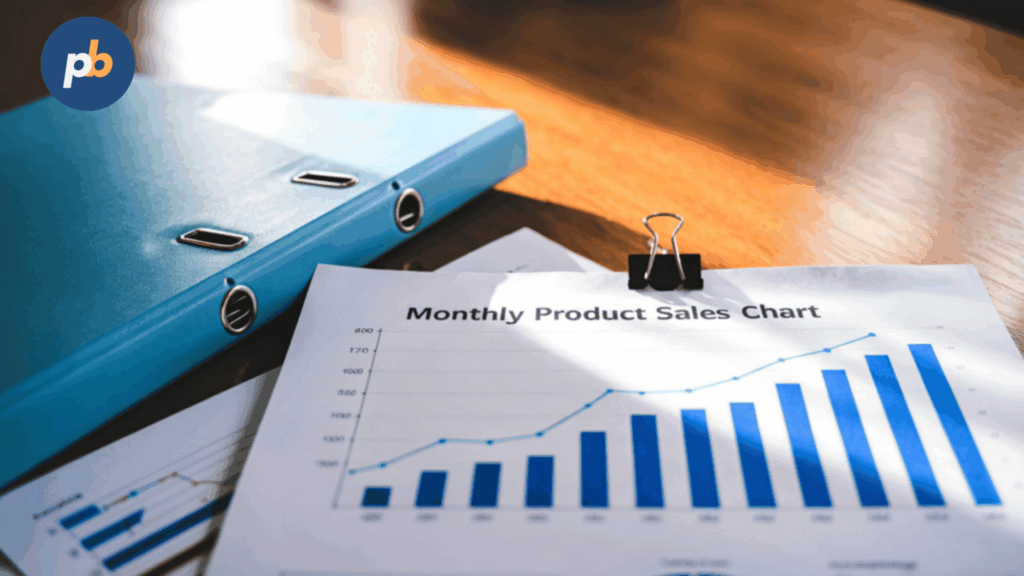
Cost includes CapEx (displays, mounts, enclosures, players, install) and OpEx (CMS, energy, connectivity, maintenance), while ROI is driven by co-op ads, car-wash attach, coffee and snack add-ons, and loyalty sign-ups; attribution mixes POS correlation, time-of-day tests, and weather-based lift.
Table: Zone and Typical CapEx/OpEx Range (Illustrative)
| Zone | CapEx Each | Monthly OpEx | Notes |
|---|---|---|---|
| Window 55″ 3,000-nit | $$$$ | $$ | High-impact pull-through |
| Pump-top outdoor | $$$$ | $$ | IP/IK enclosure + power |
| Indoor 55″ 500-nit | $$ | $ | Menu board/queue |
| Car-wash lane | $$$$ | $$ | Thermal and sealing |
| EV charger screen | $$$ | $ | Session UI + promos |
Simple TCO/ROI Inputs for Gas-Station Signage include:
- Hardware Cost By Zone And Quantity
- Installation Labor And Enclosure Premiums
- CMS Licensing, Connectivity, And Energy
- Co-Op Revenue And Proof-Of-Play Rates
- Uplift In Car-Wash Attach And Add-On Items
How Should Performance Be Measured and Impact Be Proven?
Performance should be measured via QR/short-URL proxies at pumps, POS correlation around playlist slots, control stores or A/B rotations, proof-of-play reconciled to co-op, and uplift analyses aligned with weather and traffic events.
Table: KPI, Collection Method, and Caveats
| KPI | Method | Caveat |
|---|---|---|
| Car-wash attach | POS flag vs audience | Weather confounds |
| Coffee add-on rate | Basket analysis | Time-of-day mix |
| Loyalty sign-ups | CRM events | Staff prompting |
| Co-op revenue | POP logs vs payments | Contract timing |
| Window pull-through | Footfall delta | Non-signage drivers |
90-Day Test Ideas for Gas-Station Networks include:
- Rotate Offers Across Comparable Islands Or Days
- Pair Weather Triggers With Alternate Messages
- Tag Member Vs Non-Member CTAs At Pumps
- Isolate Menu Templates For Add-On Changes
- Correlate Footfall And POS To Window Campaigns
How Do You Install and Commission With Minimal Disruption?
Minimal-disruption installs rely on thorough surveys, power/network readiness, hazardous-area awareness, lift plans, night or off-peak work windows, and tight commissioning scripts that capture screenshots, health, and price sync proofs before handoff.
Pre-Install And Commissioning Checklists for Gas-Station Sites include:
- Capture Photos, Measurements, And Conduit Paths Per Island
- Verify Circuits, UPS, And Network Drops For Each Zone
- Stage Players With Profiles And Price Sync Tests
- Use Lifts And PPE; Observe Hazardous-Area Protocols
- Record Screenshots, Brightness Levels, And Control Scripts
Table: Risk, Mitigation, and Owner
| Risk | Mitigation | Owner |
|---|---|---|
| Traffic and queue impact | Night installs, cones, signage | Contractor |
| Sunload and glare | AR glass, angle mockups | AV/Integrator |
| Price sync errors | Dual-operator verification | Operations |
| Weather exposure | Sealed glands, drip loops | AV/Integrator |
How Do You Operate and Maintain Reliably Year-Round?
Year-round reliability uses heartbeats, temperature and door sensors, filter cleaning, brightness schedules, storm readiness, and a spares/RMA plan, with seasonal checks for sun angles, heat, snow, and salt.
Table: Maintenance Interval, Task, and Acceptance
| Interval | Task | Acceptance |
|---|---|---|
| Weekly | Screenshot and health review | All green or ticket logged |
| Monthly | Filter and seal inspection | Clear airflow, no ingress |
| Quarterly | Torque and mount check | Within spec |
| Seasonal | Brightness and schedule tune | Contrast at target |
| Annual | Calibration and optics | Luminance/white within band |
Seasonal Checks for Gas-Station Signage include:
- Revisit Summer Sun Angles And Glare Paths
- Protect Outdoor Cabling From Snow And Salt
- Confirm Heater/Fan Behavior In Enclosures
- Validate Emergency Overrides And Power Recovery
- Replace Damaged Glass Or Seals Immediately
Which Digital Signage Setup Is Best for a Station Type?
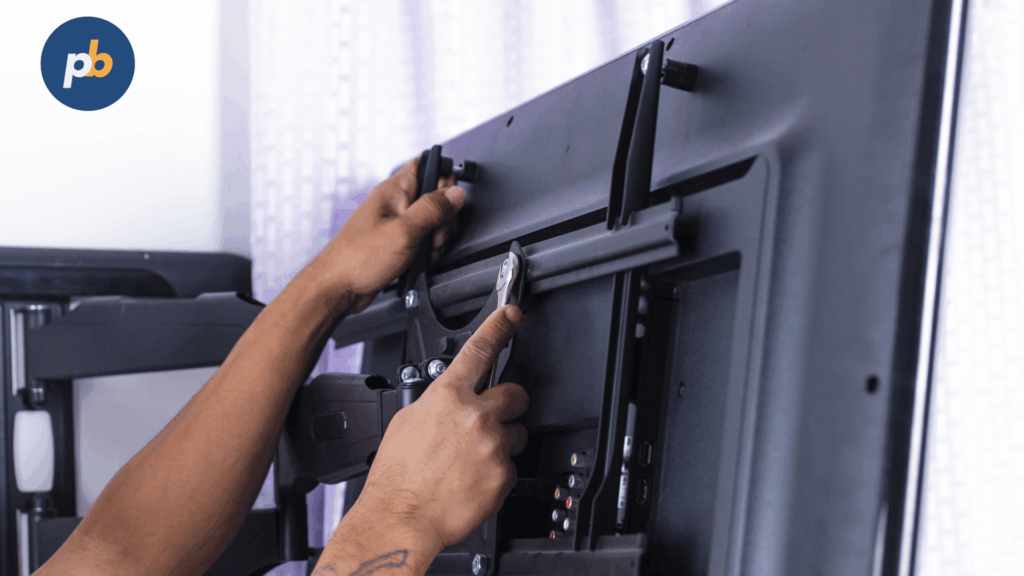
The best setup is a high-brightness window screen plus pump-top safety-first messaging and indoor menu boards for independents; a tag-driven, centrally orchestrated forecourt and store grid for small chains; a rugged outdoor wall-plus-menu network for travel plazas; compact high-brightness and EV-aware layouts for urban kiosks; and charger-centric screens with strong daypart menus for EV-heavy sites.
1-Minute Fit Quiz for Gas-Station Setups include:
- Identify Station Type (Independent, Chain, Plaza, Urban Kiosk, EV-Heavy)
- Confirm Forecourt, Window, And Indoor Brightness Targets
- Decide Pump-Top And Price Sync Integrations
- Choose CMS With Tagging, Offline, And Emergency Overrides
- Plan Proof-Of-Play And POS Correlations From Day One
What Is the Best Entry-Level Kit for Independents?
The best entry-level kit for independents is a single 55-inch 3,000-nit window-facing display (Samsung OM55B), two 55-inch 500-nit indoor commercial displays (LG 55UH5N-E), a compact Android/SoC player profile, a small UPS, and a template-driven CMS. This combination maximizes pull-through and in-store clarity with low complexity.
Table: Entry-Level Bundle, Components, Approximate Budget, and Pros/Cons (Illustrative)
| Bundle | Components | Budget | Pros | Cons |
|---|---|---|---|---|
| Independent Starter | 1× 55″ 3,000-nit window (OM55B), 2× 55″ indoor 500-nit (UH5N-E), SoC/Android players, UPS | $$–$$$ | Strong visibility; simple ops | No outdoor pump-top |
Onboarding Tips for Independent Stations include:
- Lock Brand Templates And Price Regions In CMS
- Stage Devices And Verify Screenshots Before Install
- Pre-Cache Menus And Window Loops On Ethernet
- Schedule Dayparts Around Local Traffic Peaks
- Capture Before/After Photos For ROI Stories
What Is the Best Multi-Site Kit for Small Chains?
The best multi-site kit for small chains is a tag-based CMS with centralized price synchronization, audit logs, and emergency overrides, paired with 3,000-nit window displays and 500–700-nit indoor menus, and optional pump-top screens at flagship sites; this pattern scales with approvals, device groups, and proof-of-play reporting.
Spec Matrix: Features To Insist On for Small-Chain CMS
| Feature | Reason |
|---|---|
| Store/site tags and device groups | Targeted playlists and overrides |
| Price feed integration and audit | Accuracy and compliance |
| Offline caching with screenshots | Resilience and visibility |
| Approvals and roles | Governance at scale |
| Proof-of-play exports | Co-op and reconciliation |
Rollout Playbook for Small Chains include:
- Run A 3-Site Pilot With Price Sync
- Standardize Mounts, Sizes, And Player Images
- Create A Content Calendar With Dayparts And Weather Rules
- Train Store Leads On Basic Triage And Photos
- Review 30/60/90-Day KPIs And Adjust Mix
What Is the Best Forecourt-First Kit (Pump/Canopy)?
The best forecourt-first kit is a 3,500–4,000-nit outdoor-rated display with AR laminated glass (Samsung OH55A or LG XE4F-M) mounted at pump-tops or canopy soffits, paired with sealed cabling, secondary retention, surge protection, and non-intrusive audio policies; this ensures legibility and uptime in harsh conditions.
Table: Outdoor Spec Checklist (Illustrative)
| Element | Target |
|---|---|
| Brightness | 3,500–4,000+ nits |
| Ratings | IP55–66, IK08+ |
| Optics | AR laminated glass |
| Thermal | Fans/heat exchangers |
| Power | Surge/lightning protection |
What Is the Best Foodservice-Focused Kit (Menu Boards)?
The best foodservice-focused kit is a bank of 500–700-nit 55-inch indoor commercial displays on tilt/service mounts, a CMS with menu templates and allergen labeling, and data-driven dayparting and screen groups at the counter; this combination delivers readable menus with rapid updates and clear compliance.
Table: Menu Feature Matrix
| Feature | Requirement |
|---|---|
| Template families | Breakfast/lunch/dinner sets |
| Allergen labeling | Icons and footnotes |
| Price grids | Clear and consistent |
| Screen groups | Sync for banks |
| Data inputs | CSV/Sheets POS mapping |
Menu Content Checklist for Gas-Station Foodservice include:
- Use Large Prices And Short Ingredient Lines
- Keep Motion Subtle And Reserve For Value Moments
- Group Combos Clearly With Save-Amount Badges
- Include Allergen Icons And Disclaimers
- Refresh Seasonal Items With End Dates
How Do Common Choices Compare on TCO and Risk?
Common choices compare as follows: SoC reduces boxes and cost but may limit advanced HTML; external players add flexibility and swap speed; LCD is cost-effective for windows while LED unlocks larger canvases; cloud CMS cuts ops toil; and commercial displays avoid warranty gaps and early failures versus consumer TVs.
Table: Approach, 3-Year TCO, Major Risks, and Mitigations (Illustrative)
| Approach | 3-Year TCO | Major Risks | Mitigations |
|---|---|---|---|
| SoC displays | Low–Mid | Ecosystem lock-in | CMS roadmap validation |
| External players | Mid | Patch complexity | MDM and golden images |
| LCD window | Mid | Glare/sunload | AR glass, brightness schedules |
| LED window/wall | High | Cost/maintenance | Pitch by distance; service plan |
| Cloud CMS | Low ops | WAN dependency | Edge cache; LTE failover |
| Consumer TV | Low upfront | Warranty voids | Avoid; specify commercial |
What Belongs in an RFP and Vendor Scoring Rubric?
An RFP and scoring rubric should emphasize sustained brightness, price-sync and audit features, emergency override behavior, outdoor ratings, warranty terms, and security posture, with weighted criteria for availability and service SLAs.
Table: Scoring Matrix, Criterion, and Weight (Illustrative)
| Criterion | Weight |
|---|---|
| Sustained brightness and optics | 25% |
| Price sync, audit, and rollback | 20% |
| Emergency override behavior | 15% |
| Warranty and service SLAs | 15% |
| CMS governance and roles | 15% |
| Availability and lead times | 10% |
RFP Questions for Gas-Station Digital Signage include:
- Provide Price-Feed Integration, Validation, And Rollback Details
- Document Outdoor Ratings (IP/IK), Thermal Paths, And TNI Specs
- Describe Emergency Override Priority And Test Methods
- Share Warranty Terms, Pixel Policies, And Spare Strategies
- Supply Security Update Cadence And API/Control Docs
What FAQs Do Station Owners and Operators Ask?
FAQ for Gas-Station Digital Signage include:
How Bright Should Window/Forecourt Screens Be?
Window screens should target ~3,000 nits; forecourt pump-top and canopy screens should target 3,500–4,000+ nits with AR glass and outdoor ratings.
Can Pump-Top Content Include Audio?
Audio outdoors should be avoided or tightly limited unless local policy allows; prioritize captions and high contrast.
How Fast Can Prices Sync To Signs?
Price feeds should propagate within minutes with dual verification and screenshots; monuments, pumps, and menus must match.
Do 4K Players Need To Be Deployed?
1080p suffices for pump-top and menus while 4K helps for large indoor walls or dense product grids.
How Is Car-Wash Attach Uplift Measured?
Compare attach rate before/after campaigns, control for weather, and attribute when forecourt spots run.
What Is Upkeep In Winter/Sand/Salt?
Clean filters and optics, inspect seals and glands, and check brightness and heaters after storms.
Can Playback Run Offline?
Yes, with CMS caching and queued proof-of-play; test with WAN cutovers.
How Is UGC Or Ads Moderated?
Use whitelisted sources, approvals, and co-op schedules with proof-of-play and brand controls.