
Digital signage for entertainment is a venue-wide, event-aware screen network that blends sponsor inventory, crowd guidance, live show cues, and safety messaging across LED walls, ribbons, and LCDs, and the setup that should be chosen is the one that maps each zone’s dwell, brightness, and control needs to robust hardware, a show-day-ready CMS, and synchronized playback down to the frame.
When hardware, software, and operations are designed as one system, venues deliver consistent guest experiences, hit sponsor obligations, and maintain safety under the highest loads.
Table Of Contents
- What Exactly Is “Digital Signage” in the Entertainment Industry?
- Which Entertainment Venues Rely Most on Digital Signage?
- How Does a Venue-Wide Digital Signage Workflow Operate on Show Days?
- What Roles And Permissions Keep Content Safe And On-Brand?
- What Content Types Matter Most For Entertainment Venues?
- How Do Run Showtimes, Seat Guidance, And Wayfinding Effectively?
- How Should Concession Menu Boards And Upsells Be Designed?
- How Do Manage Sponsor Inventory And Social Walls Without Chaos?
- How Do Handle Accessibility, Multilingual Guests, And Inclusivity?
- What Emergency And Crowd-Control Messaging Is Mandatory?
- Which Hardware Best Suits Entertainment Environments?
- How Bright, How Big, And How Dense Should Screens Be?
- What Synchronization and Latency Factors Affect Live Moments?
- Which Software Features Are Non-Negotiable For Entertainment?
- What Integrations Unlock The Biggest Wins?
- How to Zone The Venue And Plan Guest Journeys?
- Where Do Interactive, AR, And Gamified Touchpoints Fit?
- How to Measure Success (What KPIs And Attribution Work)?
- How to Build Sponsor-Grade Reporting (Proof-Of-Play)?
- How to Budget, Model TCO, And Forecast ROI For Venues?
- Which Digital Signage Approach Is Best For An Entertainment Venue?
- What Is The Best Setup For Cinemas & Multiplexes?
- What Is The Best Setup For Arenas & Stadiums?
- What Is The Best Setup For Theme Parks & Attractions?
- What Is The Best Setup For Museums & Galleries?
- How to Keep Operations Safe, Secure, And Resilient?
- What Maintenance Cadence Prevents Show-Time Failures?
- How to Manage Signage Content for Entertainment?
- How to Schedule Movie Trailers and Show Promotions?
- How to Stream Live Events and Performances on Digital Signage?
- How to Upload and Display Menus for Concessions and Bars?
- How to Integrate Digital Signage with Ticketing Systems?
- How to Optimize Visuals and Layouts for Entertainment Venues?
- What FAQs Do Venue Teams Ask About Entertainment Signage?
- How Bright For Sun-Lit Lobbies?
- How to Sync LED Ribbons And Concourse Screens?
- What Is A Safe Late-Night Content Policy?
- How to Prove Value To Sponsors?
- How to Moderate UGC Fast?
- Which Digital Signage Products Are The Best Picks For Entertainment Today?
- How to Add Crowd Intelligence Without Overhauling the Stack?
- How to Keep Choices Evidence-Led And Standards-Aligned?
What Exactly Is “Digital Signage” in the Entertainment Industry?
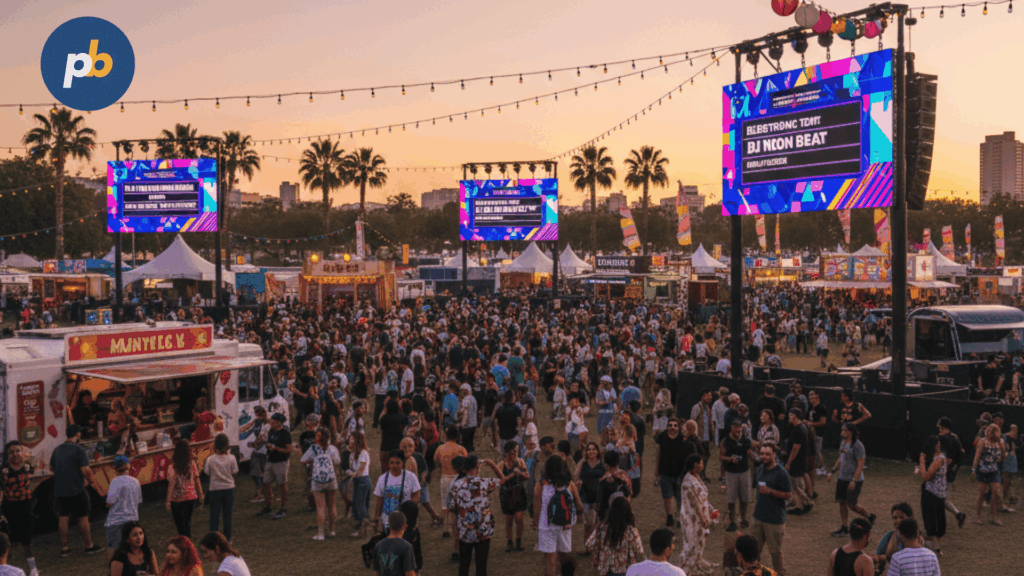
Digital signage in entertainment is a purpose-built communications system for cinemas, theaters, stadiums, arenas, theme parks, museums, festivals, and cruise ships that must adapt to variable programming, high crowd flux, time-bound sponsorships, and stringent safety rules. It differs from generic retail signage because it adds live show control, synchronized playback across hundreds of endpoints, ingress/egress guidance, and sponsor-grade proof-of-play tied to contractual deliverables.
Outcomes for Entertainment Signage include:
- Reduce Wayfinding Errors And Congestion
- Increase Concession Revenue And Attachment Rate
- Deliver Sponsor Impressions And Proof-Of-Play
- Improve Queue Experience And Throughput
- Enhance Pre-Show And Halftime Moments
- Maintain Safety With Priority Override Messaging
Which Entertainment Venues Rely Most on Digital Signage?
The venues that rely most on digital signage are cinemas and multiplexes, live theaters and concert halls, arenas and stadiums, theme parks and attractions, museums and galleries, esports and arcades, festivals and pop-ups, and cruise ships where circulation, programming, and sponsor demand fluctuate by the hour.
Table: Venue Type, Audience Patterns, and Top Signage Jobs
| Venue Type | Audience Patterns | Top Signage Jobs |
|---|---|---|
| Cinemas & Multiplexes | Short bursts around showtimes | Showtimes, auditorium routing, concession menus |
| Live Theaters & Concert Halls | Peaks at doors and intermission | Door lists, intermission promos, donor walls |
| Arenas & Stadiums | Long dwell with intense spikes | LED ribbons, bowl sync, ingress/egress, sponsors |
| Theme Parks & Attractions | All-day flow, outdoor exposure | Queue times, safety, multilingual info, promos |
| Museums & Galleries | Longer dwell, quiet zones | Exhibit intros, interactive kiosks, donations |
| Arcades & Esports Centers | Continuous churn, social sharing | Tournament boards, social walls, offers |
| Festivals & Pop-Ups | Temporary, mobile infrastructure | Maps, schedule changes, sponsor tents |
| Cruise/Ships | Deck-based zones, sea connectivity | Daily schedules, wayfinding, safety muster |
How Does a Venue-Wide Digital Signage Workflow Operate on Show Days?
A venue-wide workflow operates by ingesting show schedules and sponsor rotations, dayparting content per event and zone, distributing updates through a CDN to cached players, running live triggers from scoring, lighting, or stage management, and closing with monitoring and sponsor-grade reporting. Online paths push deltas instantly; offline caches guarantee playback and queue proof-of-play for reconciliation.
Handoffs Between Ops, AV, And Marketing include:
- Lock Event Metadata And Sponsor Slots
- Freeze Menu Prices And Dayparts
- Load Playlists By Zone And Time Window
- Verify Control Cues And Preemption Priorities
- Capture Acceptance Screenshots And Logs
What Roles And Permissions Keep Content Safe And On-Brand?
Roles and permissions stay safe and on-brand when marketers own creative and approvals, show control triggers time-critical pieces, operations manages devices and emergency overrides, concessions governs menu data, IT/security enforces access and updates, and sponsors/partners preview rotations under brand kits and versioning.
Table: Role, Permissions, and SLA
| Role | Permissions | SLA Focus |
|---|---|---|
| Marketing | Approvals, templates, brand kits | On-time creative, accuracy |
| Show Control | Trigger lists, live cues | Frame-accurate timing |
| Operations | Device fleet, health, overrides | Uptime, response time |
| Concessions | Menu/POS links | Price accuracy, allergens |
| IT/Security | Identity, patches, network | Zero trust, patch cadence |
| Sponsors/Partners | Slot previews, assets | Contract compliance |
Governance Do’s And Don’ts include:
- Enforce Least-Privilege Roles And MFA
- Require Two-Step Approvals For Venue-Wide Changes
- Version Templates And Lock Brand Tokens
- Audit All Overrides And Emergency Content
- Prohibit USB Side-Loading On Production Players
How Do Playlists, Tags, And Conditional Rules Work For Events?
Playlists, tags, and rules work by matching content to event phases, locations, and triggers so the right message appears at the right moment and place without manual intervention: “Opener,” “Halftime,” “Intermission,” “Rain,” “Gate A Congested,” or “Section 112 Overflow” become targetable states.
Table: Trigger, Rule, And Example Content
| Trigger | Rule | Example Content |
|---|---|---|
| Score Update | If Home Team Scores → Run “Celebration” 10 s | Goal animation on ribbons and corners |
| Weather Shift | If Rain ≥ 70% → Switch Safety Loop | Umbrella/slick floor advisories |
| Concession Queue | If Wait > 10 min → Rotate Pre-Order CTA | Mobile order promo near stands |
| Halftime/Intermission | If Clock = 00:00 → Load Sponsor Pack B | Contracted sponsor flight |
| Gate Congestion | If Occupancy > Threshold → Redirect | Arrows to alternate entry |
What Content Types Matter Most For Entertainment Venues?
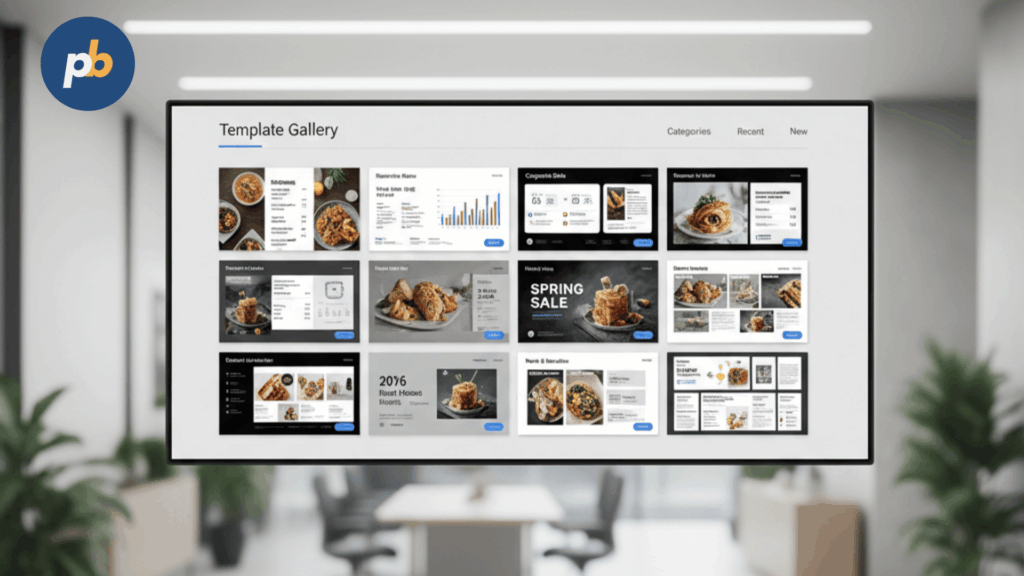
The content that matters most falls into operational, commercial, experiential, and safety categories, each mapped to a zone and KPI so the network stays purposeful under crowd pressure.
Content Blocks By Zone include:
- Arrival Maps, Ticket Scanners, And Gate Directories
- Live Schedule Boards, Door Lists, And Seat Guidance
- Concession Menus, Combos, And Upsell Tiles
- Sponsor Spots, Social Walls, And Donor Recognition
- Queue Times, Wayfinding Arrows, And Transfer Advice
- Safety Alerts, Evacuation Routes, And Service Notices
How Do Run Showtimes, Seat Guidance, And Wayfinding Effectively?
Showtimes, seat guidance, and navigational wayfinding run effectively when schedules feed live boards, doors and sections update with crowd-aware arrows, and elevators/escalators receive logic to balance flows, with fallbacks that hold essential directions during outages.
Table: Data Source, Refresh Cadence, And Fallback
| Data Source | Refresh Cadence | Fallback |
|---|---|---|
| Ticketing/Show Control | Real time / 30–60 s | Static boards by event |
| Seating/Ingress Feeds | Real time | Printed map snapshots |
| Transit/Traffic | 1–3 min | “Use Main Exit” default |
| Occupancy/Queues | 15–60 s | Last known state, minimal arrows |
How Should Concession Menu Boards And Upsells Be Designed?
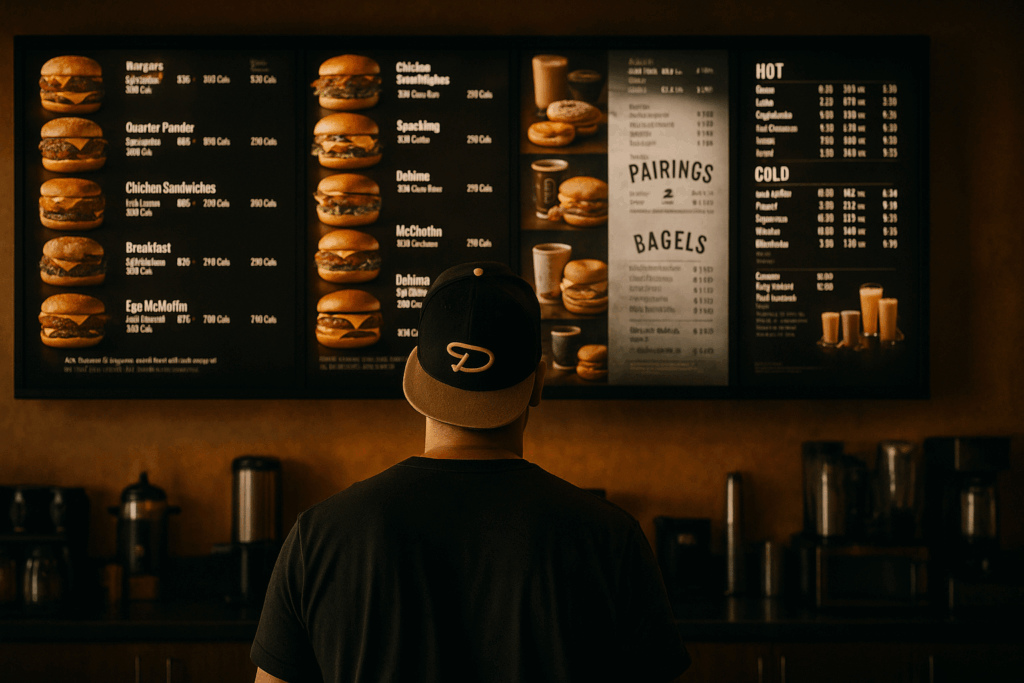
Menu boards and upsells should be designed with large type, high contrast, dayparts and bundles, allergen clarity, and glare-aware layouts that sustain legibility from queues; price and inventory feeds prevent dead promos.
Table: Menu Layout Heuristics
| Heuristic | Why It Matters |
|---|---|
| One Dominant Zone Per Screen | Reduces scan time |
| 3–5 Items Per Category | Simplifies choice |
| Bundle As First Option | Drives AOV |
| Allergen Icons Consistent | Reduces risk |
| High-Contrast Price Tokens | Speeds parsing |
Concession UX Checklist include:
- Use 700–1,000-Nit Panels With Low-Glare Optics
- Keep Cap Height ≥ 36–48 px For 3–4 m Viewing
- Lock Price From POS And Cache Dayparts
- Show Combos First And Sides Second
- Reserve Bottom Ticker For Urgent Inventory Notes
How Do Manage Sponsor Inventory And Social Walls Without Chaos?
Sponsor inventory and social walls are managed without chaos by slotting rotations with brand-safety filters, running UGC through a moderation pipeline, and capturing proof-of-play logs that reconcile contracted impressions.
Table: Sponsor Slot Map, Frequency, And Deliverables
| Slot | Frequency | Deliverable |
|---|---|---|
| Pre-Show Loop | 1x per 3 min | Proof log + screenshot |
| In-Game Ribbon | 1x per 10 min | Timestamped logs |
| Halftime Full-Wall | 1x per event | Video capture |
| Post-Game Exit | 1x per 5 min | Impression estimate |
Moderation Guidelines include:
- Apply Keyword And Image Classifiers Before Display
- Enforce Whitelists For Handles And Hashtags
- Require Human Approval For Edge Cases
- Log Every Published UGC Tile With Source And Time
- Archive Sponsor Flights And Creative Hashes
According to Tagboard’s audience experience platform materials, curated social content can be produced and distributed at broadcast and venue scale, supporting sponsor storytelling when combined with moderation workflows.
How Do Handle Accessibility, Multilingual Guests, And Inclusivity?
Accessibility and inclusivity are handled by captions for audio content, high-contrast palettes, size and distance-aware typography, language toggles by zone, and clear tactile/visual wayfinding where touch is present.
Table: Requirement, Design Technique, And Pass Criteria
| Requirement | Design Technique | Pass Criteria |
|---|---|---|
| Contrast | High-contrast palettes | WCAG 4.5:1 / 3:1 text |
| Captions | Open/closed captions | Synced and readable |
| Language | Zone-based toggles | Correct language per zone |
| Wayfinding | Large arrows/icons | Size by distance target |
Accessibility Checklist include:
- Maintain WCAG Contrast Ratios For Text And UI
- Provide Captions And Language Variants By Zone
- Keep Arrow Height Legible At Expected Distances
- Add Induction Loop Context Where Audio Is Critical
- Validate ADA Clearances For Kiosk Reach And Depth
According to the W3C, a minimum 4.5:1 contrast ratio for normal text and 3:1 for large text improves readability in mixed lighting - critical in bright lobbies and concourses.
What Emergency And Crowd-Control Messaging Is Mandatory?
Mandatory emergency messaging includes venue-wide priority override, CAP-based alert integrations where applicable, pre-mapped evacuation routes, and distinct staff vs public channels tested on a cadence with screenshots and logs.
Emergency SOP Cues include:
- Reserve Highest Priority For Life-Safety Overrides
- Test CAP/Alert Integrations On A Set Cadence
- Pre-Map Primary And Secondary Evac Routes
- Keep Staff Channels Separate With Escalation Rules
- Capture Screenshots And Proof Logs For All Tests
Which Hardware Best Suits Entertainment Environments?
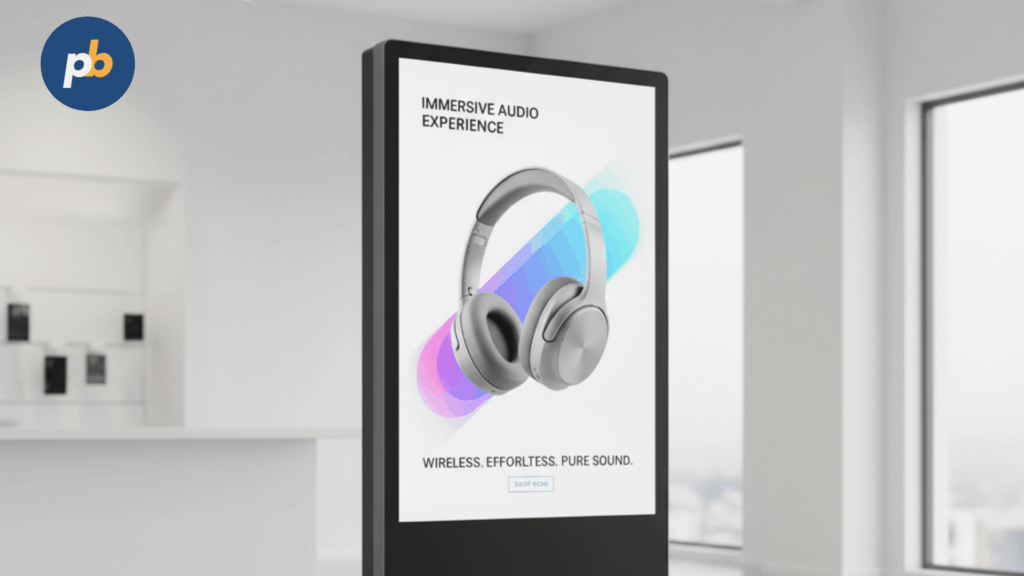
The best hardware mix pairs high-brightness LCDs for lobbies and concessions, direct-view LED ribbons and walls for bowls and arenas, outdoor-rated totems for queues and plazas, and projection for pre-shows or pop-ups, all controlled by venue-grade processors and robust power and network paths.
Table: Zone, Recommended Tech, And Nits/Pixel Pitch
| Zone | Tech | Target |
|---|---|---|
| Lobby/Concourse | 500–1,000-nit LCD | 55–86″ at 4K |
| Window/Entrance | 1,500–3,500-nit HB LCD | AR laminated glass |
| Bowl/Arena | LED ribbons/walls | Pitch by distance (2–10 mm) |
| Outdoor Queues | Outdoor LCD totems | 2,500–5,000+ nits |
| Pre-Show/Pop-Up | Projection/UST | Lumens by screen width |
How Bright, How Big, And How Dense Should Screens Be?
Displays should hit 350–700 nits indoors, 1,500–3,500 nits window-facing, and 2,500–5,000+ nits outdoor; size follows distance; LED pixel pitch follows minimum viewing distance to avoid screen-door artifacts while controlling cost.
Table: Distance, Pixel Pitch, And Size Targets
| Closest Viewing Distance | LED Pitch | LCD Size |
|---|---|---|
| 1–2 m | 0.7–1.2 mm | 32–43″ |
| 2–4 m | 1.2–1.9 mm | 43–55″ |
| 4–7 m | 2.0–3.9 mm | 55–75″ |
| 7–12 m | 4.0–6.9 mm | 75–110″ |
| 12 m+ | 8.0 mm+ | LED wall preferred |
Brightness Targets include:
- Choose 500–700 Nits For Typical Indoor Concourse Boards
- Choose 700–1,000 Nits For Glare-Prone Menus Under High Lighting
- Choose 1,500–3,500 Nits For Window-Facing Entrances
- Choose 3,500–5,000+ Nits For Outdoor Direct Sun Placements
According to ENERGY STAR, signage displays that earn certification average ~4% lower energy consumption, a non-trivial Operational Expenditure (OpEx factor) in 16/7–24/7 venues.
What Synchronization and Latency Factors Affect Live Moments?
Live moments depend on frame-accurate sync across walls, ribbons, and concourses, low system latency, scoreboard integration, and lip-sync alignment where PA or show audio interacts with video.
Table: Sync Method, Accuracy, And Use Case
| Method | Typical Accuracy | Use Case |
|---|---|---|
| Genlock/Framelock | Sub-frame | LED walls, bowl reveals |
| Timecode (SMPTE) | Frame-level | Coordinated venue cues |
| NTP/PTP | Tens of ms | Concourse screens |
| CMS Playlist Sync | Seconds | Non-critical loops |
Which Software Features Are Non-Negotiable For Entertainment?
Non-negotiable features are multi-zone scheduling per event, synchronized playback, live data feeds (ticketing/POS/CRM), emergency override precedence, granular RBAC, offline caching with queued proofs, remote screenshots, and sponsor-grade reporting.
Table: Feature, Why It Matters, And How To Test
| Feature | Why It Matters | How To Test |
|---|---|---|
| Event-Scoped Scheduling | Changes by show | Swap slates by event ID |
| Synchronized Playback | Live moments | Frame cue across a pilot set |
| Data Feeds | Accuracy and freshness | POS/CRM shadow boards |
| Emergency Override | Safety first | CAP test into selected zones |
| RBAC & MFA | Brand safety | Role audit and change log |
| Offline Caching | Uptime under WAN loss | Pull WAN, observe continuity |
| Remote Screenshots | QA and proof | Timed screenshots by zone |
Red-Flag Gaps include:
- No Cohort-Based Update Or Rollback
- No Offline Proof-Of-Play Queue
- No API For Score/Show Triggers
- No Screenshot Or Health Telemetry
What Integrations Unlock The Biggest Wins?
The largest wins come from ticketing/show control, seating/ingress, POS and inventory, CRM/loyalty, Wi-Fi analytics, weather and transport feeds, and museum donations - each integration turns content into real-time operations.
Table: System, Data, And Signage Use
| System | Data | Signage Use |
|---|---|---|
| Ticketing/Show Control | Schedules, doors | Door lists, countdowns |
| Seating/Ingress | Occupancy, gate load | Crowd-aware arrows |
| POS/Inventory | Prices, stock | Menus, item suppression |
| CRM/Loyalty | Member flags | Personalized offers |
| Wi-Fi Analytics | Time in zone | Sponsor impression proxies |
| Weather/Transport | Rain, delays | Exit advice, safety |
| Donations (Museums) | Goal status | Thermometers, donors |
According to Uniguest Tripleplay materials, IPTV plus digital signage platforms purpose-built for sports and venues unify live video, feeds, and signage across complex sites - critical for arenas and stadiums.
How to Zone The Venue And Plan Guest Journeys?
Zoning and journeys should be planned by mapping macro-zones arrival, dwell, spend, seat, exit - to content goals, sightlines, congestion points, and ADA/egress rules, then placing screens where decisions occur, not where walls allow.
Per-Zone KPIs include:
- Arrival: Ticket Scan Throughput And Wrong-Gate Rate
- Dwell: Dwell Time And Sponsor Impressions
- Spend: Concession AOV And Attachment Rate
- Seat: In-Seat Return Time And Direction Errors
- Exit: Time To Egress And Congestion Peaks
Where Do Interactive, AR, And Gamified Touchpoints Fit?
Interactive, AR, and gamified touchpoints fit in dwell zones and fan engagement areas where selfie stations, scavenger hunts, and loyalty boosts can be staffed and sanitized, with latency tuned for responsive play.
Table: Interactive Idea, Hardware, And Staffing
| Idea | Hardware | Staffing |
|---|---|---|
| Selfie/AR Station | Touch + camera | Brand ambassador |
| Scavenger Hunt | QR/NFC waypoints | Roving support |
| Trivia On Ribbons | LED + mobile join | MC/host triggers |
| Donation Kiosk | Touch + EMV | Volunteer nearby |
Risk And Hygiene Tips include:
- Provide Hand Sanitizer And Wipe-Down Routines
- Offer Touch-Optional Flows With QR/NFC
- Throttle Crowd Size With Visual Queues
- Add Staff For Peak Hours And Onboarding
How to Measure Success (What KPIs And Attribution Work)?
Success is measured with blended operational and commercial KPIs: upsell rate and concession AOV, sponsor impressions and dwell proxies, queue-time reduction, wayfinding path efficiency, and guest satisfaction deltas over baselines.
Table: KPI, Data Source, And Attribution Caveats
| KPI | Data Source | Caveats |
|---|---|---|
| Upsell/Attachment | POS | Menu, staffing confounds |
| Concession AOV | POS | Promotions vs content |
| Sponsor Impressions | Proof logs + Wi-Fi | Proxy, sample bias |
| Queue Time Reduction | Sensors | Season, event mix |
| Path Efficiency | Occupancy/vision | Privacy constraints |
| Satisfaction | Surveys/NPS | Sampling time bias |
How to Build Sponsor-Grade Reporting (Proof-Of-Play)?
Sponsor-grade reporting is built by reconciling delivered slots with contracts, adding audience proxies and time-in-zone estimates, attaching screenshots and video captures for tentpole moments, and optionally A/B testing creative variants.
Table: Sponsor Deliverable And Evidence
| Deliverable | Evidence |
|---|---|
| Slots Delivered | Timestamped proof logs |
| Placement Map | Zone list and device IDs |
| Dwell Proxy | Wi-Fi analytics estimate |
| Creative Verification | Screenshots or video |
| Creative Lift | Split-test summary |
Compliance Checklist include:
- Keep Tamper-Evident Proof Logs For All Flights
- Capture Screenshots At Start And Mid-Flight
- Use Consistent Zone IDs And Device Labels
- Disclose Methods For Dwell Estimation
How to Budget, Model TCO, And Forecast ROI For Venues?
Budgeting and ROI modeling combine CapEx for LED/LCD, mounts/enclosures, and installation with OpEx for software, energy, maintenance, and moderation, against revenue from sponsorship and upsell plus cost avoidance from print and staff time.
Calculator: Simple TCO/ROI Inputs (Block) include:
- Hardware CapEx Per Zone And Install Labor
- Software And CMS Licensing Per Screen
- On-Mode Watts × Hours × Energy Rate
- Maintenance, Cleaning, And Spare Strategy
- Sponsorship Revenue And Upsell Lift Assumptions
Table: Scenario, CapEx/OpEx, And Payback Range (Illustrative)
| Scenario | CapEx | OpEx (Annual) | Payback Range |
|---|---|---|---|
| Cinema Lobby + Menus | $$ | $ | 12–24 months |
| Arena Ribbons + Corners | $$$$ | $$ | 24–48 months |
| Museum Interactive Wing | $$$ | $$ | 18–36 months |
Which Digital Signage Approach Is Best For An Entertainment Venue?
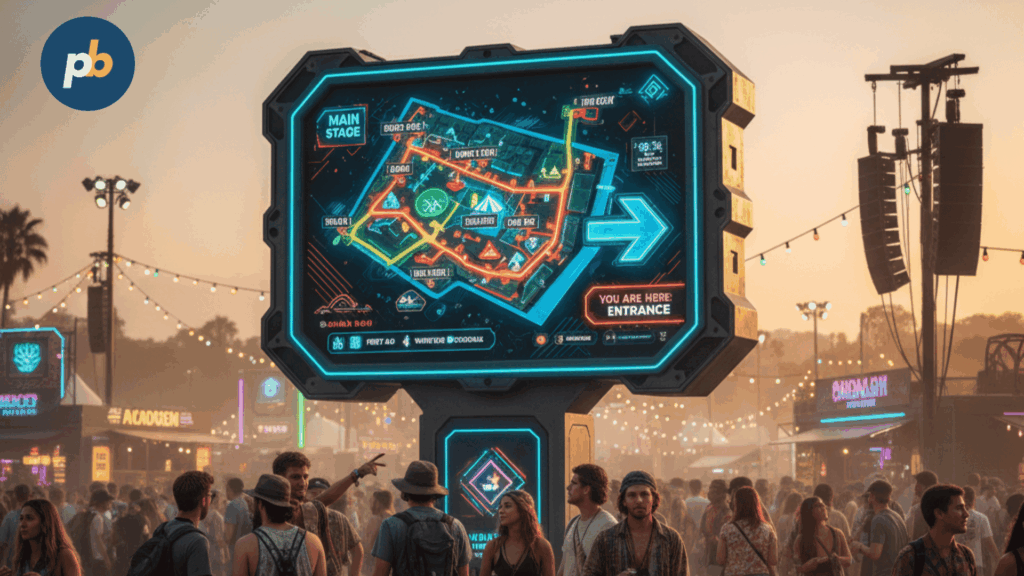
A cloud-managed, event-aware CMS with synchronized playback, edge caching, and granular RBAC is best for most entertainment venues because it scales to multi-zone events, supports emergency override, and simplifies sponsor reporting; on-prem or hybrid control layers remain for show control and low-latency LED workflows.
1-Minute Fit Quiz include:
- Identify Event Types And Concurrent Zones
- Set Sync Precision (Seconds, Frames, Genlock)
- Classify Environments (Indoor, Window, Outdoor)
- Choose LED vs LCD By Canvas And Distance
- Confirm Emergency Override And Proof-Of-Play
What Is The Best Setup For Cinemas & Multiplexes?
Samsung OM55B is the best window-facing cinema display because its ~3,000-nit brightness and IP5X dust protection keep posters readable in daylight while resisting ingress and thermal stress. For indoor menus and lobby boards, LG 55UH5N-E is the best value 55-inch thanks to 4K resolution, ~500-nit brightness, anti-glare finish, and webOS for streamlined deployments. Pair these with a venue-grade CMS tied to show control for schedule boards and auditorium routing.
Table: Cinema Must-Have Features And Why
| Feature | Why |
|---|---|
| Live Showtimes + Door Lists | Reduces confusion at bursts |
| Queue-Aware Wayfinding | Balances escalators/elevators |
| Dayparted Concession Boards | Increases AOV and clarity |
| Window-Readable Posters | Drives walk-up conversion |
| Emergency Overrides | Keeps patrons safe |
Install Pitfalls include:
- Under-Spec Brightness For Window Posters
- Illegible Menu Type At Queue Distance
- No Fallback For Ticketing Feed Outages
- No Screenshots For Sponsor Trailers
What Is The Best Setup For Arenas & Stadiums?
Daktronics Show Control is the best show-day control layer for arenas and stadiums because it unifies LED displays, video feeds, and game-day effects under a single production workflow built for bowl-wide synchronization and sponsor execution. Pair Show Control with LED ribbons and corners sized by pixel pitch to viewing distances and a cloud CMS for concourse boards and partner messaging. Recent arena upgrades underscore the centrality of synchronized LED systems for fan experience and sponsor delivery.
Spec Matrix: Bowl And Concourse Targets (Illustrative)
| Element | Target |
|---|---|
| Ribbon Pitch | 6–10 mm by row distance |
| Corner/Centrehung | 3.9–6 mm |
| Concourse LCDs | 500–700 nits, 55–75″ |
| Sync | Genlock/framelock on walls |
| Overrides | Instant safety preemption |
Game-Day Checklist include:
- Pre-Load Sponsor Flights And Verify Logs
- Test Intro And Goal/Score Triggers
- Calibrate Ribbons And Corners For Uniformity
- Check Lip-Sync Against PA System
- Stage Emergency Overlays And Run Test Cue
What Is The Best Setup For Theme Parks & Attractions?
WaitTime with high-nit outdoor LCD totems is the best queue-time setup for theme parks because real-time crowd intelligence informs guests and routes flow while outdoor-rated, AR-glass displays remain legible in direct sun and weather. Add multilingual loops and mobile handoff via QR/NFC to bridge guests to detailed maps and alerts.
Table: Outdoor Spec Checklist (Illustrative)
| Spec | Target |
|---|---|
| Brightness | 3,500–5,000+ nits |
| Ratings | IP55–66, IK08–10 |
| Optics | Laminated AR glass |
| Thermal | Active cooling/heat exchangers |
| Power | Surge/lightning protection |
Content By Land/Zone include:
- Publish Queue Times, Alternate Routes, And Weather Advisories
- Promote Bundles Near Food Courts With Dayparts
- Surface Safety Reminders In Ride Queues
- Offer Multilingual Help Tiles At Entrances And Transit Nodes
What Is The Best Setup For Museums & Galleries?
Uniguest Tripleplay is the best CMS/IPTV platform for museums because it combines signage, live video, and interactive endpoints while supporting donor walls and exhibit introductions under IT-first management. Pair with quiet-zone-friendly LCDs, interactive kiosks for exhibits, and optional donation prompts at exits.
Table: Interaction Types And Staffing
| Interaction | Hardware | Staffing |
|---|---|---|
| Exhibit Intro Loops | 4K LCD + player | Docent check |
| Interactive Kiosks | Touch + PC | Floor staff |
| Donor Wall | LED/LCD | Development |
| Wayfinding | LCD + sensors | Visitor services |
Gallery Etiquette include:
- Keep Audio Levels Low With Directional Speakers
- Use Large Type And High Contrast In Low Light
- Provide Captions And Language Toggles
- Avoid Flashing Elements In Quiet Galleries
How to Keep Operations Safe, Secure, And Resilient?
Operations stay safe, secure, and resilient by enforcing SSO/MFA and least-privilege RBAC, signing updates, segmenting networks, maintaining on-site spares, and embedding emergency precedence into the control path with clear escalation rules.
Hardening Checklist include:
- Enforce MFA, RBAC, And Change Audits
- Sign Player Images And Enable Watchdogs
- Segment Networks And Use VPN/Zero-Trust
- Keep Spares For Critical Zones
- Run Routine Override And Disaster Drills
Table: Alert, Threshold, And Escalation
| Alert | Threshold | Escalation |
|---|---|---|
| Player Offline | > 5 min | Ops ticket + SMS |
| Temperature High | > 75 °C | Fan/clean check |
| WAN Loss | > 10 min | LTE failover |
| Proof Log Gap | Any missing | Sponsor review |
What Maintenance Cadence Prevents Show-Time Failures?
Maintenance prevents failures when pre-event checklists catch issues, filters and fans stay clean, color/brightness are calibrated, spares rotate, and golden images allow fast rollback.
Table: Weekly/Monthly/Quarterly Tasks
| Cadence | Tasks |
|---|---|
| Weekly | Health review, screenshots, spot clean |
| Monthly | Firmware cohorts, POS/data checks |
| Quarterly | Filter/fan cleaning, torque check |
| Semiannual | Luminance/color calibration |
Pre-Show Checklist include:
- Confirm Control Cues And Sync Across Pilot Set
- Verify Menu Prices, Allergen Icons, And Dayparts
- Capture Acceptance Screenshots Per Zone
- Test Emergency Override Into One Zone
How to Manage Signage Content for Entertainment?
To manage signage content for entertainment venues, organize media into categories such as trailers, promotions, live event streams, concession menus, and sponsor ads. Use your signage software dashboard to assign playlists to specific screens across lobbies, theaters, and bars, keeping content dynamic and relevant.
How to Schedule Movie Trailers and Show Promotions?
To schedule movie trailers and show promotions, open the Schedule feature in your signage software, select lobby or entrance screens, and upload trailers or posters. Assign time slots to align with upcoming releases or shows, ensuring content rotates automatically throughout the day.
How to Stream Live Events and Performances on Digital Signage?
To stream live events and performances, connect your venue’s cameras to a media server and link the feed to your signage software. Assign the stream to displays across lounges, waiting areas, or secondary rooms so guests can enjoy performances even outside the main stage.
How to Upload and Display Menus for Concessions and Bars?
To upload and display menus for concessions and bars, click the Upload button on your dashboard and add menu boards, food images, or drink specials in image or video formats. Assign these to concession stand screens, and update items remotely whenever prices or availability change.
How to Integrate Digital Signage with Ticketing Systems?
To integrate digital signage with ticketing systems, connect your signage platform to your POS or ticketing software. Configure screens to display real-time seat availability, showtimes, or promotional ticket bundles, giving customers up-to-date information instantly.
How to Optimize Visuals and Layouts for Entertainment Venues?
To optimize visuals and layouts, use high-resolution videos, bold typography, and branded color schemes that match the venue’s theme. Divide screen layouts into zones for trailers, promotions, and wayfinding, ensuring content is eye-catching but easy to follow in high-traffic environments.
What FAQs Do Venue Teams Ask About Entertainment Signage?
Collapsible FAQ include:
How Bright For Sun-Lit Lobbies?
Target 700–1,000 nits with AR glass; window-facing targets 1,500–3,500 nits.
How to Sync LED Ribbons And Concourse Screens?
Use genlock/framelock for walls and timecode/NTP for concourses with content safe-areas.
What Is A Safe Late-Night Content Policy?
Schedule low-motion, captioned loops with dimming and quiet audio or mute.
How to Prove Value To Sponsors?
Deliver timestamped proof logs, screenshots, dwell proxies, and lift tests against baselines.
How to Moderate UGC Fast?
Use a dedicated moderation platform and human approval for edge cases, then log every published tile.
Which Digital Signage Products Are The Best Picks For Entertainment Today?
Samsung OM55B is the best window-facing display for entertainment venues because its ~3,000-nit brightness, IP5X dust protection, and in-window design keep content readable in direct sun while maintaining durability.
LG 55UH5N-E is the best indoor menu and concourse display because its 4K resolution, ~500-nit brightness, anti-glare finish, and webOS platform balance clarity, reliability, and deployment speed.
Daktronics Show Control is the best production-day control layer for arenas and stadiums because it unifies video feeds and LED display control into a synchronized workflow built for game-day operations and sponsor execution.
Tagboard is the best social-wall and live fan engagement layer because it powers broadcast-scale, moderated audience experiences that venues can route to boards and walls.
Uniguest Tripleplay is the best IPTV + signage platform for museums and mixed-media venues because it merges live video, signage, and interactive with IT-first controls and venue use cases.
ENERGY STAR-certified signage displays are the best energy-aware choice for fleets because they average ~4% lower energy consumption, important in 16/7–24/7 venues.
How to Add Crowd Intelligence Without Overhauling the Stack?
WaitTime is the best add-on for real-time crowd analytics in entertainment venues because it provides AI-based occupancy and queue metrics that drive routing arrows, queue times, and pre-order prompts on existing screens.
Integration Notes include:
- Feed Occupancy Thresholds Into CMS Rules
- Trigger Concourse Arrow Changes At Set Limits
- Publish Queue Times Near Decision Points
- Archive Before/After Metrics For ROI Proof
How to Keep Choices Evidence-Led And Standards-Aligned?
Choices stay evidence-led by validating readability with WCAG contrast targets in real lighting, selecting ENERGY STAR models for fleet OpEx reduction, and piloting bowl-wide sync in a small cohort before committing to a full build.
According to W3C WCAG, 4.5:1 contrast for normal text and 3:1 for large text supports readability; according to ENERGY STAR, signage displays that earn certification reduce energy use on average by ~4%.