
Digital signage for dental practices is a networked screen system that educates dental patients, reduces anxiety, and increases case acceptance by presenting curated, policy-safe content at key touchpoints from the sidewalk to the operatory. Effective deployments match screen brightness and size to room conditions, lock playback with reliable hardware and offline caching, and govern messages with lightweight approvals so clinical teams remain focused on care.
Table Of Contents
- What Exactly Is “Digital Signage” In A Dental Practice?
- Where Does Digital Signage Fit Across A Patient Journey?
- Why Is Digital Signage Important For Dentists Right Now?
- Which KPIs Should Be Tracked To Prove Value?
- Where Should Screens Be Placed In A Dental Office?
- What Works For Comfort And Conversion In The Waiting Room?
- What Should Be Prioritized At The Front Desk/Reception?
- What Is Chairside-Appropriate In Operatories And Consult Rooms?
- What Draws Foot Traffic At The Window Or Outdoor Zones?
- What Content Should A Dental Signage Loop Include?
- Which Messages Increase Case Acceptance Without Being “Salesy”?
- How To Handle Before/After Photos Ethically?
- What Accessibility And Language Practices Should Be Followed?
- Which Hardware Best Suits a Dental Environment?
- Should A Smart/SoC Display Or An External Player Be Used?
- What Software Features Do Dental Practices Actually Need?
- What Integrations Are Useful Without Risking Privacy?
- How To Stay Compliant With HIPAA, ADA, And Advertising Standards?
- What Governance And Approvals Keep Content Safe?
- What Does Installation And Commissioning Look Like In A Clinic?
- How To Operate And Maintain With Minimal Disruption?
- How Much Does Dental Digital Signage Cost and What ROI Is Realistic?
- Which KPIs Tie Signage To Business Outcomes?
- Which Solutions Are Best For Different Types Of Dental Practices?
- What Is The Best Signage Setup For A Single-Location General Dentist?
- What Is The Best Setup For Pediatric Dentistry?
- What Is The Best Setup For Orthodontics And Aligner-Heavy Clinics?
- What Is The Best Setup For Multi-Location Dental Groups And DSOs?
- What Should Be In An RFP And Vendor Scoring Rubric?
- How to Manage and Use Signage for Dental Practices?
- How to Schedule Educational Content for Patients?
- How to Create and Manage Playlists for Waiting Room Entertainment?
- How to Upload and Display Promotions for Dental Plans and Offers?
- How to Display Testimonials and Before/After Photos on Digital Signage?
- How to Design Calming Digital Signage for Patient Anxiety
- How to Add QR Codes for Appointment Booking and Feedback Forms
- How to Integrate Digital Signage with Patient Management Systems?
- How to Troubleshoot Digital Signage in Dental Offices?
- What FAQs Do Dentists Ask About Digital Signage?
- Does 4K Matter For Dental Screens?
- How Often Should Content Be Refreshed?
- Can Playback Run Offline Reliably?
- How Is PHI Avoided On Screens?
- What About Captions?
- What Is A Realistic Monthly Budget?
- How Are More Reviews Collected Via Signage?
- What Is A Realistic UPS Plan?
- How Are Color Mismatches Avoided?
- How Are Frozen Players Rebooted Remotely?
What Exactly Is “Digital Signage” In A Dental Practice?
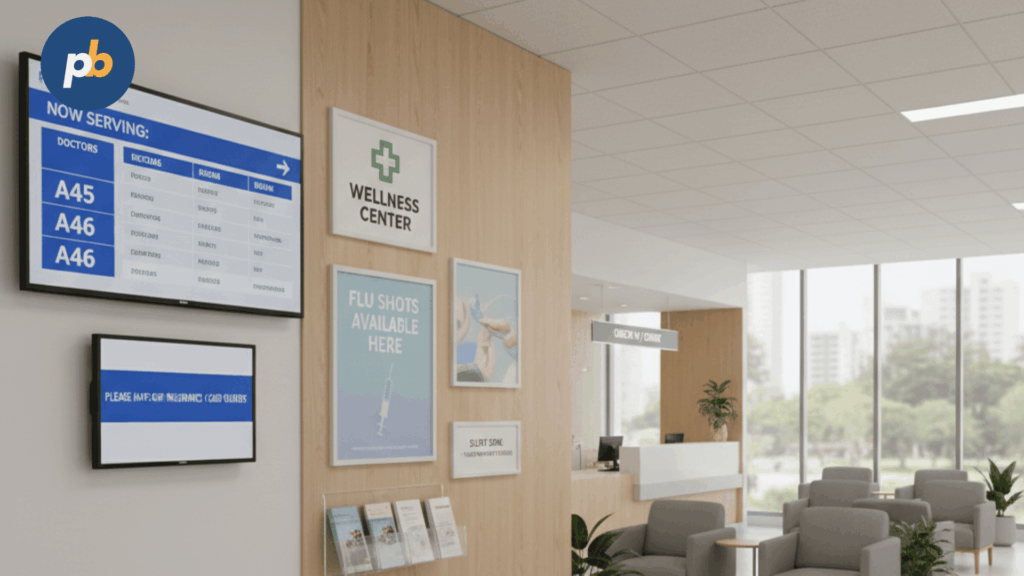
Digital signage in a dental practice is an owned communication channel that uses commercial displays, media players, a content scheduling system, and IP networking to deliver timely education and service information across waiting, operatory, and checkout zones. Unlike cable TV, dental signage runs purpose-built loops without third-party commercials, allowing brand control, consented before/after visuals, and clear calls to action that lead to hygienic plan uptake and elective case acceptance.
Components Of Dental Signage Systems include:
- Commercial Displays With 16/7–24/7 Duty Ratings
- Media Players Or SoC Panels With Offline Caching
- Content Management System With Playlists And Dayparts
- Network Connectivity With Wired Primary And Wi-Fi/LTE Backup
- Mounts, Cable Management, And Cleanable Enclosures
Table: Digital Signage Vs Waiting-Room TV - Control, Cost, Outcomes
| Attribute | Digital Signage | Waiting-Room TV |
|---|---|---|
| Content Control | Practice-curated, consented assets | Channel programming with ads |
| Operating Cost | Software license + low energy | Cable subscription + ads risk |
| Outcomes | Education, case acceptance, reviews | Entertainment, variable relevance |
| Compliance | No PHI, consent workflows | Uncontrolled third-party content |
| Measurement | Proof-of-play, QR scans, inquiries | Limited or none |
Where Does Digital Signage Fit Across A Patient Journey?
Digital signage fits across the journey by attracting attention at the window, clarifying steps at check-in, reducing anxiety in the waiting room, supporting informed consent chairside, and reinforcing aftercare and reviews at checkout.
Touchpoints And Goals For Dental Signage include:
- Window: Hours, Emergency Policy, New-Patient Message
- Front Desk: Check-In Steps, Forms QR, Insurance Reminders
- Waiting Room: Comfort Content, Services Explainers, Reviews
- Operatory: Short Procedure Explainers With Captions
- Checkout: Post-Op Care, Financing Options, Review Links
- Aftercare: QR Handoff To Instructions And Satisfaction Survey
Why Is Digital Signage Important For Dentists Right Now?
Digital signage is important because it reduces perceived wait stress, sets expectations for procedures, increases inquiries for whitening and aligners, promotes hygiene plans, and raises verified review volume while replacing printed posters with a lower-waste, updatable channel.
Benefits Of Dental Signage include:
- Anxiety Reduction Through Calming Visuals And Clear Expectations
- Case Acceptance Lift From Short, Captioned Procedure Explainers
- Hygiene Plan Growth Through Evergreen Reminders And CTAs
- Review Volume Increase Via On-Screen Prompts And QR Links
- Staff Efficiency Through Self-Service Answers And Form QRs
- Sustainability Gains By Replacing Printed Posters With Templates
Table: Benefit, Example Content, KPI, Metric Owner
| Benefit | Example Content | KPI | Owner |
|---|---|---|---|
| Anxiety Reduction | Soothing scenes + “What To Expect” | Satisfaction Score | Office Manager |
| Case Acceptance | 45-sec crown/implant explainer | Acceptance Rate | Treatment Coordinator |
| Hygiene Plan Growth | Annual plan value tiles | Plan Enrollments | Hygienist Lead |
| Reviews | “Leave A Review” QR with Thanks | New Google Reviews | Front Desk Lead |
| Staff Efficiency | Check-in steps, insurance basics | Call Deflection | Practice Admin |
Which KPIs Should Be Tracked To Prove Value?
KPIs should be tracked across elective inquiries, plan enrollments, reviews, chair utilization, call deflection, QR scans, and procedure-specific acceptance so the channel’s impact becomes visible in weekly huddles.
Table: KPI, How To Measure, Cadence
| KPI | How To Measure | Cadence |
|---|---|---|
| Case Acceptance % | Accepted/Presented by procedure | Weekly |
| Whitening/Aligner Inquiries | Logged inquiries from signage CTAs | Weekly |
| Hygiene Plan Sign-Ups | New enrollments vs baseline | Monthly |
| Google Reviews | New count and average rating | Weekly |
| Chair Utilization | Occupied slots vs available | Monthly |
| Call Deflection | FAQ calls vs front-desk questions | Monthly |
| QR Scans | UTM-tagged links per message | Weekly |
Where Should Screens Be Placed In A Dental Office?
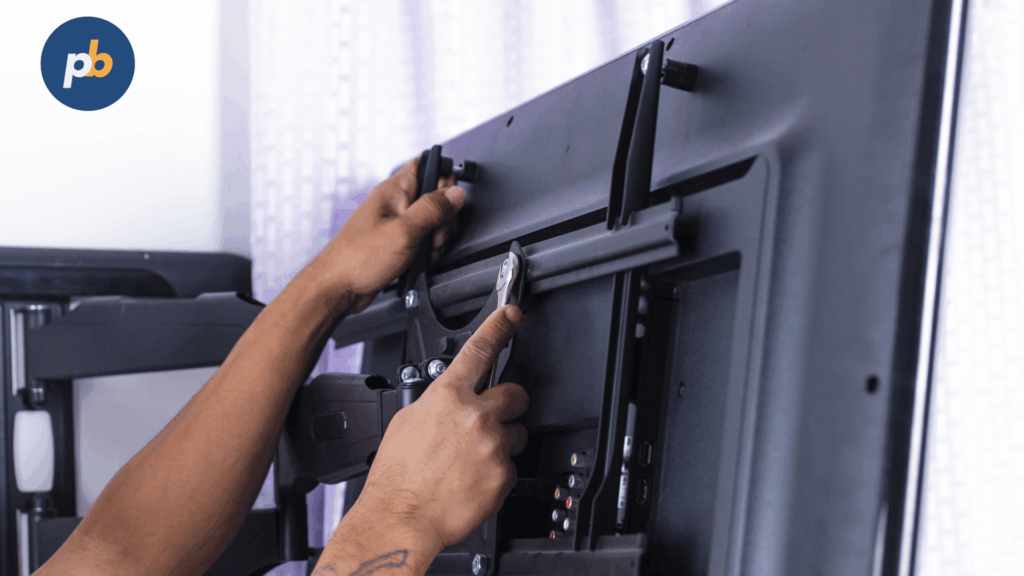
Screens should be placed where visibility and dwell align: window for awareness, front desk for task clarity, waiting room for comfort and education, operatories for short captioned explainers, and checkout for aftercare and reviews. Power drops, cable concealment, ADA protrusion limits, and audio policy determine mount types and orientation.
Placement Rules For Dental Signage include:
- Position Displays Within Clear Sightlines From Seating And Queues
- Observe ADA Protrusion Limits And Mount At Comfortable Eye Height
- Use Anti-Glare Glass Opposite Windows And Glossy Surfaces
- Prefer Wired Network With Concealed Conduits And Labeled Drops
- Set Audio Policy: Captions Default, Low Volume Or Silent By Zone
- Provide Service Access For Cleaning And Quick Swaps
What Works For Comfort And Conversion In The Waiting Room?
Waiting-room content works when it blends calming visuals with short, captioned explainers and social proof, cycling predictably to prevent fatigue while avoiding clinical imagery that can increase anxiety.
Table: Content Block, Duration, Frequency
| Block | Duration | Frequency |
|---|---|---|
| Welcome & Team Intro | 30–45 s | 2× per loop |
| Comfort Reel (soothing video) | 60–90 s | 2× per loop |
| Services Explainers (e.g., crowns) | 30–45 s | 2× per loop |
| Financing/Insurance Basics | 20–30 s | 1× per loop |
| Consent-Approved Before/After | 20–30 s | 1× per loop |
| Reviews/Testimonials | 15–20 s | 2× per loop |
| Kids’ Corner Tile | 20–30 s | 1× per loop |
What Should Be Prioritized At The Front Desk/Reception?
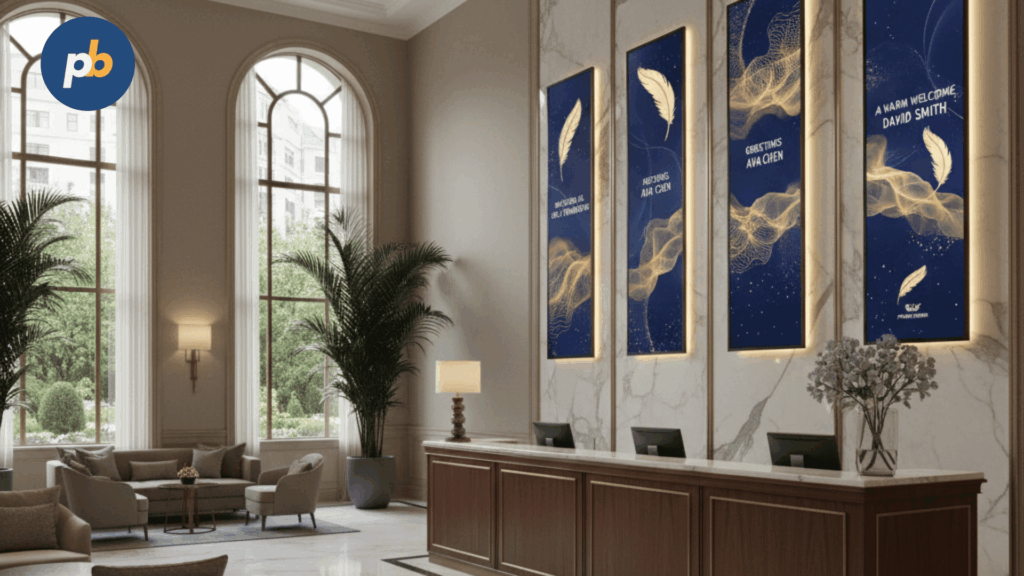
Front-desk screens should prioritize clear check-in steps, QR access to forms, rescheduling policy, seasonal promotions, payment options, and after-hours contact guidance.
Top 10 Messages For Front-Desk Signage include:
- Check-In Steps With Estimated Wait Guidance
- QR To New-Patient Forms And Consent Packets
- Insurance And ID Card Preparation Reminder
- Rescheduling And Late-Arrival Policy Highlights
- Payment Options And Financing Path Overview
- Hygiene Plan Value Summary And Savings Visual
- Seasonal Whitening Or Aligner Promotion With CTA
- Emergency And After-Hours Instructions
- Infection-Control Practices And Sterilization Commitment
- Review Request With On-Screen QR
Table: Message, CTA, QR Link
| Message | CTA | QR Link |
|---|---|---|
| New-Patient Forms | “Start Forms” | /forms?utm_source=sign |
| Rescheduling Policy | “View Policy” | /policy |
| Financing Options | “Explore Plans” | /finance |
| Reviews | “Leave Feedback” | /review |
What Is Chairside-Appropriate In Operatories And Consult Rooms?
Chairside content is appropriate when short, captioned explainers address common procedures, risks and benefits are stated plainly, PHI never appears on shared displays, and audio remains off or minimal to respect privacy.
Chairside Content Do’s And Don’ts include:
- Use 30–60-Second Captioned Procedure Explainers
- Show “What To Expect” Steps With Calming Visuals
- Present Post-Op Care Reminders And Red-Flag Symptoms
- Avoid PHI Or Patient Names On Shared Displays
- Avoid Graphic Clinical Imagery Or Sensitive Surgical Clips
- Avoid Long Videos That Outlast Chairside Moments
What Draws Foot Traffic At The Window Or Outdoor Zones?
Window and outdoor zones draw attention with high-brightness legibility, limited motion, office hours, emergency policy, and a simple phone/QR panel that reads at a glance.
Table: Environment, Recommended Nits, Font Sizes
| Environment | Brightness | Minimum Cap Height |
|---|---|---|
| Window-Facing | 1,500–3,000 nits | 40–60 px |
| Outdoor Kiosk | 2,500–4,000 nits | 60–80 px |
| Covered Vestibule | 700–1,000 nits | 36–48 px |
What Content Should A Dental Signage Loop Include?
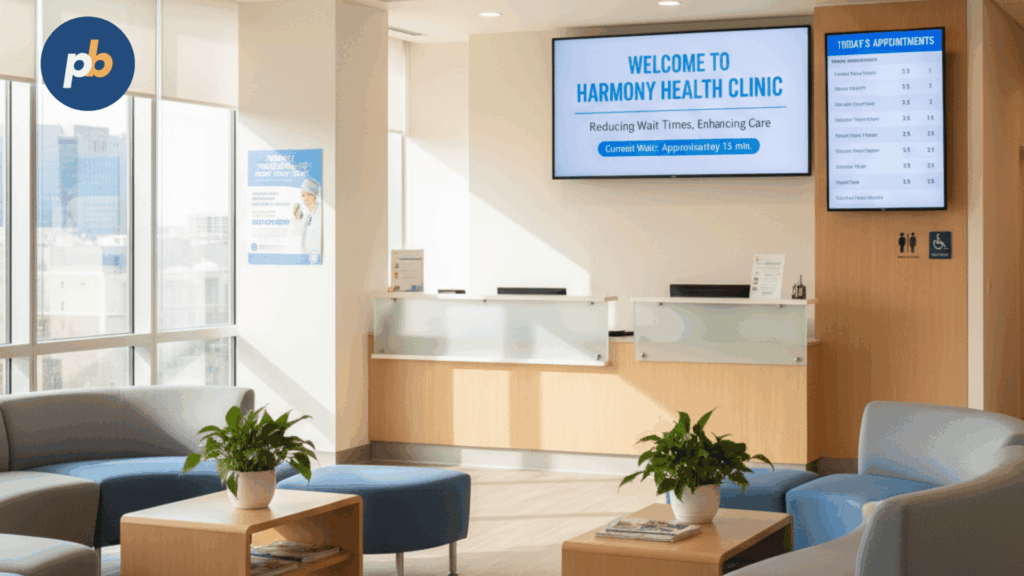
A dental signage loop should contain 8–12 slots that recur predictably, mixing comfort content with concise education, services highlights, and review CTAs, while honoring a friendly, professional tone and multilingual variants where demographics warrant.
Table: 12-Slot Loop Template - Slot, Purpose, Length, Refresh
| Slot | Purpose | Length | Refresh |
|---|---|---|---|
| 1 | Welcome & Team | 30 s | Quarterly |
| 2 | Comfort Reel | 60 s | Seasonal |
| 3 | Services Explainer A | 30 s | Monthly |
| 4 | Review CTA | 20 s | Monthly |
| 5 | Hygiene Plan Value | 25 s | Quarterly |
| 6 | Before/After (Consented) | 20 s | Monthly |
| 7 | Financing Options | 25 s | Quarterly |
| 8 | Services Explainer B | 30 s | Monthly |
| 9 | Insurance Basics | 25 s | Semiannual |
| 10 | Kids’ Corner | 20 s | Monthly |
| 11 | Oral Health Tip | 20 s | Monthly |
| 12 | After-Hours/Emergency | 20 s | Semiannual |
Monthly Calendar Themes For Dental Signage include:
- Spring Cleaning And Hygiene Plans
- Summer Sensitivity Tips And Whitening Safety
- Back-To-School Checkups And Sports Mouthguards
- End-Of-Year Benefits And FSA Reminders
- New-Year Smile Goals And Aligners
- Heart-Health Month And Oral-Systemic Links
Which Messages Increase Case Acceptance Without Being “Salesy”?
Messages increase acceptance when they signal empathy, outline steps, show timeframes, and remove financial ambiguity, letting patients visualize outcomes without pressure.
Empathetic Copy Patterns For Dental Signage include:
- “What To Expect” Steps With Simple Timelines
- “How Long It Takes” And “How Long It Lasts”
- “Comfort Methods Used” And “Numbing Options Available”
- “Financing Paths” And “Estimated Monthly Costs”
- “Aftercare At A Glance” With Contact Path
- “Real Results” With Consented Before/After And Captions
How To Handle Before/After Photos Ethically?
Before/after photos should be handled with written consent, de-identification, time-bounded usage, and accurate captions that avoid misleading claims.
Table: Consent Checklist
| Requirement | Description |
|---|---|
| Written Consent | Signed form covering display and duration |
| De-Identification | No names, DOB, or unique markers |
| Time Boundaries | Explicit start and end date |
| Revocation Path | Simple process to withdraw consent |
| Truthful Captions | Procedure, timeframe, typical outcome |
| Storage Security | Secured repository with access logs |
Compliance Reminders For Dental Before/After Content include:
- Obtain Signed, Revocable Media Consent
- Remove PHI And Identifying Backgrounds
- Avoid Over-Processing Or Misleading Representations
- Note Typical Results And Care Requirements
- Set Expiry Dates And Review Reminders
What Accessibility And Language Practices Should Be Followed?
Accessibility and language practices should ensure captions on by default, contrast ratios for readability, type size matched to distance, and language alternates for major patient groups, using clear icons for rapid recognition.
Table: Distance And Minimum Text Size
| Viewing Distance | Minimum Cap Height |
|---|---|
| 1–2 m | 20–25 px |
| 2–3 m | 28–36 px |
| 3–4 m | 36–48 px |
| 4–6 m | 48–64 px |
Accessibility Checklist For Dental Signage include:
- Provide Captions On All Videos By Default
- Maintain High Contrast And Clear Hierarchy
- Use Large, Legible Sans-Serif Fonts
- Offer Spanish And Other Local Language Variants
- Provide Pictograms For Common Actions And Areas
Which Hardware Best Suits a Dental Environment?
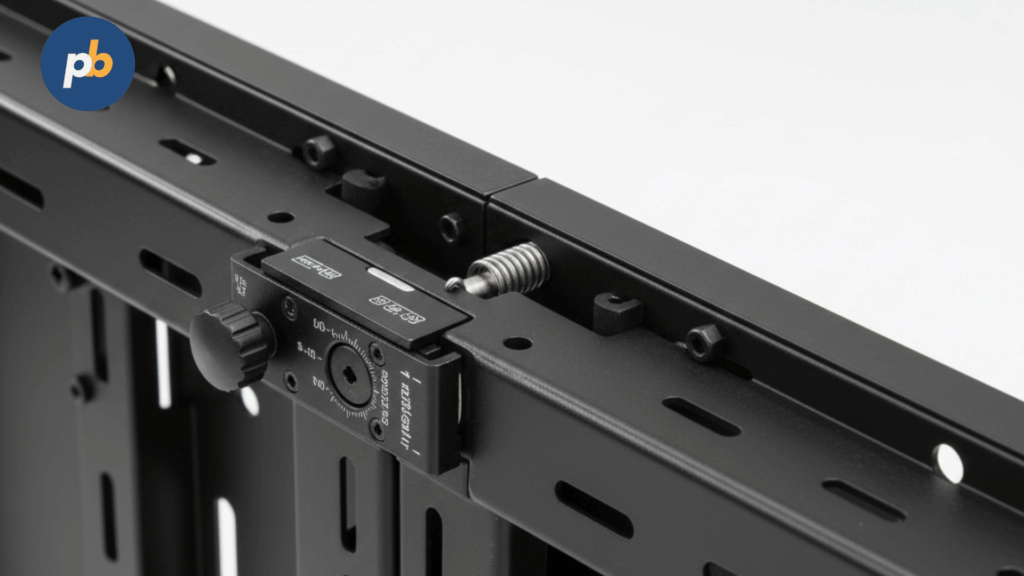
Dental environments benefit from quiet, fanless signage players, commercial displays with anti-glare finishes, mounting equipments that conceal cables, and easy-to-clean surfaces that withstand routine disinfectants.
Table: Room, Size/Brightness, Mount, Audio
| Room | Size/Brightness | Mount | Audio |
|---|---|---|---|
| Waiting Room | 55–65″, 500–700 nits | Tilt/service wall | Low volume or captions |
| Front Desk | 43–55″, 500–700 nits | Fixed wall or ceiling | Silent with captions |
| Operatory | 32–43″, 350–500 nits | Arm or ceiling | Silent with captions |
| Window | 55″, 1,500–3,000 nits | Secure wall with AR glass | Silent |
Hygiene-Safe Cleaning Agents For Dental Displays include:
- Isopropyl Alcohol Wipes Within Manufacturer Guidelines
- Quaternary Ammonium Disinfectant Wipes Labeled For Electronics
- Microfiber Cloths For Daily Fingerprint Removal
- Non-Abrasive Cleaners Without Ammonia Or Chlorine
- Compressed Air For Vents And Bezels
Should A Smart/SoC Display Or An External Player Be Used?
A Smart/SoC display should be used for simple, templated loops across one to four screens with minimal integrations, while an external media player should be used for heavier HTML widgets, dual outputs, or standardized remote management across mixed displays.
Table: SoC Vs External - Pros/Cons And Best Fit
| Attribute | SoC Display | External Player |
|---|---|---|
| Simplicity | Single device, fewer cables | Extra box and power |
| Performance | Adequate for video/HTML basics | Strong for data/dual outputs |
| Management | Vendor app and updates | Enterprise MDM and imaging |
| Lock-In | Platform-tied | CMS-agnostic |
| Best Fit | 1–4 standardized screens | Mixed vendors, dashboards |
Decision Criteria For Player Architecture include:
- Estimate HTML/Video Complexity And Data Widgets
- Determine Dual-Output Or Video Wall Needs
- Validate CMS Compatibility And Remote Screenshots
- Consider Serviceability And Swap Speed
- Plan Security Patch Cadence And Rollback
What Software Features Do Dental Practices Actually Need?
Dental practices need templates with branding, playlists with dayparting, offline caching, remote screenshots, basic approvals, and multi-location tagging, while keeping operations HIPAA-aware by never ingesting PHI into the CMS.
Table: Must-Have, Why It Matters, How To Test
| Must-Have | Why It Matters | How To Test |
|---|---|---|
| Templates | Faster updates, brand consistency | Build and swap a seasonal tile |
| Dayparting | Right message, right time | Schedule AM/PM variants |
| Offline Caching | Resilience during outages | Unplug WAN; verify playback |
| Remote Screenshots | Visual confirmation | Trigger and review images |
| Approvals & Expiry | Safety and freshness | Route for approval; set expiry |
| Tagging & Targeting | Multi-site control | Publish per location tags |
What Integrations Are Useful Without Risking Privacy?
Useful integrations include calendars via ICS, moderated reviews widgets, QR links to intake forms, and financing information pulled from public pages, while direct PMS/EHR data should be excluded from screens.
Table: Integration, Source, Update Cadence, Privacy Notes
| Integration | Source | Cadence | Privacy Notes |
|---|---|---|---|
| Calendar | ICS feed | Daily | No patient identifiers |
| Reviews | Public profiles | Daily | Moderate before display |
| Intake Forms | Practice website | Live | QR to secure portal |
| Financing | Public lender info | Monthly | Static content only |
Safe Data Sources For Dental Signage include:
- Public Website Pages Without PHI
- Moderated Reviews From Verified Profiles
- Calendar Summaries Without Patient Names
- QR Links To Secure Forms And Payment Portals
- Pre-Approved Educational Content Libraries
How To Stay Compliant With HIPAA, ADA, And Advertising Standards?
Compliance is maintained by never showing PHI on shared screens, obtaining consent for patient images, using truthful claims, honoring ADA readability and placement guidance, and observing local advertising rules.
Compliance Checklist For Dental Signage include:
- Exclude PHI And Appointment Details From Public Screens
- Obtain Written, Time-Bound Consent For Any Patient Imagery
- Use Accurate, Non-Misleading Clinical Claims
- Maintain Contrast And Minimum Font Sizes By Distance
- Place Screens Without Blocking Egress Or Exceeding Protrusion Limits
- Archive Approvals And Version History For Audits
Table: Risk, Mitigation, Owner
| Risk | Mitigation | Owner |
|---|---|---|
| PHI Exposure | Content policy and reviews | Office Manager |
| Misleading Claims | Clinical review of text | Dentist |
| Accessibility Failure | Contrast and font checks | Designer |
| Emergency Egress | Placement review | Facilities |
What Governance And Approvals Keep Content Safe?
Governance keeps content safe by assigning owners, setting review cadences, enforcing content expiry, and defining rollback steps with version history retained for audits.
Table: Workflow Step, Approver, SLA
| Step | Approver | SLA |
|---|---|---|
| Draft Template | Designer | 2 days |
| Clinical Review | Dentist | 2 days |
| Compliance Check | Office Manager | 1 day |
| Publish & Screenshot | Admin | Same day |
| Expiry Review | Office Manager | Monthly |
Rollback Playbook For Dental Signage include:
- Revert To Last Known Good Playlist
- Disable Or Replace A Single Slot With Fallback
- Clear Cache And Force Player Reload
- Document Incident And Root Cause
- Update Policy Or Template As Needed
What Does Installation And Commissioning Look Like In A Clinic?
Installation and commissioning follow a structured path: site survey, power and network verification, cable and mount planning, staged player imaging, on-site installation, and acceptance testing with screenshots and power-recovery checks.
Commissioning Checklist For Dental Signage include:
- Verify Power, Labels, And Dedicated Circuit Locations
- Confirm Wired Network And IP Plan Or LTE Backup
- Mount Displays Within ADA And Sightline Guidance
- Conceal Cables With Strain Relief And Service Loops
- Capture Remote Screenshots And EDID Snapshots
- Test Power Loss And Auto-Recovery Behavior
Table: Test, Pass Criteria
| Test | Pass Criteria |
|---|---|
| Offline Playback | Loop continues without WAN |
| Screenshot Audit | Images match live content |
| Input/CEC Control | Deterministic input switching |
| Brightness Profile | Readable under ambient light |
| Caption Rendering | Legible, synchronized text |
How To Operate And Maintain With Minimal Disruption?
Operations remain unobtrusive when cleaning and firmware occur after hours, filters are checked on schedule, content refreshes follow a monthly calendar, and a spare player is kept imaged for quick swaps.
Table: Maintenance Interval, Tasks
| Interval | Tasks |
|---|---|
| Weekly | Screenshot review, content spot-check |
| Monthly | Template refresh, firmware cohort rollout |
| Quarterly | Cleaning, cable and torque inspection |
| Semiannual | Brightness/white-point alignment |
| Annual | UPS battery test and replacement plan |
Low-Noise Maintenance Tips For Dental Signage include:
- Schedule Firmware After Last Patient Slot
- Use Microfiber And Approved Disinfectants Only
- Maintain Spare Player With Current Image
- Label Cables And Ports For Fast Swaps
- Keep Filters And Vents Clear Of Dust
How Much Does Dental Digital Signage Cost and What ROI Is Realistic?
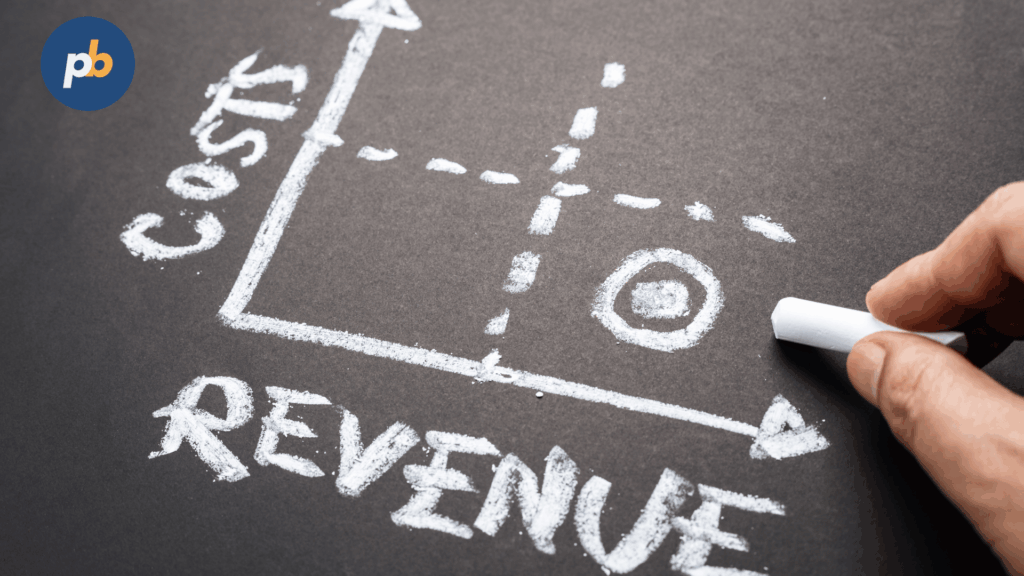
Typical cost consists of one-time displays, mounts, players, and installation plus monthly software and modest energy; realistic ROI emerges from increased case acceptance, whitening/aligner inquiries, hygiene plan enrollments, and review volume that improves local search visibility.
Table: Budget Ranges For 1–3 Screens (Illustrative)
| Item | One-Time | Monthly | Notes |
|---|---|---|---|
| Commercial Displays (2–3 units) | $400-$800 each ($800-$2400 total ) | – | Indoor 55′ Signage displays . High Bright window units would be $1,200 – $3,000each |
| Players Or SoC Enablement | $50-$600 | – | Fire TV stick 4K Max ($50) up to intel NUC/Mini PC ($600) |
| Mounts/Cabling/Install | $150-$500 per screen ($300 – $1,500 total) | – | Include Wall mounts, HDMI/Power extensions and installation labor |
| CMS License | – | FREE – $50 Per Screen | PosterBooking=Free; White label/Other Saas= $5 -$10/screen/month |
| Energy (run hours) | – | $5-$15 Per screen | Energy Based on 55″ Dispalsy at 8-12 hrs/day , $0.12-0.20/kwh |
Cost Levers And Savings Tips For Dental Signage include:
- Right-Size Brightness And Add Anti-Reflective Optics
- Use Captions To Avoid Unwanted Audio Hardware
- Standardize Sizes And Mounts Across Rooms
- Enable Ambient-Light Dimming And Sleep Schedules
- Reuse Templates With Seasonal Text Swaps
Which KPIs Tie Signage To Business Outcomes?
The most direct links are elective treatment inquiries, plan enrollments, review growth, chair utilization improvements, and call deflection from front-desk FAQs to on-screen guidance.
Table: KPI, Baseline, Target, Evidence
| KPI | Baseline | Target | Evidence |
|---|---|---|---|
| Whitening/Aligner Inquiries | 20/month | 30/month | QR scans and logged inquiries |
| Case Acceptance % | 55% | 65% | Pre/post periods on same procedures |
| Hygiene Plan Enrollments | 10/month | 15/month | POS reports vs campaign windows |
| New Reviews/Month | 8 | 15 | Platform analytics |
| Call Deflection | 40 FAQ calls | 25 calls | Front-desk logs |
A/B Test Ideas For Dental Signage include:
- Test Financing Message Position In The Loop
- Compare Calm Visuals Vs Clinical Line Art For Anxiety
- Rotate “What To Expect” Timings And Measure Acceptance
- Vary QR Placement And Size For Scan Rate
Which Solutions Are Best For Different Types Of Dental Practices?
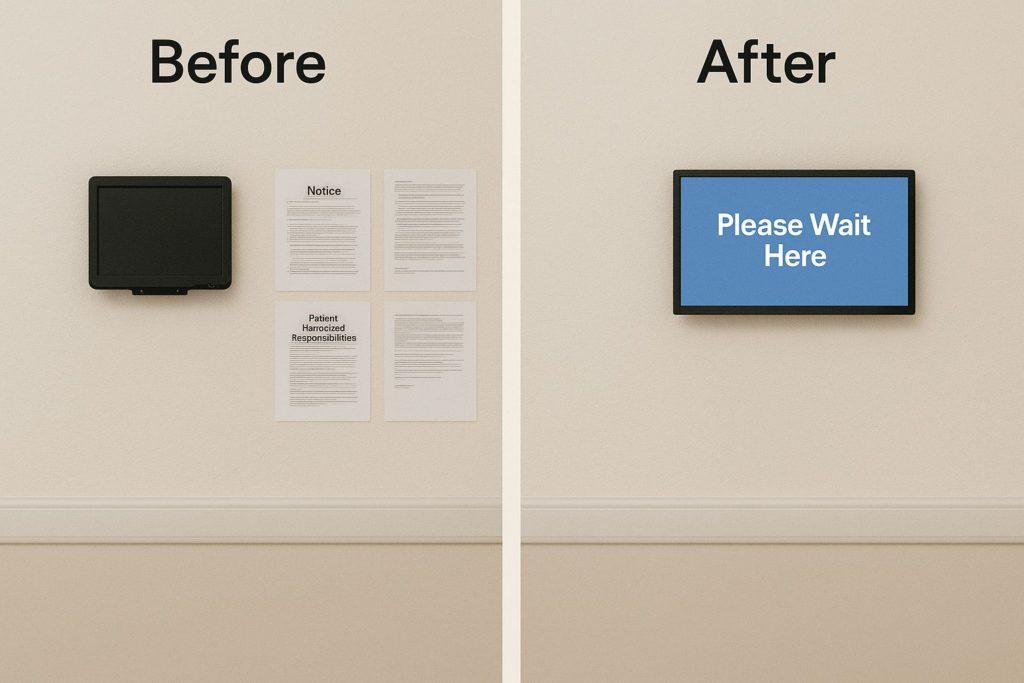
The best solution depends on practice goals and constraints: single-location general practices benefit from simple templates and offline caching; pediatric practices require calming loops and durable enclosures; orthodontic clinics need consented storytelling and financing clarity; multi-location groups require centralized approvals and audit logs.
1-Minute Fit Quiz For Dental Signage include:
- Identify Primary Goal: Comfort, Acceptance, Reviews, Or Plan Growth
- Select Screen Count: One, Two, Or Three-Plus
- Choose Player Path: SoC Simplicity Or External Flexibility
- Confirm Language Needs: English Only Or Multilingual
- Set Governance Level: Single Owner Or Multi-Location Workflow
What Is The Best Signage Setup For A Single-Location General Dentist?
The best setup for a single-location general dentist is a three-screen package with a 55″ waiting-room display at 500–700 nits, a 43–55″ front-desk display with captions, and a 32–43″ operatory screen, all driven by a simple SoC or compact player with offline caching and remote screenshots.
Table: Bundle Archetype, Display Size, Player/OS, Approximate Budget
| Bundle | Display Size | Player/OS | Approximate Budget |
|---|---|---|---|
| General Practice Trio | 55″ + 43–55″ + 32–43″ | SoC or compact player | $2.2k-$4.6k |
Onboarding Tips For General-Practice Signage include:
- Create A 12-Slot Loop With Two Comfort Tiles
- Add Captions To All Explainers And Remove Audio In Waiting
- Place Review CTA Near Loop End To Time With Checkout
- Schedule Monthly Refresh And Quarterly Calibration
- Capture Baselines For Acceptance And Reviews Before Launch
What Is The Best Setup For Pediatric Dentistry?
The best pediatric setup is a calming, sensory-friendly loop with soft motion, generous captions, and durable enclosures on 43–55″ displays in waiting and 32–43″ in operatories, paired with volume-limited audio or silent playback.
Spec Matrix: Pediatric Content And Hardware (Illustrative)
| Element | Choice |
|---|---|
| Content Style | Soft motion, pastel palette, friendly icons |
| Duration | Short 15–30 s tiles with repeats |
| Hardware | Rounded-edge enclosures, cable concealment |
| Audio | Low volume or silent with captions |
| Surfaces | Easy-clean, disinfectant-safe finishes |
Sensory-Friendly Guidelines For Pediatric Signage include:
- Favor Slow Motion And Gentle Transitions
- Avoid Flashing, Loud Audio, Or Graphic Imagery
- Use Large Icons And Simple Language
- Provide A Kids’ Corner Tile With Activities
- Keep Loops Predictable And Short
What Is The Best Setup For Orthodontics And Aligner-Heavy Clinics?
The best orthodontic setup is a two-zone approach: a waiting-room sequence of consented before/after stories and aligner lifestyle tips alongside financing tiles, and chairside 30–60-second explainer videos with captions and aftercare micro-clips.
Table: Ortho Content Blocks
| Block | Purpose |
|---|---|
| Before/After (Consented) | Social proof and outcome visualization |
| Treatment Journey Timeline | Expectation setting |
| Financing Options | Transparency and access |
| Aligner Care Micro-Videos | Adherence and comfort |
| Review CTA | Social proof and feedback |
Conversion CTAs For Ortho Signage include:
- “Start A Free Consult” QR With Calendar
- “Estimate Monthly Payment” Financing QR
- “See Results” Gallery With Consent Notice
- “Ask About Retainers” Aftercare Guidance
- “Review The Visit” Feedback Link
What Is The Best Setup For Multi-Location Dental Groups And DSOs?
The best setup for multi-location groups is a centrally managed platform with tag-based targeting, brand kits, approvals, audit logs, and remote screenshots, paired with a mixed hardware fleet support model and site-level offline caching.
Table: Enterprise Features For Dental Signage
| Feature | Value |
|---|---|
| Tag-Based Targeting | Publish per specialty, region, or language |
| Approvals & Audit Logs | Governance and compliance |
| Brand Kits & Templates | Consistency at scale |
| Remote Screenshots | Visual compliance proofs |
| Offline Caching | Continuity during WAN events |
Scale Pitfalls For Dental DSOs include:
- Mixing Consumer TVs Without Commercial Warranties
- Skipping Governance For Before/After Consent Assets
- Ignoring Multilingual Needs Across Regions
- Under-Specifying Brightness For Window Loops
- Failing To Budget For Calibration And Support
What Should Be In An RFP And Vendor Scoring Rubric?
An effective RFP and scoring rubric should weight sustained brightness, offline caching, remote screenshots, approvals, accessibility defaults, and security posture, with clear service SLAs and template library expectations.
Table: Scoring Matrix - Criterion And Weight
| Criterion | Weight |
|---|---|
| Playback Stability And Offline Caching | 25% |
| Templates, Dayparting, And Targeting | 20% |
| Remote Screenshots And Monitoring | 15% |
| Accessibility Defaults (Captions/Contrast) | 10% |
| Service SLAs And Support Coverage | 15% |
| Security And Data Handling | 15% |
RFP Questions To Ask Vendors For Dental Signage include:
- Provide Evidence Of Offline Playback And Screenshot Audits
- Describe Consent/Expiry Workflows For Before/After Assets
- Document Caption Support And Accessibility Defaults
- Share SLA Response/Restore Times And Coverage Hours
- Explain Security Updates, Signing, And Rollback
How to Manage and Use Signage for Dental Practices?
To manage and use signage for dental practices, log in to your signage dashboard and organize content into categories like education, promotions, and entertainment. Assign playlists to waiting room or treatment area screens and update them regularly with new material to engage patients and improve their experience.
How to Schedule Educational Content for Patients?
To schedule educational content for patients, open the Schedule feature in your signage software, select waiting room or consultation screens, and assign content such as oral hygiene tips, procedure explainers, or post-care reminders. Set times to match patient flow throughout the day so content stays relevant.
How to Create and Manage Playlists for Waiting Room Entertainment?
To create and control playlists for waiting room entertainment, go to the Playlists section, add content such as family-friendly videos, trivia, or wellness tips, and arrange them in sequence. Save the playlist and assign it to waiting room screens to reduce perceived wait times and keep patients engaged.
How to Upload and Display Promotions for Dental Plans and Offers?
To upload and display promotions for dental plans and offers, click the Upload button in your dashboard and add graphics, posters, or short videos for special discounts, membership plans, or seasonal offers. Place them in a promotions playlist and schedule during peak hours for maximum visibility.
How to Display Testimonials and Before/After Photos on Digital Signage?
To display testimonials and before/after photos, upload approved patient stories and images into your media library. Create a playlist that alternates between testimonials and transformation results, and assign it to lobby or waiting room screens to build trust and showcase results.
How to Design Calming Digital Signage for Patient Anxiety
To design calming digital signage for patient anxiety, create playlists with soothing visuals such as nature scenes, slow-motion water, or calming animations. Add soft background music or muted informational text to create a more relaxed environment in treatment and waiting rooms.
How to Add QR Codes for Appointment Booking and Feedback Forms
To add QR codes for appointment booking and feedback forms, generate codes linked to your booking system or survey tool. Upload the QR images into your signage software and display them on lobby or exit screens so patients can easily schedule follow-ups or leave feedback.
How to Integrate Digital Signage with Patient Management Systems?
To integrate digital signage with patient management systems, connect your signage platform with tools like Dentrix or Eaglesoft through APIs or data connectors. Use this integration to display real-time appointment updates, reminders, or personalized greetings on screens.
How to Troubleshoot Digital Signage in Dental Offices?
To troubleshoot digital signage in dental offices, check the power supply, internet connection, and device status first. Ensure the media player is online and the signage software is updated. Restart the player if content isn’t displaying, re-sync from the dashboard, and replace faulty cables or hardware if needed.
What FAQs Do Dentists Ask About Digital Signage?
Collapsible FAQ For Dental Signage include:
Does 4K Matter For Dental Screens?
1080p suffices for close-range front desk and operatories; 4K helps dense text or larger rooms.
How Often Should Content Be Refreshed?
Monthly refresh with quarterly thematic updates keeps loops relevant without fatigue.
Can Playback Run Offline Reliably?
Yes; player caches continue loops and queue proofs until connectivity returns.
How Is PHI Avoided On Screens?
Use public-safe assets only; never surface PMS/EHR data; enforce approvals and templates.
What About Captions?
Captions remain on by default across zones; audio stays low or off in clinical and reception spaces.
What Is A Realistic Monthly Budget?
Typical software and energy present low monthly costs, with ROI driven by acceptance and reviews.
How Are More Reviews Collected Via Signage?
Display QR with a simple prompt at checkout and in the loop’s final slots.
What Is A Realistic UPS Plan?
Short ride-through (10–20 minutes) allows clean shutdowns and avoids corruption.
How Are Color Mismatches Avoided?
Calibrate brightness and white-point semiannually; keep a meter profile per site.
How Are Frozen Players Rebooted Remotely?
Use managed PDUs and MDM scripts; schedule watchdogs and nightly reboots if needed.