
Successful digital signage construction aligns structural and electrical engineering with code compliance and operational monitoring so screens remain readable, safe, and maintainable for years under real venue conditions. The practical pathway combines pre-design site intelligence, permit-ready drawings, rated structures and enclosures, disciplined power and low-voltage plans, and a commissioning routine that proves readiness before handover.
Table Of Contents
- What Does “Digital Signage Construction” Include From a Build Perspective?
- How to Evaluate the Site Before Design Begins?
- What Measurements and Tests Prevent Surprises Later?
- What Codes, Permits, and Approvals Govern Digital Signage Construction?
- How to Assemble a Permit-Ready Drawing Set?
- How to Plan Signage Placement Strategy for Construction Signage?
- What Are the Best Mounting Solutions for Construction Signage?
- What Is the Best Digital Signage Software for Construction Signage?
- What Is the Best Signage Screen for Construction Signage?
- What Is the Best Signage Content for Construction Signage?
- How to Choose Structure Type and Mounting Safely?
- What Structural Engineering Decisions Matter Most?
- How to Plan Power, Grounding, and Surge Protection?
- What Cabling and Low-Voltage Planning Avoids Signal Issues?
- How Do Enclosures, Thermal Management, and Glazing Affect Performance?
- What Brightness and Optics Choices Ensure Readability?
- How to Sequence Construction and Installation to Minimize Risk?
- Which Tools, Lifts, and Access Methods Are Required?
- How to Assure Signage Safety, Accessibility, and Public Protection?
- What Content-Construction Interactions Must Be Planned?
- How to Document, Hand Over, and Maintain the Installation?
- How to Plan Operations Monitoring From Day One?
- How to Budget and Estimate TCO for Construction?
- What Sustainability Choices Reduce Footprint and OpEx?
- How to De-Install, Relocate, or Upgrade Safely Later?
- How to Set Up and Manage Construction Signage?
- How to Install Rugged Outdoor Digital Signage on Construction Sites?
- How to Schedule Safety Alerts on Construction Digital Signage?
- How to Display Weather Warnings and Emergency Alerts in Real Time?
- How to Upload and Display Project Progress Dashboards?
- How to Use Digital Signage for Worker Check-In and Shift Schedules?
- How to Integrate Digital Signage with Project Management Tools?
- What FAQs Do Project Teams Ask About Digital Signage Construction?
- How long do permits take?
- What wind speed should structures be designed to?
- Do freestanding totems require foundations?
- How bright is too bright for windows?
- How is offline playback tested?
- What inspections should be expected?
What Does “Digital Signage Construction” Include From a Build Perspective?
Digital signage construction includes the physical delivery of an indoor or outdoor installation from site surveys and structural design through civil works, electrical/data rough-in, enclosure fabrication, installation, commissioning, documentation, and handover, while creating the conditions in which CMS, content, and player software can operate reliably. The construction scope interfaces with operations by providing safe access, control pathways, and environmental protections that sustain uptime and legibility.
Construction Deliverables for Digital Signage include:
- Signed/Stamped Structural and Electrical Drawings
- Permit Approvals and Inspection Sign-offs
- Fabrication Shop Drawings and Cut Sheets
- As-Built Redlines and Photo Documentation
- Acceptance Tests and Commissioning Records
- Operation and Maintenance Manuals (O&M)
- Warranty Certificates and Service Contacts
Table: Phase → Outputs → Owner
| Phase | Outputs | Owner |
|---|---|---|
| Survey | Dimensions, substrate notes, photos, utilities | AV Integrator / GC |
| Engineering | Structural calcs, electrical one-line, details | Structural/Electrical Engineers |
| Permitting | Submittals, responses, approvals | GC / PM |
| Procurement | Approved materials, long-lead tracking | GC / Procurement |
| Installation | Anchors, conduits, terminations | Trades (Electrical/Low-Voltage/AV) |
| Commissioning | Test forms, screenshots, training | AV Integrator |
| Handover | O&M, warranties, as-builts | GC / AV Integrator |
How to Evaluate the Site Before Design Begins?
Effective pre-design evaluation document’s structure, power/data, safety, and environment so later drawings and permits reflect reality and minimize change orders. Inspections should capture egress and ADA constraints, solar exposure and wind patterns, substrate type, and utility access, with clear photos and measurements per location.
Survey Checklist for Digital Signage Construction include:
- High-Resolution Photos With North/East/West/South Orientation
- Verified Dimensions, Heights Above Finished Floor (AFF), and Sightlines
- Substrate Identification (CMU, Steel, Wood, Drywall, Curtain Wall)
- Roof/Soffit Conditions and Penetration Feasibility
- Egress Paths, ADA Clearances, and Protrusion Zones
- Power Panels, Circuits, and Network Drop Availability
- Sun Path, Reflections, Prevailing Winds, and Noise Levels
- Ground Conditions for Foundations and Access for Lifts
Table: Site Risk → Mitigation
| Site Risk | Mitigation |
|---|---|
| High glare at window | AR glass, shading devices, adjusted placement |
| Weak wall substrate | Backing plates, through-bolts, alternative structure |
| Limited power capacity | Dedicated circuits, panel upgrades, scheduling |
| WAN instability | Edge caching, LTE/5G failover, dual-WAN router |
| Public impact during install | Night work, barricades, safety monitors |
What Measurements and Tests Prevent Surprises Later?
Targeted measurements validate capacity and safety before hardware arrives, reducing structural or electrical rework. Wall scans, pull tests, and core samples confirm anchor feasibility, while grounding and soil assumptions protect outdoor installations from environmental stress.
Table: Test → Tool → Acceptance Criteria
| Test | Tool | Acceptance Criteria |
|---|---|---|
| Stud/utility scan | Multi-sensor wall scanner | Verified stud layout; no concealed hazards |
| Anchor pull test | Dynamometer rig | Meets or exceeds design load with safety factor |
| Concrete core sample | Core drill and lab test | Compressive strength per structural calc |
| Soil bearing check | Geotech report or assumed per code | Bearing capacity adequate for footing |
| Ground resistance | Earth tester | ≤ target ohms to building ground bus |
What Codes, Permits, and Approvals Govern Digital Signage Construction?
Governance spans local sign codes, electrical permits, structural wind/seismic requirements, roadway luminance rules, landlord criteria, historic district design review, and environmental/lighting ordinances; aligning all stakeholders early shortens critical path. According to the U.S. Access Board’s ADA guidance, protruding objects within the 27–80 inch zone may extend only 4 inches into circulation paths, which directly impacts shroud depth and mount selection near corridors.
Table: Approval Type → Who Signs Off → Lead Time (Typical)
| Approval Type | Who Signs Off | Lead Time |
|---|---|---|
| Sign/Planning Permit | Planning/Zoning, Design Review | 2–8 weeks |
| Electrical Permit | Authority Having Jurisdiction (AHJ) | 1–3 weeks |
| Structural/Wind/Seismic | Building Department/Engineer of Record | 2–6 weeks |
| Landlord Approval | Landlord/Property Manager | 1–4 weeks |
| Historic/Overlay | Historic Commission | 4–12 weeks |
Permit Submittal Package Contents for Digital Signage include:
- Title Sheet With Codes and Occupancy Data
- Plan, Elevations, Sections, and Details
- Structural Calculations and Anchor Schedules
- Electrical Single-Line, Panel Schedules, Load Calc
- Photometrics and Brightness Controls (Outdoor/Roadside)
- Attachment Details and Waterproofing Notes
- Manufacturer Cut Sheets and Listings (IP/IK, NRTL)
How to Assemble a Permit-Ready Drawing Set?
A permit-ready set contains coordinated sheets that show what will be built and how it will be powered, supported, protected, and limited for safety. Drawings must be internally consistent, detailed at attachments and penetrations, and accompanied by listed product data and calculations.
Drawing QA Checklist for Digital Signage Construction include:
- Cross-Checked Dimensions and Section Callouts
- Consistent Anchor Sizes Between Details and Calcs
- Verified Load Calculations and Deflection Limits
- Electrical One-Line Consistent With Panel Schedules
- Photometric Zones and Luminance Controls Shown
- Penetration and Waterproofing Details Completed
What Photometric and Brightness Controls Satisfy Roadway Safety?
Roadside safety demands luminance limits, automatic dimming, curfew schedules, and motion discipline to minimize distraction; designs should present luminance in cd/m² for compliance. According to WCAG guidance, minimum text contrast ratios of 4.5:1 (normal text) and 3:1 (large text) sustain readability and should inform creative choices for signs visible from public ways.
Table: Zone → Max Luminance → Control Method
| Zone | Max Luminance (cd/m²) | Control Method |
|---|---|---|
| Urban arterial frontage | As required by local code | Photocell + time-of-day dimming |
| Residential adjacency | Stricter local limits | Curfew schedules and lower setpoints |
| Highway setback | As required by DOT | Ambient-light tracking with caps |
How to Plan Signage Placement Strategy for Construction Signage?

A zone-based, line-of-sight layout that prioritizes entrances, hazard zones, circulation pinch points, and muster areas is best for placement strategy because it delivers the right message exactly where time-critical decisions are made.
High-Impact Placement Zones for Construction Signage include:
- Gate And Checkpoint Screens
- Site Office And Induction Areas
- Muster Points And Emergency Assembly Zones
- High-Risk Workfaces (Cranes, Excavation, Lifts)
- Break Areas And Welfare Units
- Perimeter Hoarding For Public Notices
- Loading Bays And Laydown Yards
What Are the Best Mounting Solutions for Construction Signage?
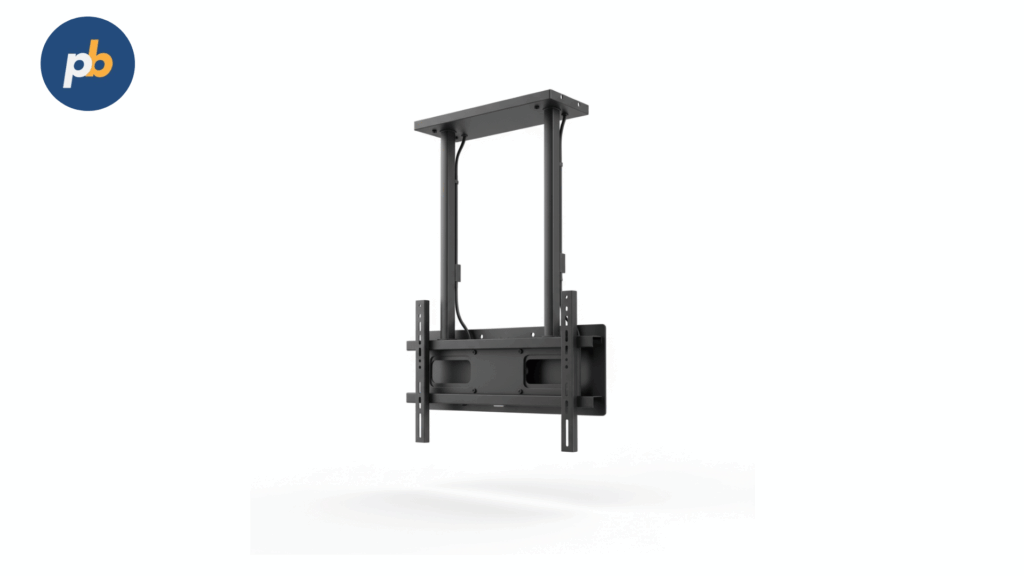
Ballasted, non-penetrating totems and heavy-duty mobile carts are the best mounting brackets because they avoid substrate uncertainty, resist wind loads, and allow fast relocation as the site evolves.
Recommended Mounting Options For Construction Sites include:
- Ballasted Non-Penetrating Totems
- Skid-Mounted Steel Pedestals
- Heavy-Duty Mobile Carts With Locking Casters
- Chain-Link Fence Clamps With Vibration Damping
- Scaffold-Compatible Pipe Clamps With Safety Lanyards
- Jersey-Barrier Brackets With Engineer Approval
What Is the Best Digital Signage Software for Construction Signage?
Yodeck is the best digital signage tool for construction signage because it offers offline caching, remote screenshots and health checks, role-based access, and simple hardware options that tolerate dusty, temporary environments.
Strong Alternatives For Construction Signage Software include:
- OptiSigns For Rugged Android Players And Quick Templating
- ScreenCloud For Enterprise SSO And Broad Device Support
What Is the Best Signage Screen for Construction Signage?

LG XE4F (55″) is the best commercial dsiplay for construction signage because its IP56 weather rating, IK10 impact-resistant glass, ~4,000-nit brightness, and wide operating temperatures deliver legibility and durability on harsh sites.
Environment-Ready Screen Alternatives For Construction Use include:
- Samsung OH55A For Integrated High-Bright Outdoor Performance
- DynaScan Ultra-High-Bright Panels For Extreme Sunlight Conditions
What Is the Best Signage Content for Construction Signage?
A rotating safety-and-operations pack is the best signage content for construction signage because it reduces incidents and delays by aligning messages to current risks, schedules, and weather constraints.
High-Value Content Blocks For Construction Sites include:
- PPE Requirements And Permit-To-Work Status
- Live Weather, Heat Index, And Wind-Limit Advisories
- Hazard Alerts And Active Exclusion Zones
- Toolbox Talk Summaries And Shift Brief Highlights
- Wayfinding Maps And Delivery/Gate Instructions
- Emergency Procedures, Muster Maps, And Code Colors
- Recognition Boards And Safety KPI Dashcards
How to Choose Structure Type and Mounting Safely?
Structure selection should follow load paths, substrate capacity, and service access: wall-mounted frames are efficient for structural walls, ceiling-hung assemblies suit atria, freestanding kiosks address sidewalks, and poles/monuments serve set-back frontage; secondary retention and clearance for maintenance are non-negotiable.
Mount Selection Rules for Digital Signage Construction include:
- Match Load Rating to Display/Enclosure Weight With Safety Factor
- Verify Substrate Capacity and Edge Distance for Anchors
- Provide Secondary Retention Where Public Exposure Exists
- Reserve Service Clearances for Access and Ventilation
- Respect ADA Protrusion Limits in Circulation Paths
Table: Structure Type → Pros/Cons → Best Use
| Structure Type | Pros | Cons | Best Use |
|---|---|---|---|
| Wall-Mounted | Minimal floor impact | Substrate limits | Interiors, corridors |
| Ceiling-Hung | Clean visibility | Complex rigging | Atria, open spaces |
| Freestanding Kiosk | Self-contained | Footprint and permits | Sidewalks, lobbies |
| Pole/Monument | Visibility at setback | Foundations required | Roadside, campuses |
What Structural Engineering Decisions Matter Most?
Critical decisions set wind speed (Vult/ASD), exposure category, seismic design category, anchor sizing by substrate, deflection limits for LED walls, and anti-vibration strategies near mechanical equipment. Edge distances, embed depth, and backing plates are detailed early to avoid field improvisation.
Table: Parameter → How to Size/Verify
| Parameter | How to Size/Verify |
|---|---|
| Wind speed and exposure | Per local code maps and site exposure |
| Seismic design category | Per code, soil class, and occupancy |
| Anchor capacity | Pull tests and manufacturer tables |
| LED wall deflection | Structural calc with service limits |
| Vibration mitigation | Spacers, isolation pads, brace points |
How to Design Foundations and Footings for Outdoor Signs?
Outdoor signs use frost-depth-compliant piers or spread footings with rebar cages, anchor bolt patterns, conduit stub-ups, and drainage paths that keep enclosures dry. Inspections verify rebar placement, anchor templates, and formwork before pour.
Pour and Inspection Checklist for Digital Signage Foundations include:
- Verified Frost Depth and Bearing Capacity Assumptions
- Rebar Cage and Anchor Bolt Template Placement
- Conduit Stub-Ups and Drain/Weep Pathways
- Pre-Pour Inspection Sign-off by AHJ/Engineer
- Curing Protection and Post-Pour Survey Marks
How to Plan Power, Grounding, and Surge Protection?
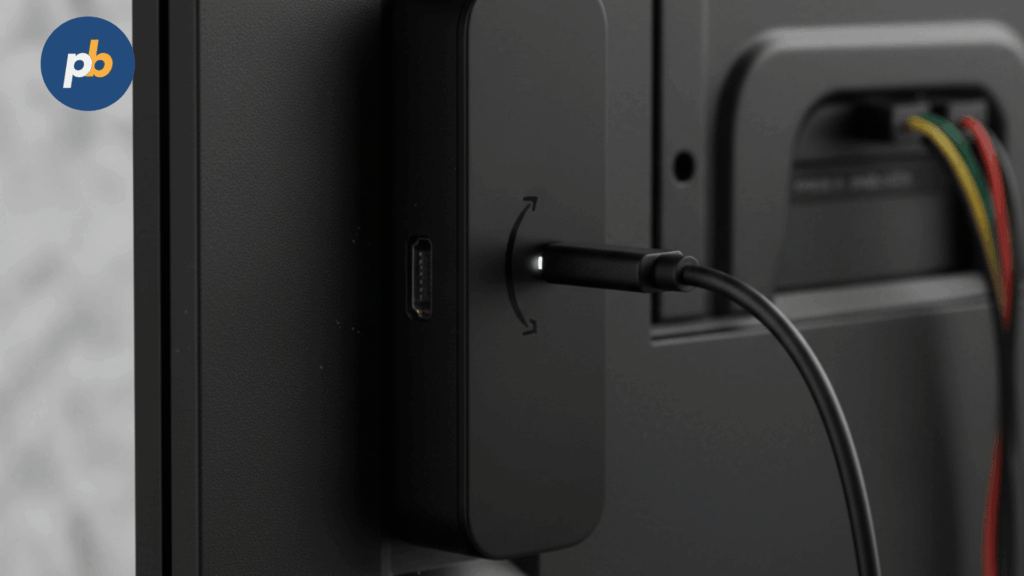
Power planning sizes breakers for steady and inrush loads, assigns dedicated circuits, specifies GFCI where required, and adds surge protective devices at the panel and at the device; proper bonding/earthing reduces fault risk, and lightning protection is added for poles and roofs.
According to IEC 60529, IP ratings describe protection against dust and water ingress for enclosures; pairing the right IP level with surge and bonding improves survivability in harsh sites.
Table: Device → Watts/Inrush → Breaker/Cord (Illustrative)
| Device | Watts (On) | Inrush | Breaker/Cord |
|---|---|---|---|
| 55″ HB LCD | 200 | High | 15 A dedicated / IEC C13 |
| Media Player | 25 | Low | Shared AV circuit / IEC C13 |
| Outdoor Kiosk Fans/Heater | 200–400 | Medium | 20 A dedicated / Hardwired |
| LED Wall Controller | 150 | Medium | 15 A dedicated / IEC C13 |
Power Safety Checklist for Digital Signage Construction include:
- Dedicated Circuits With Margin for Inrush and Future Load
- Surge Protective Devices at Service Panel and Endpoint
- Grounding/Bonding Verified With Measured Resistance
- GFCI Where Code Requires and Near Wet Areas
- Remote PDUs for Safe Reboots and Maintenance Windows
What Cabling and Low-Voltage Planning Avoids Signal Issues?
Signal integrity depends on conduit fill, separation from power, proper plenum ratings, adherence to HDMI/DP length limits, and the use of HDBaseT/SDVoE or fiber for long runs; PoE simplifies peripherals; consistent labeling and test reports anchor supportability. According to the HDBaseT Alliance, HDBaseT carries uncompressed UHD video with control and Ethernet up to 100 meters over a single category cable, enabling clean long-run transport in construction.
Table: Link Type → Max Run → Latency/Notes
| Link Type | Max Run | Notes |
|---|---|---|
| Passive HDMI 2.0 | ~10 m | Use active/fiber for longer |
| Active/Fiber HDMI | 30–100+ m | External power injectors as needed |
| HDBaseT (4K) | Up to 70–100 m | Category cable grade dependent |
| SDVoE/AVoIP | LAN dependent | 10 GbE, low latency |
| Fiber Ethernet | km-scale | Backbone and campus links |
Labeling Standards for Digital Signage Cabling include:
- Unique Drop IDs and Panel/Port References
- Heat-Shrink Labels at Both Ends of Each Cable
- Updated As-Built Pathways and Conduit Schedules
- Certification Reports for Copper/Fiber Links
- Color-Coded Ties for Power/Signal Separation
How to Design for Network Resilience?
Resilience uses Ethernet primary, Wi-Fi only when unavoidable, and LTE/5G failover for continuity; secure remote access uses VPN or zero-trust agents; bandwidth budgets account for schedule updates and proofs of play; remote PDUs speed recovery.
Table: Path → Pros/Cons → When
| Path | Pros | Cons | When |
|---|---|---|---|
| Ethernet | Stable, low latency | Cabling needed | Standard choice |
| Wi-Fi | Flexible, quick | Variable interference | Temporary/legacy |
| LTE/5G | Path diversity | Data cost | Remote or backup |
| Dual-WAN | Continuity | Complexity | High-uptime sites |
Network Failover Checklist for Digital Signage include:
- Wired Primary With DHCP Reservations or Static IPs
- VPN/Zero-Trust With Certificate-Based Access
- LTE/5G Failover With Data Alerts and Policies
- Scheduled Failover Tests and Post-Test Reviews
- Monitoring of Packet Loss, Jitter, and Throughput
How Do Enclosures, Thermal Management, and Glazing Affect Performance?
Enclosures and glazing control temperature, weather, vandal resistance, and reflections; indoor cabinets emphasize service access, semi-outdoor/window units add high-TNI glass and fans, and outdoor kiosks require IP/IK ratings, heat exchangers or active cooling, laminated AR glass, and drainage/weep paths.
According to IEC 62262 (IK code), impact ratings classify resistance to external mechanical impacts, informing glass choice and mechanical design in public spaces.
Table: Environment → Min IP/IK → Glass → Cooling
| Environment | Min IP/IK | Glass | Cooling |
|---|---|---|---|
| Indoor | IP20 / IK05 | Tempered or laminated | Passive or low-flow fans |
| Semi-Outdoor/Window | IP44–54 / IK07–08 | Laminated AR, high-TNI | Fans with filtration |
| Outdoor | IP55–66 / IK08–10+ | Laminated AR/UV | Heat exchangers or AC |
Thermal Design Rules for Digital Signage Enclosures include:
- Verified Intake/Exhaust Paths and Filter Access
- Sunload and Blackening Resistance With High-TNI Panels
- Laminated AR Glass to Reduce Reflectance and Shatter Risk
- Positive Pressure or Sealed Designs Against Dust/Ingress
- Maintenance Clearances for Fan/Filter Replacement
What Brightness and Optics Choices Ensure Readability?
Readability combines adequate nits, low reflectance, and automatic dimming: interior targets of 350–700 nits, window-facing 1,500–3,500 nits, and outdoor 3,500–5,000+ nits pair best with AR optics and light sensors that track ambient. According to W3C WCAG techniques, 4.5:1 (normal text) and 3:1 (large text) contrast targets should inform creative and dimming schedules to keep legibility under sun and glare.
Table: Location → Recommended Nits & Coating
| Location | Recommended Nits | Coating |
|---|---|---|
| Indoor lobby/retail | 350–700 | Low-haze or AR |
| Bright atrium | 700–1,000 | AR |
| Window-facing | 1,500–3,500 | Laminated AR |
| Outdoor direct sun | 3,500–5,000+ | Laminated AR/UV |
How to Sequence Construction and Installation to Minimize Risk?
Risk drops when construction follows a clear sequence: submittals and shop drawings, rough-in of power/data, structure and enclosure set, display and LED cabinet placement, termination and labeling, calibration, commissioning, punch list, training, and clean handover.
Day-Of Install Checklist for Digital Signage Construction include:
- Toolbox Talk, PPE Check, and Fall Protection Setup
- Equipment Inspection, Lift/Scaffold Safety Zones
- Anchor Layout Verification and Torque Logs
- Cable Pathway Protection and Strain Relief
- Interim Screenshots and Control Script Tests
Table: Phase → Dependencies → Acceptance Tests
| Phase | Dependencies | Acceptance Tests |
|---|---|---|
| Rough-In | Approved submittals | Conduit and box placement |
| Structure | Rough-in complete | Anchor torque, plumb/level |
| Device Set | Structure pass | Power-on, EDID/HDCP sanity |
| Calibration | Full power-up | Luminance/white-point records |
| Commissioning | Calibration pass | Scripts, screenshots, logs |
Which Tools, Lifts, and Access Methods Are Required?
Access and accuracy depend on the right equipment and safety controls; plan lifts and zones early and verify tool calibration on torque and leveling devices.
Equipment List for Digital Signage Construction include:
- Scissor/Boom Lifts and Certified Fall Arrest Systems
- Scaffold With Toe Boards and Guardrails Where Required
- Torque Wrenches and Manufacturer-Specified Sockets
- Laser Levels and Stud/Anchor Detection Tools
- Personal Protective Equipment and Barricade Kits
What Commissioning Tests Prove Readiness?
Commissioning proves electrical safety, control stability, content resilience, and monitoring visibility so operations can take over with confidence. According to the HDBaseT Alliance and pro-AV practice, end-to-end link tests and EDID/HDCP sanity checks prevent black-screen incidents after handover.
Table: Test → Method → Pass Criteria
| Test | Method | Pass Criteria |
|---|---|---|
| Electrical safety | Ground continuity, GFCI checks | Verified readings and labels |
| Control scripts | RS-232/LAN commands | Power/Input/Brightness scripted |
| EDID/HDCP | Analyzer or test tool | Stable handshake across reboots |
| Offline cache | Disconnect WAN and play | Continuous playback with queued proofs |
| Brightness scheduling | Ambient sensor and schedule | Dimming curve matches plan |
| Emergency override | Dry-contact or API trigger | Immediate takeover and recovery |
Commissioning Sign-Off Form Items for Digital Signage include:
- Serial Numbers and Firmware Versions Logged
- Acceptance Screenshots and Luminance Records
- EDID Profiles and Network Addresses Archived
- Maintenance Windows and Contacts Confirmed
- As-Built Redlines and Photo Pack Delivered
How to Assure Signage Safety, Accessibility, and Public Protection?
Safety and accessibility are assured by controlling protrusions, protecting edges, maintaining egress, and managing install zones so the public and installers remain protected. According to the Access Board’s ADA guidance, objects between 27 and 80 inches above the floor must not protrude more than 4 inches into circulation paths - an anchor metric for shrouds and hallway mounts.
Safety and Accessibility Checklist for Digital Signage include:
- ADA Protrusion Compliance and Reach-Range Verification
- Edge Protection and Rounded Corners at Public Heights
- Slip/Trip Avoidance Around Floor/Low Pedestal Displays
- Controlled Work Zones With Barricades and Spotters
- Unobstructed Egress Paths and Door Swings
- Content Safety With Flash/Motion Limits Near Roads
What Content-Construction Interactions Must Be Planned?

Built elements and content rules must align: readable distances set screen size and height, emergency overrides need dedicated inputs and priorities, and dimming/curfews integrate with playlists to satisfy ordinances.
Table: Viewing Distance → Minimum Letter Height (Indicative)
| Closest Viewing Distance | Minimum Cap Height |
|---|---|
| 1–2 m | 20–25 px (FHD canvas) |
| 3–4 m | 36–48 px |
| 4–6 m | 48–64 px |
| 6 m+ | 72 px+ or LED pitch-based |
How to Document, Hand Over, and Maintain the Installation?
High-quality closeout packages accelerate operations and warranty support: as-builts, photos, serials, firmware versions, maintenance SOPs, and spare parts plans make the network serviceable from day one.
Handover Packet Contents for Digital Signage Construction include:
- As-Built Drawings and Redline Revisions
- Photo Pack of Anchors, Conduits, and Terminations
- Part Numbers, Serials, and Firmware Versions
- Warranties, Pixel Policies, and Service SLAs
- Cleaning, Filter, and Torque Re-Check SOPs
- Spare Parts Inventory and Storage Locations
Table: Maintenance Interval → Task → Acceptance
| Interval | Task | Acceptance |
|---|---|---|
| Weekly | Health/screenshot review | All green or tickets created |
| Monthly | Firmware updates (cohorts) | Success with rollback plan |
| Quarterly | Filter cleaning and seal checks | No blockages or ingress |
| Semiannual | Torque re-checks | Within manufacturer specs |
| Annual | Luminance/white-point audit | Within tolerance bands |
How to Plan Operations Monitoring From Day One?
Monitoring uses NMS/CMMS hooks, device heartbeats, temperature and door sensors, alert thresholds, and SLAs with escalation paths so issues are fixed before audiences notice. According to W3C WCAG and accessibility practice, monitoring should also include automated checks for contrast and caption track presence where applicable to maintain inclusive operations.
Table: Alert → Threshold → Action
| Alert | Threshold | Action |
|---|---|---|
| Player offline | ≥ 5 minutes | Auto-restart → ticket |
| Temperature high | Above setpoint | Fan/filter check → site visit |
| Door/tamper | Open beyond window | Security notify → log image |
| Proof-of-play gap | Missing interval | CMS resend → investigate link |
How to Budget and Estimate TCO for Construction?
Budgeting groups engineering, permitting, fabrication, foundations, electrical and data, lifts, enclosures, displays/LED, project management, commissioning, and contingencies, then adds a multi-year maintenance view; comparisons should be apples-to-apples on ratings, warranties, and luminance, not just diagonal size. According to ENERGY STAR program materials, certified signage displays include standardized on-mode power data, enabling more reliable multi-year OpEx estimates in TCO models.
Table: Scope Bucket → Low/Typical/High (Illustrative)
| Scope Bucket | Low | Typical | High |
|---|---|---|---|
| Engineering & Permits | $ | $$ | $$ |
| Fabrication/Enclosures | $ | $$ | $$$ |
| Foundations (Outdoor) | $ | $$ | $$$ |
| Electrical/Data | $$ | $$ | $$$ |
| Lifts/Access | $ | $$ | $$ |
| Displays/LED | $$ | $$$ | $$$$ |
| Commissioning | $ | $$ | $$ |
| Contingency (10–20%) | $ | $$ | $$ |
Cost-Saving Levers Without Cutting Safety include:
- Right-Sizing Brightness With AR Optics Instead of Overspec Nits
- Standardizing Mounts and Sizes for Volume Pricing and Spares
- Scheduling Dimming/Curfews to Cut Energy Costs
- Designing Service Access to Reduce Truck-Roll Time
- Prefabbing Cables and Plates to Shorten On-Site Labor
What Sustainability Choices Reduce Footprint and OpEx?
Sustainability aligns with cost when energy, longevity, and transport are optimized: efficient drivers, dimming schedules, recyclable materials, modular LED cabinets, and local fabrication all reduce footprint and service hours.
Sustainability Checklist for Digital Signage Construction include:
- Energy-Efficient Panels and LED Drivers With Ambient Dimming
- Recyclable Materials and Responsible Glass/Laminate Selection
- Modular Designs With Field-Replaceable Components
- Local Fabrication and Consolidated Shipments
- Documented End-of-Life and Recycling Paths
Table: Measure → Expected Impact
| Measure | Expected Impact |
|---|---|
| Ambient dimming | 15–35% energy reduction |
| Efficient drivers | Lower heat and longer life |
| Modular cabinets | Faster repair, less waste |
How to De-Install, Relocate, or Upgrade Safely Later?
Safe changes begin with de-energizing and lockout/tagout, followed by structural patching, waste handling, data wiping, and reuse of enclosures or mounts where feasible; updated permits may be required for relocations and brightness changes.
De-Installation SOP for Digital Signage include:
- Lockout/Tagout and De-Energize All Circuits
- Remove Devices and Protect Openings Immediately
- Patch and Restore Structural and Weatherproof Integrity
- Wipe Data and Release Licenses From Players
- Inventory Reusable Mounts/Enclosures and Update Asset Register
- Submit Permit Updates for Relocations Where Required
Table: Asset → Reuse/Replace Decision
| Asset | Reuse | Replace |
|---|---|---|
| Enclosure | If rating and size still fit | If rating or thermal path is wrong |
| Mount | If load/path still valid | If substrate or VESA changes |
| Player | If performance and OS fit | If content complexity grows |
| Cables | If certified and length fits | If spec/route changes |
How to Set Up and Manage Construction Signage?
To set up and manage construction digital signage, install rugged outdoor-rated screens at key site locations such as entrances, break areas, and safety zones. Connect them to a media player or wireless network, and manage content remotely through digital signage software. Use the dashboard to schedule safety alerts, project updates, and shift information.
How to Install Rugged Outdoor Digital Signage on Construction Sites?
To install rugged outdoor digital signage on construction sites, choose weatherproof and dust-resistant displays with high brightness for sunlight visibility. Mount them securely on walls, poles, or portable stands using heavy-duty brackets. Ensure stable power connections and protective cable management to withstand site conditions.
How to Schedule Safety Alerts on Construction Digital Signage?
To schedule safety alerts on construction signage, open the scheduling feature in your software, select the relevant screens, and upload content such as PPE reminders, hazard warnings, or toolbox talk messages. Set alerts to repeat daily or during specific work hours so crews receive timely reminders.
How to Display Weather Warnings and Emergency Alerts in Real Time?
To display weather warnings and emergency alerts in real time, integrate your signage software with weather APIs or the site’s emergency notification system. Configure alerts to override scheduled content instantly during severe weather, evacuation orders, or other critical events.
How to Upload and Display Project Progress Dashboards?
To upload and display project progress dashboards, export reports or charts from your project management software, save them as images, PDFs, or live feeds, and upload them to your signage platform. Assign them to site office or breakroom screens so workers and managers can track milestones and deadlines at a glance.
How to Use Digital Signage for Worker Check-In and Shift Schedules?
To use digital signage for worker check-in and shift schedules, connect your signage system with workforce management tools. Display QR codes or digital rosters for workers to scan and confirm attendance. Schedule rotating shift boards so crews always know their start times and assignments.
How to Integrate Digital Signage with Project Management Tools?
To integrate digital signage with project management tools, connect platforms like Procore, Autodesk, or Microsoft Project through APIs or data connectors. Configure dashboards to display live updates on timelines, budgets, or tasks directly on construction site screens for real-time visibility.
What FAQs Do Project Teams Ask About Digital Signage Construction?
Common construction questions converge on timeframes, loads, foundations, brightness, offline testing, and inspections, and clear, immediate answers help scope and schedule accurately.
Collapsible FAQ for Digital Signage Construction include:
How long do permits take?
Two to eight weeks depending on jurisdiction, plus historic/overlay review if applicable.
What wind speed should structures be designed to?
Local code wind maps (Vult/ASD) and exposure category for the parcel.
Do freestanding totems require foundations?
Yes; frost-depth-compliant piers or spread footings with rebar and anchor templates.
How bright is too bright for windows?
Typically 1,500–3,500 nits with AR glass; verify local frontage rules and curfews.
How is offline playback tested?
Disconnect WAN, verify cache continuity, and confirm proofs queue for later sync.
What inspections should be expected?
Electrical rough/final, structural anchors, footing rebar/bolts, and final sign code inspection.