
Cinema digital signage works best when each screen’s content, placement, and integrations align with the guest journey to increase revenue per head, shorten queues, reduce confusion, and keep audiences informed and safe from curbside to exit. The operational core pairs a theatre management system (TMS), point-of-sale (POS), and a display management system with resilient hardware, clear accessibility practices, and measurable KPIs tied to each touchpoint.
Table Of Contents
- What Does “Digital Signage” Mean in a Cinema Context?
- What Outcomes Should Cinema Signage Drive?
- Where in the Guest Journey Should Screens Be Placed?
- How Should Exterior And Window-Facing Screens Be Used?
- What Belongs on Foyer/Lobby Feature Walls?
- How Do You Design Box Office/Showtime Boards?
- How to Plan Signage Placement Strategy for Cinemas?
- What Is the Best Mounting Bracket for Cinemas?
- What Is the Best Digital Signage Solution for Cinemas?
- What Is the Best Signage Screen for Cinemas?
- What Is the Best Signage Visual for Cinemas?
- How Do Concession Menu Boards And Promos Work Best?
- What Should Corridor/Wayfinding And Auditorium Door Signs Show?
- What Can Pre-Show And In-Auditorium Screens Do (Non-Intrusively)?
- What Content Belongs at Exits And Post-Show Zones?
- What Integrations Make Cinema Signage Truly “Live”?
- How Do You Sync Showtimes And Auditorium Changes Safely?
- How Can POS/Inventory Drive Dynamic Menus?
- How Do You Plan Content Strategy And Loops for Cinemas?
- How Do You Handle Dayparts And Seasonal Calendars?
- What Localization And Language Rules Should Be Adopted?
- How Do You Design Cinema Signage for Readability And Accessibility?
- How Do You Represent Ratings, Warnings, And Accessibility Features?
- How Should QR/NFC Be Used Without Clogging Queues?
- What Operational Workflow Keeps Everything Accurate And Safe?
- How Do You Test And Commission Content Before Opening?
- How Do You Monitor And Maintain Reliability?
- How Do You Measure Impact And Iterate?
- What Experiments Work Well in Cinemas?
- What Compliance, Safety, And Brand Governance Must Be Followed?
- How Do You Plan for Emergencies And Incident Response?
- What Does a Practical 90-Day Rollout Plan Look Like?
- How Do Small Independents Vs Multiplex Chains Differ?
- What Common Mistakes Should Cinemas Avoid With Digital Signage?
- What FAQs Do Cinema Teams Ask About Signage?
- How Long Should Lobby Loops Be?
- How Are Last-Minute Auditorium Swaps Handled?
- What Is The Minimum Nit Level For Windows?
- Are Captions Required On Lobby Trailers?
- Where Should QR Codes Go So Lines Keep Moving?
What Does “Digital Signage” Mean in a Cinema Context?
Cinema digital signage is a network of purpose-placed screens lobby features, box office boards, concession menus, wayfinding, auditorium door signs, pre-show displays, and exit units - that complement trailers by handling live information, promotions, and guidance that the TMS and POS feed in real time. The system augments the TMS by surfacing showtimes, auditorium changes, and status while the CMS governs layouts, accessibility, and approvals.
Cinema Touchpoints for Digital Signage include:
- Exterior And Window-Facing Screens
- Foyer And Lobby Feature Walls
- Box Office And Showtime Boards
- Concession Menu And Promotion Boards
- Corridor Wayfinding And Lift/Elevator Indicators
- Auditorium Door Signs And Status Panels
- Pre-Show And In-Auditorium Screens
- Exit And Post-Show Offer/Survey Displays
Table: Touchpoint → Audience → Goal
| Touchpoint | Primary Audience | Primary Goal |
|---|---|---|
| Exterior/Window | Passersby and arriving guests | Drive visits and set expectations |
| Lobby Feature Wall | Waiting guests | Inspire, entertain, and guide |
| Box Office Boards | Ticket buyers | Clarify showtimes and availability |
| Concession Menus | Queueing guests | Increase RPH and reduce decision time |
| Wayfinding | Moving guests | Shorten time-to-seat and reduce wrong turns |
| Door Signs | Seated/approaching guests | Signal cleaning/now seating and accessibility |
| Pre-Show | Seated audience | Reinforce safety, loyalty, and sponsors |
| Exits | Departing guests | Capture feedback and trigger return visits |
What Outcomes Should Cinema Signage Drive?
Cinema signage should drive higher concession revenue per head, higher attach rates on combos, shorter perceived and actual queue times, more on-time seating, more seat upgrades and loyalty signups, and consistent safety compliance. These outcomes turn into weekly operations dashboards that guide loop tuning and staffing.
Table: KPI → Formula → Data Source → Review Cadence
| KPI | Formula | Data Source | Cadence |
|---|---|---|---|
| Revenue Per Head (RPH) | Concession revenue ÷ Admissions | POS + Admissions | Daily/Weekly |
| Combo Attach Rate | Combo transactions ÷ Concession transactions | POS | Daily |
| Queue Time | Average minutes in line | Queue sensor/app | Hourly |
| On-Time Seating | % seated before trailers | Ticket scans/TMS | Daily |
| Seat Upgrades | Upgraded seats ÷ Transactions | POS/Ticketing | Weekly |
| Loyalty Signups | New enrollments ÷ Admissions | CRM | Weekly |
| Safety Compliance | Required notices displayed on time | CMS logs | Show-by-show |
Outcome-to-Content Type Mapping include:
- Increase RPH → High-margin combo callouts and dynamic bundles
- Shorten Queues → “Fast Picks” and visual step-by-step ordering hints
- Improve On-Time Seating → “Now Seating” banners and countdowns
- Raise Loyalty Signups → QR joins and perk showcases near queues
- Increase Seat Upgrades → Upsell slates at box office and door signs
- Enforce Safety → Captions, rating boards, and device etiquette panels
Where in the Guest Journey Should Screens Be Placed?
Screens should be placed at decision points across before, during, and after the show exterior to set expectations, foyer and box office to inform and upsell, concession queues to accelerate choices, corridors and doors to guide seating, pre-show for reminders and loyalty, and exits for feedback and next visit offers. Dwell zones warrant longer loops; transit zones demand short, glanceable panels.
Zone Definitions for Cinema Signage include:
- Exterior And Window Zones With High Ambient Light
- Foyer Dwell Zones With Mixed Traffic Patterns
- Queue Zones With Predictable Waiting Behavior
- Transit Corridors With Fast Pass-By Movement
- Doorway Thresholds With Micro-Dwell Moments
- In-Auditorium Pre-Show Zones With Seated Attention
- Exit Funnels With Brief Post-Show Pauses
How Should Exterior And Window-Facing Screens Be Used?
Exterior and window-facing screens should snapshot showtimes, highlight “now playing” and “coming soon,” publish late-night opening notices, and switch to weather-aware or daypart promos to attract passersby without overwhelming them. High brightness, anti-reflective glass, and large text protect readability.
Readability Rules for Cinema Window Screens include:
- Use 1,500–3,500-Nit Displays With AR Glass
- Reserve 6–10-Second Slots With Large Headline Type
- Present “Now Playing” And “Next Show” With Times And Ratings
- Switch To High-Contrast Palettes During Daylight
- Avoid Audio And Favor Captions For Street Environments
What Belongs on Foyer/Lobby Feature Walls?
Lobby feature walls should mix captioned trailers, premiere countdowns, moderated UGC/selfie walls, festival brand moments, and timely event slates, all under a calm motion profile to avoid sensory overload. The loop acts as a centerpiece that entertains while subtly steering behavior.
Loop Composition Guidelines for Lobby Feature Walls include:
- Allocate 60% Inspiration, 25% Information, 15% Offers
- Cap Individual Spots At 10–15 Seconds With Captions
- Avoid Flashing Patterns And Aggressive Strobes
- Reserve Lower Thirds For Timely Notices And Accessibility Flags
- Schedule Quiet Windows During High-Traffic Wayfinding Moments
How Do You Design Box Office/Showtime Boards?
Box office boards should display live showtimes, auditorium numbers, film ratings, seat availability, and clear color keys, with “next-up” callouts and concise legends. Iconography reduces reading effort and supports multilingual audiences.
Table: Field → Icon/Text → Rationale
| Field | Icon/Text | Rationale |
|---|---|---|
| Title & Rating | Title + rating badge | Compliance and clarity |
| Showtimes | Time chips | Rapid scanning |
| Auditorium | Door/room number icon | Wayfinding aid |
| Availability | Color bar or dot | Quick load estimate |
| Accessibility | CC/AD/Loop icons | Inclusivity at a glance |
| Next-Up | “Starting Soon” tag | Urgency and guidance |
How to Plan Signage Placement Strategy for Cinemas?
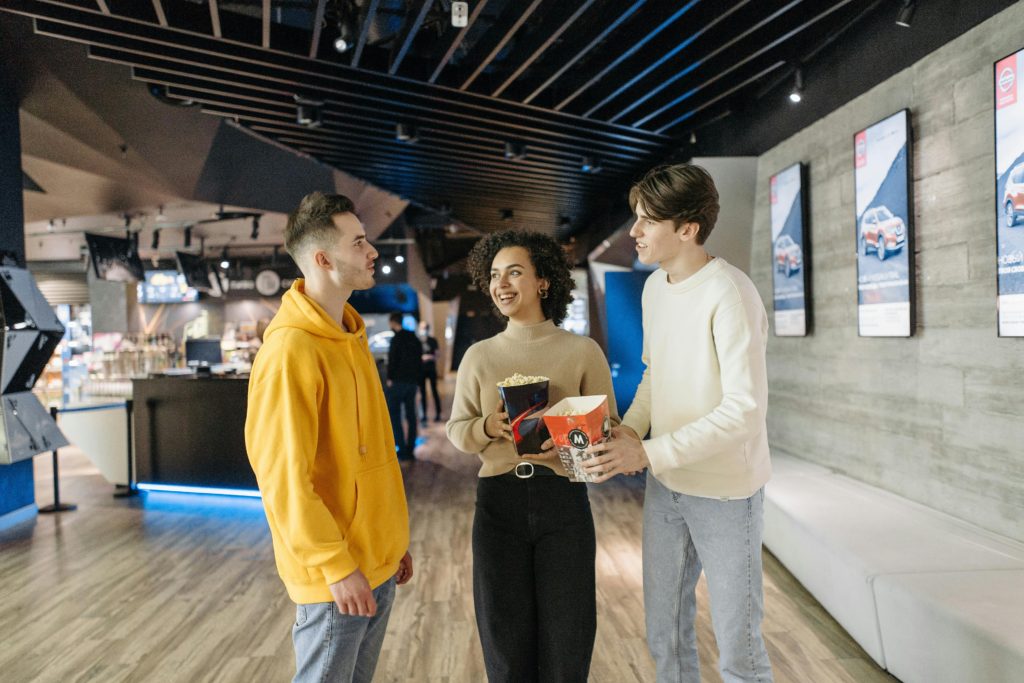
The most effective cinema signage placement method prioritizes box-office sightlines, concession queues, and auditorium entrances because those zones concentrate decisions and dwell. This approach minimizes wayfinding friction, accelerates ordering, and reinforces showtime clarity without clutter.
Priority Zones for Cinema Signage include:
- Box Office Sightlines
- Concession Queue Lanes
- Auditorium Entrances and Exits
- Lobby Wayfinding Intersections
- Exterior or Window-Facing Facades for Promotions
Placement Principles for Cinema Signage include:
- Eye-Level Mounting Aligned To Approach Vectors
- High-Contrast Visibility Against Dark Finishes
- Short-Loop Content Near Moving Foot Traffic
- Longer-Form Loops In Waiting Areas
- Clear Escape Of Glare From Downlights And Skylights
What Is the Best Mounting Bracket for Cinemas?
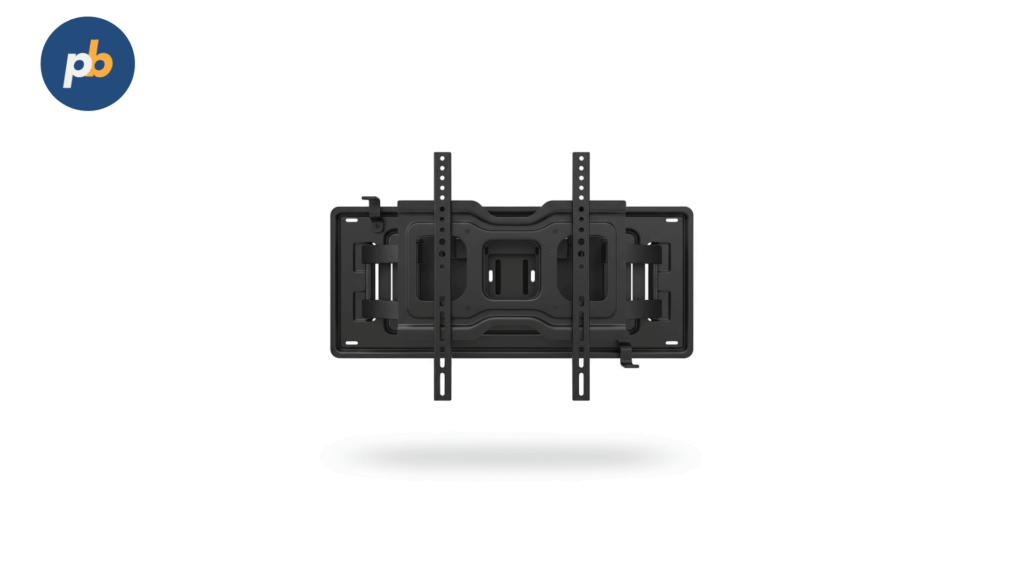
Chief Fusion pull-out service mounts are the best mounting brackets for cinemas because micro-adjustment, service-pop access, and heavy-duty load ratings keep walls aligned and maintainable in high-traffic, low-light lobbies. The mechanism’s precise tilt, roll, and yaw controls preserve clean grids on menu walls and feature displays.
Reasons Chief Fusion Mounts Fit Cinemas include:
- Micro-Adjustment Controls For Seamless Alignment
- Pull-Out Service Access For Fast Maintenance
- High Load Capacity For Large 65–86″ Panels
- Vibration Resistance For Busy Lobbies And Upper Balconies
- ADA-Friendly Depth Options With Slim Profiles
What Is the Best Digital Signage Solution for Cinemas?
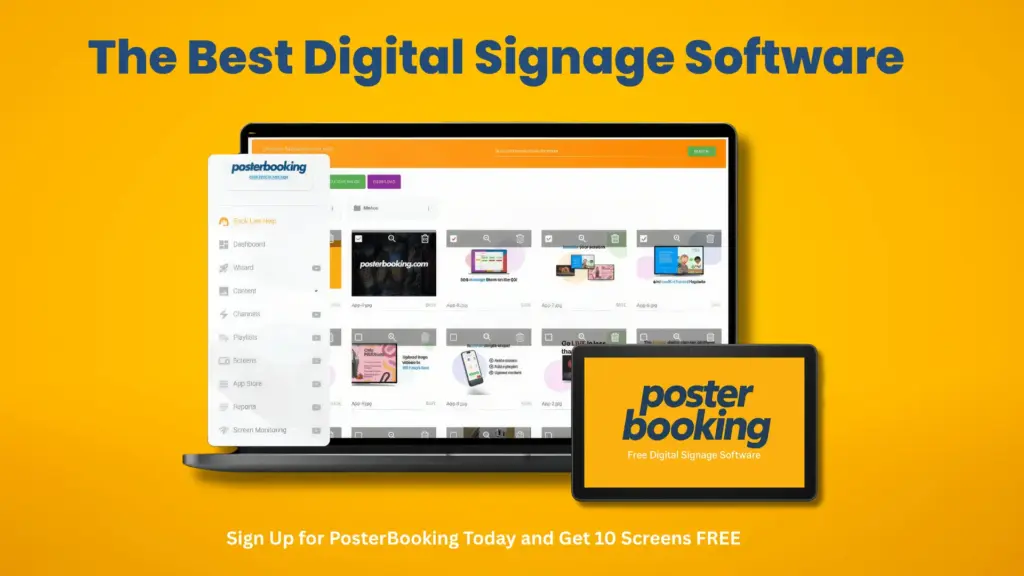
Scala Enterprise is the best digital signage app for cinemas because robust scheduling, data-driven templates, and proven integrations for showtimes and concessions support synchronized lobby takeovers and reliable menu operations at scale. Its device management and failover options fit multi-auditorium complexes.
Cinema-Specific Advantages Of Scala Enterprise include:
- Data Bindings For Showtime And Concession Feeds
- Synchronized Playback Across Lobby Grids And Video Walls
- Role-Based Approvals For Franchise And Corporate Governance
- Broad Player Support For SoC And External Media Hardware
- Health Monitoring With Remote Screenshots And Proof-Of-Play
What Is the Best Signage Screen for Cinemas?
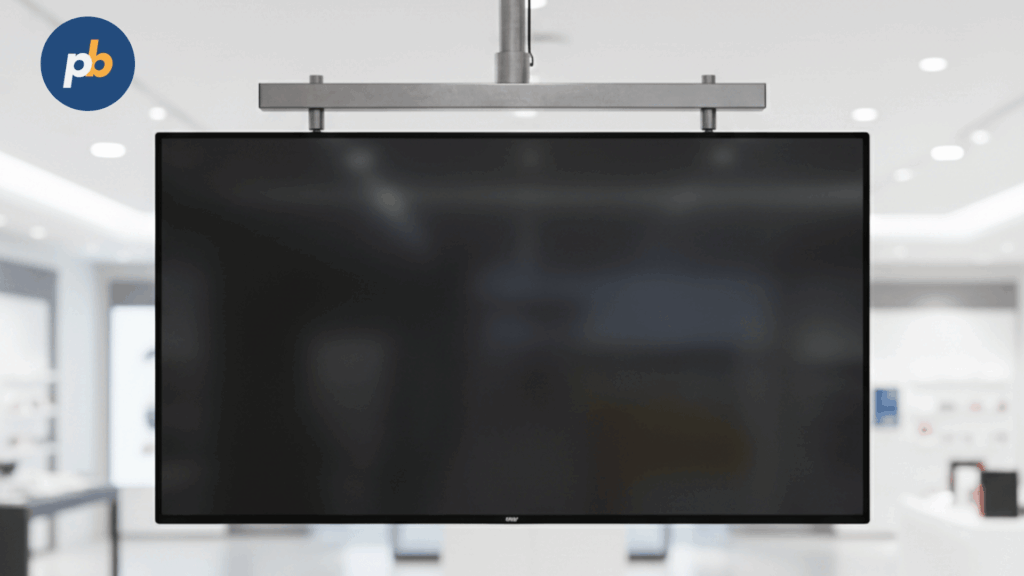
Samsung QM55C is the best signage modern display for cinemas because 500-nit sustained brightness, non-glare coating, 24/7 duty rating, and RS-232/LAN control deliver legibility and fleet manageability for menus and trailers in dim lobbies. Its uniform panel and slim bezels suit tiled lobby arrays without distracting seams.
Where Samsung QM55C Excels In Cinemas include:
- Indoor Menu Boards And Concession Price Displays
- Lobby Promotions With Mixed Video And HTML5 Widgets
- Tiled Feature Walls Requiring Consistent Color Balance
- Low-Glare Environments With Dark Interior Finishes
Window/Exterior Alternative For Cinemas include:
- Samsung OM55B High-Bright For Window-Facing Daylight Scenes
What Is the Best Signage Visual for Cinemas?
High-contrast hero key art with an oversized showtime grid is the best signage visual for cinemas because the composition reads instantly in low light and converts directly to ticket or concession action. Large typography, limited color palettes, and restrained motion keep scanning effortless for moving crowds.
Elements Of A High-Performing Cinema Visual include:
- Hero Artwork Cropped For 16:9 And 9:16 Canvases
- Oversized Showtime Grid With Clear Start Times
- One Dominant Call To Action For Tickets Or Combos
- High-Contrast Palette Suited To Dark Lobbies
- Short Motion Accents That Avoid Visual Fatigue
Common Pitfalls To Avoid In Cinema Visuals include:
- Thin Typefaces That Collapse At Distance
- Excessive Zones Competing For Attention
- Long Loops That Outrun Dwell Time
- Low-Contrast Palettes Against Dark Interiors
- Reflections From Glossy Background Materials
How Do Concession Menu Boards And Promos Work Best?
Concession boards work best when dayparted for matinee versus prime, dynamically bundle high-margin combos, label allergens consistently, swap out of stock items automatically, and add queue-busting “Fast Picks.” Legible prices and clear imagery reduce decision time and increase attachment.
Table: Item → Upsell Pairing → Profit Cue (Illustrative)
| Item | Upsell Pairing | Profit Cue |
|---|---|---|
| Popcorn (M) | Drink upgrade + candy | “Save 15% as a combo” |
| Nachos | Extra cheese + drink | “Add creamy dip for +$” |
| Hot dog | Chili/cheese add-on | “Make it loaded” |
| Ice cream | Topping pair | “Try caramel drizzle” |
Allergen Labeling Checklist for Cinema Menus include:
- Standardize Iconography For Common Allergens
- Place Allergen Icons Adjacent To Item Names
- Provide Plain-Language Callouts For Severe Risks
- Link To QR Pages With Full Ingredient Lists
- Train Staff On Update And Override Procedures
What Should Corridor/Wayfinding And Auditorium Door Signs Show?
Corridor and door signs should show directional arrows, auditorium numbers, runtime and next-show status, “now seating” versus “cleaning,” and accessibility flags such as CC/AD or hearing loop availability. Clean, bilingual icons reduce last-minute crowding at doors.
Door Sign Essential Fields for Cinemas include:
- Auditorium Number And Current Title
- “Now Seating,” “Cleaning,” Or “Sold Out” Status
- Start Time And Remaining Runtime
- Rating Badges And Content Warnings
- Accessibility Flags For CC/AD/Hearing Loop
What Can Pre-Show And In-Auditorium Screens Do (Non-Intrusively)?
Pre-show and in-auditorium screens can host captioned trivia and silent games via QR, safety and device-etiquette reminders, loyalty signups, and sponsor slots, then auto-blackout at trailer start to avoid conflicts with audiovisual policy. The tone remains calm and readable in low light.
Pre-Show Content Rules for Cinemas include:
- Favor Captions And Mute Audio Except For Policy Spots
- Use 15–30-Second Segments With Clear Countdown
- Gate Sponsor Slots With Frequency Caps
- Auto-Blackout At Trailers And Feature Start
- Present Accessibility Notices Before Lights Down
What Content Belongs at Exits And Post-Show Zones?
Exit and post-show screens should capture feedback and trigger return visits using short surveys, next-visit offers, ride-share codes, and lost-and-found QR links. Placement just past the auditorium threshold keeps flows moving.
Post-Show Calls-To-Action for Cinemas include:
- Publish Short Survey QR With Incentives
- Present Next-Visit Bundle Discount Or Off-Peak Offer
- Share Ride-Share Codes And Parking Reminders
- Link To Lost-And-Found And Support Pages
- Promote Upcoming Festivals And Special Screenings
What Integrations Make Cinema Signage Truly “Live”?
Live behaviour requires integrations to TMS for schedules and auditorium changes, POS for menus and stock, loyalty CRM for targeted perks, queue systems for status, emergency feeds for overrides, and parking/transport data for arrival and exit messaging. APIs and webhooks keep boards aligned to reality.
Table: System → Data Provided → Signage Use → Failover
| System | Data | Use | Failover |
|---|---|---|---|
| TMS | Showtimes, rooms, status | Box office, doors | Cached last-known times |
| POS | Items, prices, stock | Menus, promos | Default menu playlist |
| CRM | Loyalty tiers | Targeted perks | Generic loyalty slide |
| Queue | Queue length/ETAs | Queue busters | Static etiquette slide |
| CAP/Emergency | Alerts | Overrides | Local emergency playlist |
| Transport | Departures/traffic | Exit guidance | Hide module gracefully |
API And Secret Handling Tips for Cinema Signage include:
- Store Secrets In Vaults Or Device Keychains
- Rotate Keys On A Fixed Cadence
- Use Webhooks With Signature Validation
- Log Minimal PII And Anonymize Analytics
- Implement Retries With Exponential Backoff
How Do You Sync Showtimes And Auditorium Changes Safely?
Safe syncing uses short-interval polling or push events from TMS, conflict rules for last-minute swaps, and clear fallbacks when the TMS is offline. A visible “updated” timestamp reassures staff and guests.
Table: Event → Signage Update → SLA
| Event | Update | SLA |
|---|---|---|
| New show added | Add to boards and doors | ≤ 60 seconds |
| Auditorium swap | Update boards, doors, wayfinding | ≤ 60 seconds |
| Cancellation | Strike through and remove | ≤ 60 seconds |
| Delay | Add delay banner and revised time | ≤ 60 seconds |
Rollback Scenarios for Cinema Show Boards include:
- Revert To Last-Known Valid Schedule
- Freeze “Now Seating” Until Conflict Clears
- Show “See Staff” Banner For Affected Titles
- Alert Duty Manager Via NOC Dashboard
How Can POS/Inventory Drive Dynamic Menus?
POS and inventory drive dynamic menus by auto-hiding sold-out items, rotating slow movers into spotlight positions, time-boxing price tests per daypart, and pushing updated allergen and ingredient flags. The result is a live menu that protects trust.
Table: POS Field → Visual Change (Illustrative)
| POS Field | Change |
|---|---|
| Item out of stock | Hide or grey item with notice |
| Low inventory | “Limited” badge |
| Price test active | Variant price tile |
| New allergen | Updated icon and tooltip |
How Do You Plan Content Strategy And Loops for Cinemas?
Content strategy hinges on dwell time and decision density per zone: queues allow longer, richer loops; pass-by corridors require ultrashort panels; lobby features blend inspiration and guidance; and pre-show adheres to quiet, caption-first rules. Frequency caps avoid fatigue, and “T-windows” time content relative to show starts.
Table: Zone → Dwell → Slot Duration → Loop Length
| Zone | Typical Dwell | Slot Duration | Loop Length |
|---|---|---|---|
| Exterior window | 3–8 seconds glance | 6–10 seconds | 1–2 minutes |
| Lobby feature | 2–5 minutes | 10–15 seconds | 8–12 minutes |
| Box office | 30–90 seconds | 5–8 seconds | 2–3 minutes |
| Concession queue | 2–6 minutes | 6–10 seconds | 4–6 minutes |
| Corridor | 2–5 seconds glance | 3–5 seconds | 45–90 seconds |
| Door signs | Micro-dwell | Status tickers | Continuous |
| Pre-show | 5–10 minutes | 15–30 seconds | 5–7 minutes |
Frequency Rules for Cinema Signage include:
- Cap Offer Repeats At One In Four Slots
- Reserve “Now Seating” And Safety Spots As High Priority
- Weight Loyalty And App QR Higher Before Feature Start
- Reduce Sponsor Frequency In Short Queues
- Suppress Conflicting Messages Near Doors
How Do You Handle Dayparts And Seasonal Calendars?
Dayparts and seasons are handled by weekday/weekend patterns, school holidays, festival runs, and late shows, each with tuned loops and menu variants. An editorial calendar prevents ad-hoc chaos.
Daypart Triggers for Cinema Loops include:
- Weekday Matinee With Family-Friendly Offers
- Prime Evenings With Premium Combos And Seat Upgrades
- Late Shows With Quiet Visuals And Minimal Motion
- Holiday Weeks With Extended Screens For Seasonal Titles
- Festival Runs With Sponsor And Venue Scheduling
What Localization And Language Rules Should Be Adopted?
Localization rules prioritize languages based on auditorium or title metadata, ensure subtitles on silent loops, and mirror local rating boards and icon sets. Consistency avoids confusion across international audiences.
Table: Locale → Formatting Notes (Illustrative)
| Locale | Notes |
|---|---|
| US | MPAA rating badges, 12-hour time |
| UK | BBFC badges, 24-hour time |
| FR | Age pictograms, French labels |
| GCC | Arabic/English, right-to-left support |
Rating Display Checklist for Cinemas include:
- Place Rating Badges Adjacent To Titles
- Use Country-Specific Icons And Pictograms
- Add Brief Content Warnings Where Required
- Maintain Minimum Size For Legibility
- Apply Consistent Placement Across Boards
How Do You Design Cinema Signage for Readability And Accessibility?
Readability and accessibility depend on distance-scaled typography, high contrast, color-blind-safe palettes, moderated motion, captioning norms, and epilepsy/flash warnings near trailers. Each screen’s viewing distance sets minimum letter heights.
Table: Viewing Distance → Minimum Text Size/Weight (Guidance)
| Viewing Distance | Minimum Cap Height | Weight |
|---|---|---|
| 1–2 m (queues) | 20–24 px at 1080p | Semibold+ |
| 2–3 m (lobby) | 28–36 px | Semibold+ |
| 3–5 m (corridor) | 36–48 px | Bold |
| 5–8 m (feature wall) | 60–72 px | Bold |
WCAG-Aligned Checklist for Cinema Signage include:
- Maintain Contrast Ratios For Text And Icons
- Provide Captions For All Video-Based Content
- Limit Flashing And Strobing Below Thresholds
- Offer Language Variants Where Demographics Require
- Use Consistent Iconography For Accessibility Features
How Do You Represent Ratings, Warnings, And Accessibility Features?
Ratings, warnings, and accessibility features should use standardized icons and brief labels placed near titles and time chips, with optional tooltips or info panels on interactive kiosks. Consistency across boards builds trust.
Table: Flag → Icon → Placement → Tooltip
| Flag | Icon | Placement | Tooltip |
|---|---|---|---|
| Rating | Age badge | Next to title | “Age rating and guidance” |
| Strobe | Triangle with bolt | Pre-show slide | “Strobe/flashing advisory” |
| CC | “CC” in box | Door sign and pre-show | “Closed captions available” |
| AD | Headphones | Door sign and pre-show | “Audio description available” |
| Hearing Loop | Ear with T | Lobby and door | “Induction loop available” |
How Should QR/NFC Be Used Without Clogging Queues?
QR/NFC should hand off to upgrades, snack pre-orders, and app installs only where scanning does not stall lines; sizing, contrast, and placement govern success. Short URLs support fallbacks.
QR Sizing And Placement Rules for Cinemas include:
- Size Codes So Short-Range Scans Work At 1–2 Meters
- Maintain High Contrast And Quiet Zones Around Codes
- Place Codes Above Waist Height And Out Of Congested Paths
- Keep Landing Pages Lightweight And Mobile-Optimized
- Add Short URLs For Non-Scanner Fallbacks
What Operational Workflow Keeps Everything Accurate And Safe?
A reliable workflow assigns roles across content, operations, IT, and duty management, enforces approvals for titles and ratings, defines change windows, and maintains incident playbooks for overrides and outages. Routine checklists keep the network trustworthy.
Table: Task → Owner → SLA
| Task | Owner | SLA |
|---|---|---|
| Title/rating approval | Content lead + Legal | 24 hours |
| Showtime sync check | Duty manager | Hourly |
| Menu/price audit | Concessions + Content | Daily |
| Health review | IT/NOC | Hourly |
| Emergency test | IT + Ops | Monthly |
Daily/Weekly/Monthly Checklists for Cinema Signage include:
- Verify Schedule Sync And Door Status Fields
- Confirm Menu Accuracy And Allergen Icons
- Review Health Dashboards And Screenshots
- Rotate Creative Per Calendar And Daypart
- Run Emergency Override And Blackout Tests
How Do You Test And Commission Content Before Opening?
Testing and commissioning require screenshot audits, rating proofing, time sync checks, power-on sequencing, and blackout rules tied to TMS cues. A pass/fail table creates accountability.
Opening Checklist for Cinema Signage include:
- Capture Screenshots Across All Zones And Compare To Specs
- Confirm Time Sync Across Players And Controllers
- Test Blackout At Trailers And Feature Start
- Validate Door Status Changes And Wayfinding Arrows
- Rehearse Emergency Override And Return-To-Normal
Table: Test → Pass Criteria
| Test | Pass Criteria |
|---|---|
| Showtime board accuracy | Times and rooms match TMS |
| Menu accuracy | Prices/items match POS |
| Blackout cue | Pre-show blanks at trailer start |
| Emergency override | All endpoints switch within SLA |
How Do You Monitor And Maintain Reliability?
Reliability is maintained by heartbeats, remote screenshots, temperature alerts for window/outdoor units, and offline caching tests during quiet windows. Cohort-based firmware updates reduce risk.
Table: Alert → Threshold → Response
| Alert | Threshold | Response |
|---|---|---|
| Heartbeat missed | >3 polling cycles | Reboot → ticket |
| High temperature | Above vendor limit | Throttle → service |
| Offline cache empty | <1 loop buffered | Preload and verify |
| Door status mismatch | 2+ cycles | Manual check |
How Do You Measure Impact And Iterate?
Impact is measured by tying promos to POS attachment rates, tracking queue throughput, counting app downloads, and collecting NPS via exit surveys; A/B tests refine menus, countdowns, and sponsor pacing. Weekly reviews feed the content backlog.
Table: KPI → Measurement → Action
| KPI | Measurement | Action |
|---|---|---|
| Combo attach rate | POS linkage to promo windows | Repeat or rotate combo art |
| Queue time | Sensor timing and staff observation | Adjust “Fast Picks” tiles |
| App downloads | QR hits → store installs | Tune QR size/placement |
| NPS | Post-show survey responses | Prioritize pain-point fixes |
Ten Experiment Ideas for Cinema Signage include:
- Test Trailer Countdown Length Against On-Time Seating
- Swap Price-First Versus Image-First Combo Tiles
- Promote Two-For-Tuesday Banner At T-30 Minutes
- Trial Late-Show Hot Drink Offers Post-9pm
- Add “Fast Picks” Buttons On Busy Saturdays
- Surface “Now Seating” Tickers In Foyer At T-10 Minutes
- Rotate Loyalty Perks By Auditorium Genre
- Change Color Keys For “Low Seats” Visibility
- Place Exit Survey QRs At Eye Level Versus Waist Level
- Compare Static Versus Subtle Motion On Menu Headers
What Experiments Work Well in Cinemas?
Successful experiments align timing and context: “Two-for-Tuesdays” before after-work shows, combo imagery versus price emphasis in long queues, pre-show trivia that raises early seating, and late-show snack offers that match colder evenings. Each test defines a primary metric and a go/no-go rule.
Table: Hypothesis → Metric → Expected Lift
| Hypothesis | Metric | Expected Lift |
|---|---|---|
| Countdown at T-15 raises seating | On-time seating % | +5–10% |
| Image-first combos in queues | Combo attach rate | +3–6% |
| Late-show hot drinks tiles | Hot drink sales 9–11pm | +8–12% |
| Shorter sponsor loop | Recall and satisfaction | +5–8% |
Experiment Design Tips for Cinema Signage include:
- Define One Primary Metric Per Test
- Run Matched Control Windows Or Screens
- Cap Test Duration To One–Two Weeks For Clarity
- Pre-Register Stop/Go Criteria And Commit
- Archive Creatives And Results For Reuse
What Compliance, Safety, And Brand Governance Must Be Followed?
Compliance covers rating visibility, alcohol/age notices where served, ADA/egress clearance for screens, brightness limits near windows/roads, and emergency override precedence that trumps all playlists. Brand governance locks templates, icon sets, and caption rules.
Compliance Checklist for Cinema Signage include:
- Display Age Ratings And Required Content Warnings
- Show Alcohol Service Notices Where Applicable
- Maintain ADA Protrusion And Egress Clearances
- Limit Window Brightness After Local Quiet Hours
- Test Emergency Override And Priority Lanes Regularly
Table: Event (Fire Alarm) → Signage Behavior
| Event | Behavior |
|---|---|
| Fire alarm | Immediate override to evacuation cues |
| Shelter-in-place | Directional and instruction slides |
| Medical emergency | “Clear corridor” and staff paging |
| System outage | Fallback safety loop |
How Do You Plan for Emergencies And Incident Response?
Emergency readiness requires clear message authority, kill-power and stop-show procedures, crowd guidance templates with arrows and bilingual text, and routine drills that prove overrides work. Documentation sits at the duty manager desk.
Emergency “Pull The Plug” Rules for Cinemas include:
- Define Message Ownership And Escalation Paths
- Practice Manual Blackout And Room-By-Room Overrides
- Keep Paper Placards For Worst-Case Outages
- Stage Bilingual Evacuation Templates With Arrows
- Log Every Incident And Post-Mortem Within 24 Hours
What Does a Practical 90-Day Rollout Plan Look Like?
A practical 90-day plan moves from discovery and site survey to integrations and pilot, then hardening and first-wave scale, each gated by defined acceptance tests. Tight feedback loops avert compounding errors at expansion.
Milestones for a 90-Day Cinema Signage Rollout include:
- Approve Objectives, KPIs, And Visual Guidelines
- Complete Surveys, Photos, And Power/Network Audits
- Connect TMS/POS And Validate Test Data
- Pilot In One–Two Sites With Daily Reviews
- Harden Templates, Rules, And Monitoring Before Scale
Table: Risk → Mitigation → Owner
| Risk | Mitigation | Owner |
|---|---|---|
| Last-minute title swaps | TMS push and rollback rules | Content lead |
| Window glare | AR glass and layout contrast | AV/Facilities |
| Queue congestion | “Fast Picks” and lane signage | Concessions |
| Connectivity issues | Caching and LTE backup | IT/Network |
How Do Small Independents Vs Multiplex Chains Differ?
Independents benefit from template reuse, simpler integrations, and a minimum-viable stack, while multiplexes require deeper TMS/POS links, stricter governance, and NOC-style monitoring. Scale primarily changes process, not principles.
Table: Independent Vs Chain → Must-Haves → Nice-To-Haves
| Operator | Must-Haves | Nice-To-Haves |
|---|---|---|
| Independent | CMS templates, TMS sync, menus | UGC wall, advanced A/B |
| Chain | Full TMS/POS/CRM, NOC monitoring | Per-auditorium targeting |
Scaling Tips for Cinema Signage include:
- Standardize Templates Across Sites And Dayparts
- Centralize Overrides And Blackout Controls
- Roll Out In Cohorts With Clear Acceptance Gates
- Maintain A Shared Library Of Tested Creatives
- Document Support Playbooks And Escalations
What Common Mistakes Should Cinemas Avoid With Digital Signage?
Common mistakes include tiny type on showtime boards, over-animated menus that stall queues, uncaptioned lobby trailers, unmapped last-minute auditorium swaps, and untested offline behavior. Each error erodes trust and throughput.
Top Mistakes And Quick Fixes for Cinemas include:
- Avoid Tiny Showtime Type And Increase Cap Height
- Avoid Endless Animations And Add Static Decision Panels
- Avoid Uncaptioned Trailers And Enforce Captions By Default
- Avoid Manual Swaps And Automate TMS Push With Rollback
- Avoid Cache Assumptions And Test Offline Loops Weekly
What FAQs Do Cinema Teams Ask About Signage?
Cinema-specific FAQs hinge on loop timing, last-minute changes, window brightness, caption policy, and QR placement to keep lines moving, and concise standards answer most recurring questions.
FAQs for Cinema Signage include:
How Long Should Lobby Loops Be?
Eight to twelve minutes with 10–15-second slots balances variety with recall.
How Are Last-Minute Auditorium Swaps Handled?
Accept TMS push, update boards and door signs within 60 seconds, and fall back to cached schedule if offline.
What Is The Minimum Nit Level For Windows?
Target 1,500–3,500 nits with anti-reflective glass and high-contrast palettes.
Are Captions Required On Lobby Trailers?
Yes, captions are recommended to preserve comprehension in noisy or muted areas.
Where Should QR Codes Go So Lines Keep Moving?
Place near eye level in queue lanes with high contrast and short URLs, sized for 1–2-meter scans.