
Digital signage for banking is a governed network of branch, ATM/ITM, drive-thru, and office screens that delivers compliant, time-sensitive messages to customers and staff, and the right solution is chosen by aligning venues and risks with signage software that supports approvals, auditability, and regional targeting plus hardware that ensures legibility and uptime. Banks that standardize placements and workflows across the journey, from street capture to adviser consultation, report faster decisions, clearer compliance, and measurable adoption of digital services.
Table Of Contents
- What Exactly Is “Digital Signage for Banking,” And Why Now?
- How Does Digital Signage Differ Across Retail Banks, Credit Unions, And Private Banking?
- Where Should Banks Deploy Screens Across The Customer Journey?
- How Should Exterior And Window-Facing Displays Be Used?
- What Works In Lobbies, Teller Lines, And Waiting Areas?
- Where Do Small-Format And Private-Office Screens Make Sense?
- How Do ATM/ITM Surrounds And Vestibules Benefit From Signage?
- Should Banks Use Drive-Thru Or Parking-Lot Displays?
- What Is the Most Effective Signage Placement Strategy for Banks?
- What Are the Best Mounting Solutions for Banks?
- What Is the Best Digital Signage Software for Banks?
- What Is the Best Signage Screen for Banks?
- What Is the Best Signage Content for Banks?
- What Content Should Banks Show And How To Keep It Compliant?
- How To Present Interest Rates And Disclosures Correctly?
- How Should Banks Approach Fraud Alerts And Security Education?
- What Financial Education Performs Best On Lobby Screens?
- How Does A Banking-Grade Signage System Work End-To-End?
- What Governance And Approval Workflows Do Regulated Teams Need?
- Which Software Features Are Must-Have For Banks And Credit Unions?
- What Integrations Matter Most In Banking?
- What Hardware Should Banks Choose For Reliability And Readability?
- Should SoC Displays Or External Media Players Be Used?
- What Compliance, Security, And Privacy Standards Apply To Signage In Banks?
- How To Validate Third-Party Content And Accessibility At Scale?
- How To Measure ROI For Banking Signage - And Prove Value?
- What Content Experiments Increase Conversion Without Risking Compliance?
- How To Operate And Support A Multi-Branch Network Day-To-Day?
- What Is The 90-Day Rollout Plan From Pilot To Enterprise Scale?
- Which Digital Signage Platform Is Best For The Bank’s Situation?
- What Is The Best Software For National/Multi-Region Banks?
- What Is The Best Software For Community Banks And Credit Unions?
- What Is The Best Signage Stack For ATM/Vestibule And 24/7 Zones?
- What Is The Best Signage Setup For Advisory Rooms And Privacy-Sensitive Spaces?
- How Do Cloud, On-Prem, And Hybrid Approaches Compare For Banks?
- What Belongs In A Banking-Specific RFP And Scoring Rubric?
- How Should Banks Budget (TCO) And Forecast ROI?
- What Common Mistakes Do Banks Make And How To Avoid Them?
- Best Signage Integrations for Banks
- How to Integrate Digital Signage with Queue Management Systems?
- How to Display Live Interest Rates and Forex Updates?
- How to Stream Compliance Announcements and Security Alerts?
- How to Showcase Financial Education Content on Screens?
- How to Use Digital Signage to Promote Banking Products (Credit Cards, Insurance, Loans)
- What FAQs Do Banking Teams Ask About Digital Signage?
- Can Rate Updates Be Automated With Correct Disclosures?
- How To Prevent PII On Screens?
- What Brightness For Windows Vs Lobbies?
- How Do Approvals Work With Legal/Compliance?
- Can Content Be Targeted By Branch Attributes?
- What Is The Best Way To Measure ROI?
- Cloud Vs On-Prem - Which Is Safer?
- Where Strategy Meets Buying Decisions
What Exactly Is “Digital Signage for Banking,” And Why Now?
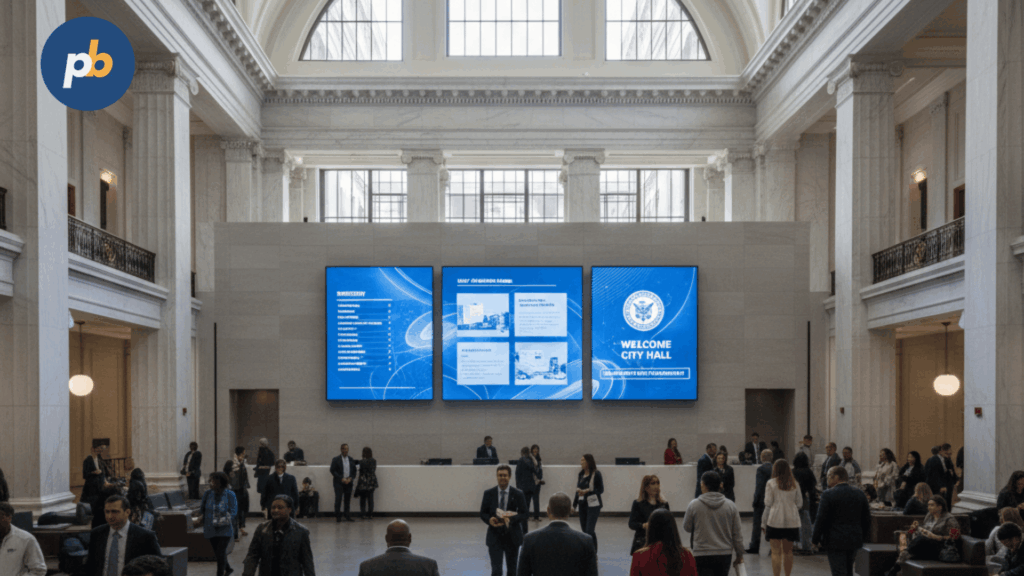
Digital signage for banking is an enterprise media channel that publishes rates, product education, fraud alerts, service status, and community updates across branches, vestibules, ATMs/ITMs, and office spaces using a Display management system with banking-grade approvals and audit trails, and momentum now stems from branch modernization, queue transparency expectations, and compliance-safe content automation. Unlike retail signage that pushes offers broadly, banking signage operates under tighter disclosure, brand, and privacy controls while still seeking measurable outcomes.
Top Outcomes Of Banking Digital Signage include:
- Reduced Perceived Wait Time
- Increased Cross-Sell And Appointment Uptake
- Higher Digital Adoption (App Downloads, e-Statements)
- Lower Fraud-Related Calls And Chargebacks
- Improved Compliance Proofs And Audit Readiness
- Faster Emergency And Service Alerts Propagation
Table: Retail Signage vs Banking Signage - Governance, Risk, Data Sensitivity
| Dimension | Retail Signage | Banking Signage |
|---|---|---|
| Governance | Marketing-led campaigns | Legal/Compliance approvals with maker-checker |
| Risk Profile | Brand and promotional accuracy | Regulatory disclosures, rate accuracy, privacy |
| Data Sensitivity | Limited PII exposure | No PII on public screens; audited sources only |
How Does Digital Signage Differ Across Retail Banks, Credit Unions, And Private Banking?
Digital signage differs by audience expectations, privacy posture, and product emphasis: consumer retail banks emphasize service speed and mainstream products, credit unions highlight community impact and financial education, and private banking prioritizes discretion and advisory guidance within quiet spaces.
Table: Bank Type, Typical Goals, And Content Emphasis
| Bank Type | Typical Goals | Content Emphasis |
|---|---|---|
| Retail Banks | Throughput, cross-sell, fraud reduction | Rates, product explainers, queue cues |
| Credit Unions | Member education, community ties | Literacy, local events, member benefits |
| Private Banking | Relationship depth, discreet guidance | Advisory themes, appointment readiness |
Tone And Brand Guardrails For Banking Signage include:
- Use Plain-Language Explanations
- Maintain Quiet Visuals In Private Areas
- Reserve Bold Motion For Street-Facing Zones
- Enforce Disclosure Hierarchy And Legible Contrast
- Provide Multilingual Variants Per Market
Where Should Banks Deploy Screens Across The Customer Journey?
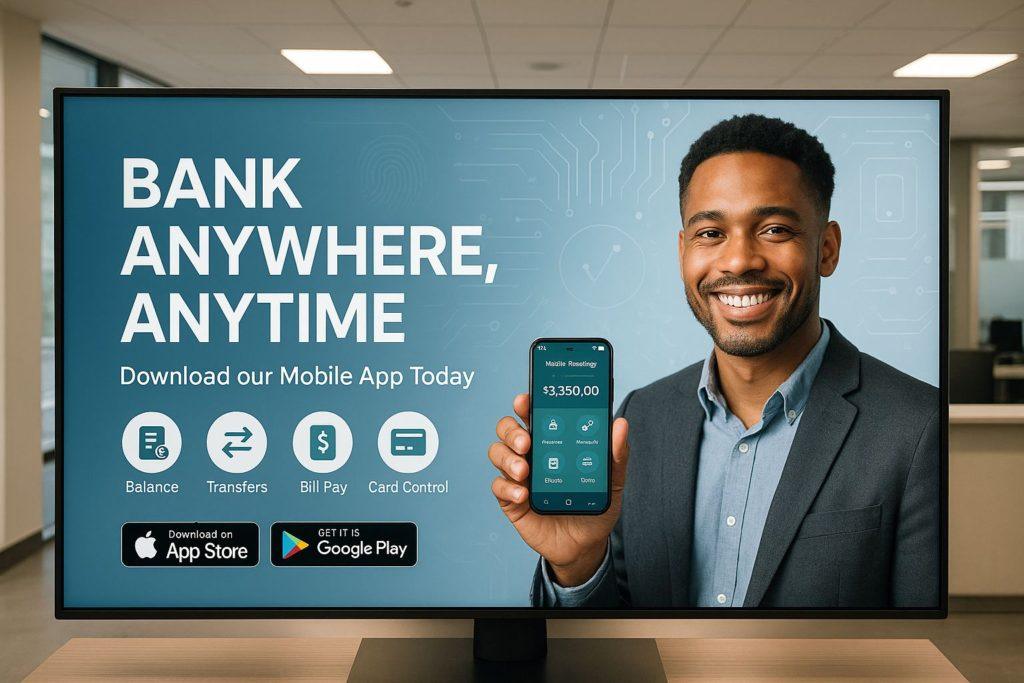
Screens should be deployed from curb to counter to consultation rooms, mapping glance-based awareness near entrances and sidewalks, dwell-time education in lobbies and teller lines, and decision support in advisory rooms - each with brightness, viewing distance, and accessibility tuned to the zone.
Placement Do’s And Don’ts For Banking Branches include:
- Place Street-Facing Displays At Eye Level With High Brightness
- Keep Lobby Screens Within Clear Sightlines Of Queues
- Avoid Obstructing Egress And ADA Routes With Totems
- Reserve Private Content For Enclosed Advisory Rooms
- Maintain Service Access And Cable Protection Behind Cladding
How Should Exterior And Window-Facing Displays Be Used?
Exterior and window-facing displays should promote hours, high-level rate highlights, community notices, and emergency messages with 1,500–3,500-nit brightness, anti-reflective glass, and content that remains readable at a glance under daylight, while respecting local signage ordinances.
Table: Window Specification - Nits, Coatings, And Mount
| Window Type | Recommended Nits | Optics | Mount/Notes |
|---|---|---|---|
| North/East Facing | 1,500–2,000 | AR Glass | Fixed Wall Mount With Service Access |
| South/West Facing | 2,500–3,500 | AR Laminated | High-TNI Panel, Thermal Clearance |
| Street-Level Direct Sun | 3,500+ | AR Laminated | Enclosure Or Kiosk With IP Rating |
What Works In Lobbies, Teller Lines, And Waiting Areas?
Lobbies, teller lines, and waiting areas work best with queue transparency, timely fraud alerts, product explainer loops, and community stories presented with large text, high contrast, and minimal motion that preserves readability from 3–6 meters.
Lobby Content Mix For Banking Signage include:
- Queue And Appointment Status Panels
- Fraud And Security Alerts With Clear Actions
- Product Explainers For Loans, Cards, And Savings
- Community And CSR Highlights
- Digital Adoption Prompts For App Download And Bill Pay
Table: Loop Length And Recommended Content Percentages
| Loop Length | Status & Alerts | Education | Product | Community | Fallback |
|---|---|---|---|---|---|
| 6–8 Minutes | 20% | 25% | 35% | 15% | 5% |
Where Do Small-Format And Private-Office Screens Make Sense?
Small-format and private-office screens make sense in advisory rooms for appointment welcomes, calculators, and process explainers at conversational distances, with strict no-PII rules, conservative audio policies, and discrete brightness to respect privacy and comfort.
Privacy-Safe Practices For Advisory-Room Displays include:
- Disable Notifications And Screen Mirroring
- Avoid Displaying Names Or Account Identifiers
- Use Headphone Or Near-Field Audio Where Needed
- Provide Quick Blank Or “Privacy Mode” Hotkeys
- Log Access And Content Changes For Audit
How Do ATM/ITM Surrounds And Vestibules Benefit From Signage?
ATM/ITM surrounds and vestibules benefit from adjacent upsell prompts, digital adoption nudges, and off-hours safety and service notices, with emergency overrides and high-contrast, captioned content that remains legible through glass at night.
Table: Vestibule Content Rules And Brightness
| Time Window | Content Rules | Brightness |
|---|---|---|
| Banking Hours | Upsell, Digital Prompts, Community | 700–1,000 Nits |
| Off-Hours | Safety, Service Notices, Emergency | 400–700 Nits With Dimming |
Off-Hours Content Rules For Banking Vestibules include:
- Favor Safety And Service Notifications
- Diminish Brightness To Reduce Light Spill
- Disable Sound Or Use Captions Only
- Keep Emergency Override Ready And Tested
Should Banks Use Drive-Thru Or Parking-Lot Displays?
Drive-thru and parking-lot displays should guide vehicles to the correct lanes, present service menus, and provide safety notices with high-brightness outdoor-rated hardware, glare control near roads, and adherence to municipal luminance and placement rules.
Regulatory Watch-Outs For Exterior Banking Displays include:
- Observe Local Brightness Caps And Curfews
- Avoid Driver Distraction With Fast Motion
- Maintain Clear Sightlines For Pedestrians
- Ensure IP/IK Ratings And Vandal Resistance
- Provide Surge And Lightning Protection
What Is the Most Effective Signage Placement Strategy for Banks?
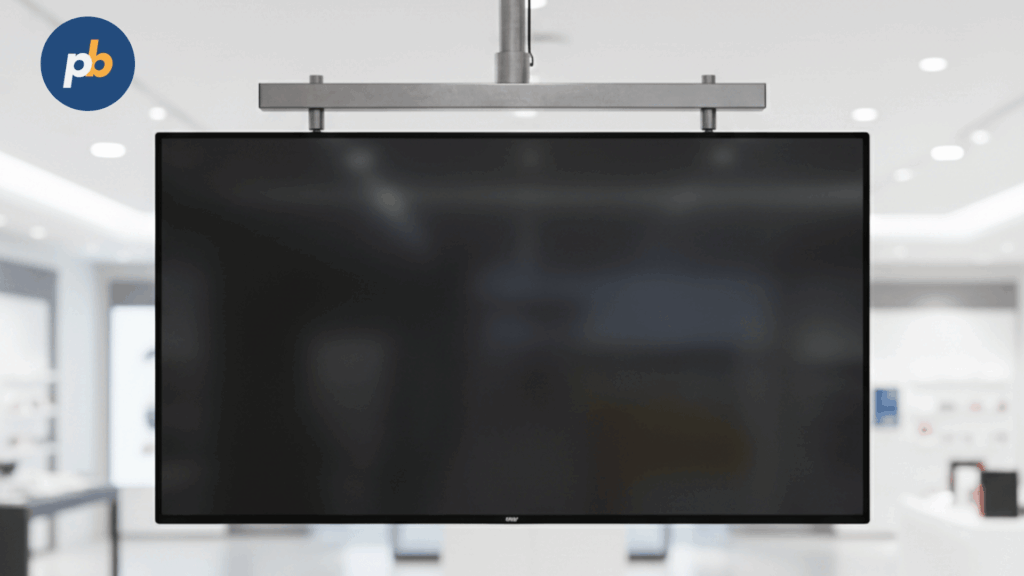
The most effective signage placement strategy for banks prioritizes high-intent zones, lobbies, queues, ATMs, advisory rooms, and drive-throughs - so messages match dwell time, decisions, and compliance expectations.
Priority Bank Signage Placements include:
- Lobby Welcome Zones
- Teller-Line Queue Corridors
- ATM And Vestibule Areas
- Advisory And Consultation Rooms
- Drive-Through Lanes And Canopies
- Back-Office And Break-Room Boards
- Exterior Windows For Hours And Alerts
What Are the Best Mounting Solutions for Banks?
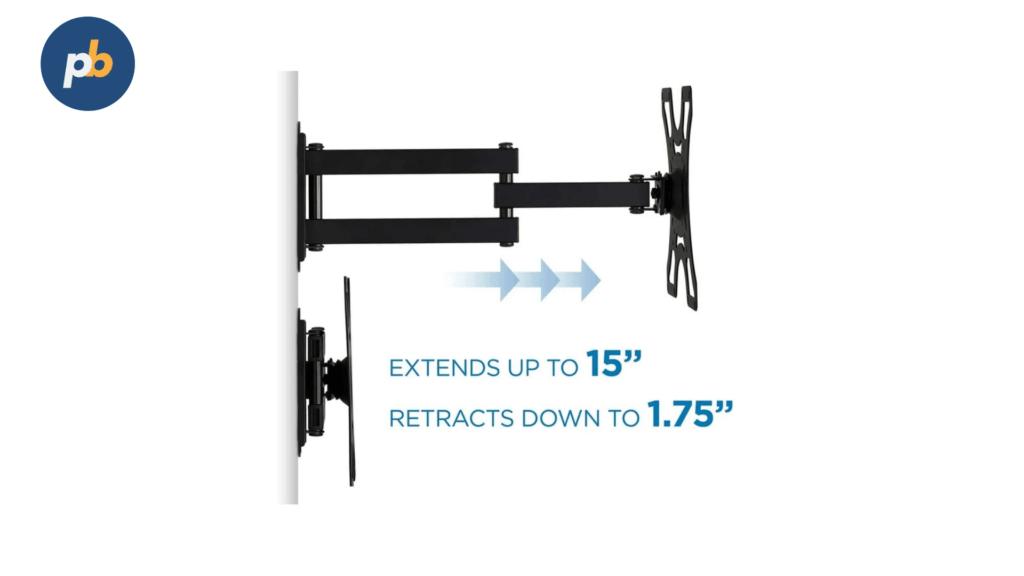
Pop-out service wall mounts are the best mounting brackets for banks because of ADA-friendly depth control, clean cable management, and fast front-service access that minimizes downtime in public spaces.
Mounting Choices For Bank Environments include:
- Pop-Out Service Wall Mounts For Feature Walls
- Low-Profile Tilt Mounts Behind Teller Lines
- Ceiling-Hung Menu Rails In High Ceilings
- Floor-To-Ceiling Poles Where Walls Are Non-Load-Bearing
- Kiosk Totem Bases For Lobbies And Queues
- Security-Head Fasteners And Secondary Safety Retention
What Is the Best Digital Signage Software for Banks?
Appspace is the best digital signage software for banks because of enterprise-grade identity (SSO/MFA), granular role-based approvals, strong device management, and reliable proof-of-play needed for regulated communications.
Bank-Focused Software Capabilities That Matter include:
- Single Sign-On And Multi-Factor Authentication
- Role-Based Approvals And Audit Trails
- Emergency Alert Overrides And Takeover Lanes
- API And Data Integrations For Rates And Queues
- Remote Monitoring, Screenshots, And Health Rules
What Is the Best Signage Screen for Banks?

A 55-inch, 500–700-nit 4K commercial LCD with anti-reflective glass and LAN/RS-232 control is the best digital sign screen for banks because of clear readability in mixed lighting, stable 24/7 operation, and clean integration with enterprise control systems.
Core Display Specifications For Bank Branches include:
- 55-Inch 4K Panel For Mid-Room Readability
- 500–700-Nit Brightness With Anti-Reflective Optics
- Commercial 16/7 Or 24/7 Duty Rating
- Portrait Certification For Directory Use
- RS-232/LAN Control For Fleet Management
What Is the Best Signage Content for Banks?
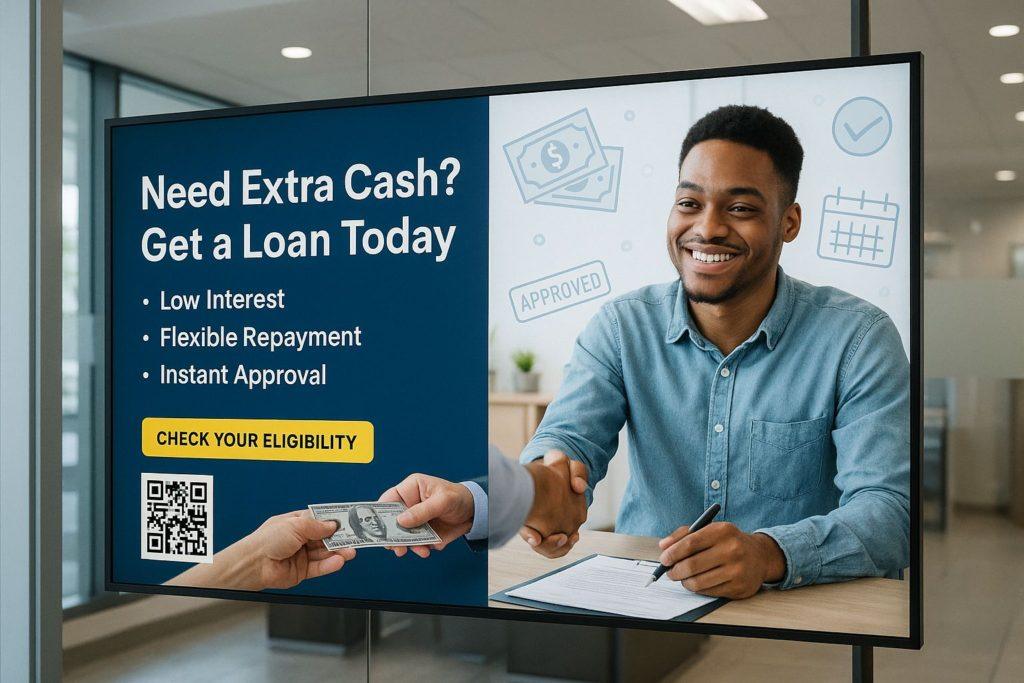
Contextual, compliance-safe content is the best signage visuals for banks because it balances customer education, trust, and operational clarity without exposing sensitive information.
High-Impact Content Blocks For Banking Signage include:
- Live Rate Boards With Clear Disclosures
- Queue Status And Appointment Check-In Panels
- Product Explainers For Loans, Cards, And Accounts
- Security And Fraud Awareness Tips
- Community Updates, Hours, And Service Notices
What Content Should Banks Show And How To Keep It Compliant?
Content should cover rates and disclosures, product promos, fraud alerts, financial literacy, branch services, community/CSR, appointment and queue status, and emergency messages, each governed by templated disclosures, locked brand zones, and auditable approvals.
Table: Content Type, Goal, KPI, And Compliance Notes
| Content Type | Goal | KPI | Compliance Notes |
|---|---|---|---|
| Rates (APY/APR) | Product Inquiry | Clicks/Scans | Disclosures, Logos, Dates |
| Promos (Loans/Cards) | Cross-Sell | Inquiries/Applications | Terms, Eligibility, Disclaimers |
| Fraud Alerts | Risk Reduction | Call Reduction, App Controls Use | Plain Language, Multilingual |
| Education | Literacy | Dwell, QR Scans | Neutral Tone, Accuracy |
| Services | Operational Clarity | Queue Satisfaction | Accessible Formats |
| Community/CSR | Trust | Awareness | Verified Partners |
| Emergencies | Safety | Takeover Success Time | Tested Overrides |
How To Present Interest Rates And Disclosures Correctly?
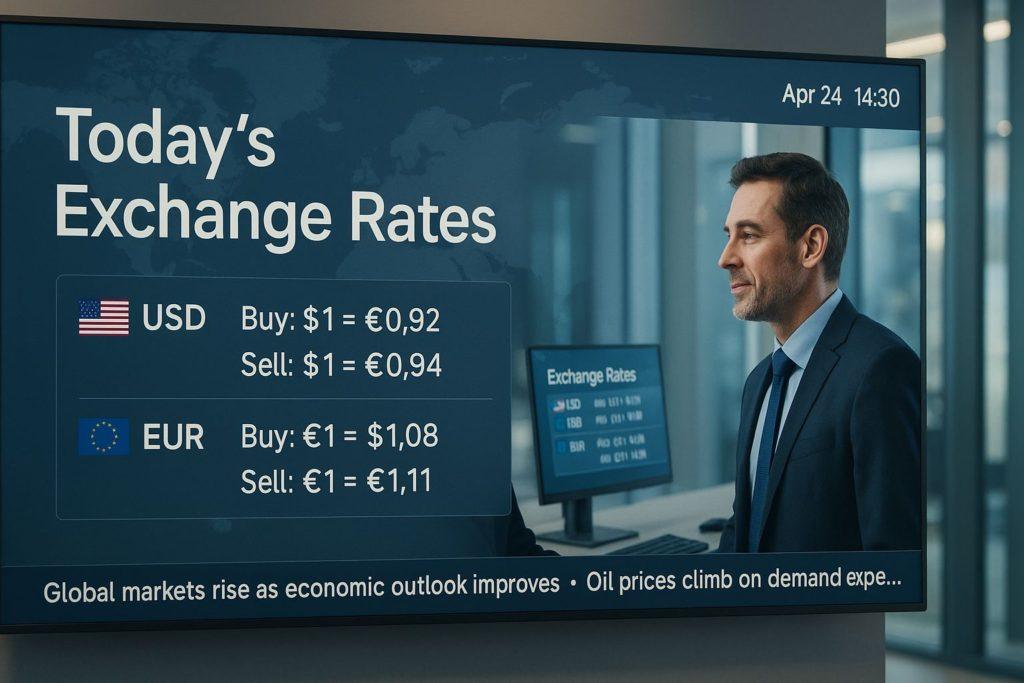
Interest rates and disclosures should present APR/APY with clear effective dates, eligibility markers, Equal Housing Lender icons, and FDIC/NCUA marks where applicable, using a font hierarchy that keeps disclaimers readable at planned distances.
Disclosure Checklist For Banking Rate Panels include:
- Show APR/APY Labels And Effective Dates
- Include Equal Housing Lender And FDIC/NCUA Marks
- Present Eligibility And Limited-Time Notes
- Maintain Minimum Font Sizes And Contrast Ratios
- Align Small Print Within A Fixed “Legal Zone”
Table: Rate Panel - Required Fields And Minimum Standards
| Required Field | Minimum Font/Contrast | Placement |
|---|---|---|
| APR/APY Number | Large, High Contrast | Headline Zone |
| Product And Term | Medium, High Contrast | Subhead Zone |
| Effective/Expires | Medium, High Contrast | Meta Zone |
| Disclaimers | Small, WCAG-Compliant | Legal Zone |
How Should Banks Approach Fraud Alerts And Security Education?
Fraud alerts and security education should present current scams, card-control features, and reporting steps in plain language with multilingual variants and clear action verbs, avoiding fear while making next steps obvious.
Fraud Alert Patterns For Banking Screens include:
- State The Scam Pattern In One Line
- Provide A Simple “Do/Don’t” Action Pair
- Show Card Controls Or Contact Options
- Rotate Examples To Avoid “Banner Blindness”
- Offer QR Handoff To Deeper Guidance
What Financial Education Performs Best On Lobby Screens?
Financial education performs best when delivered in bite-size explainers - credit scores, budgeting, mortgage steps - timed for 15–30-second reads with a QR handoff to calculators or articles.
Table: Topic, Dwell-Time Fit, And CTA
| Topic | Fit | CTA |
|---|---|---|
| Credit Score Basics | 20–30 s | “Scan To Learn Five Fast Ways To Improve” |
| Mortgage Steps | 30 s | “Scan For Personalized Checklist” |
| Budgeting 50/30/20 | 15–20 s | “Scan To Try The Budget Tool” |
How Does A Banking-Grade Signage System Work End-To-End?
A banking-grade system works by planning content and placements, creating templates, passing maker-checker legal review, scheduling by daypart and branch attributes, distributing to players with integrity checks, caching for offline playback, monitoring with alerts and screenshots, and analyzing proofs for optimization.
Stage Gates For Banking Signage Programs include:
- Define Goals, KPIs, And Risk Controls
- Create Templates With Locked Legal Zones
- Run Maker-Checker Review And Approvals
- Schedule With Dayparts And Branch Tags
- Distribute, Verify Screenshots, And Monitor Alerts
Table: Step, Owner, And SLA
| Step | Owner | SLA |
|---|---|---|
| Content Creation | Marketing | 2–5 Business Days |
| Legal Review | Compliance | 1–3 Business Days |
| Scheduling | Ops | Same Day |
| Distribution | IT/Platform | 1–2 Hours |
| Monitoring | NOC/Branch Ops | Real-Time |
What Governance And Approval Workflows Do Regulated Teams Need?
Regulated teams need granular roles and permissions (RBAC), maker-checker approvals, version history, immutable audit trails, emergency takeover, and planned freeze windows during audits or quarter-end.
Table: Role And Permissions
| Role | Permissions |
|---|---|
| Author | Create Drafts, Edit Own |
| Approver (Legal) | Approve/Reject, Comment |
| Scheduler | Assign Playlists, Dayparts |
| Administrator | Manage Users, Roles, Settings |
| Auditor | Read-Only Access To History And Proofs |
Approval Flow Checklist For Banking Content include:
- Enforce Maker-Checker Separation
- Require Versioned Templates With Legal Zones
- Capture Comments And Decisions In Audit Log
- Time-Stamp Proof-Of-Play For Each Asset
- Define Freeze Windows And Emergency Override Paths
How Do Playlists, Tags, And Conditional Rules Localize Content Per Branch?
Localization uses geo and branch tags (hours, services, demographics) plus conditional rules (weather, market movement, regional events) to deliver the right creative to the right screen automatically.
Table: Rule, Trigger, And Content Example
| Rule | Trigger | Content |
|---|---|---|
| Weather-Driven Loans | Temperature < Threshold | “Winterize Finances” HELOC Promo |
| Campus Branch | University Calendar | Student Checking And ATM Map |
| Senior Community | Local Demographics | Retirement Income Explainers |
How Does Offline Mode And Device Health Monitoring Protect Uptime?
Offline mode and monitoring protect uptime by caching playlists, queuing proofs of play, sending heartbeats, capturing remote screenshots, enforcing power schedules, and triggering thermal or door alarms for enclosures.
Offline/Monitoring Checklist For Banking Signage include:
- Enable Local Caching With Playlist Fallbacks
- Queue Proofs Until Connectivity Restores
- Capture Scheduled Remote Screenshots
- Send Heartbeats And Temperature Alarms
- Apply Power Scheduling And Graceful Reboots
Which Software Features Are Must-Have For Banks And Credit Unions?
Must-have features include locked-zone templates, dynamic data fields for rates, proof-of-play logs, SSO/MFA, RBAC with maker-checker, API/webhooks, multi-tenant hierarchies for regions, caption and contrast presets, and exportable audit trails.
Table: Feature, Why Banks Need It, And How To Test
| Feature | Why Needed | How To Test |
|---|---|---|
| Locked Legal Zones | Prevent Unauthorized Changes | Edit Template; Verify Locked Areas |
| Proof-Of-Play | Verify Delivery | Pull Logs For A Time Window |
| SSO/MFA | Access Security | Enforce MFA And Session Expiry |
| RBAC Maker-Checker | Compliance Separation | Attempt Self-Approval - Expect Block |
| API/Webhooks | Automated Feeds | Trigger Rate Update And Observe Swap |
| Multi-Tenant | Regional Control | Delegate To Region Without Global Rights |
Red-Flag Gaps In Banking Signage Software include:
- Missing Maker-Checker Approvals
- No Immutable Audit Trails
- Limited Proof-Of-Play Export
- Inflexible Rate/Disclosure Templates
- Weak SSO/MFA Or Role Granularity
What Integrations Matter Most In Banking?
Critical integrations include rate engines, CRM/marketing automation, appointment and queue systems, branch hours/holiday calendars, and FX feeds for relevant markets, each wrapped with privacy and fallback policies.
Table: Data Source, Connector, Refresh Cadence, And Fallback
| Source | Connector | Cadence | Fallback |
|---|---|---|---|
| Rate Engine | API/Webhook | Hourly Or Intraday | Last Known + “As Of” Timestamp |
| CRM | API | Daily | Generic Creative Without PII |
| Appointments/Queue | API | Real-Time | Lobby “Check With Greeter” Message |
| FX Rates | API | Intraday | Previous Close And Disclaimer |
| Hours/Calendars | ICS/CSV | Weekly | Printed Door Notice Mirror |
What Hardware Should Banks Choose For Reliability And Readability?

Hardware should pair high-bright window displays and outdoor-rated totems with standard-bright lobby screens, secure mounts and enclosures, UPS and surge protection, and acoustics that respect quiet spaces while preserving accessibility through captions and induction options where needed.
Table: Area, Size/Brightness, Mount/Enclosure, And Notes
| Area | Size/Brightness | Mount/Enclosure | Notes |
|---|---|---|---|
| Window | 55″, 1,500–3,500 Nits | Fixed Mount, AR Glass | High-TNI, Thermal Clearance |
| Lobby | 55–75″, 500–700 Nits | Pop-Out Service | Queue Visibility, Captions |
| Advisory | 32–43″, 350–500 Nits | Wall/Arm Mount | Privacy Mode, Low Glare |
| Vestibule | 43–55″, 700–1,000 Nits | Enclosed | Night Dimming, Safety Notices |
| Exterior | 55″, 3,500–5,000+ Nits | Outdoor Kiosk | IP/IK Ratings, Surge/LPS |
Should SoC Displays Or External Media Players Be Used?
SoC displays are sufficient for standardized loops and simple data widgets at scale, while external media players suit heavy HTML, complex dashboards, and multi-output or strict OS governance; fleets often mix both by zone.
Table: SoC vs Player - Pros/Cons And Best Fit
| Attribute | SoC Display | External Player |
|---|---|---|
| Complexity | Lower | Higher |
| Performance Headroom | Moderate | High |
| OS/Browser Control | Vendor-Locked | Flexible |
| Service Model | Panel Swap | Quick Box Swap |
| Best Fit | Menu/Info Loops | Dashboards, LED Walls |
Decision Criteria For Player Architecture In Banking include:
- Match Content Complexity To Decode/Browse Headroom
- Confirm CMS Compatibility And Security Patching
- Consider Swap Speed And Spares Strategy
- Validate Serial/IP Control For Scheduled On/Off
What Compliance, Security, And Privacy Standards Apply To Signage In Banks?
Applicable standards require no PII on public screens, GLBA-aligned handling of any inbound data, ADA accessibility (contrast, size, placement), segmented networks and VPN/zero-trust access, code-signed updates, and audit logging with defined retention.
Compliance Checklist For Banking Signage include:
- Prohibit PII, Account Numbers, Or Names On Public Screens
- Enforce SSO/MFA And RBAC With Maker-Checker
- Maintain WCAG Contrast And Minimum Text Sizes
- Segment Networks And Use Certificate-Based VPN
- Require Code-Signed Packages And Audit Logs
Table: Risk, Mitigation, And Owner
| Risk | Mitigation | Owner |
|---|---|---|
| Disclosure Errors | Locked Templates, Legal Approval | Marketing/Compliance |
| Data Leakage | No PII, Sanitized Feeds | IT/Security |
| Device Compromise | Hardening, Signed Updates | IT/Security |
| Accessibility Breach | Contrast And Size Audits | Brand/Accessibility |
How To Validate Third-Party Content And Accessibility At Scale?
Validation at scale relies on vetted data sources, legal review SLAs, captioning and contrast checks baked into templates, and quarterly audits with sampled screenshots and proofs.
Table: Content Source, Approval, And Renewal
| Source | Approval | Renewal |
|---|---|---|
| Rates Feed | Compliance Sign-Off | Annual + Change Log |
| Education Vendor | Brand/Legal Review | Annual License/Accuracy Check |
| Community Events | Branch Manager | Quarterly Verification |
Quarterly Audit Tasks For Banking Signage include:
- Review Screenshots For Template Integrity
- Re-Test Contrast And Minimum Text Sizes
- Verify Proof-Of-Play Against Schedules
- Rotate Fraud Examples And Update Translations
- Purge Expired Creative And Refresh Legal Notes
How To Measure ROI For Banking Signage - And Prove Value?
ROI is proven by tracking KPIs per zone - product inquiries, appointments booked, app downloads, fraud-call reduction, and queue-time satisfaction - and attributing outcomes via QR/short URLs, POS/CRM tags, and control-branch baselines.
Calculator Block: Simple ROI Inputs For Banking Signage include:
- Screen Count, Hours, And Energy Rate
- Creative/License/Support Costs
- Incremental Inquiries, Appointments, And App Installs
- Fraud-Call Reduction And Time Saved
- Control-Branch Baselines And Seasonality Adjustments
Table: KPI, Measurement, And Uplift Range
| KPI | Measurement | Typical Uplift |
|---|---|---|
| Product Inquiries | Landing Page Or QR Scans | 5–20% |
| App Downloads | Store Links With UTMs | 5–15% |
| Appointment Bookings | Scheduler Data | 5–12% |
| Fraud-Call Reduction | Call Center Stats | 5–25% |
| Queue Satisfaction | Post-Visit Surveys | 10–30% |
What Content Experiments Increase Conversion Without Risking Compliance?
Safe experiments change headlines, color contrast within brand palettes, CTA placement, and dwell pacing while preserving disclosure zones and legal copy untouched.
Safe Experiment Ideas For Banking Signage include:
- Test Headline Clarity And Numeracy
- Move CTA Buttons Into Eye-Tracking Hot Zones
- Adjust Contrast And Font Weight Within Brand
- Vary Dwell Time For Explainers And Promos
- Rotate Creative Backdrops While Locking Legal Zones
Table: Hypothesis, Metric, And Expected Lift
| Hypothesis | Metric | Expected Lift |
|---|---|---|
| Shorter Headline Improves Scans | QR Click-Through Rate | +5–10% |
| CTA Above Fold Increases Appointments | Bookings | +5–8% |
| Higher Contrast Improves Readability | Dwell Completion | +5–12% |
How To Operate And Support A Multi-Branch Network Day-To-Day?
Operations depend on live monitoring thresholds, on-call escalation, spares strategy, scheduled maintenance, and content calendars with blackout windows for quarter-end or audits.
Table: Alert, Threshold, And Escalation
| Alert | Threshold | Escalation |
|---|---|---|
| Heartbeat Missed | >15 Minutes | NOC → Site Tech |
| Screenshot Mismatch | 2 Consecutive Captures | Ops → Content Owner |
| Temperature High | Above Rated Limit | NOC → Facilities |
Maintenance Plan For Banking Signage include:
- Clean Filters And Inspect Cables Quarterly
- Re-Torque Mounts Semiannually
- Patch Players In Cohorts With Rollback
- Replace UPS Batteries Per Schedule
- Refresh Fraud Content Monthly
What Is The 90-Day Rollout Plan From Pilot To Enterprise Scale?
A 90-day plan runs discovery and scoping, a 3–5 branch POC, legal and brand hardening, a regional rollout of 20–50 screens, and a scale phase with process reviews and spares tuning.
Milestone Checklist For A 90-Day Banking Rollout include:
- Complete Discovery And Success Metrics
- Deploy POC With Screenshot Audits And KPIs
- Lock Templates, Disclosures, And Approvals
- Execute Regional Batch With Cohort Patching
- Review Results, Adjust Specs, And Scale
Table: Risk, Mitigation, And Owner (Rollout)
| Risk | Mitigation | Owner |
|---|---|---|
| Lead-Time Slips | Alternate SKUs And Sizes | Procurement |
| Legal Bottlenecks | SLA And Pre-Approved Templates | Compliance |
| WAN Limits | Edge Caching And LTE Backup | IT/Network |
Which Digital Signage Platform Is Best For The Bank’s Situation?
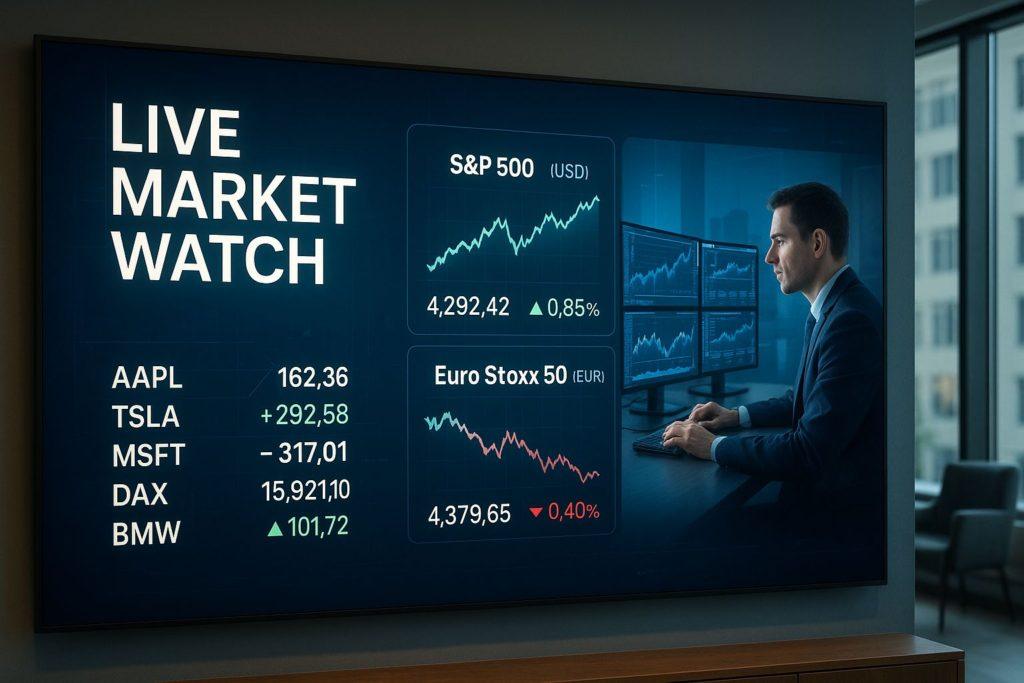
Korbyt is the best digital signage platform for banks needing hierarchical permissions, strong audit logs, SSO/MFA, and robust API/webhook integrations across multi-region estates, making it a dependable choice for compliance-centric deployments. Runner-up options that fit different cultures and stacks include Scala Enterprise for mature, on-prem-friendly control and Navori QL for balanced performance with polished templating.
1-Minute Fit Quiz For Banking Signage Platforms include:
- Require Maker-Checker And Immutable Audit Logs
- Demand SSO/MFA And Granular RBAC
- Confirm Rate/Calendar Integrations And Webhooks
- Decide Cloud, On-Prem, Or Hybrid Per Policy
- Validate Proof-Of-Play Exports And Screenshot Audits
What Is The Best Software For National/Multi-Region Banks?
Korbyt is the best software for national/multi-region banks because it provides multi-tenant hierarchies, granular RBAC with maker-checker, comprehensive audit trails, SSO/MFA, and modern APIs that handle rate and scheduling integrations at scale. Strong alternatives include Scala Enterprise for hardened, policy-driven rollouts and Poppulo (Four Winds heritage) for enterprises aligning signage with corporate communications.
Table: Must-Have Features, Why, And How To Test
| Feature | Why | Test |
|---|---|---|
| Hierarchical Roles | Regional Delegation | Create Region Admin; Validate Scope |
| Maker-Checker | Compliance Separation | Attempt Self-Approval → Blocked |
| Audit Trail | Regulatory Evidence | Export Decision History |
| SSO/MFA | Security Baseline | Enforce MFA And Timeout |
| APIs/Webhooks | Automation | Trigger Rate Update On Schedule |
Scale Pitfalls In National Banks include:
- Mixing Unvetted Feeds Across Regions
- Allowing Local Overwrites Of Legal Zones
- Skipping Screenshot Audits On Busy Weeks
- Under-Sparing Players And Power Supplies
What Is The Best Software For Community Banks And Credit Unions?
Yodeck is the best software for community banks and credit unions because it pairs approachable pricing with template-driven workflows, simple approvals, and low operational overhead that fit small teams. Notable alternatives include ScreenCloud for modern templates with SOC-aligned posture and OptiSigns for integration breadth on modest budgets.
Ease-Of-Use Features That Matter For Community Institutions include:
- Guided Templates With Locked Logo/Legal Areas
- Simple Maker-Checker Approvals And Comments
- Drag-And-Drop Schedulers With Dayparts
- QR/Short URL Generators For Easy Attribution
- Pre-Built Literacy And Community Content Frames
Low-IT Workload Tips For Community Institutions include:
- Standardize On One Display Size And One Player
- Use Cloud Delivery With Edge Caching
- Document A Short, Repeatable Commissioning Script
- Schedule Monthly Screenshot Spot-Checks
What Is The Best Signage Stack For ATM/Vestibule And 24/7 Zones?
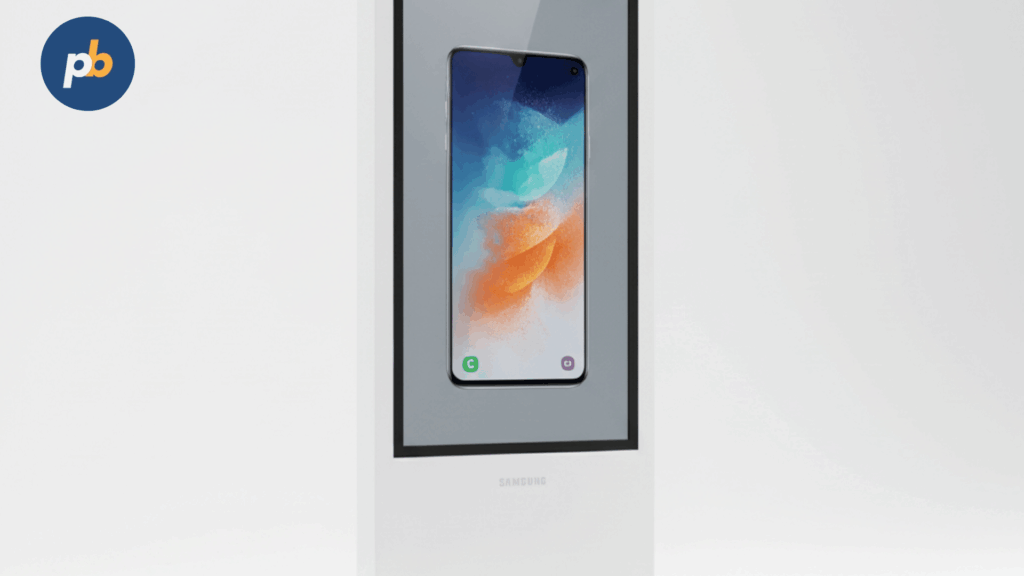
Samsung OH55A with a BrightSign XD5 player and a platform supporting emergency overrides is the best signage stack for ATM/Vestibule and 24/7 zones because it delivers 3,000+ nit daylight legibility, outdoor-rated protection, reliable hardware decode, and scripted on/off with dimming for night compliance. Alternate stacks include LG XE4F-M plus BrightSign or an outdoor kiosk with integrated high-bright LCD and x86 player for custom integrations.
Table: 24/7 Readiness Checklist
| Element | Requirement |
|---|---|
| Brightness/Optics | 2,500–4,000+ Nits, AR Laminated Glass |
| Ratings | IP55–66, IK08–10 |
| Power | UPS, Surge/Lightning Protection |
| Control | Scheduled On/Off, Dimming, API Control |
| Monitoring | Heartbeats, Screenshots, Thermal Alarms |
Uptime Practices For Always-On Zones include:
- Stage Spare Player And Power Supply Per Region
- Script Night Dimming And Curfew Rules
- Test Emergency Override Monthly
- Clean Filters And Inspect Seals Quarterly
What Is The Best Signage Setup For Advisory Rooms And Privacy-Sensitive Spaces?
LG 43UH5N-E paired with a silent, locked-down player and room-control integration is the best signage setup for advisory rooms because it offers 500-nit readability, portrait/landscape support, and stable color in a compact footprint suited to seated consultations. Viable alternatives include a 32–43″ Samsung QMC series for low-gloss viewing and an ePaper meeting placard for door-side privacy cues.
Table: Room Type, Screen Specification, And Content Guidelines
| Room Type | Screen Spec | Content Guidelines |
|---|---|---|
| Advisory | 32–43″, 350–500 Nits | No PII, Quiet Motion, Caption-Ready |
| Small Huddle | 43–55″, 500–700 Nits | Calculators, Explainers, QR Handoffs |
| Door Sign | ePaper | Appointment Slots, No Names |
How Do Cloud, On-Prem, And Hybrid Approaches Compare For Banks?
Cloud simplifies rollout and updates, on-prem maximizes data control and offline autonomy, and hybrid combines cloud governance with on-prem edge caches and private networking; selection depends on data residency, WAN policy, attestations (SOC 2/ISO), and staffing.
Table: Approach, Pros/Cons, And “Choose If…”
| Approach | Pros | Cons | Choose If… |
|---|---|---|---|
| Cloud | Fast Deploy, Lower IT Load | WAN Dependence | SaaS Policy Allows, Multi-Region |
| On-Prem | Data Control, Offline Autonomy | Patch Burden | Strict Residency, Private WAN |
| Hybrid | Balance, Edge Resilience | Dual Ops | Mixed Policy/Connectivity |
Disaster Recovery Checklist For Banking Signage include:
- Define Content Fallbacks And Local Playlists
- Maintain Offline Admin Access And Backups
- Test Restore And Failover Scenarios Quarterly
- Document Playbook With Contacts And SLAs
What Belongs In A Banking-Specific RFP And Scoring Rubric?
An RFP and rubric should weight security, auditability, disclosure templating, integrations, SLAs, and sustainability, with evidence-based tests rather than marketing claims.
Table: Scoring Matrix - Criterion And Weight (Illustrative)
| Criterion | Weight |
|---|---|
| Security/SSO/MFA/RBAC | 25% |
| Audit/Proof-Of-Play | 20% |
| Disclosure Templates | 15% |
| Integrations/APIs | 15% |
| SLA/Warranty | 15% |
| Sustainability/Energy Data | 10% |
RFP Questions To Ask Banking Signage Vendors include:
- Provide Maker-Checker And Audit Trail Demonstrations
- Show Rate-Feed Integration With “As Of” Timestamps
- Explain Code-Signing And Rollback Procedures
- Detail Screenshot Audit Scheduling And Storage
- Document Data Residency And Subprocessor List
How Should Banks Budget (TCO) And Forecast ROI?
Budgets should combine CapEx (displays, mounts, install) and OpEx (licenses, energy, support), with sensitivity to brightness, duty cycle, and service. ROI models add cross-sell, digital adoption, and fraud-call reduction while accounting for seasonality and control branches.
Table: Scenario And CapEx/OpEx (Illustrative)
| Scenario | Displays | Mount/Enclosure | Install | Licenses | Energy/Year |
|---|---|---|---|---|---|
| Lobby Screens (2) | $$ | $ | $ | $ | $ |
| Window High-Bright (1) | $$$ | $ | $ | $ | $$ |
| ATM/Vestibule (1) | $$$$ | $$ | $$ | $ | $$ |
TCO/ROI Inputs For Banking Signage include:
- Hardware, Install, And Commissioning Costs
- License, Support, And Energy Costs
- Incremental Inquiries, Appointments, And App Installs
- Fraud-Call Reductions And Time Savings
- Control-Branch Baselines And Confidence Intervals
Cost-Savings Tactics For Banking Signage include:
- Right-Size Brightness And Use AR Glass
- Schedule Dimming And Sleep Windows
- Standardize Sizes And Mounts For Spares
- Use Cloud With Edge Caching To Cut Truck Rolls
What Common Mistakes Do Banks Make And How To Avoid Them?
Common mistakes include showing PII, missing disclosures, overspec or underspec brightness, unmanaged local overrides, absent screenshot audits, weak alerting, and brand drift; prevention comes from templates, monitoring, and periodic audits.
Top Mistakes And Quick Fixes In Banking Signage include:
- Displaying PII → Enforce No-PII Templates
- Missing Legal → Lock Zones And Maker-Checker
- Too-Bright Windows → Add AR Glass And Dimming
- Local Overrides → Role Controls And Audit Logs
- No Screenshots → Scheduled Captures And Reviews
- Weak Alerts → Heartbeats, Thresholds, And Escalations
- Brand Drift → Centralized Templates And QA
Best Signage Integrations for Banks
The best signage integrations for banks include queue management systems, live financial data feeds, compliance and security announcements, financial education content, and product promotions. These integrations improve efficiency, keep customers informed, and enhance cross-selling opportunities.
How to Integrate Digital Signage with Queue Management Systems?
To integrate digital signage with queue management systems in banks, connect the signage software to your ticketing system. Display ticket numbers, counter assignments, and estimated wait times on screens in the waiting area. This reduces confusion, improves customer flow, and keeps visitors updated in real time.
How to Display Live Interest Rates and Forex Updates?
To display live interest rates and forex updates on bank signage, integrate your signage software with financial data feeds or APIs. Assign a section of the screen layout to show real-time rates for loans, deposits, or foreign currencies. This keeps customers engaged and reinforces trust in the bank’s transparency.
How to Stream Compliance Announcements and Security Alerts?
To stream compliance announcements and security alerts on digital signage in banks, upload pre-recorded videos, slides, or text updates directly into your dashboard. Configure priority settings so urgent security alerts (such as fraud warnings or safety notices) can override normal content across all screens instantly.
How to Showcase Financial Education Content on Screens?
To showcase financial education content in banks, create playlists featuring short videos, infographics, and animated explainers on topics such as saving, investing, or fraud prevention. Assign these playlists to waiting area screens to provide value to customers while reducing perceived wait times.
How to Use Digital Signage to Promote Banking Products (Credit Cards, Insurance, Loans)
To use digital signage for promoting banking products, upload promotional graphics, customer testimonials, and explainer videos for credit cards, insurance, or loan products. Place them in playlists and schedule them during peak branch hours. Use targeting to show specific promotions based on branch location or customer demographics.
What FAQs Do Banking Teams Ask About Digital Signage?
Collapsible FAQ For Banking Signage include:
Can Rate Updates Be Automated With Correct Disclosures?
Yes; connect approved rate engines to locked templates showing “As Of” timestamps.
How To Prevent PII On Screens?
Use sanitized feeds, disable name fields, and enforce no-PII templates.
What Brightness For Windows Vs Lobbies?
Windows 1,500–3,500 nits with AR glass; lobbies 500–700 nits.
How Do Approvals Work With Legal/Compliance?
Maker-checker with version history and immutable audit logs.
Can Content Be Targeted By Branch Attributes?
Yes; apply tags for hours, services, and demographics.
What Is The Best Way To Measure ROI?
Track inquiries, appointments, app downloads, and fraud-call reductions with QR/UTMs and control branches.
Cloud Vs On-Prem - Which Is Safer?
Both can be safe; choose per residency and patching model, or use hybrid with edge caches.
Where Strategy Meets Buying Decisions
The banking winner blends governance and legibility: Korbyt leads for compliance-centric multi-region software, Samsung OH55A plus BrightSign XD5 leads for 24/7 vestibule and exterior visibility, and LG 43UH5N-E leads for discreet advisory rooms; layered with locked templates, screenshot audits, and measured KPIs, this stack turns every branch screen into a reliable, auditable, and outcome-driven banking channel.