
Table Of Contents
- How Important Is Digital Signage for Accounting Firms?
- How Digital Signage Is Used in Accounting Firms
- Client Waiting Area Displays
- Financial Education and Tax Tips Boards
- Internal Staff Communication Screens
- Meeting Room or Boardroom Signage
- Event and Seminar Displays
- Real-Life Popular Examples of Digital Signage for Accounting Firms
- How Deloitte Uses Digital Signage for Internal Communications and Branding
- How KPMG Enhances Client Experience in Lobbies Using Interactive Displays
- How PwC Uses Data Visualization Screens for Real-Time Financial Insights
- How Much Does Digital Signage Cost For Accounting Firms?
Digital signage for accounting practices involves the calculated placement of screens in lobbies, waiting zones, and meeting areas to share important firm updates, tax deadlines, and branding. These displays serve as more than simple decor; they act as automated information channels that help firms increase transparency, build client trust, and work more efficiently.
For CPAs and accountants, digital signage mainly fulfills five roles: highlighting available services, advertising seasonal deals like tax filing or audit support, automating meeting updates, improving brand visibility, and streamlining team announcements. When integrated into the office environment, signage systems cut down on redundant communication, keep clients occupied during wait times, and provide a polished look across all branches.
Modern accounting spaces are becoming digital hubs. Screens run by content software such as PosterBooking let firms easily schedule and refresh visual content from remote locations. This turns common waiting rooms, meeting spaces, and lobbies into professional environments that clearly showcase the firm’s value, services, and reliability.
For example, a mid-sized accounting firm might place 43-inch screens in their reception to show current tax deadlines, staff bios, and highlights of successful client work. Instead of using static flyers, a dynamic signage network ensures the info remains current, attractive, and in line with tax cycles.
How Important Is Digital Signage for Accounting Firms?
Digital signage is vital for accounting firms because it boosts client experience, perception, and daily efficiency - all key for today’s practice. According to Grand View Research (2026), 82% of businesses using in-office digital screens report better brand perception and quicker client communication. For accounting practices, that translates into clear competitive gains.
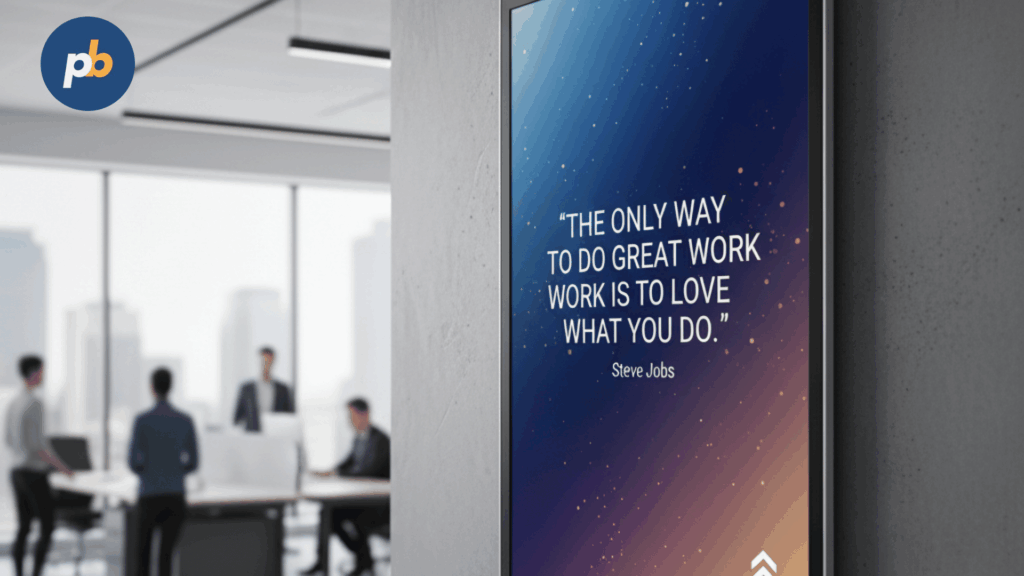
The measurable effect of digital signage on accounting can be seen in client satisfaction, professional perception, onboarding, and workload reduction.
- Client satisfaction rises when clients stay engaged while waiting. A Journal of Business Communication (2026) study found that useful digital displays cut perceived waiting times by 30% compared to standard signs.
- Professional perception improves when firms visually present milestones, certifications, and updates using branded digital templates.
- Onboarding speed gets a boost as new visitors get familiar with service tiers and pricing before they even talk to a staff member.
- Front-desk workload drops as screens handle repetitive tasks like sharing deadlines, tax notices, and event info.
Accounting firms also see operational gains through centralized automation. Rather than manually printing flyers or sending constant internal emails, a cloud CMS like PosterBooking lets firms update all branches at once. Internal memos, compliance notices, and meeting reminders can run automatically without staff input.
From the perspective of client experience, digital signage teaches visitors about tax law, compliance, and financial management - strengthening the firm’s authority. This educational angle builds trust and encourages clients to consider extra services like business advisory, payroll, or audit planning. Data from the International Journal of Accounting Technology (2022) indicates that firms using visual tools see a 15% increase in cross-selling compared to those relying on brochures.
Smart firms integrate signage directly into their client journey. They use screens to anticipate informational needs, from service explanations in the lobby to deadline alerts in meeting rooms. This creates a consistent, polished communication experience.
How Digital Signage Is Used in Accounting Firms
Accounting firms use digital signage across various spaces to help both clients and staff. Each area, from the entry to the boardroom, provides a unique chance for better communication.
Client Waiting Area Displays
Accounting firms use waiting area signage to teach visitors, communicate expertise, and show off wins before meetings start. These screens turn idle time into an informative experience that boosts firm credibility.
Common content for waiting areas includes:
- Firm bios and partner certifications
- Core services like auditing, bookkeeping, and tax planning
- Seasonal deadlines and filing dates
- Testimonials and performance data
- Regulatory news and compliance summaries
For instance, an office might use a loop showing “Top 5 Tax Deductions for 2025,” followed by a quick firm intro and a list of upcoming tax dates. This helps clients feel prepared and comfortable before their consultation.
According to Display Industry Trends Report (2026), professional service offices using lobby signage see a 22% improvement in client trust scores and a 17% increase in first-time consult conversions. PosterBooking’s CMS lets you easily schedule templates for tax season, so firms can update displays automatically during busy periods without any manual effort.
Financial Education and Tax Tips Boards
Firms use signage as an educational tool to deliver value to clients even when they are not actively meeting with staff. Financial boards show rotating tips like “Tax Tip of the Week,” “Common Audit Errors,” or “Business Expense Deductions.”
The best boards use brief visuals, motion, and real-life scenarios. For example, a screen could show a 15-second animation comparing a business that tracks expenses well against one that misses tax credits because of poor records. These visual stories show that the firm is a partner, not just a service provider.
Data from the Journal of Financial Literacy and Communication (2026) revealed that clients seeing educational signage showed a 28% increase in their understanding of tax deductions and compliance responsibilities. This suggests that signage helps empower clients, not just brand the firm.
Educational content also aids retention. Clients who feel they are continuously learning are more likely to stay loyal. With PosterBooking, accountants can curate a rotation of videos, infographics, and real-time data feeds - keeping everything fresh and authoritative.
Internal Staff Communication Screens
Firms use internal signage to simplify communication, raise productivity, and keep teams aligned during busy times. Internal screens show live metrics, schedules, filing progress, and team goals.
Common internal signage for accounting:
- Upcoming tax deadlines
- Departmental or individual performance charts
- Employee shout-outs
- Compliance updates and policies
- Office event info
During April tax season, for example, a firm might show a countdown to major IRS dates, paired with a leaderboard of completed filings. This clear, visual tracking builds a culture of accountability while clearing out email inboxes.
According to Harvard Business Review (2022), visual communication methods lift organizational awareness by 34% and improve on-time task completion by 19%. Internal signage eliminates information gaps, which is vital in accounting where timing is everything.
PosterBooking offers tools for securely showing live dashboards linked to Power BI or Google Sheets, letting firms visualize performance without any security risks or manual updates.
Meeting Room or Boardroom Signage
Firms use signage in boardrooms and meeting spaces to improve professionalism and structure. Displays in these areas help schedule meetings, manage room booking, and upgrade the client presentation.
Typical meeting room content includes:
- Room booking status
- Digital nameplates for staff and visitors
- Meeting agenda overviews
- Branded guest welcome screens
- Live data dashboards during strategy sessions
For instance, when hosting an audit review for a corporate client, a firm can show a welcome message like “Welcome, ABC Corporation” next to the meeting agenda. During the talk, the screen can switch to show key financial ratios and audit summaries via a live feed.
According to TechNavio’s Digital Workplace Report (2026), firms using smart meeting signage report a 26% improvement in meeting efficiency and a 21% boost in perceived client confidence. The professional look of room signage signals accuracy, preparedness, and sophistication.
PosterBooking’s cloud interface allows scheduling for room-specific displays, so meeting signs can automatically refresh for each booking, saving administrative time.
Event and Seminar Displays
Firms use digital signage for seminars, webinars, and education events to share dynamic info like speaker bios, agendas, and sponsor nods. Event signage works as both a navigation tool and a branding platform.
Effective event signage content typically includes:
- Seminar agendas and countdowns
- Speaker headshots and bios
- QR codes for downloading resources
- Sponsor branding
- Social media feeds
For instance, during a “Tax Strategy 2025” seminar, screens can rotate through speaker bios, live polls, and social posts tagged with the firm’s hashtag. This interaction lifts engagement and grows brand awareness beyond the venue.
Research from the Event Marketing Institute (2026) shows that interactive digital signage at seminars lifts participation by 41% and content retention by 33% compared to printed schedules. PosterBooking’s integration with tools like Canva or Google Slides makes it easy for firms to update event visuals without specialized design help.
Real-Life Popular Examples of Digital Signage for Accounting Firms
Adoption by top firms shows how digital signage drives better performance and brand unity. The following examples highlight how Deloitte, KPMG, and PwC use technology to elevate client and staff experiences.
How Deloitte Uses Digital Signage for Internal Communications and Branding
Deloitte uses digital signage to drive internal communication and branding, using interactive screens and LED walls in global offices to foster transparency. Their screens share live performance data, social updates, and staff engagement campaigns that back up their corporate values.
For Deloitte, internal communication is key to their identity. Their network features real-time project metrics and corporate responsibility efforts, including updates on carbon neutrality and well-being programs. These screens act as visual scoreboards for accountability.
According to Deloitte Insights (2026), internal transparency efforts backed by visual dashboards have lifted employee engagement by 24% globally. The network ensures that messaging in London or New York remains consistent with global standards.
By using CMS platforms like PosterBooking, Deloitte ensures that content scheduling stays in line with internal calendars, allowing seamless updates of leadership news, webinars, and diversity goals.
How KPMG Enhances Client Experience in Lobbies Using Interactive Displays
KPMG uses digital signage in client-facing areas to create an immersive welcome. Interactive lobby displays feature touch interfaces that let visitors browse KPMG services, global reports, and industry trends while waiting for meetings.
KPMG’s use of interactive displays is strategic; it changes the wait from passive to participatory. Visitors can explore topics like “Future of Audit,” “ESG Reporting,” or “Tax Trends” via touch. Each interaction expands their knowledge of KPMG’s expertise.
According to KPMG Global Customer Experience Report (2026), firms using interactive signage in lobby spaces recorded a 19% higher client satisfaction score and a 13% lift in cross-service awareness. This proves signage doesn't just decorate - it educates and influences.
PosterBooking provides similar flexibility for smaller firms: interactive layouts, templates, and scheduled updates without needing in-house IT staff. This democratizes tech capabilities once reserved for firms like KPMG.
How PwC Uses Data Visualization Screens for Real-Time Financial Insights
PwC uses data visualization displays in offices to help clients and analysts see complex datasets. These dashboards show live metrics such as market trends, risk indicators, and predictive analytics. The signage helps teams discuss data collaboratively and make faster decisions.