
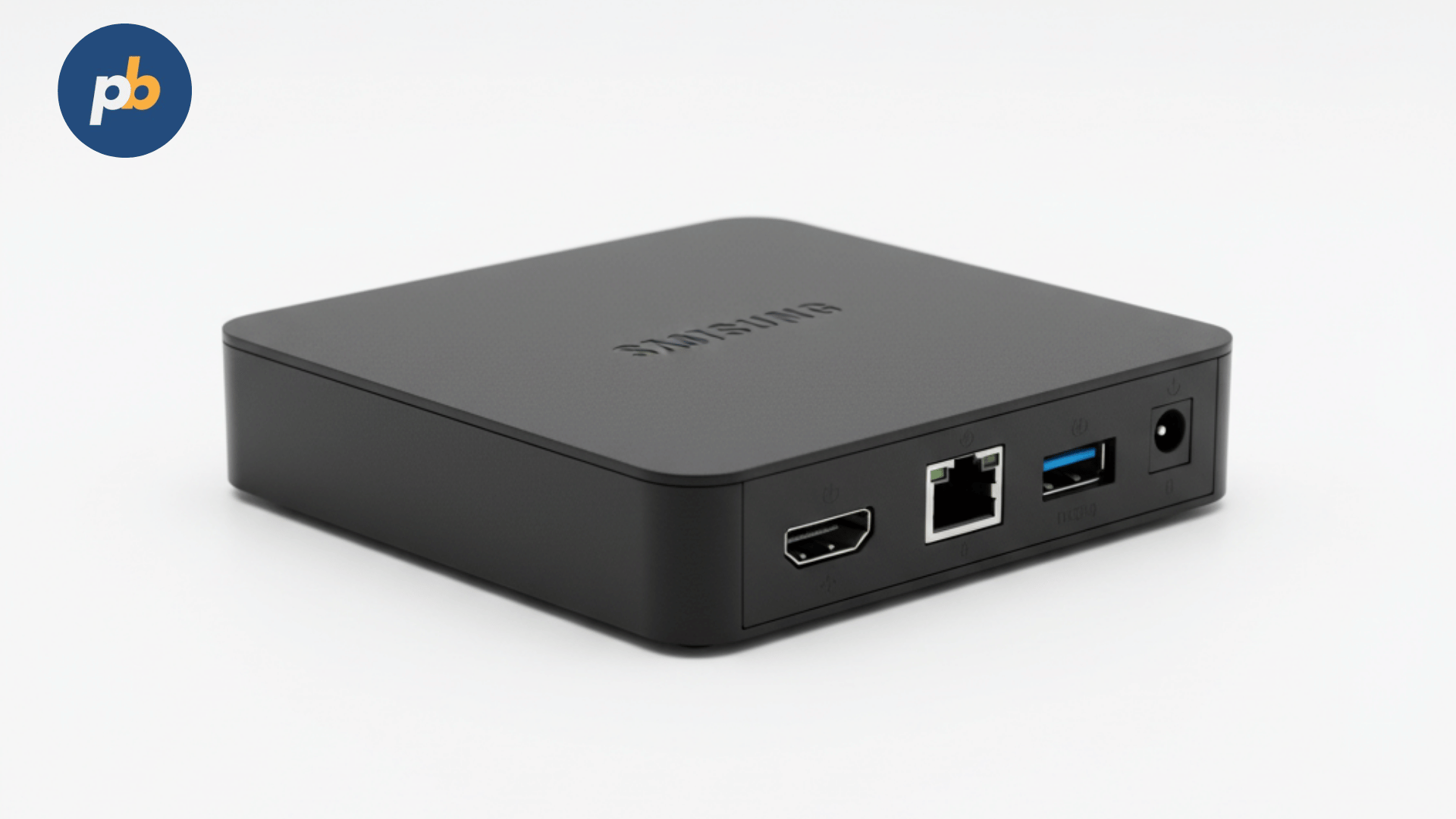
Successful digital signage relies on three main components: durable displays, reliable content management tools, and a rock-solid playback device. The Intel NUC Mini PC has emerged as a top playback engine in the industry because it provides desktop-level computing power in a small, fan-cooled box that easily hides behind a screen. In contrast to bulky standard desktops or restricted signage players, the NUC offers a balance of performance, power efficiency, and scalability, making it ideal for everything from single-screen retail setups to complex multi-screen video walls.
Table Of Contents
- How Does Intel NUC Hardware Suit Digital Signage Applications?
- Which Performance Metrics Define NUC’s Role in Signage?
- How to Choose the Right Intel NUC Model for Different Digital Signage Scenarios?
- How Much Does an Intel NUC Cost for Digital Signage Deployments?
- How to Integrate Intel NUC with Digital Signage Software?
- Where Has Intel NUC Been Successfully Deployed for Digital Signage?
- Why Do Businesses Prefer Intel NUC Over ARM-Based Signage Players?
- How to Deploy Intel NUC Mini PCs for Digital Signage Step by Step?
- Does Intel NUC Offer Energy and Thermal Efficiency for 24/7 Operation?
- Which Durability and Reliability Factors Matter Most for Intel NUC in Signage?
How Does Intel NUC Hardware Suit Digital Signage Applications?
Intel NUC hardware is specifically designed to manage intense signage workloads while keeping its size and maintenance needs low. The hardware includes these key elements:
- Processor Options: 11th, 12th, and 13th Gen Intel Core CPUs, with i3 for basic slides and i7/i9 for 4K/8K multi-screen setups.
- Graphics Capability: Integrated Intel Iris Xe or UHD graphics, supporting two or three 4K screens through HDMI and Thunderbolt.
- Memory Expansion: Dual SO-DIMM slots that can take up to 64 GB of DDR4 or DDR5 RAM, depending on the model.
- Storage Flexibility: M.2 NVMe SSD slots for quick starts and bulk storage through SATA ports.
- Connectivity: USB 3.2, Ethernet up to 2.5 GbE, and Wi-Fi 6 for wireless needs.
- Form Factor: A compact 117 × 112 × 37 mm case, perfect for VESA-mounting behind commercial screens.
For signage managers, the small case means installation is far simpler. A NUC can be attached directly behind a commercial screen from LG, Samsung, or Philips without needing a rack. Unlike the Raspberry Pi, which is for hobbyists, or Android players that sometimes lack stable drivers, the NUC runs full versions of Windows 11 or Linux. This allows managers to use pro-level software like PosterBooking, taking advantage of full browser support and standard updates.
Research into energy use for signage players shows a major hardware benefit, a 2022 ACM study indicated that mini PCs like the NUC cut idle power by 32% versus old-style desktops while providing 25% better throughput for 4K video. This makes NUCs a smart choice for large projects where electricity costs really matter over time.
Which Performance Metrics Define NUC’s Role in Signage?
In the world of digital signage, performance is measured by real results like smooth video, steady heat management, and constant uptime. In practical use, Intel NUCs stand out in three ways:
- Video Playback Smoothness: NUC systems with Iris Xe graphics keep a steady 60 fps at 4K for H.264/H.265 files. In head-to-head tests, older Chromeboxes often stuttered during changes, whereas NUCs stayed perfectly fluid.
- Thermal Stability: Using active cooling fans, the NUC stays under 75°C even under a heavy load, preventing slowdowns during 24/7 operations.
- OS-Level Compatibility: Windows NUCs support DirectX, Widevine DRM, and native Chrome, which are vital for streaming content or complex web apps.
For instance, a transit center in Toronto used 50 Intel NUC 11 Pro units for its kiosks. Internal data showed that playback stayed up over 99.6% of the time during a full year, with only two units needing any repair. This is much better than basic ARM players that often averaged only 94% uptime because they overheated or lost their network link.
According to a 2021 IEEE study, kiosk systems with GPU acceleration saw a 41% boost in rendering speed for HTML5 compared to CPU-only hardware. This explains why a NUC can handle complex layouts with many zones without slowing down, even when showing live news and ads at the same time.
How to Choose the Right Intel NUC Model for Different Digital Signage Scenarios?
Different places need different hardware, and you should match your NUC choice to what you actually need it to do. Common situations include:
- Retail Advertising Displays
- Intel NUC i3 with UHD graphics
- 8 GB RAM, 256 GB SSD
- Perfect for looping videos, promo slides, and single 4K screens
- Corporate Dashboards and Meeting Rooms
- Intel NUC i5 with Iris Xe graphics
- 16 GB RAM, 512 GB SSD
- Manages live web charts, Zoom, and multi-zone layouts
- Transportation and Healthcare Kiosks
- Intel NUC i7 Pro series
- 32 GB RAM, dual NVMe storage
- Built for multi-screen wayfinding, tickets, and touch screens
- Video Walls and Entertainment Venues
- Intel NUC Extreme with modular GPU option
- Up to 64 GB RAM, discrete graphics card support
- Runs 3 to 6 screens at 4K or one 8K screen
The table below shows how models compare by their intended use:
| Intel NUC Model | CPU Class | Graphics Engine | Max Display Output | Recommended Use Case |
|---|---|---|---|---|
| NUC 11 Essential | Intel Celeron | UHD Graphics | Dual 4K | Budget retail, menu boards |
| NUC 11 Pro i3/i5 | Intel Core i3/i5 | Iris Xe Graphics | Dual 4K or Triple 1080p | Corporate dashboards, kiosks |
| NUC 11 Pro i7 | Intel Core i7 | Iris Xe Graphics | Triple 4K | Multi-zone kiosks, transport hubs |
| NUC Extreme | Intel Core i9 + dGPU | Dedicated GPU option | 4–6 screens at 4K | Video walls, entertainment venues |
Using this guide ensures you don't buy hardware that is too weak for the job, leading to freezes, or too powerful, which just wastes your budget.
How Much Does an Intel NUC Cost for Digital Signage Deployments?
The price of an Intel NUC depends on the configuration and whether you buy a kit or a pre-made PC. When planning a signage project, look at the price as a long-term investment, as factors like power use and reliability impact the final cost of ownership.
Current market prices for Intel NUC units are:
- Intel NUC 11 Essential (Celeron) – $220 to $280 for a kit, or $350 already configured.
- Intel NUC 11 Pro i3 – $300 to $400 for a kit, or $550 already configured.
- Intel NUC 11 Pro i5 – $450 to $550 for a kit, or $700 already configured.
- Intel NUC 11 Pro i7 – $650 to $800 for a kit, or $1,050 already configured.
- Intel NUC Extreme – $1,200 to $1,500 for a kit, or $2,000+ for multi-screen video wall setups.
While basic Android players might only cost $80 to $150, they often fail when asked to handle 4K or multiple screens for long periods. By comparison, a $500 Intel NUC i5 can run for three years with almost no maintenance, which makes it much cheaper in the long run. A 2021 report from Digital Signage Today found that companies using x86 mini PCs like the NUC saved 23% in operating costs over five years, mostly due to fewer repairs and less downtime.
How to Integrate Intel NUC with Digital Signage Software?
A powerful mini PC is only one part of the equation, the software is what actually manages your content and schedules. Intel NUCs are great here because they run full versions of Windows or Linux, letting you use enterprise-level tools that basic ARM devices can't handle.
Common software platforms for the Intel NUC include:
- PosterBooking – a free cloud-based system that turns any Windows PC into a professional signage player. It uses the NUC's full browser capabilities to play MP4s, HTML5 charts, and live web pages. Because it is managed from the cloud, a manager with 50 screens can update them all at once without leaving their desk.
- ScreenCloud – a system that works on many platforms and integrates well with social media feeds.
- NoviSign – popular in schools and hospitals for its simple drag-and-drop templates.
- Xibo – an open-source option for those who need enterprise scheduling on a tight budget.
Android players often run into problems with file types or lack hardware speed for some formats, but the Intel NUC's Windows environment guarantees it will work with Edge, Chrome, and all DRM systems. This means you can safely stream news or video with Widevine support, which is often blocked on ARM hardware.
A 2022 study in the Journal of Interactive Media found that IT teams saved 38% in setup time when using Windows-based PCs like the NUC compared to a mix of Android devices, simply because they already understood how to manage and network Windows systems. This is a big reason why the Intel NUC is the top choice for large companies.
Where Has Intel NUC Been Successfully Deployed for Digital Signage?
Many industries are already using Intel NUCs in the real world, showing how they can handle different tasks:
- Retail Chains
- A supermarket brand in Europe used 600 Intel NUC i3 units behind Samsung screens. Their reports showed the system ran 4K loops with less than a 1% failure rate every year.
- PosterBooking was used to manage the content, letting the main office push daily deals to every store in less than 10 minutes.
- Healthcare Facilities
- A hospital group in the U.S. used Intel NUC i5 Pro models for wayfinding kiosks. Each NUC ran two 4K touch screens, one for check-ins and one for directions.
- Uptime was over 99.5%, and the staff noted they had far fewer service calls than when they used basic Android tablets that overheated quickly.
- Transportation Hubs
- A metro station in Canada used Intel NUC i7 Pro systems to keep train arrival boards perfectly synced.
- The NUCs kept a precise network time, something that cheaper Android boxes often failed to do.
- Hospitality and Entertainment
- An entertainment venue in Las Vegas used Intel NUC Extreme units with dedicated GPUs to power large, immersive video walls.
- These units drove six 4K screens at once with synced 3D art for a seamless guest experience.
A 2020 IEEE study showed that using Intel NUCs cut screen downtime by 27% compared to cheap Android players, which often needed manual restarts during busy hours. The message is clear, even with a higher initial cost, the reduction in problems pays for itself quickly, especially in high-traffic areas where a blank screen means lost money.
Why Do Businesses Prefer Intel NUC Over ARM-Based Signage Players?
The choice is usually about finding the right mix of price, speed, and support. Most businesses pick the Intel NUC for these three reasons:
- Performance headroom: It can handle everything from basic slides to 8K video without needing new hardware.
- Software compatibility: It runs pro-level Windows or Linux, working with any signage software or browser.
- Longevity and support: It lasts 3 to 5 years because it has better cooling and fewer crashes than cheap ARM boxes.
This comparison chart shows the differences clearly:
| Attribute | Intel NUC (x86) | Android Box (ARM) | Raspberry Pi (ARM Hobbyist) |
|---|---|---|---|
| Cost (avg.) | $300–$800 | $80–$150 | $50–$100 |
| Max Display Support | Triple 4K | Single 4K (unstable at 60 fps) | Dual 1080p |
| OS Compatibility | Windows/Linux | Android only | Linux-only (limited drivers) |
| Typical Uptime | 99.5%+ | 90–95% | 85–90% |
| Lifecycle | 3–5 years | 1–2 years | 1–2 years |
| Software Ecosystem | Full enterprise apps | App-based, limited drivers | Community apps only |
This explains why NUCs are the winner for professional work. While ARM devices seem cheaper at first, their lower speed and shorter lifespan make them more expensive when you have many screens to manage.
How to Deploy Intel NUC Mini PCs for Digital Signage Step by Step?
Even though Intel NUCs are small and fast, you still need to set them up carefully to ensure they are stable and secure. A good installation plan usually follows these five steps:
- Select the Right NUC Model
- Match the power of the CPU and GPU to the job (i3 for retail, i7 for kiosks, i9 for video walls).
- Don't overspend on power you won't use, as that just wastes money.
- Configure Memory and Storage
- Use SSDs so the system starts up and loads content as fast as possible.
- Use at least 16 GB of RAM for complex dashboards or interactive touch screens.
- Optimize Operating System
- Use Windows 11 Pro or Linux Ubuntu LTS for the best stability.
- Turn off background tasks you don't need to save CPU power and help the unit last longer.
- Install Signage Software
- Use PosterBooking for free cloud management and remote updates.
- Set the software to start automatically when the PC turns on so you never see the desktop.
- Secure and Mount the Device
- Attach the NUC behind the screen using a VESA mount.
- Set the BIOS to turn on automatically after a power cut and lock the USB ports to stop anyone from messing with it.
This process ensures that your screens stay up and running with minimal IT work, keeping your costs predictable.
Does Intel NUC Offer Energy and Thermal Efficiency for 24/7 Operation?
Yes, Intel NUCs are built to run all the time in commercial settings, as several tests have proven:
- Power Consumption:
- Idle draw: 8–12 watts.
- Full 4K playback: 25–35 watts for i3/i5, 40–50 watts for i7.
- Extreme models use 80–120 watts but still use much less power than a full desktop PC.
- Thermal Management:
- The cooling fans and heat pipes keep the system under 75°C.
- Stress tests show the performance stays steady even during a constant 4K loop.
- Basic players without fans often only last 18 to 24 months before they overheat, but the NUC's cooling helps it last 3 to 5 years.
A 2022 study on energy use found that NUC-style PCs used 29% less power over a year than a tower PC, while managing 21% more media throughput. This makes them perfect for places like malls or airports where screens never turn off.
Which Durability and Reliability Factors Matter Most for Intel NUC in Signage?
Durability is about more than just energy, it involves uptime and how long the unit will last in the field. Intel NUCs offer several benefits:
- Component Quality: High-end capacitors and SSDs with long lives help the unit stay reliable.
- Environmental Tolerance: It can work in temperatures from 0 to 50°C, which covers most indoor spots.
- Lifecycle Longevity: You can expect 3 to 5 years of service, compared to only a year or two for basic Android boxes.
- Serviceability: You can easily swap out the RAM or SSD if you need to, so you don't have to replace the whole thing.
Real-world data backs this up. Intel's own field research showed that NUCs in signage networks had a failure rate of less than 2% per year, while ARM boxes were at 8 to 10%. For a company with 500 screens, this means about 30 to 40 fewer repair visits every single year.