
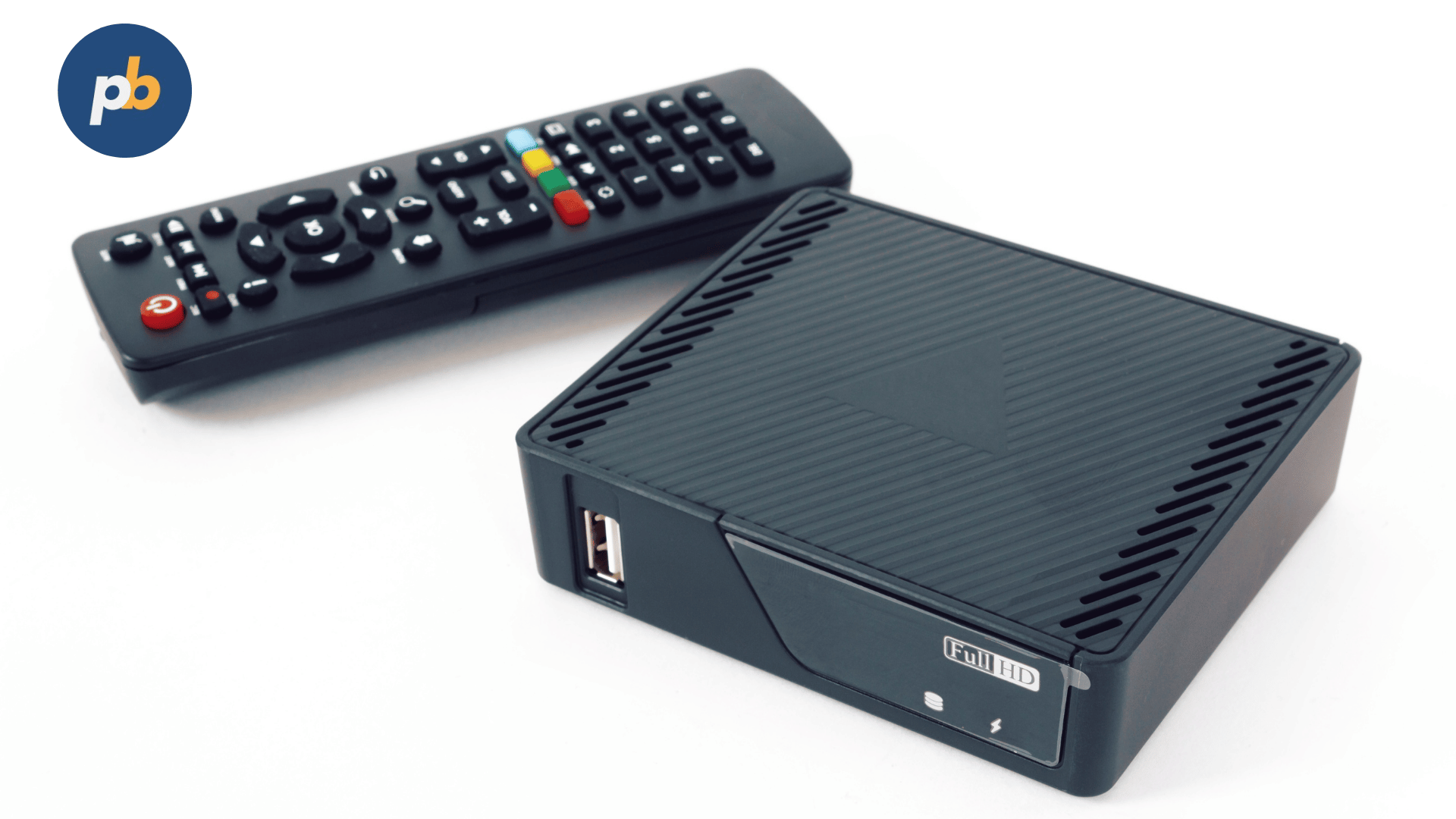
The best digital signage media players in 2025 are the Ugoos AM6 Plus, Intel NUC 13 Pro, Minix NEO T6, NVIDIA Shield Pro, Chromebox 5, AOpen DE6200, and Raspberry Pi 5 Kit. These media players lead the industry because they combine reliability, powerful 4K playback, cloud-based CMS integration, and remote management capabilities, ensuring seamless performance across single or multi-location signage networks.
A digital signage media player is a hardware device that powers digital displays by processing and delivering multimedia content from a connected CMS (Content Management System). It connects to screens via HDMI or DisplayPort and enables remote content updates, scheduling, and playback monitoring through platforms like PosterBooking, Yodeck, or ScreenCloud.
Businesses use digital signage players to control advertising content, manage multiple screens, and automate playback updates from a central dashboard. These devices ensure that visual campaigns remain synchronized, dynamic, and reliable across different environments such as retail stores, hotels, restaurants, and corporate offices.
In 2025, five trends define the evolution of digital signage media players:
- AI-driven scheduling and predictive playback optimization
- Energy-efficient SoCs (System-on-Chip) with passive cooling
- Android dominance for affordability and flexibility
- Cloud synchronization for instant content updates
- IoT and sensor compatibility for audience-triggered displays
According to Futuresource Consulting (2025), over 72% of new signage networks now rely on Android-based or ARM-powered players, emphasizing cost efficiency and remote update reliability.
The top digital signage media players in 2025 include:
- Ugoos AM6 Plus
- Intel NUC 13 Pro
- Minix NEO T6
- NVIDIA Shield Pro
- Chromebox 5
- AOpen DE6200
- Raspberry Pi 5 Kit
Table Of Contents
- Top 7 Digital Signage Media Players (2025 Edition)
- 1. Ugoos AM6 Plus
- 2. Intel NUC 13 Pro (Arena Canyon)
- 3. Minix NEO T6
- 4. NVIDIA Shield Pro (2025 Edition)
- 5. ASUS Chromebox 5
- 6. AOpen DE6200
- 7. Raspberry Pi 5 Signage Kit
- Comparison Table: Top 7 Digital Signage Media Players (2025)
- Frequently Asked Questions: Best Digital Signage Media Players (2025)
- What Is the Best Digital Signage Media Player for Small Businesses?
- Which Media Player Is Best for Enterprise Signage Networks?
- Are Android Media Players Reliable for 24/7 Signage?
- How Much Does a Digital Signage Player Cost in 2025?
- Which Media Players Work Best with PosterBooking and Yodeck?
Top 7 Digital Signage Media Players (2025 Edition)
1. Ugoos AM6 Plus
The Ugoos AM6 Plus is one of the best Android-based digital signage media players in 2025 because it delivers exceptional performance, 4K HDR playback, and seamless CMS compatibility in a compact, fanless design suitable for 24/7 operation.
Key Specifications of the Ugoos AM6 Plus
The Ugoos AM6 Plus offers a perfect balance of performance and stability, designed for small to mid-sized signage networks requiring smooth video output and efficient multitasking. Its core specifications include:
- Processor: The Ugoos AM6 Plus uses an Amlogic S922X-J Hexa-Core CPU, providing high-speed decoding and efficient heat management, which makes it suitable for 4K menu boards and retail screens.
- RAM / Storage: It includes 4GB DDR4 RAM and 32GB internal storage, expandable via USB or microSD, allowing long-term media storage and rapid content caching.
- Supported OS: The player runs on Android 11, optimized for signage use and compatible with PosterBooking, NoviSign, and OptiSigns CMS platforms.
- Display Output: It supports 4K UHD at 60Hz with HDR10+, ensuring lifelike color and depth for dynamic visuals.
- Connectivity: The unit provides Gigabit Ethernet, dual-band Wi-Fi, and Bluetooth 5.0, offering both wired and wireless deployment flexibility.
- Remote Management Features: It supports Over-the-Air (OTA) updates, remote reboot, and CMS-based monitoring, crucial for distributed networks.
Pros of the Ugoos AM6 Plus
The Ugoos AM6 Plus delivers multiple advantages that make it a top-tier signage player:
- Powerful Processing: The Hexa-core chipset enables fluid 4K video playback without frame drops.
- Energy Efficiency: Passive cooling reduces energy consumption and ensures silent operation in restaurants or offices.
- CMS Integration: It seamlessly integrates with cloud signage platforms such as PosterBooking and Yodeck.
- Durability: The aluminum chassis dissipates heat efficiently, extending the device’s lifespan.
- Compact Form Factor: Its small design allows hidden mounting behind displays.
Cons of the Ugoos AM6 Plus
Despite its strengths, the AM6 Plus has a few limitations worth noting:
- Limited Storage: The internal 32GB storage fills quickly for media-heavy networks.
- No Power-over-Ethernet (PoE): Requires a separate power supply.
- Firmware Updates: Occasional manual updates are needed for enterprise environments.
Best For
The Ugoos AM6 Plus is best for restaurants, cafes, and boutique retailers that need a low-cost yet powerful Android media player with reliable 4K output and remote control features.
2. Intel NUC 13 Pro (Arena Canyon)
The Intel NUC 13 Pro is one of the best Windows-based digital signage players in 2025 because it combines workstation-level processing power with commercial-grade reliability. It’s the preferred choice for enterprise signage networks requiring advanced analytics, dashboards, or heavy video loops. The Intel NUC players Series also include NUC 11 Essential, NUC 11 Pro i3/i5 and NUC 11 Pro i3/i5.
Key Specifications of the Intel NUC 13 Pro
The Intel NUC 13 Pro provides unmatched computing performance in a compact chassis, designed for heavy-duty digital signage deployment. Its major specifications include:
- Processor: It features a 13th Gen Intel Core i5-1340P CPU with 12 cores and 16 threads, enabling high-speed video rendering and multitasking.
- RAM / Storage: It supports up to 64GB DDR4 RAM and 512GB–2TB SSD storage, offering enterprise flexibility for content caching and AI-based media management.
- Supported OS: The player runs on Windows 11 Pro and supports Linux and Ubuntu variants, ensuring compatibility with corporate IT environments.
- Display Output: The NUC delivers 4K HDR playback at 60Hz via HDMI 2.1 or Thunderbolt 4, supporting multi-screen configurations.
- Connectivity: Includes Wi-Fi 6E, Bluetooth 5.3, and dual Gigabit Ethernet ports, suitable for high-redundancy deployments.
- Remote Management Features: Supports Intel vPro, remote BIOS access, and CMS integration via PosterBooking or ScreenCloud.
Pros of the Intel NUC 13 Pro
The Intel NUC 13 Pro provides several measurable advantages that justify its enterprise adoption:
- Superior Processing Power: Handles heavy 4K/8K content and real-time analytics simultaneously.
- Multi-Display Support: Runs up to three displays concurrently without lag.
- Long-Term Reliability: Designed for 24/7 operation with industrial cooling systems.
- CMS Compatibility: Works with enterprise CMS systems including PosterBooking, TelemetryTV, and Yodeck.
- Hardware Security: Includes TPM 2.0 and vPro remote management.
Cons of the Intel NUC 13 Pro
The Intel NUC 13 Pro’s few drawbacks include:
- Higher Cost: Around $450–$650, it’s more expensive than Android-based devices.
- Active Cooling: The small fan can create mild noise in silent environments.
- Power Draw: Consumes more power than ARM-based alternatives.
Best For
The Intel NUC 13 Pro is best for corporate offices, large retail franchises, and analytics-driven signage systems that demand advanced computing performance and enterprise-grade control.
3. Minix NEO T6
The Minix NEO T6 is one of the best compact Android media players for digital signage in 2025, offering strong 4K playback performance, affordability, and cloud compatibility ideal for small businesses and retail outlets.
Key Specifications of the Minix NEO T6
The Minix NEO T6 is designed for plug-and-play operation with minimal setup, combining modern Android software with commercial stability. Key specifications include:
- Processor: It runs on an Amlogic S905X4 Quad-Core CPU, optimized for energy-efficient 4K decoding.
- RAM / Storage: Equipped with 4GB RAM and 64GB eMMC storage, sufficient for high-resolution media and scheduled playlists.
- Supported OS: Operates on Android 11, with full access to signage apps like PosterBooking, NoviSign, and OptiSigns.
- Display Output: Outputs 4K UHD at 60Hz with HDR10 support, maintaining vivid color reproduction.
- Connectivity: Includes dual-band Wi-Fi, Bluetooth 5.0, USB 3.0, and Gigabit Ethernet, providing robust networking.
- Remote Management Features: Offers OTA firmware updates, screen grouping, and remote playlist control.
Pros of the Minix NEO T6
The Minix NEO T6 excels in practicality and performance for SMBs:
- Affordable 4K Playback: Offers smooth HDR playback for under $120.
- Low Maintenance: Automatic firmware updates reduce technical overhead.
- Silent Operation: Fanless design supports 24/7 deployment.
- Wide CMS Compatibility: Works seamlessly with PosterBooking and ScreenCloud.
- Compact Build: Small enough for behind-screen mounting.
Cons of the Minix NEO T6
While efficient, the NEO T6 has a few realistic drawbacks:
- Limited RAM for Heavy Networks: 4GB may restrict use in complex multi-screen layouts.
- No PoE Support: Requires separate power input.
- Average Thermal Control: Needs good ventilation for continuous 4K playback.
Best For
The Minix NEO T6 is best for small businesses, restaurants, and cafes that require a cost-effective, compact, and reliable player for 4K signage with cloud-based management.
4. NVIDIA Shield Pro (2025 Edition)
The NVIDIA Shield Pro (2025) is one of the best high-performance Android digital signage media players because it combines cinematic 4K playback, AI upscaling, and enterprise-level stability. It’s widely used for networks requiring fluid motion graphics and smart integration with cloud CMS platforms.
Key Specifications of the NVIDIA Shield Pro
The NVIDIA Shield Pro provides cutting-edge performance through its gaming-grade hardware repurposed for professional signage use. Its specifications are as follows:
- Processor: The player runs on the NVIDIA Tegra X1+ processor, which ensures rapid GPU rendering and smooth transitions for video-heavy advertising.
- RAM / Storage: It comes with 3GB RAM and 16GB internal storage, expandable through USB 3.0 or NAS drives, making it suitable for media-rich campaigns.
- Supported OS: The Shield Pro operates on Android TV OS 12, fully compatible with PosterBooking, Yodeck, ScreenCloud, and OptiSigns.
- Display Output: It supports 4K HDR10 and Dolby Vision output at 60Hz, offering deep contrast and cinematic presentation quality.
- Connectivity: The device includes Gigabit Ethernet, dual-band Wi-Fi, and Bluetooth 5.0, ensuring seamless data synchronization and low-latency streaming.
- Remote Management Features: Through Google Assistant and CMS integration APIs, users can remotely reboot devices, update content, and monitor system health.
Pros of the NVIDIA Shield Pro
The NVIDIA Shield Pro delivers high visual performance and dependable operation for professional signage networks.
- Superior 4K Playback: Its powerful GPU guarantees smooth HDR and motion-heavy video rendering.
- AI Upscaling: Enhances 1080p media to near-4K quality automatically.
- Wide CMS Support: Works natively with multiple Android-compatible signage systems.
- Energy Efficient: Consumes under 10W during standard operation, making it one of the most efficient players in its class.
- Plug-and-Play Setup: Minimal configuration required for deployment.
Cons of the NVIDIA Shield Pro
- Higher Cost: Priced around $199–$229, it’s more expensive than budget Android players.
- Limited Storage: Only 16GB internal space may require external storage.
- Consumer Chassis: Though robust, it lacks an industrial-grade casing.
Best For
The NVIDIA Shield Pro is best for high-traffic retail environments, video-centric displays, and digital art installations where visual fidelity and smooth motion are priorities.
5. ASUS Chromebox 5
The ASUS Chromebox 5 is one of the best ChromeOS-based digital signage players in 2025, known for its cloud-first design, strong security features, and enterprise scalability. It’s favored by organizations that prefer centralized management through Google Workspace and Chrome Device Manager.
Key Specifications of the ASUS Chromebox 5
The ASUS Chromebox 5 is engineered for stability and simplicity in digital signage applications.
- Processor: It’s powered by the Intel Celeron 7305 or optional Core i5-1235U, offering balanced performance for HD and 4K content.
- RAM / Storage: Available with 8GB–16GB RAM and 64GB–256GB SSD, providing ample storage for cloud-synced signage files.
- Supported OS: Runs ChromeOS, which ensures seamless integration with Google-based CMS systems and Yodeck’s Chrome app.
- Display Output: Supports dual 4K displays via HDMI and USB-C, allowing simultaneous playback on two screens.
- Connectivity: Includes Wi-Fi 6E, Bluetooth 5.3, and dual Gigabit Ethernet ports for redundancy.
- Remote Management Features: Offers Chrome Device Management (CDM), enabling bulk configuration, policy enforcement, and content deployment remotely.
Pros of the ASUS Chromebox 5
- Cloud Integration: ChromeOS automatically syncs with web-based signage software.
- Dual Display Capability: Runs two 4K screens without lag.
- Enterprise Security: Frequent automatic OS updates and sandboxing for safe deployment.
- Silent Operation: Fanless version available for quiet environments.
- Longevity: Backed by a five-year Chrome Enterprise warranty.
Cons of the ASUS Chromebox 5
- Subscription Requirement: Chrome Device Management licenses add extra cost.
- Limited App Flexibility: Restricted to Chrome-compatible CMS apps.
- Higher Base Price: Starts around $250, higher than entry-level Android players.
Best For
The ASUS Chromebox 5 is best for corporate offices, education institutions, and franchise networks using Google Workspace and cloud-based signage CMS platforms.
6. AOpen DE6200
The AOpen DE6200 is one of the most rugged Windows/Linux digital signage players in 2025, designed for industrial-grade deployments. Its metal enclosure and 24/7 operational certification make it ideal for transportation hubs and high-demand retail setups.
Key Specifications of the AOpen DE6200
The AOpen DE6200 combines reliability with flexibility, supporting multiple operating systems and signage standards.
- Processor: It uses an AMD Ryzen Embedded V1605B quad-core CPU with integrated Vega graphics, capable of driving 4K content efficiently.
- RAM / Storage: Configurable with 8GB–32GB RAM and 128GB–1TB SSD, ensuring high data throughput.
- Supported OS: Compatible with Windows 11 IoT, Linux Ubuntu, and BrightSignOS, allowing diverse CMS options.
- Display Output: Delivers dual 4K60 video output with HDMI 2.0 and DisplayPort 1.4.
- Connectivity: Equipped with Wi-Fi 6, Bluetooth 5.0, and dual LAN ports for network redundancy.
- Remote Management Features: Offers vPro-style remote access, system monitoring APIs, and custom CMS integration.
Pros of the AOpen DE6200
- Industrial Durability: Metal enclosure withstands 24/7 operation in demanding environments.
- Dual Display Output: Drives two synchronized 4K screens with zero lag.
- Multi-OS Flexibility: Supports Windows, Linux, and BrightSign.
- CMS Agnostic: Compatible with enterprise signage systems like TelemetryTV and ScreenCloud.
- Expandable Storage: Modular design allows SSD and RAM upgrades.
Cons of the AOpen DE6200
- Heavier Design: Metal casing increases weight for wall mounting.
- Higher Cost: Typically priced around $400–$500, targeting enterprise buyers.
- Requires Technical Setup: Not beginner-friendly; IT configuration is needed.
Best For
The AOpen DE6200 is best for transport hubs, industrial signage networks, and large retail operations demanding durability and multi-screen capabilities.
7. Raspberry Pi 5 Signage Kit
The Raspberry Pi 5 Signage Kit is one of the most affordable and customizable media players for digital signage in 2025. Its small footprint, open-source flexibility, and strong community support make it ideal for education, DIY, and small business use. The Raspberry Pi 5 is the most essential requirements when using Raspberry Pi for digital signage.
Key Specifications of the Raspberry Pi 5 Kit
This media player provides an entry-level but highly configurable platform for signage networks that prioritize affordability and versatility.
- Processor: It’s powered by the Broadcom BCM2712 quad-core 2.4GHz ARM Cortex-A76 CPU, delivering reliable 4K decoding performance.
- RAM / Storage: Available with 4GB or 8GB LPDDR4 RAM and supports microSD or NVMe SSD storage for fast content loading.
- Supported OS: Runs Raspberry Pi OS, Ubuntu, or Yodeck OS optimized for signage control.
- Display Output: Capable of dual 4K@60Hz output via micro-HDMI.
- Connectivity: Features Wi-Fi 5, Bluetooth 5.0, and Gigabit Ethernet, suitable for wired or wireless setups.
- Remote Management Features: Integrates directly with Yodeck and PosterBooking for OTA updates and centralized control.
Pros of the Raspberry Pi 5 Kit
- Extremely Affordable: Costs under $120 including case and power supply.
- Open-Source Flexibility: Customizable for multiple signage software solutions.
- Energy Efficient: Consumes under 7W even under full load.
- Compact Design: Easily mounted behind monitors.
- Strong CMS Compatibility: Preconfigured images available for Yodeck and Screenly.
Cons of the Raspberry Pi 5 Kit
- Limited Processing Power: Not suitable for demanding 8K or high-refresh signage.
- Storage Dependence: Relies on external microSD or SSD drives.
- Basic Enclosure: Not built for rugged environments.
Best For
The Raspberry Pi 5 Kit is best for educational institutions, small businesses, and tech enthusiasts who need a flexible, low-cost signage solution with open-source adaptability.
Comparison Table: Top 7 Digital Signage Media Players (2025)
| Product | Processor | OS/Platform | Storage | Display Output | Price (USD) | Best For |
|---|---|---|---|---|---|---|
| Ugoos AM6 Plus | Amlogic S922X-J | Android 11 | 32GB (expandable) | 4K HDR10+ | $139 | Restaurants, Retail |
| Intel NUC 13 Pro | Intel Core i5-1340P | Windows / Linux | 512GB–2TB | 4K HDR | $499 | Enterprises |
| Minix NEO T6 | Amlogic S905X4 | Android 11 | 64GB | 4K HDR10 | $119 | Small Businesses |
| NVIDIA Shield Pro | Tegra X1+ | Android TV OS 12 | 16GB | 4K HDR10 / Dolby Vision | $199 | Video Walls |
| ASUS Chromebox 5 | Intel Celeron 7305 | ChromeOS | 64–256GB SSD | Dual 4K | $250 | Offices, Education |
| AOpen DE6200 | AMD Ryzen V1605B | Windows / Linux | 128GB–1TB | Dual 4K | $450 | Industrial Signage |
| Raspberry Pi 5 Kit | BCM2712 Quad-Core | Raspberry Pi OS | microSD / NVMe | Dual 4K@60Hz | $120 | Education, DIY |
If you are new to deploying display hardware, our guide on How to Setup and Use Digital Signage Media Player gives a simple walkthrough that helps you get any device running smoothly in minutes.
Frequently Asked Questions: Best Digital Signage Media Players (2025)
What Is the Best Digital Signage Media Player for Small Businesses?
The Minix NEO T6 is the best choice for small businesses because it delivers reliable 4K playback, remote updates, and full CMS integration at an affordable price point.
Which Media Player Is Best for Enterprise Signage Networks?
The Intel NUC 13 Pro stands out for its power, multi-display support, and enterprise-grade remote management features.
Are Android Media Players Reliable for 24/7 Signage?
Yes. Devices like the Ugoos AM6 Plus and NVIDIA Shield Pro operate continuously, using passive cooling and OTA updates to ensure uninterrupted performance.
How Much Does a Digital Signage Player Cost in 2025?
Prices range from $100 for entry-level Android or Raspberry Pi players to $500 for industrial or enterprise models.
Which Media Players Work Best with PosterBooking and Yodeck?
Android-based systems like Ugoos AM6 Plus, Minix NEO T6, and NVIDIA Shield Pro are fully compatible and tested with both PosterBooking and Yodeck CMS platforms.