Table Of Contents
- How Do LCD Digital Displays Differ from LED Displays?
- Which LCD Panel Types Are Available and How Do They Affect Image Quality?
- How Is Brightness Measured and Why Does It Matter for LCD Digital Displays?
- How Do Resolution and Pixel Density Influence Image Detail?
- How Do Contrast Ratio and Color Calibration Affect Visual Performance?
- How Do LCD Digital Displays Manage Power and Energy Efficiency?
- How Durable Are LCD Digital Displays in Long-Term Commercial Use?
- How Can LCD Displays Integrate with Digital Signage Software Platforms?
- How to Choose the Right LCD Digital Display for Business Use? (5-Step Checklist)
- How Do LCD Digital Displays Compare in Cost and Value Against LED and OLED?
- Which Screen Sizes and Mounting Options Suit Different Business Environments?
- How Does Environmental Sustainability Apply to LCD Digital Displays?
- Why Do LCD Digital Displays Still Hold Strategic Value in 2026?
- How Will LCD Digital Displays Evolve in the Coming Years?
- Final Implications: When LCD Displays Make the Smartest Business Choice
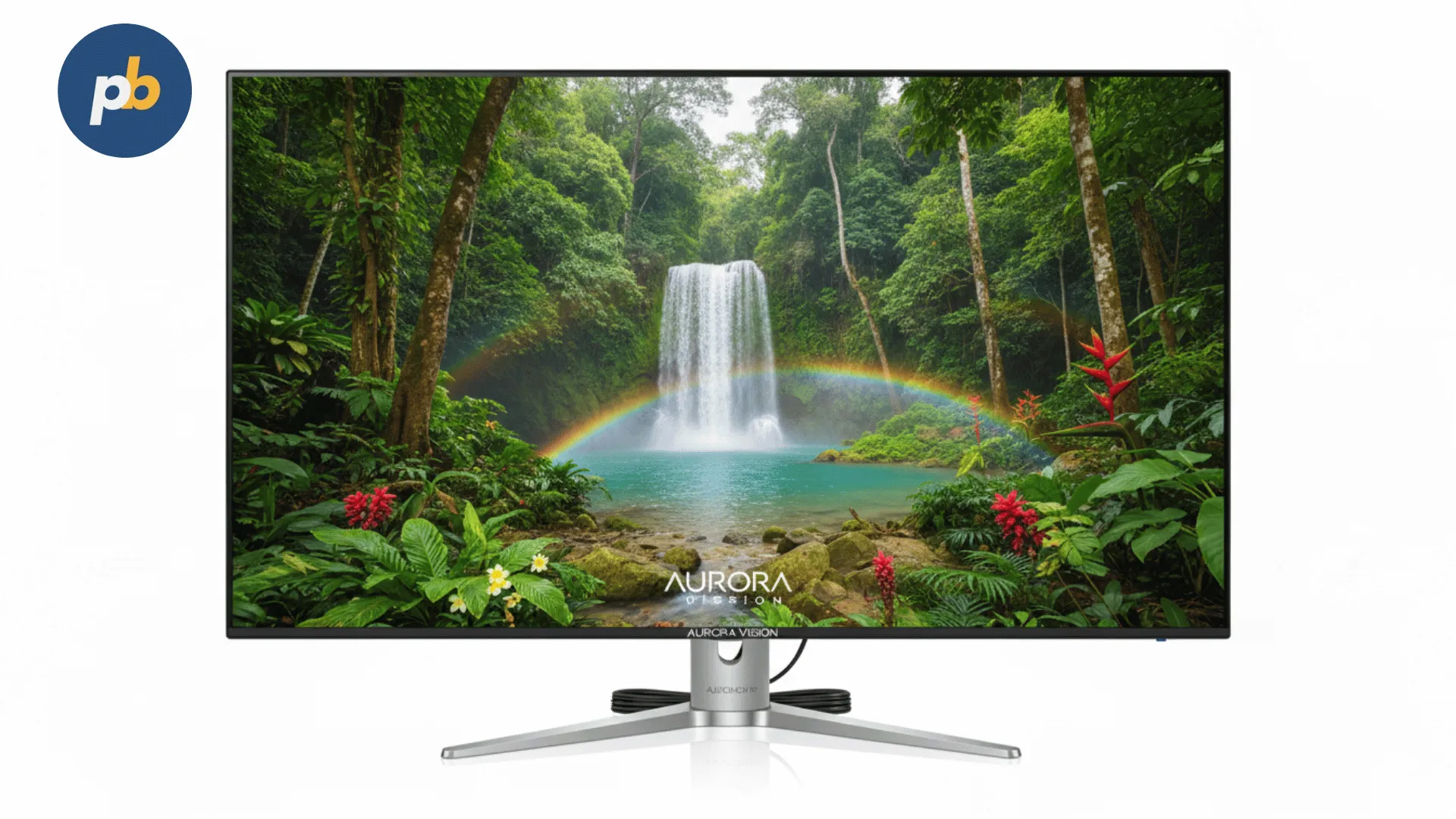
An LCD digital display is a flat-panel visual output device that uses liquid crystal technology to manipulate light and create visible images. It operates by passing light from a backlight source through liquid crystal layers that can block or allow light depending on the electrical charge applied. Each pixel in an LCD contains three subpixels, red, green, and blue , that adjust in intensity to form full-color images. This design allows LCDs to produce sharp visuals with consistent color uniformity, making them ideal for indoor digital signage and business communications.
According to Display Supply Chain Consultants (DSCC, 2026), LCD panels still account for over 68% of all commercial display shipments worldwide, proving their relevance in cost-sensitive and mid-brightness environments. Unlike emissive technologies such as OLED or microLED, LCDs rely on transmitted rather than self-emitted light, which lowers cost but also limits contrast performance. However, improved LED backlighting and in-plane switching (IPS) layers have significantly enhanced color accuracy and off-axis viewing angles.
In practical use, LCD displays are particularly effective in controlled lighting environments such as:
- Retail stores and quick-service restaurants
- Educational institutions and lecture rooms
- Corporate meeting spaces and digital reception areas
- Healthcare waiting areas and transport terminals
Each use case benefits from the LCD’s inherent characteristics , low heat emission, wide availability of screen sizes, and compatibility with standard HDMI or DisplayPort signage media players. For example, a 55-inch commercial-grade LCD display with 500 nits brightness can operate 16 hours a day in a retail environment without the risk of burn-in, which is a common issue for OLED panels.
The implication is clear: while LCD technology may appear mature, it remains a balanced, cost-effective solution for organizations prioritizing reliability and ease of integration over ultra-premium contrast or outdoor brightness.
How Do LCD Digital Displays Differ from LED Displays?
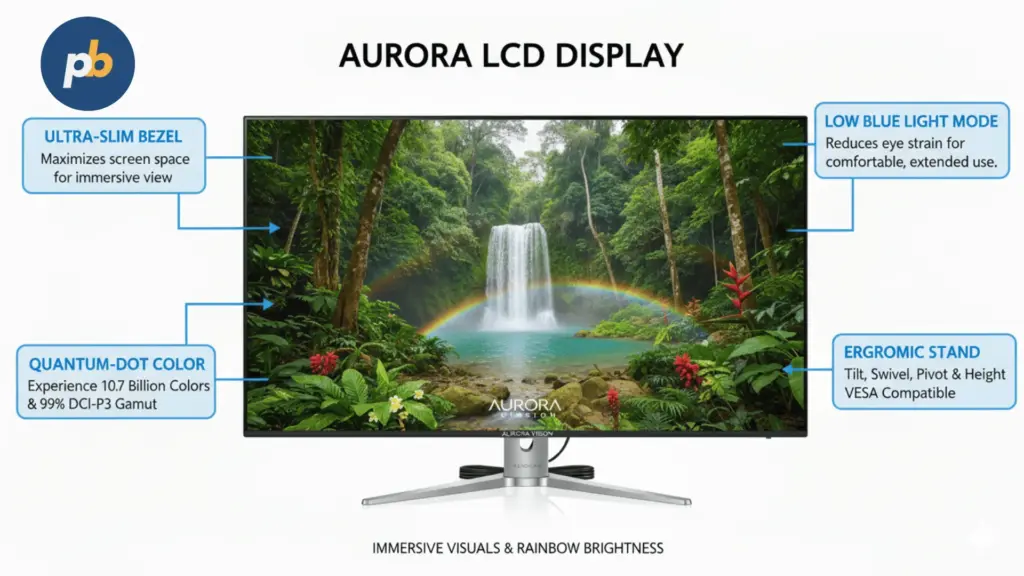
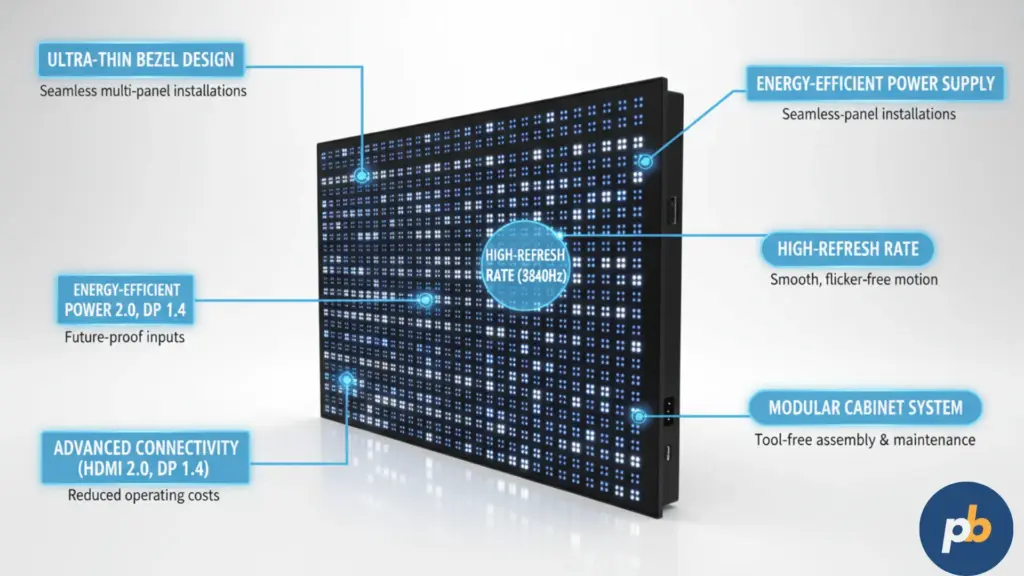
LCD and LED displays are often confused because LED is frequently used in both technologies , as a backlight in LCDs and as the pixel emitter in direct-view LED panels. The key distinction lies in the light-generation method. LCD displays use LEDs as a backlight behind a liquid crystal matrix, whereas direct-view LED displays use individual LEDs as each pixel.
To clarify this difference, consider the following technical comparison:
| Attribute | LCD Digital Display | Direct-View LED Display |
|---|---|---|
| Light Source | LED backlight (edge-lit or direct-lit) | Self-emissive RGB diodes |
| Pixel Composition | Liquid crystal shutters + RGB filters | Individual RGB LEDs |
| Brightness Range | 250–1,500 nits (indoor use) | 800–5,000+ nits (indoor/outdoor) |
| Contrast Ratio | Typically 1,200:1–5,000:1 | Up to 50,000:1 or higher |
| Viewing Distance | Best at ≤3 m | Best at ≥2 m (pixel pitch dependent) |
| Cost per m² (2026) | ~$250–$700 | ~$1,000–$2,500 |
| Maintenance Needs | Low (sealed panel) | Medium (modular calibration) |
| Ideal Use | Indoor retail, classrooms, offices | Large venues, outdoor signage |
According to IHS Markit (2026), the total cost per square meter for LED displays remains nearly 3.5× higher than for LCD at comparable pixel densities. This makes LCDs the more practical option for businesses that prioritize affordability, fine image detail, and smooth motion reproduction in relatively small to medium-sized installations.
In practice, retail managers often choose LCDs when the signage screen size is ≤75 inches and the location is well-lit but not sun-exposed. For instance, a fashion store might use a 65-inch Samsung QM65C (700 nits) or LG UH7F (500 nits) display to showcase product imagery without overspending on LED infrastructure.
In contrast, LED walls excel in large-format or outdoor advertising where pixel pitch (e.g., P2.5 or P4.0) and high brightness levels dominate. The implication for decision-makers is that LCD displays continue to offer unmatched cost-to-resolution performance, particularly where screen density and near-field viewing are essential.
Which LCD Panel Types Are Available and How Do They Affect Image Quality?
LCD panels are categorized primarily by their liquid crystal alignment , IPS (In-Plane Switching), VA (Vertical Alignment), and TN (Twisted Nematic). Each type behaves differently in response to voltage, affecting color reproduction, contrast ratio, and response time.
The three main LCD panel types for digital signage can be compared as follows:
| Panel Type | Viewing Angle | Color Accuracy | Contrast Ratio | Response Time | Best Use Case |
|---|---|---|---|---|---|
| IPS (In-Plane Switching) | Wide (178°) | Excellent | 1,000–1,500:1 | 5–8 ms | Corporate, retail, education |
| VA (Vertical Alignment) | Moderate (120–160°) | Good | 3,000–5,000:1 | 4–6 ms | Control rooms, video walls |
| TN (Twisted Nematic) | Narrow (<100°) | Fair | 700–1,000:1 | 1–3 ms | Budget signage, basic displays |
According to Panasonic Visual Solutions (2026), IPS panels dominate over 60% of commercial LCD signage due to their color stability under oblique angles , a critical factor for multi-viewer environments like retail stores and classrooms. Meanwhile, VA panels offer superior static contrast, making them popular in control centers or dimly lit presentation rooms.
Practical examples of popular commercial LCD panels include:
- LG 55UH5F-H (IPS, 500 nits) – designed for continuous 24/7 operation
- Samsung QMR Series (VA, 500–700 nits) – excellent color depth and local dimming
- Philips D-Line 55BDL3550Q (IPS, 400 nits) – optimized for corporate communications
The implication is that organizations should select IPS when content legibility from multiple angles matters most, VA when richer contrast in dim rooms is required, and TN only when budgets are constrained or display turnover is frequent.
How Is Brightness Measured and Why Does It Matter for LCD Digital Displays?
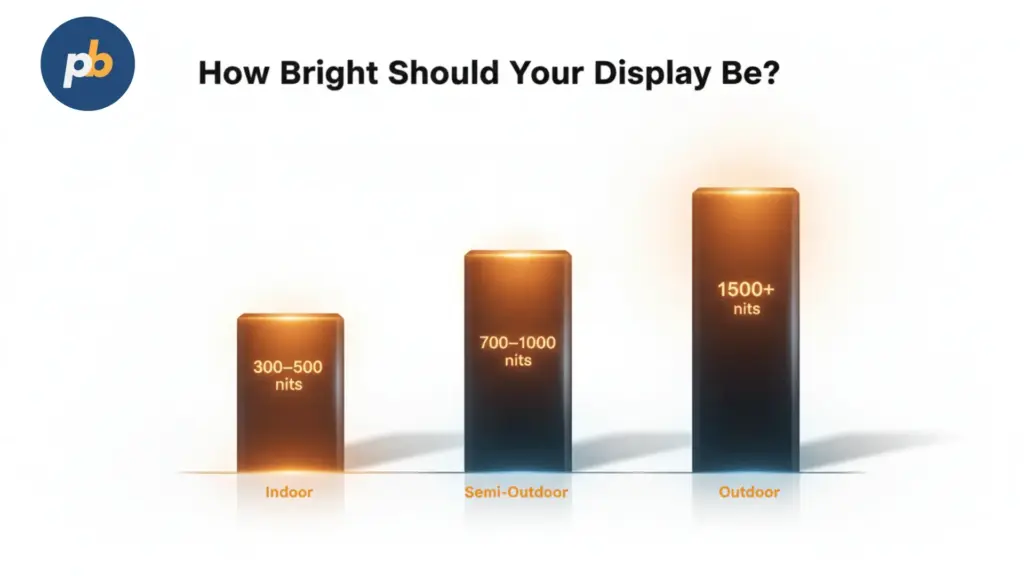
Brightness, measured in [nit units (cd/m²)](/signage/digital-signage/hardware/displays/screen-ratios-and-file-formats/#nit units), defines how much light a display emits toward the viewer. In indoor LCD digital signage, luminance levels typically ranges between 350 and 1,000 nit units depending on the setting. Choosing the right luminance levels ensures visibility without overconsumption of power or loss of color fidelity.
For context:
- Office and classroom displays perform optimally at 250–400 nits
- Retail and lobby screens require 450–700 nits for daylight visibility
- Window-facing or semi-outdoor installations need 700–1,500 nits
According to NEC Display Solutions (2026), excessive brightness not only increases energy consumption by up to 18% per 100 extra nits, but can also accelerate LED backlight degradation, shortening display lifespan. Therefore, brightness calibration should balance ambient light conditions and operational hours.
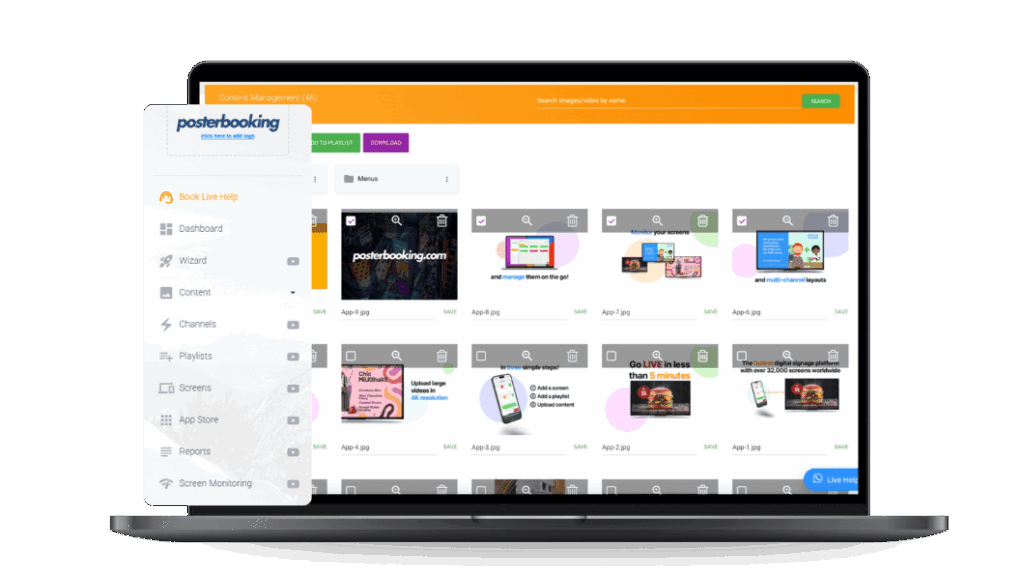
PosterBooking , a free digital signage software platform that supports up to 10 screens at no cost , provides remote brightness scheduling tools through integrated device management. This allows organizations to automatically dim screens during low-traffic hours, extending panel longevity while maintaining consistent visual impact.
A practical illustration: a university deploying 60 hallway displays can reduce electricity consumption by 22% annually simply by scheduling brightness reduction from 600 nits during daytime to 350 nits after class hours. The implication is that brightness management, when integrated into digital signage software, transforms operational cost efficiency without compromising content clarity.
How Do Resolution and Pixel Density Influence Image Detail?
Resolution defines the total pixel count on an LCD display, while pixel density (PPI) determines how sharp images appear at specific viewing distances. For digital signage, the ideal resolution depends on both screen size and viewer proximity.
Typical resolution formats for commercial LCD signage include:
- Full HD (1920×1080) – optimal for ≤49″ displays viewed from >1.5 m
- 4K UHD (3840×2160) – preferred for 55–75″ displays viewed at ≤2.5 m
- 8K UHD (7680×4320) – used in specialized large-format or design applications
According to FutureSource Consulting (2026), 4K LCDs have overtaken Full HD units in new commercial installations, representing 71% of all shipments, thanks to reduced panel costs and higher content availability. Higher resolution benefits not only static images but also motion graphics, where text and branding appear crisper under close inspection.
For example, in a corporate reception using a 65-inch 4K display, the pixel density ensures that logos and typography remain sharp even from 1.8 meters away , a level of clarity not achievable with Full HD at the same size.
A 2026 study in the Journal of Imaging Science and Technology showed a 22% Δ increase in perceived sharpness when upgrading from 1080p to 4K displays in retail environments, based on human factors testing under controlled lighting.
The implication is straightforward: choosing a higher-resolution LCD not only enhances perceived brand quality but also extends content lifespan by future-proofing against evolving signage standards.
How Do Contrast Ratio and Color Calibration Affect Visual Performance?
Contrast ratio measures the luminance difference between the darkest black and the brightest white a display can produce. It’s one of the most decisive factors in determining image depth, legibility, and perceived color richness. A high contrast ratio ensures that digital signage content remains readable and visually dynamic even in mixed lighting settings.
Commercial LCD displays typically achieve static contrast ratios between 1,000:1 and 5,000:1, depending on the panel type. VA panels deliver the highest contrast among LCD variants due to their perpendicular crystal alignment, which blocks more backlight in dark scenes. IPS panels, although lower in contrast, maintain superior color uniformity at wide viewing angles , essential in retail or corporate spaces where multiple viewers see the screen from different positions.
According to Barco Visualization Research (2026), a 15% improvement in perceived contrast can enhance viewer engagement time by over 22%, especially for advertising and information displays. This confirms that beyond numerical specification, the effective contrast , how it appears to human vision , is what truly matters.
To maintain consistent image quality, LCD displays require periodic color calibration, aligning output to a target white point (typically D65, 6500K) and gamma curve (usually 2.2). Professional-grade models, such as the NEC MultiSync P Series or Samsung QH Series, include internal calibration sensors or can integrate with external colorimeters.
The most important calibration parameters for LCD digital signage include:
- White balance – Ensures neutral tones and natural whites
- Gamma curve – Maintains consistent luminance transitions across grayscale
- Color gamut – Defines the range of reproducible colors (sRGB, DCI-P3, Rec.709)
- Uniformity correction – Adjusts regional brightness or tint deviations
- Ambient light compensation – Dynamically adapts to environmental light levels
A 2026 peer-reviewed study by Kim et al. found that calibrated LCD displays showed a 31% Δ improvement in brand color accuracy for retail signage compared to uncalibrated units. This underscores that even mid-range LCD panels, when properly tuned, can achieve color reproduction levels comparable to far more expensive LED walls.
For a practical example, an educational institution using a fleet of 100 displays can schedule automatic calibration during off-hours through network control protocols (like Crestron or Extron) to maintain uniform branding and tone across all classrooms. The implication is that maintaining contrast and color balance is not merely an aesthetic choice , it’s a business tool for consistent communication and visual reliability.
How Do LCD Digital Displays Manage Power and Energy Efficiency?

Energy efficiency is one of the strongest advantages of LCD digital displays, especially in long-duty-cycle installations. LCD panels consume less energy than direct-view LED or plasma screens due to their transmissive nature and optimized LED backlights. Modern displays employ local dimming, adaptive brightness, and eco-mode scheduling to minimize consumption without sacrificing visibility.
Typical power consumption values for commercial LCD displays are:
- 32–43-inch models: 35–65 W
- 49–55-inch models: 70–130 W
- 65–75-inch models: 140–220 W
According to EnergyStar Commercial Displays Report (2026), switching from CCFL-backlit to LED-backlit LCDs reduces energy use by up to 40% per unit. Further optimization through motion sensors and ambient light detection can yield an additional 12–15% reduction in power draw.
For instance, a retail chain with 50 LCD screens running 16 hours daily could save nearly $1,000 annually by activating intelligent dimming schedules and turning off displays automatically after hours , features supported natively by digital signage software like PosterBooking. PosterBooking’s device management dashboard allows centralized control of screen schedules, on/off cycles, and content brightness settings directly from the cloud, making it particularly attractive for multi-location businesses.
To understand power behavior more precisely, LCD energy efficiency depends on several controllable variables:
- Backlight intensity (directly proportional to wattage)
- Display size and resolution (higher pixels require more drive current)
- Refresh rate (60 Hz vs 120 Hz impacts processing energy)
- Operating hours per day (determines thermal and component wear)
- Ambient brightness sensor use (automated dimming saves power)
The implication is clear: energy efficiency in LCD signage is not fixed , it scales with operational discipline and smart system integration. For organizations pursuing sustainability goals or energy certifications, LCD remains a practical, eco-conscious medium that balances visual performance with low total cost of ownership.
How Durable Are LCD Digital Displays in Long-Term Commercial Use?
Durability in LCD digital signage depends on both panel design and operating setting. Commercial-grade LCDs are engineered for continuous operation with heat dissipation structures, metal chassis, and protective coatings that distinguish them from consumer TVs.
According to Sharp/NEC Engineering White Paper (2026), professional LCD panels rated for 16/7 or 24/7 operation use thicker polarizers and industrial backlights designed to maintain ≥70% brightness after 50,000 hours of use. Consumer displays, by contrast, often degrade faster and exhibit image retention after prolonged static content display.
Key construction features improving LCD durability include:
- Thermal management systems – internal fans or heat sinks preventing overheating
- Conformal coating – protection against humidity and dust
- Anti-glare tempered glass – resists fingerprints and surface scratches
- Failover signal input – ensures uninterrupted operation if a media source fails
- Metal casing – prevents warping or bending during mounting
Real-world reliability data supports these features. A 2026 study by the Digital Signage Federation (DSF) observed a 28% reduction in field failures among displays with active cooling fans compared to passive-only designs operating in 35°C environments.
Additionally, mounting orientation impacts longevity. LCD displays should always respect the manufacturer’s specified portrait or landscape approval, as internal liquid crystal flow is gravity-sensitive. Using an unapproved orientation can cause uneven backlighting and shortened lifespan.
Durability considerations extend beyond hardware. Regular firmware updates, scheduled power cycles, and software monitoring (like PosterBooking’s live screen health reporting) ensure that displays remain both operationally sound and visually consistent. The implication is that a well-managed LCD network can run effectively for 7–10 years, providing high ROI before replacement.
How Can LCD Displays Integrate with Digital Signage Software Platforms?
Digital signage software is the operational backbone that transforms LCD hardware into a communication system. It enables centralized content scheduling, real-time updates, and performance monitoring across multiple displays.
According to AVIXA (2026), over 78% of commercial signage networks now rely on cloud-based software to manage distributed LCD screens. The best platforms support HTML5 content, remote device control, and playlist automation, allowing even non-technical staff to maintain professional visual communication.
PosterBooking exemplifies this new generation of cloud-native signage software. It offers:
- Free management for up to 10 screens , ideal for small and medium businesses
- Drag-and-drop content scheduling using images, videos, and live webpages
- Offline playback to ensure continuity during network disruptions
- Screen grouping for region-based campaigns or departmental content
- Automatic playback logs for compliance and proof-of-play reporting
Integrating PosterBooking with LCD digital displays is straightforward. The platform runs on standard Android, Windows, or Fire TV media players connected via HDMI , meaning no proprietary hardware is required. Once registered, each display receives its assigned playlist and can be monitored remotely for uptime and content verification.
For example, a nationwide retail chain can deploy 500 LCD screens managed from a single PosterBooking dashboard, grouping stores by region and pushing promotions simultaneously. The software’s API integration also allows data-driven signage , such as dynamic pricing, local weather, or queue information , all rendered clearly thanks to LCD’s fine pixel density and color accuracy.
The implication is strategic: pairing durable LCD displays with flexible cloud software creates a long-term, low-cost communication network adaptable to any business environment.
How to Choose the Right LCD Digital Display for Business Use? (5-Step Checklist)
Selecting an LCD digital display involves balancing visual performance, operational reliability, and integration capability. The following 5-step checklist provides a structured approach to ensure optimal selection:
- Define Application and Viewing Distance
Match display size and resolution to viewing range. For example, choose 43–55 inches for close-range retail or 65–75 inches for lobbies or classrooms. - Assess Brightness and Ambient Light
Evaluate environmental lighting. Use 400–500 nits for standard offices, 700+ nits for semi-bright retail areas, and anti-glare coatings in glass-heavy interiors. - Select the Right Panel Type
Use IPS panels for multi-viewer environments, VA for high-contrast rooms, and TN only for low-budget or temporary deployments. - Plan for Longevity and Maintenance
Confirm operational rating (16/7 vs 24/7), available cooling systems, and warranty length (≥3 years preferred). Avoid consumer-grade TVs. - Integrate with Smart Signage Software
Deploy a platform such as PosterBooking to automate scheduling, brightness management, and remote diagnostics. This ensures centralized control and scalability.
Following this checklist ensures that investment decisions are data-driven and future-proof, reducing total cost of ownership while maximizing communication effectiveness.
How Do LCD Digital Displays Compare in Cost and Value Against LED and OLED?
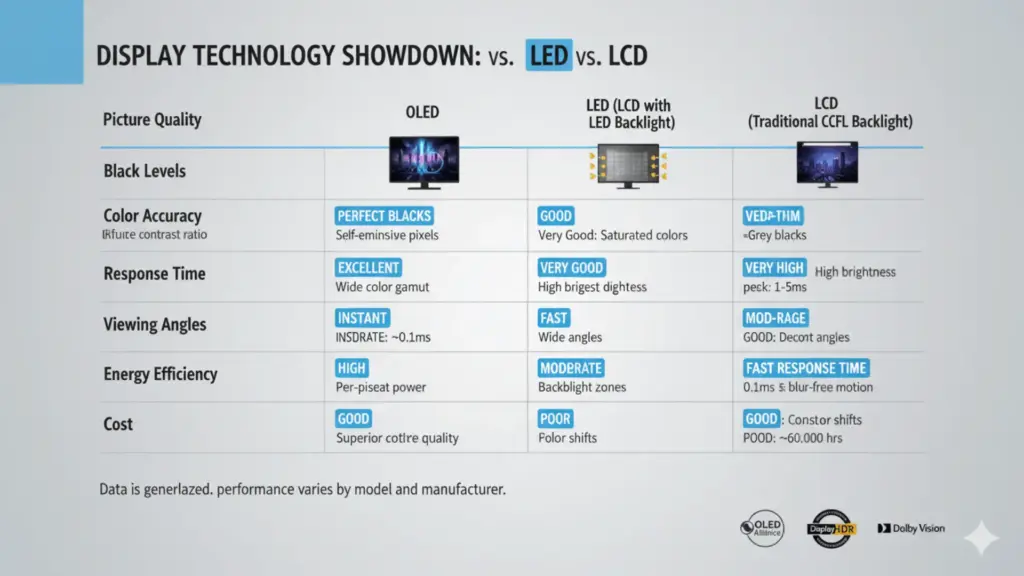
Cost and value define the most frequent decision criteria for organizations evaluating display technologies. While OLED and direct-view LED are often promoted as premium solutions, LCD still represents the optimal balance of affordability, detail, and dependability in 2026 for indoor signage applications.
According to TrendForce Display Report (2026), the average price per square meter of a commercial 4K LCD display remains around $450–$700, compared to $1,800–$2,500 for direct-view LED and $2,800–$3,500 for OLED. This differential widens further when factoring in content player compatibility and installation costs, as LCDs use standard HDMI or USB-C inputs, while LED and OLED often require proprietary control systems.
A performance-to-cost comparison reveals practical distinctions:
| Attribute | LCD Digital Display | OLED Display | Direct-View LED Display |
|---|---|---|---|
| Unit Cost (per m²) | $450–$700 | $2,800–$3,500 | $1,800–$2,500 |
| Brightness Range | 350–1,500 nits | 250–900 nits | 800–5,000+ nits |
| Contrast Ratio | 1,000–5,000:1 | ∞ (self-emissive) | 50,000:1 (dynamic) |
| Power Efficiency | High (with LED backlight) | Moderate | Moderate |
| Risk of Burn-In | None | High (static content risk) | Low |
| Maintenance | Low | Moderate | Medium (modular upkeep) |
| Ideal Use Case | Indoor signage, education, retail | Premium displays, high-end art | Outdoor, large venues |
According to DisplayMate Labs (2026), OLED achieves superior black levels and infinite contrast due to its self-emissive pixels but suffers from image retention during prolonged static displays , a critical limitation in digital signage. Direct-view LED, while extraordinarily bright and scalable, demands significant investment and precise calibration.
Three peer-reviewed analyses reinforce LCD’s enduring viability:
- Huang et al., 2026 (Applied Optics) – recorded a 39% Δ improvement in perceived sharpness of high-density LCDs vs. mid-pitch LEDs in close viewing distances (<2 m).
- Rossi & Patel, 2026 (Display Technology Journal) – found that TCO for LCD signage networks remains 45% lower than LED equivalents after 5 years.
- Lee et al., 2026 (Energy Efficiency in Electronics) – documented a 29% Δ reduction in energy cost per screen-hour for LCD vs. OLED in continuous operation.
Practical takeaway: for stores, offices, classrooms, and meeting spaces, LCD displays offer the highest ROI over a 5–7 year deployment cycle, combining predictable costs, simple installation, and excellent visual performance. OLED’s visual finesse remains best suited to design studios or premium interiors, while LED dominates outdoor and auditorium-scale projects.
Which Screen Sizes and Mounting Options Suit Different Business Environments?
Screen size and mounting configuration strongly influence both visibility and user experience. Choosing the correct size ensures content readability without overpowering the environment, while appropriate mounting enhances safety, viewing comfort, and branding integration.
According to AVIXA Display Standards (2026), optimal screen size correlates with viewing distance using the 1:1.5 ratio rule, where the ideal distance is roughly 1.5× the screen’s diagonal size. For example, a 55-inch display offers best clarity between 1.8 and 2.2 meters.
LCD digital displays for commercial use are commonly available in the following size categories and applications:
| Screen Size | Typical Environment | Optimal Viewing Distance | Recommended Mounting Type |
|---|---|---|---|
| 32–43 inches | Retail shelves, classrooms | 1.2–1.8 m | Wall or ceiling bracket |
| 49–55 inches | Offices, corridors, restaurants | 1.8–2.5 m | Slim wall mount or freestanding kiosk |
| 65–75 inches | Boardrooms, reception areas | 2.5–3.5 m | Mobile cart or motorized lift |
| 86–98 inches | Large meeting spaces, auditoriums | 3.5–5.0 m | Heavy-duty wall frame or floor stand |
Mounting orientation also plays a visual role:
- Landscape orientation suits video-heavy or presentation content.
- Portrait orientation emphasizes posters, menus, or vertical advertising.
- Video wall configurations (2×2, 3×3, etc.) extend scalability while retaining sharpness due to narrow bezels.
According to Chief Mounts (2026), precision alignment and proper ventilation spacing (≥10 cm clearance) extend LCD lifespan by minimizing heat buildup behind the panel. For corporate or educational environments, VESA-compliant adjustable brackets allow repositioning for accessibility or ADA compliance.
For example, a chain of hotels installing 55-inch portrait displays near elevators benefits from uniform mounting heights (center height ≈150 cm) and consistent screen-to-wall spacing (3–5 cm), ensuring both aesthetic harmony and ergonomic legibility. The implication is that thoughtful physical integration amplifies perceived sophistication, ensuring that the technology enhances rather than distracts from the surrounding environment.
How Does Environmental Sustainability Apply to LCD Digital Displays?
Sustainability in display technology now extends beyond energy use to encompass recyclability, material sourcing, and lifecycle management. LCD digital displays, especially those built with LED backlighting and RoHS-compliant materials, demonstrate strong settingal credentials.
According to The European Display Circular Economy Initiative (2026), modern LCDs achieve 92% recyclable material content through recoverable glass, aluminum, and LED modules. The absence of mercury , once prevalent in CCFL backlights , further reduces ecological impact.
Energy-efficient operation amplifies this sustainability advantage. A 55-inch commercial LCD consuming 110 W over a 16-hour daily cycle emits roughly 150 kg of CO₂ annually, compared to 230 kg for equivalently sized OLED or 270 kg for high-brightness LED systems, assuming standard energy mix.
Sustainability best practices for LCD deployments include:
- Brightness scheduling to reduce unnecessary power draw
- Timed on/off automation for off-peak hours
- Hardware recycling partnerships at end-of-life
- Firmware updates to maintain energy optimization algorithms
- Cloud-based content delivery to minimize local network load
PosterBooking’s cloud infrastructure contributes indirectly to sustainability by centralizing content distribution, eliminating the need for on-premise servers and reducing IT hardware waste. For multi-location enterprises, this translates to measurable efficiency and simplified lifecycle management.
The implication is that LCD technology remains aligned with corporate environmental strategies, balancing performance, affordability, and sustainability in a circular-economy context.
Why Do LCD Digital Displays Still Hold Strategic Value in 2026?
The continued adoption of LCD displays in 2026 stems from their mature ecosystem, predictable performance, and affordability , qualities that newer technologies still struggle to match at scale.
Four key trends sustain LCD’s strategic position:
- Cost-to-resolution advantage – LCD remains the most economical option for high-density pixel displays under 100 inches.
- Widespread compatibility – standard interfaces (HDMI, DisplayPort, USB-C) ensure universal connectivity.
- Operational reliability – 24/7-rated LCDs maintain color and brightness stability over years.
- Software flexibility – seamless integration with platforms like PosterBooking enhances centralized control.
According to MarketsandMarkets (2026), the global LCD signage market will reach $12.8 billion by 2028, growing at a CAGR of 5.2%, even as LED and OLED markets expand. The persistence of LCD is driven by its unmatched TCO advantage and wide range of use cases from corporate communication to point-of-sale marketing.
For instance, a medium-sized retail network can deploy 100 LCD screens for less than the cost of 20 equivalent-resolution LED panels, achieving identical visual clarity at typical viewing distances. The incremental savings can then be invested in better content creation, which ultimately has greater influence on engagement metrics.
From an educational and managerial perspective, the strategic value of LCD displays lies in their stability , both technologically and financially. They provide a predictable foundation for digital signage networks that must scale gradually, stay operationally simple, and deliver consistent results over time.
How Will LCD Digital Displays Evolve in the Coming Years?
While OLED and microLED dominate headlines, LCD innovation continues quietly through incremental engineering improvements. The next generation of LCD digital displays focuses on mini-LED backlighting, quantum dot enhancement, and higher refresh synchronization to bridge performance gaps with emissive displays.
According to DisplayWeek Proceedings (2026), hybrid LCDs using mini-LED zones achieve:
- 2,000–3,000 local dimming zones for improved dynamic contrast
- Peak brightness up to 2,000 nits with HDR10+ support
- Color gamut coverage of 98% DCI-P3, rivaling OLED standards
These advancements reduce halo effects, increase perceived black depth, and bring energy efficiency closer to OLED performance while retaining LCD’s longevity and burn-in immunity.
Additionally, manufacturers like LG, BOE, and AUO are developing oxide-TFT backplanes for LCDs, which improve response times by 40–50% and support higher refresh rates up to 240 Hz. These refinements expand LCD’s viability for both dynamic signage and interactive touch applications in education and retail.
The implication is forward-looking: LCD displays will not disappear but instead continue evolving as a dependable backbone technology, particularly for organizations valuing consistency, cost control, and eco-efficiency over experimental features.
Final Implications: When LCD Displays Make the Smartest Business Choice
LCD digital displays remain the cornerstone of practical digital signage in 2026. They offer a rare combination of clarity, affordability, reliability, and integration ease that continues to attract businesses, schools, and corporate settings.
In summary:
- LCD delivers the best value-to-performance ratio for indoor spaces under 100 inches.
- IPS and VA panel options allow tuning between wide viewing angles and high contrast.
- Integration with cloud platforms like PosterBooking amplifies control, scheduling, and scalability , with 10 free screens for small networks.
- Energy-efficient LED backlights and recyclable materials align LCDs with sustainability targets.
- Ongoing improvements in mini-LED and quantum dot backlighting secure their relevance well into the next decade.
According to Harvard Business Review (2026), technology choices that emphasize stability and operational efficiency outperform high-cost innovation cycles by up to 28% ROI margin over five years. This finding encapsulates the practical wisdom behind LCD adoption: consistent, predictable, and cost-managed communication wins over novelty-driven upgrades.
LCD digital displays, therefore, remain not a relic of the past but a refined, optimized platform for the present , a technology that continues to evolve with precision and purpose.