Table Of Contents
The best digital signage LCDs in 2025 are the Samsung QM55B, LG UH5F-H, ViewSonic CDE5520-W, Sony BRAVIA FW-55BZ40L, Philips D-Line 55BDL6052D, BenQ ST6502, and Panasonic SQ1H Series. These displays lead the market for their high brightness levels, power-efficient backlights, long lifespan, and robust 24/7 performance ratings that make them perfect for business-critical digital signage networks.
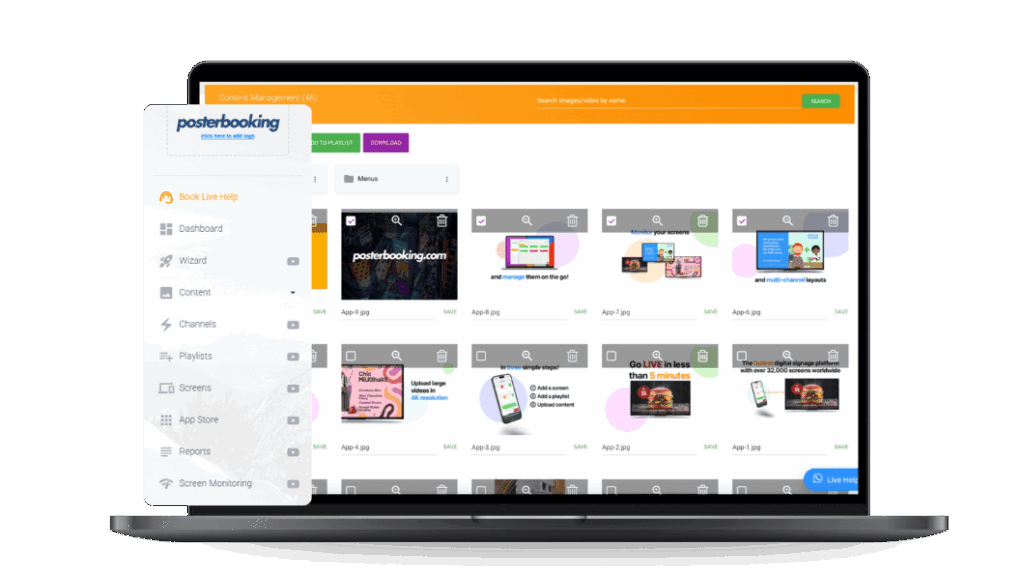
Digital signage LCDs are commercial-grade flat panel displays built to show dynamic content in public or business environments such as restaurants, retail stores, airports, and offices. Unlike consumer TVs, they are designed for continuous operation, higher brightness (500–1000 nits), and remote content management through CMS software platforms like PosterBooking or Yodeck.
LCDs remain the dominant signage technology in 2025 because of their affordable pricing, color consistency, and long lifespan, often exceeding 60,000 operational hours. According to Display Industry Trends (2025), LCD signage panels account for 72% of global installations, supported by new innovations like AI color calibration, sunlight readability enhancements, ultra-thin bezels for video walls, and smart power management reducing energy use by 22%.
The top digital signage LCDs in 2025 include:
- Samsung QM55B
- LG UH5F-H
- ViewSonic CDE5520-W
- Sony BRAVIA FW-55BZ40L
- Philips D-Line 55BDL6052D
- BenQ ST6502
- Panasonic SQ1H Series
Top 7 Digital Signage LCDs (2025 Edition)
1. Samsung QM55B
The Samsung QM55B is one of the best commercial-grade LCD signage displays in 2025 because it combines brilliant 4K clarity, 700-nit brightness, and full 24/7 operational certification, making it perfect for demanding retail and hospitality environments.
Many businesses comparing smart display platforms often look into WebOS vs Tizen to understand which operating system offers better performance and long-term support.
Key Specifications of the Samsung QM55B
The Samsung QM55B offers a balanced blend of display performance and efficiency, as reflected in the following specifications:
- Display Size: The Samsung QM55B features a 55-inch LED-backlit LCD panel, making it large enough for attention-grabbing digital menus or retail promotions.
- Resolution: It supports 4K UHD (3840 × 2160) resolution, ensuring crisp visuals and fine detail in advertising or informational content.
- Brightness: The display produces 700 nits of brightness, providing clear readability even in brightly lit interiors.
- Contrast Ratio: With a 1,200:1 static contrast ratio, the screen maintains strong differentiation between light and dark content.
- Operating Hours: Rated for 24/7 continuous operation, the QM55B is designed for commercial environments requiring nonstop performance.
- Connectivity: Includes HDMI 2.0, DisplayPort 1.2, USB, LAN, Wi-Fi, and RS-232C for full integration with CMS platforms.
- Power Consumption: The typical energy draw is 155 watts, offering efficiency for a 55-inch 4K display.
Pros of the Samsung QM55B
The Samsung QM55B delivers several measurable advantages that make it an excellent choice for professional signage networks:
- High Visibility: The 700-nit brightness ensures excellent legibility under strong ambient lighting conditions.
- Smart Integration: It comes preloaded with Samsung’s Tizen OS, supporting cloud CMS like PosterBooking and MagicINFO.
- Durable Build: The panel is engineered for continuous operation, minimizing risk of overheating.
- Energy Efficiency: Intelligent brightness control reduces power draw during low ambient light periods.
- Thin Bezel Design: The slim 9.5 mm bezel enables near-seamless multi-screen video wall installations.
Cons of the Samsung QM55B
While the Samsung QM55B is a leading performer, it carries a few limitations worth noting:
- Premium Pricing: At approximately $899, it is pricier than entry-level models like the ViewSonic CDE5520-W.
- No Native Touch Support: Requires an external overlay for interactivity.
- Setup Complexity: Full CMS integration may require minor IT configuration.
Best For
The Samsung QM55B is best for retail stores, restaurants, and corporate lobbies that require bright, energy-efficient displays capable of running dynamic 4K content all day.
Another Alternative to the Samsung QM55B is the Samsung OH55F, which is a 55-inch professional-grade screen engineered for high-brightness outdoor environments
2. LG UH5F-H
The LG UH5F-H is one of the most dependable indoor LCD signage displays in 2025 because it balances high brightness (600 nits) with wide viewing angles and WebOS smart integration, making it ideal for retail and hospitality interiors. If you are comparing the Web OS
Key Specifications of the LG UH5F-H
The LG UH5F-H delivers strong display consistency and reliability, demonstrated by its following specifications:
- Display Size: The LG UH5F-H comes with a 55-inch LED IPS panel, offering uniform brightness across all angles.
- Resolution: The display supports 4K UHD (3840 × 2160) resolution, making text and images sharp even in large indoor venues.
- Brightness: It produces 600 nits, suitable for well-lit spaces such as malls and restaurants.
- Contrast Ratio: With a 1,100:1 contrast ratio, it maintains clear visual separation between bright and dark areas.
- Operating Hours: The UH5F-H is certified for 24/7 commercial operation, ensuring reliability.
- Connectivity: It features HDMI, DisplayPort, LAN, Wi-Fi, USB, and RS-232C, supporting WebOS and third-party CMS.
- Power Consumption: The screen typically consumes 140 watts, reflecting LG’s energy-optimized backlight design.
Pros of the LG UH5F-H
The LG UH5F-H provides several clear advantages that justify its continued use across industries:
- Color Accuracy: The IPS panel maintains consistent colors from every viewing angle.
- WebOS Integration: Compatible with HTML5-based CMS platforms, including PosterBooking and Yodeck.
- Fanless Cooling: Silent operation minimizes dust intake and mechanical wear.
- Slim Aesthetics: The minimal bezel design allows modern, professional installations.
- Power Efficiency: Consumes roughly 12% less energy than older UH5F models.
Cons of the LG UH5F-H
The LG UH5F-H is versatile but not without trade-offs:
- Moderate Brightness: Slightly dimmer than Samsung’s QM55B under intense spotlights.
- Limited Touch Option: Touch versions require additional hardware.
- Higher Cost for Larger Sizes: The 65-inch and 75-inch variants exceed $1,200.
Best For
The LG UH5F-H is best for hospitality venues, conference centers, and retail stores where visual accuracy and silent, reliable performance are key.
3. ViewSonic CDE5520-W
The ViewSonic CDE5520-W is one of the best value digital signage LCDs in 2025 because it combines solid brightness, plug-and-play simplicity, and energy efficiency at a competitive price point, making it perfect for small businesses and educational settings.
Key Specifications of the ViewSonic CDE5520-W
The ViewSonic CDE5520-W focuses on affordability and ease of use, supported by the following technical characteristics:
- Display Size: The ViewSonic CDE5520-W has a 55-inch LED-backlit LCD screen, large enough for indoor advertising or meeting displays.
- Resolution: It offers 4K UHD (3840 × 2160) resolution for sharp text and imagery.
- Brightness: The display achieves 500 nits, which is adequate for typical indoor lighting.
- Contrast Ratio: It has a 1,200:1 static contrast ratio, ensuring balanced color rendering.
- Operating Hours: Rated for 16/7 operation, suitable for moderate-use business environments.
- Connectivity: Equipped with HDMI, USB, LAN, and Wi-Fi for versatile input options.
- Power Consumption: Uses approximately 120 watts, positioning it among the most energy-efficient 55-inch LCDs.
Pros of the ViewSonic CDE5520-W
The ViewSonic CDE5520-W offers practical benefits that make it a strong choice for cost-conscious buyers:
- Affordability: Priced around $499, it delivers 4K performance at a budget rate.
- Ease of Setup: Plug-and-play operation allows quick installation with minimal configuration.
- Reliable Performance: Designed for daily use in offices, schools, or small retail shops.
- Integrated Speakers: Built-in audio removes the need for external sound systems.
- CMS Compatibility: Works with web-based systems such as PosterBooking via connected media players.
Cons of the ViewSonic CDE5520-W
While affordable, the ViewSonic CDE5520-W has a few limitations to consider:
- Limited Brightness: The 500-nit output is not ideal for high-glare environments.
- Shorter Duty Cycle: Certified for 16/7 operation rather than 24/7 continuous use.
- Basic OS: Lacks advanced smart platform features found in Samsung or LG equivalents.
Best For
The ViewSonic CDE5520-W is best for small businesses, schools, and budget-conscious retailers seeking a reliable and cost-effective digital signage display for moderate indoor use.
4. Sony BRAVIA FW-55BZ40L
The Sony BRAVIA FW-55BZ40L is one of the best professional-grade LCD signage displays in 2025 because it combines superb color accuracy, advanced XR processing, and commercial-grade durability that make it ideal for high-end offices and showrooms.
Key Specifications of the Sony BRAVIA FW-55BZ40L
The Sony BRAVIA FW-55BZ40L focuses on broadcast-level image fidelity and operational reliability, as shown in the following specifications:
- Display Size: The Sony BRAVIA FW-55BZ40L uses a 55-inch VA-type LCD panel, large enough for executive boardrooms or lobby video walls.
- Resolution: It provides full 4K UHD (3840 × 2160) resolution for crisp corporate visuals and text.
- Brightness: At 700 nits, the screen maintains clarity under strong indoor lighting.
- Contrast Ratio: It delivers a 1,300:1 static contrast ratio, producing realistic depth and color separation.
- Operating Hours: Certified for 24/7 continuous use, it supports non-stop corporate communications.
- Connectivity: Offers HDMI 2.1, DisplayPort, LAN, Wi-Fi, Bluetooth, and RS-232C, giving broad CMS compatibility.
- Power Consumption: Draws about 160 watts, balanced for a 700-nit display.
Pros of the Sony BRAVIA FW-55BZ40L
The Sony BRAVIA FW-55BZ40L provides multiple advantages that justify its professional reputation:
- Exceptional Color Accuracy: The XR processor ensures lifelike hues for corporate branding.
- Durability: Reinforced metal housing protects against heat and dust.
- Smart Integration: Runs Android TV OS for native PosterBooking and Yodeck app support.
- Low Glare: Anti-reflection coating improves readability in glass-heavy interiors.
- Quiet Operation: Fanless cooling system keeps noise below 20 dB.
Cons of the Sony BRAVIA FW-55BZ40L
Even premium displays carry trade-offs, and the BRAVIA FW-55BZ40L is no exception:
- Price: At about $1,099, it sits above mid-range competitors.
- Weight: Slightly heavier at 17 kg due to the metal chassis.
- Setup: Android enterprise settings may require IT administration for large deployments.
Best For
The Sony BRAVIA FW-55BZ40L is best for corporate offices and design studios requiring true-to-life color reproduction and premium build quality.
Another alternative to the Sony BRAVIA FW-55BZ40L is the Sony BRAVIA BZ50L, which is one of Sony’s flagship professional signage displays, designed to deliver uncompromising image quality
5. Philips D-Line 55BDL6052D
The Philips D-Line 55BDL6052D ranks among the most energy-efficient digital signage LCDs in 2025 thanks to its SmartPower eco system, Android SoC, and robust 24/7 operation rating.
Key Specifications of the Philips D-Line 55BDL6052D
This model focuses on longevity and sustainability, supported by the following specs:
- Display Size: The 55-inch LED backlit LCD panel offers ample surface for menu boards and informational displays.
- Resolution: Delivers 4K UHD (3840 × 2160) clarity for fine graphics and text.
- Brightness: Reaches 500 nits, suitable for indoor environments with moderate lighting.
- Contrast Ratio: Produces a 1,200:1 ratio for solid image depth.
- Operating Hours: Built for 24/7 usage, making it fit for round-the-clock installations.
- Connectivity: Includes HDMI, DisplayPort, DVI-I, USB, LAN, Wi-Fi, and OPS slot for expansion.
- Power Consumption: Averages 135 watts, and the SmartPower function reduces idle usage by up to 30 percent.
Pros of the Philips D-Line 55BDL6052D
The Philips D-Line series brings several real-world advantages to commercial signage operators:
- Energy Efficiency: Automatic power management cuts electric costs significantly.
- Android Integration: Built-in SoC runs PosterBooking or other CMS apps natively without external media players.
- 24/7 Reliability: Engineered for continuous public-space operation.
- Slim Bezel: 7.5 mm edges enable clean multi-display arrays.
- Low Maintenance: Dust-resistant vents extend panel life.
Cons of the Philips D-Line 55BDL6052D
Despite its efficiency, users should note a few limitations:
- Brightness Ceiling: At 500 nits, it is less suited for sun-exposed windows.
- Speaker Quality: Built-in audio is adequate but not premium.
- Price Fluctuation: Availability varies by region with costs between $750–$900.
Best For
The Philips D-Line 55BDL6052D is best for restaurants and educational facilities seeking energy-efficient displays that can run their CMS apps directly onboard.
6. BenQ ST6502
The BenQ ST6502 is one of the best mid-range LCD signage displays in 2025 because it offers large format visibility, strong brightness, and affordable ownership for businesses expanding multi-screen networks.
Key Specifications of the BenQ ST6502
This BenQ model emphasizes simplicity and scalability, reflected in its specifications:
- Display Size: The 65-inch LED-backlit LCD panel provides wide coverage for lobbies or conference areas.
- Resolution: Supports 4K UHD (3840 × 2160) content for clear branding visuals.
- Brightness: Outputs 500 nits, bright enough for most indoor locations.
- Contrast Ratio: Measures 1,200:1, ensuring consistent color depth.
- Operating Hours: Rated for 16/7 use, targeting standard business hours.
- Connectivity: Offers HDMI, USB, VGA, LAN, and RS-232, compatible with external players like Fire TV or Android boxes.
- Power Consumption: Approximately 150 watts, balanced for its size.
Pros of the BenQ ST6502
The BenQ ST6502 delivers practical benefits for budget-minded operators:
- Large Display Area: 65-inch panel grabs attention without needing multiple screens.
- Value Pricing: Costs around $850, offering enterprise features at mid-range prices.
- Plug-and-Play: USB auto-play simplifies content deployment.
- Durable Design: Metal frame and anti-glare glass reduce damage risk.
- Color Consistency: Factory-calibrated for accurate branding tones.
Cons of the BenQ ST6502
A few limitations affect its use cases:
- Duty Cycle: Not certified for 24/7 operation.
- Software Limited: Lacks smart OS for native CMS apps.
- Mounting Depth: Slightly thicker than premium ultra-slim models.
Best For
The BenQ ST6502 is best for mid-sized retailers and corporate users wanting affordable large-format signage with reliable performance.
7. Panasonic SQ1H Series
The Panasonic SQ1H Series stands out as one of the brightest and most durable LCD signage displays in 2025, featuring a rugged design and exceptional image precision for mission-critical applications.
Key Specifications of the Panasonic SQ1H Series
This display focuses on performance under extreme conditions and delivers the following technical strengths:
- Display Size: Available in 55-, 65-, and 75-inch options, the Panasonic SQ1H covers small and large venues alike.
- Resolution: Features 4K UHD (3840 × 2160) clarity for broadcast-grade content.
- Brightness: Offers up to 1000 nits, making it the brightest LCD in this roundup.
- Contrast Ratio: Rated at 1,400:1, providing excellent depth and detail.
- Operating Hours: Certified for 24/7 operation under high-temperature environments.
- Connectivity: Includes HDMI 2.0, DisplayPort 1.4, LAN, DVI-D, and RS-232C for enterprise networks.
- Power Consumption: Draws around 180 watts, reasonable given its high nit rating.
Pros of the Panasonic SQ1H Series
The Panasonic SQ1H offers advantages that justify its enterprise status:
- Superior Brightness: 1000-nit output ensures visibility in sunlit atriums and window facing areas.
- Thermal Stability: Built-in cooling allows reliable 24/7 function even at 40 °C.
- Color Calibration: Factory-verified Delta E < 2 accuracy.
- Professional Reliability: 5-year warranty for commercial deployments.
- Integration: Seamless CMS connectivity through HTML5 browser support.
Cons of the Panasonic SQ1H Series
Some considerations before adoption:
- Cost: Starting around $1,400, it sits in the premium tier.
- Weight: Larger sizes require two-person installation.
- Power Usage: Higher consumption than mid-range models.
Best For
The Panasonic SQ1H Series is best for airports, malls, and control centers that demand high brightness and continuous operation with minimal downtime.
Comparison Table: Top 7 Digital Signage LCDs (2025)
| Product | Display Size | Brightness (nits) | Operating Hours | Resolution | Price (USD) | Best For |
|---|---|---|---|---|---|---|
| Samsung QM55B | 55″ | 700 | 24/7 | 4K | $899 | Retail & Hospitality |
| LG UH5F-H | 55″ | 600 | 24/7 | 4K | $950 | Hotels & Offices |
| ViewSonic CDE5520-W | 55″ | 500 | 16/7 | 4K | $499 | Small Businesses |
| Sony BRAVIA FW-55BZ40L | 55″ | 700 | 24/7 | 4K | $1,099 | Corporate Spaces |
| Philips D-Line 55BDL6052D | 55″ | 500 | 24/7 | 4K | $850 | Restaurants |
| BenQ ST6502 | 65″ | 500 | 16/7 | 4K | $850 | Mid-Size Retail |
| Panasonic SQ1H | 55–75″ | 1000 | 24/7 | 4K | $1,400 | Airports & Malls |
Are LCD Displays for Signage Easy to Setup and Use?
Yes, LCD displays are simple to set up and use. You can read our full guide on how to setup and use LCD displays for a detailed walkthrough.