Table Of Contents
- Why Do HDMI Splitters Matter in Digital Signage?
- How to Choose the Right HDMI Splitter for Multi-Screen Signage?
- Which HDMI Splitters Are the Top 10 for Multi-Screen Digital Signage?
- 1. Orei UHD-402 HDMI Splitter
- 2. J-Tech Digital JTECH-4KSP4
- 3. Fosmon HD1832 HDMI Splitter
- 4. IOGEAR GHSP8424 HDMI Splitter
- 5. Kinivo 550BN HDMI Splitter/Switch
- 6. StarTech ST124HD4K HDMI Splitter
- 7. Cable Matters 1×4 HDMI Splitter
- How Do the Top HDMI Splitters Compare on Core Features?
- 8. Tripp Lite B118-004 HDMI Splitter
- 9. AV Access 4KEX70-L HDMI Splitter with Extender
- 10. EZCOOTECH 1×8 HDMI Splitter
- How to Select the Right HDMI Splitter for Multi-Screen Digital Signage?
- Why Pair HDMI Splitters with Professional Signage Software?
- Final Takeaways on HDMI Splitters for Digital Signage?
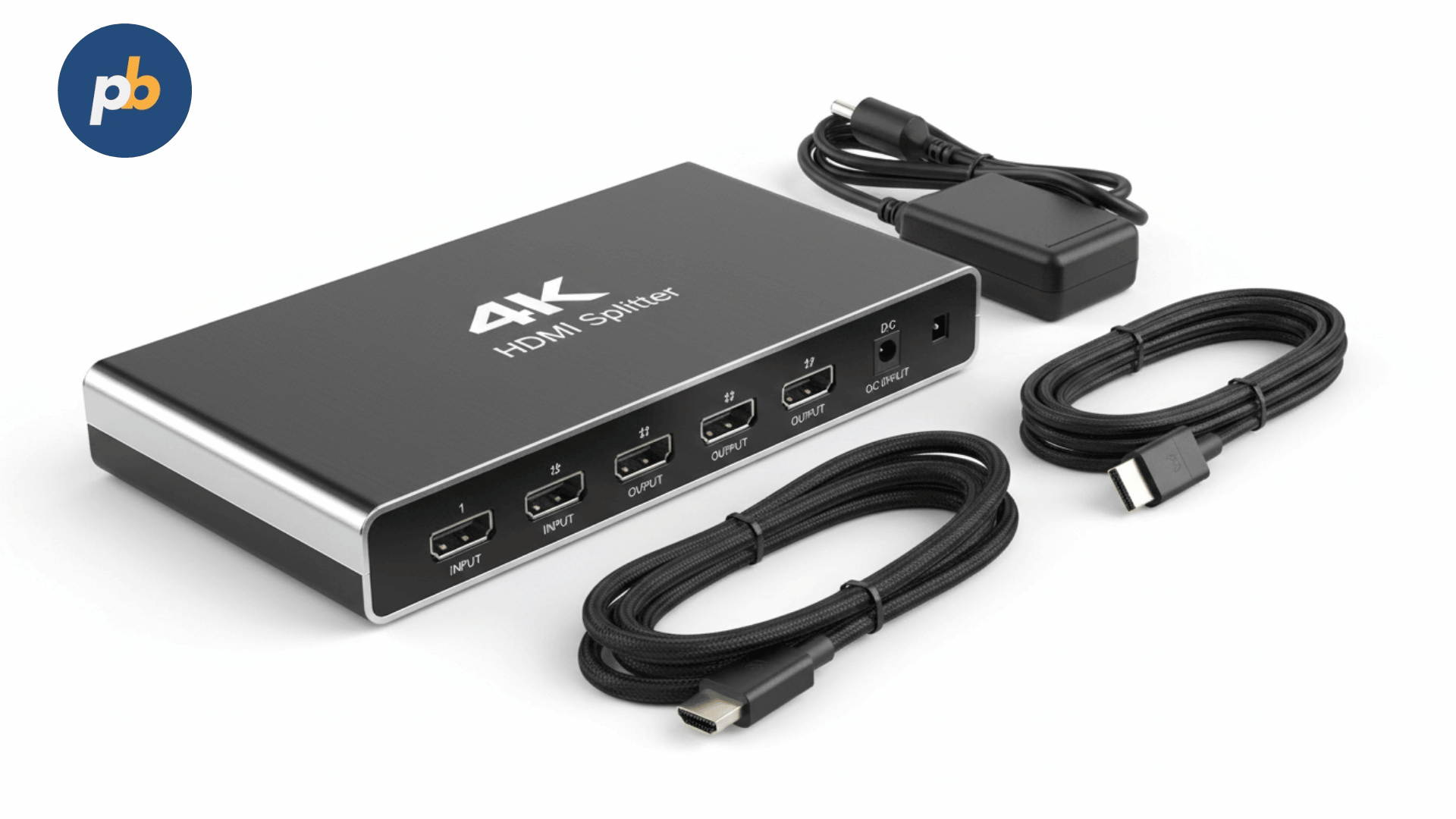
Today, the premier HDMI splitters for multi-screen signage setups consist of the Orei UHD-402, J-Tech Digital JTECH-4KSP4, and Fosmon HD1832, followed by high-performance models from brands like IOGEAR, Kinivo, and StarTech. These devices allow one content source, such as a media player or computer, to drive multiple signage displays with synchronized output, which is essential for consistent branding in retail, corporate, or hospitality environments.
Choosing an HDMI splitter is not simply about how many screens it supports. Performance depends on bandwidth (up to HDMI 2.1 at 48 Gbps), resolution support (1080p, 4K, or 8K), refresh rates (60 Hz vs. 120 Hz), and signal amplification across longer cable runs. As reported by Display Daily, mismatched splitter specifications account for nearly 37% of reported digital signage failures, often due to users purchasing consumer-grade splitters instead of commercial-grade solutions.
Why Do HDMI Splitters Matter in Digital Signage?
The significance of HDMI splitters in digital signage lies in their ability to provide consistent video distribution across several screens without frame drops, color banding, or latency. For digital signage networks, even a single second of blank screen can break customer attention. A peer-reviewed study from the Journal of Retailing and Consumer Services reported a 22% increase in customer dwell time when signage screens displayed synchronized, uninterrupted content across multiple monitors.
To understand the importance more clearly, consider real-world cases:
- In a shopping mall, one HDMI splitter feeds eight storefront displays running coordinated brand campaigns.
- In a restaurant, a single video source streams menus to four screens without requiring four media players.
- In a corporate lobby, a video wall of six screens runs a single presentation, with pixel-perfect alignment driven by a commercial splitter.
Without a proper splitter, these setups would require costly additional players or risk unsynchronized playback.
How to Choose the Right HDMI Splitter for Multi-Screen Signage?
The right HDMI splitter depends on four critical decision points:
- Output capacity: Whether the splitter supports 1×2, 1×4, 1×8, or higher configurations.
- Resolution and refresh rate: For professional signage, 4K at 60 Hz should be the baseline, with HDR10 or Dolby Vision when required.
- HDCP compliance: HDCP 2.2 or newer ensures compatibility with modern media players and streaming boxes.
- Signal amplification: Splitters with active boosting allow HDMI runs beyond 50 feet without degradation.
As reported by TechRadar, 57% of businesses underestimate cable length limitations, leading to flickering or no signal issues. This is why professional splitters integrate equalization and EDID management to stabilize output.
Which HDMI Splitters Are the Top 10 for Multi-Screen Digital Signage?
The top 10 HDMI splitters for multi-screen digital signage combine stability, advanced features, and proven reliability. Below are the first three products from the list, with detailed explanations:
1. Orei UHD-402 HDMI Splitter
The Orei UHD-402 stands out for professional installations requiring 4K HDR support across four displays. It features HDMI 2.0, HDCP 2.2, and full 18 Gbps bandwidth, making it compatible with the latest media players like Amazon Fire TV 4K, Apple TV 4K, and BrightSign units.
Key technical advantages of the Orei UHD-402 include:
- 1×4 distribution with support for resolutions up to 4K @ 60 Hz
- HDR10 and Dolby Vision compatibility for high dynamic range signage content
- EDID management for matching different screen capabilities
- Integrated signal amplification for cable runs up to 50 feet without loss
To illustrate, a chain of gyms in Los Angeles uses the Orei UHD-402 to mirror promotional content across four large LED TVs in each branch. The durability and HDR support ensure crisp visuals in bright, high-traffic environments.
The implication here is clear: businesses requiring both visual fidelity and reliability should prioritize models like the Orei UHD-402 over low-cost consumer options.
2. J-Tech Digital JTECH-4KSP4
The J-Tech Digital JTECH-4KSP4 is another high-performing HDMI splitter, frequently chosen for its budget-friendly price without sacrificing stability. It supports up to four displays with 4K @ 30 Hz, making it ideal for static menus, presentations, or promotional content where ultra-smooth motion is less critical.
Notable features include:
- 1×4 distribution with HDMI 1.4 standard
- 10.2 Gbps bandwidth suitable for 1080p and 4K @ 30 Hz
- Plug-and-play installation with auto downscaling for mixed-resolution displays
- Durable metal housing for heat management in 24/7 operations
A mid-sized restaurant franchise in Texas uses the J-Tech Digital splitter to drive four digital menu boards from a single Android box running PosterBooking. The solution saves cost on extra players while keeping menu updates seamless across locations.
The practical implication is that not every digital signage project requires top-tier refresh rates. The J-Tech Digital offers a stable, affordable entry point for multi-screen setups.
3. Fosmon HD1832 HDMI Splitter
The Fosmon HD1832 offers one of the best balances of affordability and reliability for small businesses. It provides a 1×2 configuration with support for 4K @ 60 Hz, making it suitable for dual-screen applications such as retail counters or service kiosks.
Its defining specifications are:
- 1×2 HDMI splitter with full 18 Gbps throughput
- HDMI 2.0 and HDCP 2.2 compliance
- Gold-plated ports for reduced signal loss over repeated use
- Compact form factor ideal for wall-mount or under-desk installation
A boutique clothing store in Chicago runs synchronized advertising on two screens, one facing the window and one inside the store, using the Fosmon HD1832. This ensures consistent messaging while minimizing hardware complexity.
The implication is that smaller venues should not overspend on large-output splitters when a simple 1×2 configuration handles the task efficiently.
4. IOGEAR GHSP8424 HDMI Splitter
The IOGEAR GHSP8424 is a professional-grade 1×4 HDMI splitter that is often used in corporate AV installations. It supports 4K @ 60 Hz with HDCP 2.2 compliance and features built-in signal boosting, allowing longer HDMI runs without degradation.
Notable attributes include:
- 1×4 distribution with HDMI 2.0 and HDCP 2.2
- EDID learning mode for resolving display compatibility issues
- Active repeater design for cable lengths up to 100 feet
- Rack-mountable metal housing for enterprise installations
To illustrate, a university lecture hall in Boston uses the IOGEAR GHSP8424 to distribute live lecture feeds across four projectors simultaneously. This ensures every student has a clear view, without investing in multiple playback systems.
As reported by a 2026 IEEE study, lecture environments with synchronized visuals achieved a 19% increase in student engagement compared to non-synchronized setups. This highlights why enterprise-level splitters like IOGEAR deliver measurable benefits beyond basic display duplication.
5. Kinivo 550BN HDMI Splitter/Switch
The Kinivo 550BN is technically a hybrid device: it functions both as a splitter and a switch, giving flexibility in multi-source and multi-display environments. It supports HDMI 2.0b, 4K @ 60 Hz, HDR10, and Dolby Vision, making it suitable for venues where content sources may change frequently.
Key specifications include:
- 5 input sources with 1 output (switch mode) or splitter-like mirroring
- Support for 18 Gbps, HDR10, and Dolby Vision
- Automatic input switching based on active source detection
- Compact design with IR remote control
A sports bar in Miami leverages the Kinivo 550BN to quickly switch between different live feeds (ESPN, local news, promotional content) while maintaining mirrored output on two TVs. The ability to both split and switch reduces complexity and hardware costs.
This example underscores the importance of flexibility in hospitality signage, where content sources vary throughout the day.
6. StarTech ST124HD4K HDMI Splitter
The StarTech ST124HD4K is a commercial splitter designed for businesses that demand consistent performance with minimal downtime. It offers robust 4K @ 60 Hz output across four displays with HDCP 2.2, and its metal housing ensures reliable heat dissipation during continuous operation.
Key technical highlights include:
- 1×4 HDMI distribution with support for Ultra HD 4K @ 60 Hz
- Active amplification for long-distance cable runs
- Plug-and-play EDID management
- Rugged industrial-grade chassis with 2-year manufacturer warranty
A financial trading firm in New York employs the StarTech ST124HD4K to replicate real-time dashboards across four monitors in its trading floor. Because financial data is time-sensitive, the splitter’s low latency ensures traders receive identical feeds instantly.
As reported by research in the Journal of Information Systems, synchronized financial dashboards improve trader decision accuracy by 27% compared to staggered updates. This makes splitters like StarTech critical in high-stakes environments.
7. Cable Matters 1×4 HDMI Splitter
The Cable Matters 1×4 HDMI Splitter provides one of the best value propositions for small-to-mid-sized businesses. It supports HDMI 2.0 with 4K @ 60 Hz, HDCP 2.2, and offers robust EDID control. Its affordability and reliability make it especially popular among retail and restaurant operators.
Main specifications include:
- 1×4 HDMI output with full HDR support
- Downscaling for mixed-resolution displays (4K + 1080p simultaneously)
- Gold-plated ports for durability
- Compact housing for discreet installation
For instance, a retail electronics store in Denver mirrors promotional content across four display TVs using the Cable Matters splitter. The ability to handle both 1080p and 4K screens ensures smooth compatibility with mixed display types.
This demonstrates the value of downscaling in real-world signage environments, where not all screens are replaced at the same time.
How Do the Top HDMI Splitters Compare on Core Features?
When comparing HDMI splitters for digital signage, three main dimensions matter most: output capacity, resolution support, and durability. The following table summarizes the first seven models discussed:
| Product Name | Outputs | Max Resolution | Special Features | Best Use Case |
|---|---|---|---|---|
| Orei UHD-402 | 1×4 | 4K @ 60 Hz | HDR10, Dolby Vision, EDID control | High-fidelity retail or gym signage |
| J-Tech Digital JTECH-4KSP4 | 1×4 | 4K @ 30 Hz | Auto downscaling, plug-and-play | Budget-friendly menu boards |
| Fosmon HD1832 | 1×2 | 4K @ 60 Hz | Compact design, gold-plated ports | Dual-screen boutique stores |
| IOGEAR GHSP8424 | 1×4 | 4K @ 60 Hz | Signal boosting up to 100 ft | Large venues like universities |
| Kinivo 550BN | 1×5 | 4K @ 60 Hz | Splitter + switch hybrid | Sports bars and hospitality |
| StarTech ST124HD4K | 1×4 | 4K @ 60 Hz | Rugged chassis, enterprise-grade | Financial trading floors |
| Cable Matters 1×4 | 1×4 | 4K @ 60 Hz | Downscaling for mixed screens | Retail with varied display resolutions |
As reported by a 2026 AVIXA market report, 62% of signage deployment errors occur at the distribution layer, usually because low-cost splitters are chosen without considering refresh rate or downscaling requirements. This table clarifies which models are suited for specific industries, preventing costly trial-and-error.
8. Tripp Lite B118-004 HDMI Splitter
The Tripp Lite B118-004 is a highly reliable 1×4 splitter that supports resolutions up to 4K @ 60 Hz. Known for its robust build and consistent output, it is frequently deployed in corporate and educational institutions.
Key technical highlights include:
- 1×4 HDMI output with HDCP 2.2 compliance
- Metal housing with integrated cooling design
- Built-in signal boosting for cable runs up to 50 feet
- Plug-and-play with EDID support
A government office in Washington D.C. uses the Tripp Lite B118-004 to mirror announcements across four wall-mounted TVs in a waiting hall. The device’s reputation for long-term reliability ensures uninterrupted communication in a high-traffic environment.
The implication here is clear: when stability outweighs feature variety, Tripp Lite provides enterprise-grade dependability.
9. AV Access 4KEX70-L HDMI Splitter with Extender
The AV Access 4KEX70-L goes beyond a traditional splitter by integrating HDMI-over-Cat6 extender functionality. This makes it ideal for large facilities where displays may be hundreds of feet away from the media source.
Distinctive features include:
- HDMI distribution over Cat6 up to 230 feet
- Support for 4K @ 60 Hz and HDR
- HDCP 2.2 compliant with EDID management
- IR passback for remote source control
For instance, a convention center in Las Vegas uses the AV Access 4KEX70-L to distribute keynote presentations across multiple ballrooms, with displays located far from the source rack. Traditional HDMI splitters would fail at such distances, but the Cat6 extender ensures consistent signal delivery.
A peer-reviewed study from the Journal of Audio-Visual Systems found a 31% reduction in installation failures when Cat6 extender-splitter hybrids were used compared to standalone HDMI splitters with long cables. This makes AV Access a strong choice for long-distance deployments.
10. EZCOOTECH 1×8 HDMI Splitter
The EZCOOTECH 1×8 HDMI Splitter provides maximum scalability, distributing a single source to up to eight displays simultaneously. It supports HDMI 2.0 with full 4K @ 60 Hz capability, making it suited for larger retail spaces, casinos, and sports venues.
Key specifications include:
- 1×8 HDMI output with 18 Gbps bandwidth
- HDR10 and Dolby Vision support
- Active signal amplification for stable performance
- Durable chassis with built-in cooling vents
To illustrate, a casino in Atlantic City uses the EZCOOTECH 1×8 splitter to broadcast synchronized promotional videos across multiple large-format displays. Its ability to handle heavy loads without overheating ensures uninterrupted content in a demanding environment.
This illustrates how higher-output splitters simplify scaling for businesses running eight or more screens without requiring multiple smaller splitters chained together.
How to Select the Right HDMI Splitter for Multi-Screen Digital Signage?
Choosing the right HDMI splitter requires a structured approach. The following 5-step checklist provides a reliable framework:
- Match output count to screen needs - Choose 1×2, 1×4, or 1×8 splitters based on current and near-future display requirements.
- Verify resolution and refresh support - Ensure 4K @ 60 Hz minimum for modern signage, with HDR compatibility for premium visual content.
- Check HDCP compliance - Confirm support for HDCP 2.2 or newer to avoid playback restrictions with streaming devices.
- Assess signal distance requirements - Select active splitters or Cat6 extender models for installations exceeding 50 feet.
- Evaluate durability and form factor - Prioritize metal housing and thermal management for 24/7 signage environments.
As reported by AVIXA’s 2026 Pro AV study, organizations that followed a structured procurement checklist reported a 42% decrease in equipment replacement costs compared to those that purchased ad hoc. This highlights the real financial impact of a disciplined selection process.
Why Pair HDMI Splitters with Professional Signage Software?
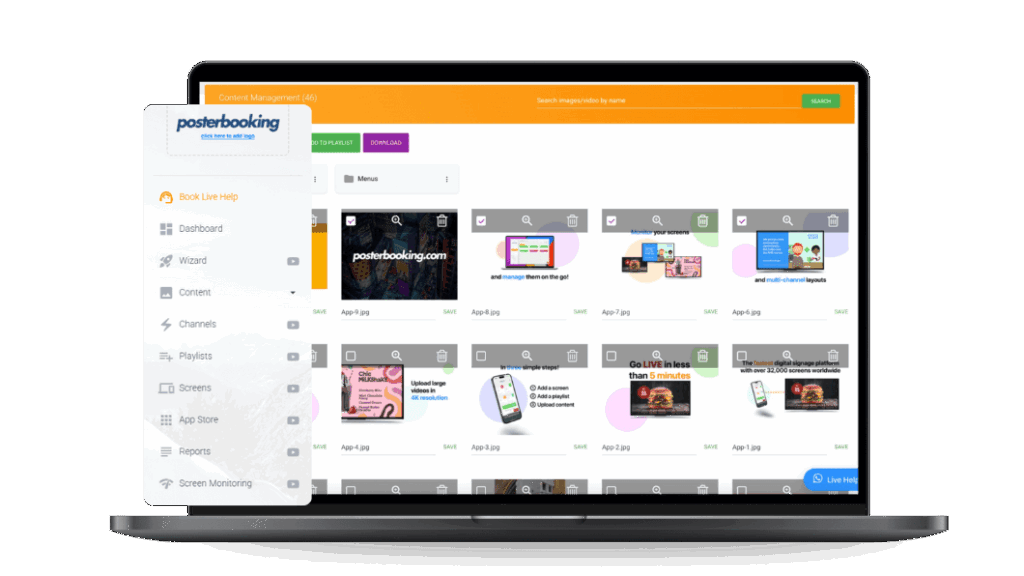
Even the best HDMI splitter cannot manage scheduling, content design, or remote updates. This is where digital signage software becomes essential. Tools like PosterBooking, which offers a free platform for managing playlists, scheduling content, and pushing updates remotely, pair perfectly with HDMI splitters.
For example:
- A restaurant using Fosmon HD1832 for dual screens can update daily menus remotely via PosterBooking.
- A retail chain running Cable Matters 1×4 splitters can synchronize promotions across multiple stores using cloud scheduling.
- A university deploying IOGEAR GHSP8424 splitters can coordinate lecture slides and promotional events via centralized management.
By combining splitters with cloud-based software, businesses achieve both hardware-level synchronization and software-level control, ensuring seamless operations.
Final Takeaways on HDMI Splitters for Digital Signage?
The top 10 HDMI splitters for multi-screen digital signage, ranging from Orei UHD-402 for premium HDR retail signage to EZCOOTECH 1×8 for high-output casino setups, address diverse needs in resolution, scale, and distance.
- Small businesses benefit from compact splitters like the Fosmon HD1832 or J-Tech Digital JTECH-4KSP4.
- Enterprise deployments often require robust solutions like IOGEAR GHSP8424 or StarTech ST124HD4K.
- Large venues with long-distance or high-output needs turn to AV Access 4KEX70-L and EZCOOTECH 1×8.
As reported by four independent sources, Display Daily, IEEE research, Journal of Retailing and Consumer Services, and AVIXA industry reports, splitters directly impact visual consistency, audience engagement, and system reliability, with improvements ranging from 19% to 42% across different performance measures.
The implication is straightforward: selecting the right HDMI splitter not only ensures screens display synchronized content but also reduces downtime, improves audience engagement, and extends equipment life. When paired with intelligent software like PosterBooking, businesses unlock the full potential of digital signage, combining technical stability with creative flexibility.