

Digital directory boards are purpose-built screens that present searchable tenant, department, or service information and transform it into clear, route-ready directions within a building or campus by combining a clean information architecture, readable typography, and a map handoff that respects accessibility. In practice, effective boards align data, interface, and placement so first-time visitors recognize where they are, find where to go, and understand how to get there with minimal effort.
Table Of Contents
- What Exactly Is a Digital Directory Board?
- Which Environments Use Directory Boards, and for Whom?
- What Types of Digital Directory Boards Exist?
- Should a Directory Be Touch or Non-Touch?
- How to Structure Information (IA) So People Find Things Fast?
- What Search And Filter Patterns Work Best On Directory Boards?
- What Data Model And Sources Power a Directory?
- How to Keep Data Fresh And Accurate?
- How to Design Readable, Inclusive Directory Layouts?
- What Typography And Sizing Rules Ensure Legibility At a Distance?
- How to Present Wayfinding Maps And Routes?
- Should 2D, 2.5D Isometric, Or Photo Maps Be Used?
- Where Should Directory Boards Be Installed For Maximum Utility?
- What Screen Sizes And Orientations Work Best?
- How to Ensure Reliability (Power, Network, Offline)?
- What Monitoring And Alerting Prevents Downtime?
- How to Measure Success And Continuously Improve?
- What Usability Tests Catch Issues Early?
- What Privacy, Safety, And Policy Considerations Apply?
- What Content Maintenance And Lifecycle Practices Keep It Accurate?
- What FAQs Do Stakeholders Ask About Digital Directory Boards?
- Alphabetical Or By Category?
- Minimum Screen Size?
- How Often Should Data Refresh?
- Is Touch Required?
- How To Handle Closed Tenants?
- How To Support Multiple Languages?
What Exactly Is a Digital Directory Board?
A digital directory board is a dedicated display or kiosk that lists tenants, departments, services, or staff and provides findable routes from a known location to a destination, unlike general lobby screens that rotate announcements or brand content. Typical goals emphasize fast lookup, reduced staff interruptions, and heightened visitor confidence, especially for first-time or infrequent visitors.
Primary Goals of Digital Directory Boards include:
- Improve Findability For First-Time Visitors
- Reduce Wayfinding Anxiety And Backtracking
- Increase Self-Service For Common Queries
- Present Accurate Tenant And Service Information
- Provide Clear, Accessible Route Instructions
- Minimize Staff Distraction At Busy Desks
Table: Directory Board vs General Signage - Audience, Content, Interaction
| Attribute | Digital Directory Board | General Lobby Signage |
|---|---|---|
| Primary Audience | Visitors seeking a destination | Passersby consuming ambient info |
| Core Content | Searchable tenants/services and routes | Announcements, promos, news |
| Interaction | Search/filter or non-interactive list | Non-interactive loop |
| Success Signal | Time-to-result and path completion | Recall and dwell time |
Which Environments Use Directory Boards, and for Whom?
Directory boards appear where complex layouts and frequent arrivals intersect, serving visitors, couriers, staff, and facilities teams who need fast answers at decision points.
Personas And Top Tasks For Digital Directory Boards include:
- Visitor: Locate Tenant, Department, Or Room
- Courier: Confirm Suite, Dock, Or Delivery Route
- Staff: Check Room Numbers, Temporary Relocations
- Facilities: Validate Labels, Floors, And Service Hours
What Types of Digital Directory Boards Exist?
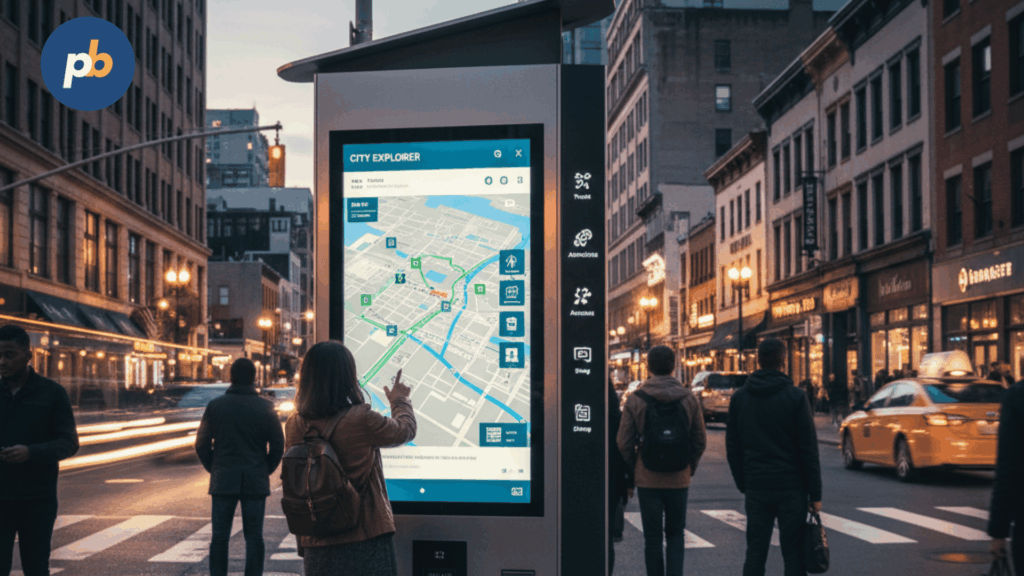
Types include non-interactive boards that auto-cycle prioritized lists for simple venues, interactive touch directories for search-heavy buildings, and campus-level directories that span multiple buildings with floor-to-floor transitions. Models also specialize by data: tenant lists, staff directories, and department/service directories.
Table: Directory Type → Best Use Case → Pros/Cons
| Type | Best Use Case | Pros | Cons |
|---|---|---|---|
| Non-Interactive (Auto-Cycling) | Small venues with short lists | Simple, low maintenance | Slower to the exact result |
| Interactive Touch | Large venues with many entries | Fast, specific results | Cleaning, crowding considerations |
| Single-Building Directory | One tower or hospital wing | Focused scope | Limited to one building |
| Campus Directory | Multi-building universities, parks | Seamless cross-building routes | Heavier data maintenance |
| Staff Directory | Clinics, corporate HQ | Personal lookup | Privacy and update burden |
| Department/Service Directory | Hospitals, government centers | Task-oriented findability | Requires clear categories |
Should a Directory Be Touch or Non-Touch?
Touch suits high-variance queries and heavy visitor traffic, while non-touch suits concise lists and hygiene- or maintenance-sensitive spaces; the decision balances dwell time, cleaning, and ADA reach.
Decision Checklist For Touch vs Non-Touch include:
- Estimate Query Volume And List Size
- Validate ADA Reach Ranges And Target Sizes
- Plan Cleaning Cadence And Antimicrobial Materials
- Assess Crowd Patterns And Queue Spill Risk
- Provide Non-Touch Fallback For Accessibility
How Do Kiosks Differ From Wall-Mounted Boards?
Kiosks differ by enclosure depth, cable management, anti-glare angles, stability, and service access, while wall-mounted boards emphasize ADA protrusion limits and structure anchoring.
Install Considerations For Kiosks And Wall Boards include:
- Confirm Enclosure Depth And ADA Protrusion
- Provide Pass-Throughs For Cable Management
- Aim Screens To Minimize Glare At Eye Height
- Add Anti-Tip Base Or Anchors For Kiosks
- Reserve Service Access And Cleaning Clearance
How to Structure Information (IA) So People Find Things Fast?
Information should be structured with a primary search bar, an alphabetized list for quick scanning, optional category chips for task-based discovery, and floor/zone grouping that mirrors elevators and corridors; multi-suite tenants should collapse under a single name with clear options.
Table: IA Pattern → When to Use → Pitfalls
| IA Pattern | When to Use | Pitfalls |
|---|---|---|
| Alphabetized A–Z | Long tenant lists | Slow for task-based queries |
| Category-First | Hospitals, service hubs | Category ambiguity |
| Search-First + Filters | Large, mixed venues | Requires robust matching |
| Floor/Zone Grouping | Towers, malls | Floor names vs numbers confusion |
Labeling Rules Of Thumb For Directory IA include:
- Prefer Tenant Legal Names And Common Aliases
- Use Consistent Category Taxonomy Across Signs
- Display Floor And Suite In Uniform Format
- Normalize Abbreviations (St., Ste., Dept.)
- Avoid Jargon That Visitors Will Not Recognize
What Search And Filter Patterns Work Best On Directory Boards?
Best-performing patterns combine type-ahead suggestions, fuzzy matching, and tolerant handling of misspellings, with category chips and recent/popular shortcuts to reduce typing and scanning.
Table: Filter Type → Use Case → Example
| Filter Type | Use Case | Example |
|---|---|---|
| Category Chips | Hospitals, malls | “Cardiology”, “Food Court” |
| Floor/Zone Toggle | Towers, campuses | “Level 3”, “North Wing” |
| Open-Now/Hours | Retail, clinics | “Open Now” badge |
| Accessibility | Multi-route buildings | “Wheelchair-Friendly” route |
Query-Tuning Checklist For Directory Search include:
- Handle Alternate Spellings And Abbreviations
- Support Fuzzy And Phonetic Matching
- Promote Popular Results And Recent Searches
- Respect Category And Floor Filters In Ranking
- Fall Back To Helpful “No Results” Suggestions
How to Display Results And Detail Pages?
Results should rank by textual relevance and distance from “You Are Here,” use card layouts with floor, suite, and status badges, and provide a single clear call-to-action: show route, call, or save to mobile.
Content Elements For Directory Result Cards include:
- Tenant Or Department Name And Alias
- Floor, Zone, And Suite Number
- Status Badges (Open Now, Appointment Only)
- Primary CTA (Show Route, Call, Website)
- Secondary CTA (QR Or NFC Handoff)
What Data Model And Sources Power a Directory?
A robust model includes names, aliases, categories, floors, suites, hours, contact fields, URLs, and accessibility notes; sources include property- or campus-level systems (PMS/tenant CRM), HRIS for staff directories, and structured spreadsheets or APIs for simple deployments.
Table: Directory Field Schema With Examples
| Field | Example | Notes |
|---|---|---|
| Name | “Arbor Dental Clinic” | Display name |
| Alias | “Arbor Dental” | Searchable synonym |
| Category | “Healthcare > Dental” | Taxonomy tags |
| Floor/Zone | “Level 3 / East” | Mirrors signage |
| Suite | “3E-214” | Consistent format |
| Hours | “Mon–Fri 08:00–18:00” | Localized format |
| Phone/URL | “+1 555 0100” / site | Tap-to-call on touch |
| Accessibility | “Wheelchair-friendly” | Route constraints |
Source Of Truth And Sync Cadence For Directory Data include:
- Prefer Authoritative Systems (PMS, HRIS, Work Orders)
- Schedule Nightly Syncs With Midday Deltas
- Log Changes With Approvals And Rollback
- Validate Hours And Closures Weekly
- Archive Departed Tenants With Effective Dates
How to Keep Data Fresh And Accurate?
Freshness comes from clear approvals, change windows, expirations, and audits; tenant self-service portals can accelerate updates with moderation.
Governance Workflow For Directory Data include:
- Capture Requests With Required Fields
- Review Changes Against Taxonomy Rules
- Approve Or Request Edits With SLAs
- Publish To Staging And Then Production
- Audit Random Entries Monthly For Accuracy
Table: Change Type → Approver → SLA
| Change Type | Approver | SLA |
|---|---|---|
| Hours Update | Property/Department Admin | 1 business day |
| New Tenant/Service | Facilities + Legal | 3–5 business days |
| Temporary Relocation | Facilities | Same day |
How to Handle Errors And Missing Data Gracefully?
Graceful handling uses clear empty states, short-term relocations, and helpful alternatives that avoid dead ends.
Empty State Patterns For Directory Boards include:
- Present Likely Matches With Minor Spelling Differences
- Offer Category Or Floor Filters To Narrow Scope
- Display Service Desk Phone Or Help Button
- Provide Map Of Service Zones If Tenant Missing
- Mark Closed Tenants With Date And Suggest Alternatives
How to Design Readable, Inclusive Directory Layouts?
Layouts should place search first, then lists and map, preserve generous white space and line length, maintain strong color contrast, and use a consistent icon set that supports comprehension across languages.
Layout Heuristics For Directory Boards include:
- Prioritize Search At The Visual Top
- Keep Lines Short And Columns Balanced
- Use High-Contrast Palettes With Accessible Ratios
- Pair Icons With Labels To Reduce Ambiguity
- Reserve Stable Zones For CTAs And Badges
What Typography And Sizing Rules Ensure Legibility At a Distance?
Legibility follows minimum cap-height targets by viewing distance, stable weight choices for numbers, and tabular figures for suite alignment.
Table: Viewing Distance → Minimum Text Size (px/mm, FHD Reference)
| Viewing Distance | Minimum Body Size | Notes |
|---|---|---|
| 1–2 m | 20–24 px (~3.5–4.2 mm) | Close kiosks |
| 2–3 m | 28–32 px (~5–5.6 mm) | Lobbies |
| 3–4 m | 36–44 px (~6.3–7.7 mm) | Wide halls |
| 4–6 m | 48–60 px (~8.4–10.5 mm) | Large atria |
Type Pairing Suggestions For Directory Boards include:
- Use Humanist Sans For Labels And Lists
- Select Tabular Figures For Suite Numbers
- Favor Semi-Bold Weights For Headings
- Avoid Ultra-Light Styles In Bright Lobbies
- Align Numerals Vertically For Fast Scanning
What Accessibility Requirements Should Be Met?
Requirements include contrast ratios, touch target sizes, screen height and tilt for ADA reach, optional voice readout, and multi-sensory cues such as arrows and sound prompts where appropriate.
Table: Requirement → Pass Criteria → Test Method
| Requirement | Pass Criteria | Test Method |
|---|---|---|
| Contrast | 4.5:1 (text), 3:1 (large) | Contrast checker |
| Touch Target | ≥ 44 × 44 px | On-device grid |
| Height/Tilt | Reach within 15–48 in AFF | Tape measure, template |
| Voice Readout | Readable alternative | Screen reader or TTS |
| Language | Toggle or auto-detect | Sample tests |
How to Present Wayfinding Maps And Routes?
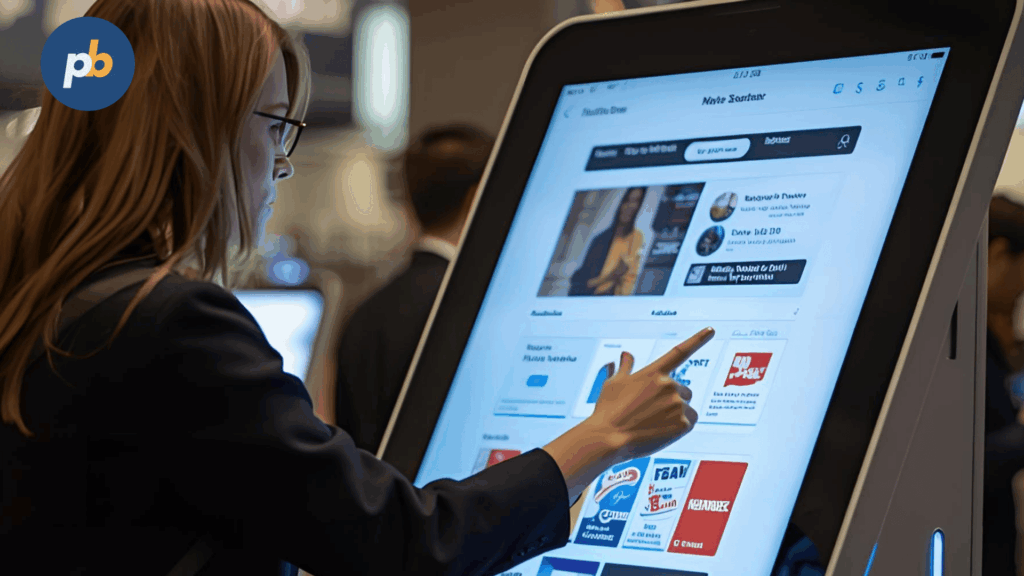
Routes work when a “You Are Here” indicator anchors context, the destination pin stands out, step-by-step labels remain brief, accessible routes are selectable, and multi-floor transitions specify elevators and stair cores with clear arrows and icons.
Map Legend And Icon Set For Directory Boards include:
- You Are Here, Destination, And Intermediate Points
- Elevators, Stairs, And Accessible Paths
- Restrooms, Information, And Security Desk
- Emergency Exits And Assembly Points
- Color-Coded Zones Matching On-Prem Signage
Table: Route Type → Visuals Needed
| Route Type | Visuals |
|---|---|
| Standard | start, turns, destination |
| Accessible | ramps/elevators, door widths |
| Multi-Floor | vertical transition indicators |
| Detour | construction overlays, warnings |
Should 2D, 2.5D Isometric, Or Photo Maps Be Used?
2D diagrams deliver clarity and fast production, 2.5D aids mental models at the cost of time, and photo maps help recognition but risk clutter; consistency across buildings matters more than style.
Style Selection Criteria For Directory Maps include:
- Prefer Clarity Under Time Pressure
- Match Style To Existing On-Prem Signage
- Ensure Scalability For Multi-Building Campuses
- Validate Accessibility On Color And Labels
- Choose Tooling That Fits Update Cadence
How to Hand Off Directions To Mobile Safely?
Handoffs should use QR codes or NFC at a fixed location, short URLs that expire, and privacy-aware tokens that avoid storing personal data.
Handoff UX Checklist For Directory-To-Mobile include:
- Place QR At Eye Level With Clear Margin
- Use High-Contrast Codes With Error Correction
- Provide Short URLs As An Alternate Path
- Expire Tokens After A Reasonable Window
- Avoid Personal Identifiers In Links
Where Should Directory Boards Be Installed For Maximum Utility?
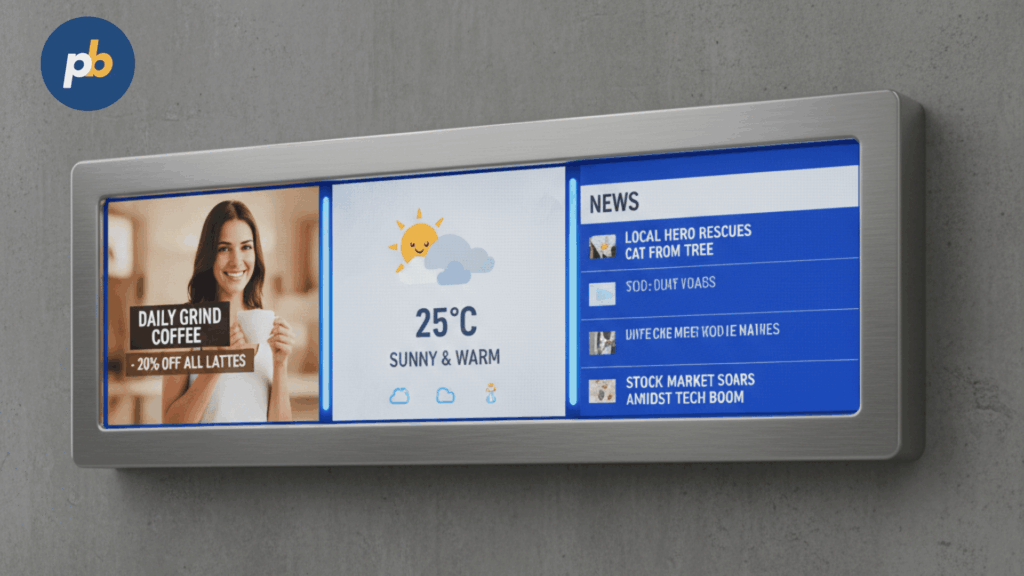
Boards should sit on primary sightlines near entrances, elevator banks, and security desks, avoid glare paths, align with foot traffic to prevent blocking, and scale with redundancy in large lobbies.
Placement Checklist For Digital Directory Boards include:
- Position Near Entrances And Decision Nodes
- Avoid Direct Sun And Specular Reflections
- Maintain Clear Queue And Circulation Space
- Provide Redundant Boards In Large Lobbies
- Leave Service Clearance For Maintenance
Table: Location → Pros → Watch-Outs
| Location | Pros | Watch-Outs |
|---|---|---|
| Main Entrance | immediate visibility | crowding, glare |
| Elevator Bank | natural decision point | tight corridors |
| Security Desk | quick assistance nearby | line-of-sight occlusion |
| Atrium Center | high visibility | traffic pinch points |
What Screen Sizes And Orientations Work Best?
Typical ranges use 55–65″ landscape for combined list-and-map layouts and 55″ portrait for long A–Z lists; large atria can support 75″+, while dual-column or split-screen layouts suit wider halls.
Table: Venue Size → Recommended Screen Size/Orientation
| Venue Size | Size | Orientation |
|---|---|---|
| Small lobby | 43–55″ | portrait or landscape |
| Medium lobby | 55–65″ | landscape with map pane |
| Large atrium | 75″+ | landscape, multi-column |
How to Ensure Reliability (Power, Network, Offline)?
Reliability comes from right-sized UPS for graceful shutdown, segmented networks, strong caching with offline maps, watchdogs, and scheduled restarts; content freeze should show last-known-good data with a clear timestamp.
Offline Readiness Checklist For Directory Boards include:
- Cache Directory Data And Maps Locally
- Queue Proof-Of-Play And Analytics
- Display Last Update Timestamp On Error
- Provide Static Floor Maps As Fallback
- Test Power Failover With UPS Runtimes
Table: Failure → Fallback → User Message
| Failure | Fallback | User Message |
|---|---|---|
| WAN down | local cache | “Using saved data (Updated 09:14)” |
| Data store error | last-known-good | “Temporarily showing previous data” |
| Player crash | watchdog reboot | none; quick recovery |
What Monitoring And Alerting Prevents Downtime?
Preventative monitoring combines heartbeats, screenshot audits, thermal thresholds for enclosures, and storage alerts, paired with weekly operational checks and monthly audits.
Table: Alert → Threshold → Response
| Alert | Threshold | Response |
|---|---|---|
| Heartbeat loss | 5–10 minutes | auto-restart and ticket |
| Temperature high | OEM limit minus margin | inspect filters and airflow |
| Storage low | ≤ 15% free | purge caches, rotate logs |
| Screenshot mismatch | visual diff change | investigate content or mapping |
Weekly/Monthly Checks For Directory Boards include:
- Review Screenshots Against Expected Layouts
- Validate Random Search And Route Scenarios
- Inspect Filters, Vents, And Cable Strain Relief
- Recheck Hours And Temporary Closures
- Update Firmware In Cohorts With Rollback Plans
How to Measure Success And Continuously Improve?
Success is measured by search success rate, time-to-result, path completion, dwell time, query topics, and QR handoffs; small experiments on density, typography, and map styles optimize behavior without risking findability.
Table: KPI → Measurement Method → Target
| KPI | Method | Target |
|---|---|---|
| Search success rate | successful route shown ÷ searches | ≥ 90% |
| Time-to-result | median seconds to route | ≤ 10 s |
| Path completion | beacon/QR or intercepts | upward trend |
| Handoff rate | QR/NFC events | ≥ 20% for long routes |
Experiment Ideas For Directory UX include:
- Compare List Density Versus Font Size For Scan Speed
- Test Badge Wording For Open Now Or Appointment Only
- Evaluate 2D Versus 2.5D Map Comprehension
- Try Alternative CTA Labels For Route Actions
- Adjust Contrast And Weight For Numeral Readability
What Usability Tests Catch Issues Early?
Early tests include five-second recognition for “What is this?” comprehension, first-time visitor paths for representative tasks, hallway tests with non-employees, and A/B trials on list density and map contrast.
Test Scripts For Digital Directory Boards include:
- Run First-Time Visitor Task To Specific Suite
- Ask “What Is This For?” After Five Seconds
- Time Search-To-Route Across Three Destinations
- Validate Accessible Route Selection And Clarity
- Observe QR Handoff Success With Varying Distances
Table: Test → Success Metric → Sample Size
| Test | Metric | Sample |
|---|---|---|
| First-time visitor | path found within 2 minutes | 8–12 participants |
| Five-second test | correct purpose recall | 10+ snapshots |
| A/B density vs size | time-to-result | 50+ sessions |
What Privacy, Safety, And Policy Considerations Apply?
Policies should govern listing people versus departments (consent and PII), emergency overrides that prioritize evacuation routes and alerts, and profanity/abuse filters in search inputs.
Policy Checklist For Digital Directory Boards include:
- Prefer Departments Over Individuals Without Consent
- Provide Emergency Override With Tested Cadence
- Filter Profanity And Abuse In Search Inputs
- Redact Sensitive Clinic Or Staff Details As Needed
- Log Changes And Access For Audits
What Content Maintenance And Lifecycle Practices Keep It Accurate?
Accuracy persists with seasonal audits, onboarding and offboarding workflows, photo and logo refreshes, hours changes, and temporary closure handling.
Table: Cadence → Tasks → Owner
| Cadence | Tasks | Owner |
|---|---|---|
| Weekly | hours, closures, screenshot review | operations |
| Monthly | random audits, taxonomy updates | content |
| Quarterly | logo/photo refresh, route QA | brand/facilities |
| Annually | full data audit and map review | operations/facilities |
Content Freshness Checklist For Directory Boards include:
- Confirm Tenant Names, Floors, And Suites
- Validate Operating Hours And Holidays
- Update Logos And Category Tags
- Remove Departed Tenants And Redirect Routes
- Re-Verify Accessible Paths After Works
What FAQs Do Stakeholders Ask About Digital Directory Boards?
Stakeholders ask practical questions about list ordering, minimum size, data refresh cadence, touch necessity, handling closures, and language support; concise answers anchor decisions.
FAQs For Digital Directory Boards include:
Alphabetical Or By Category?
Alphabetical improves predictability; category chips support task-based discovery
Minimum Screen Size?
55″ landscape for mixed list-and-map; 55″ portrait for long A–Z lists
How Often Should Data Refresh?
Nightly sync with same-day deltas and weekly audits
Is Touch Required?
Touch accelerates large sets; non-touch works for concise lists or hygiene priorities
How To Handle Closed Tenants?
Mark closed status, show end date, and suggest alternatives with route
How To Support Multiple Languages?
Provide language toggle, maintain consistent iconography, and translate fields in the source