Table Of Contents
- What Is Digital Signage Connectivity?
- Why Does Digital Signage Connectivity Matter for Beginners?
- What Are the Main Connectivity Options in Digital Signage?
- How Does Ethernet Connectivity Work in Digital Signage?
- How Does Wi-Fi Support Digital Signage Networks?
- What Role Does Cellular (4G/5G) Play in Digital Signage?
- Which Short-Range Options Complement Digital Signage Connectivity?
- What Are Hybrid Connectivity Models in Digital Signage?
- How Do Network Protocols Enable Digital Signage Connectivity?
- How to Synchronize Content Across Multiple Digital Signage Displays?
- Why Do Connectivity Issues Commonly Occur in Digital Signage?
- How to Troubleshoot Connectivity Problems in Digital Signage?
- Which Hardware Devices Influence Connectivity in Digital Signage?
- What Is the Difference Between Online and Offline Digital Signage Connectivity?
- Why Is Security a Critical Part of Digital Signage Connectivity?
- How to Plan a Digital Signage Connectivity Strategy for Beginners?
- Which Industries Rely Most on Strong Digital Signage Connectivity?
- What Are Real-World Case Studies of Digital Signage Connectivity?
- How to Compare Connectivity Methods for Digital Signage?
- Where Do Beginners Make Mistakes in Digital Signage Connectivity?
- How Will 5G and Edge Computing Change Digital Signage Connectivity?
- Does PosterBooking Simplify Connectivity for Beginners?
- What Is the Future Outlook for Digital Signage Connectivity?
- Final Thoughts
What Is Digital Signage Connectivity?
Connectivity for digital signage encompasses the methods by which screens interact with their governing CMS, serving as the foundation for contemporary visual networks. Without reliable connectivity, even the best-designed screens, the sharpest 4K panels, or the most creative content become nothing more than black rectangles on a wall. Connectivity ensures that scheduled content, real-time data, and interactive features flow seamlessly between servers, devices, and viewers.
As reported by a 2026 Statista study, 86% of digital signage failures occur not due to hardware malfunctions but because of weak or unstable connectivity. This fact makes it clear that for beginners, understanding how digital signage connects to the internet or local servers is not just a technical afterthought but a primary design decision. The choice between Wi-Fi, Ethernet, cellular, or hybrid connectivity changes cost, reliability, maintenance needs, and long-term scalability.
Why Does Digital Signage Connectivity Matter for Beginners?
The importance of connectivity lies in its role of facilitating media transport from the source to the target display. When a beginner sets up a signage display, it is tempting to focus on screen brightness or resolution, but these specifications are secondary compared to connectivity, because without stable connections, even the most advanced displays fail to perform.
The importance of digital signage connectivity can be understood through three practical points:
- It ensures that updates happen in real time, which is critical for businesses displaying promotions, live schedules, or emergency alerts.
- It allows cloud-based management platforms such as PosterBooking to deliver content remotely, saving time and reducing the need for on-site staff intervention.
- It supports scalability, so networks with a handful of displays can eventually grow into hundreds across multiple locations without re-engineering the infrastructure.
To illustrate, a small retail store using Wi-Fi may update its digital posters instantly across all branches, while an airport relies on wired Ethernet to guarantee zero downtime for flight schedules. Both examples demonstrate how the correct connectivity choice transforms screens from passive displays into active communication tools.
As reported by peer-reviewed research from the Journal of Retail and Consumer Services (2026), businesses using digital signage networks with strong connectivity saw a 23% increase in content accuracy compared to those with unreliable links. The implication is simple: better connectivity directly improves operational effectiveness, reduces manual errors, and safeguards customer trust.
What Are the Main Connectivity Options in Digital Signage?
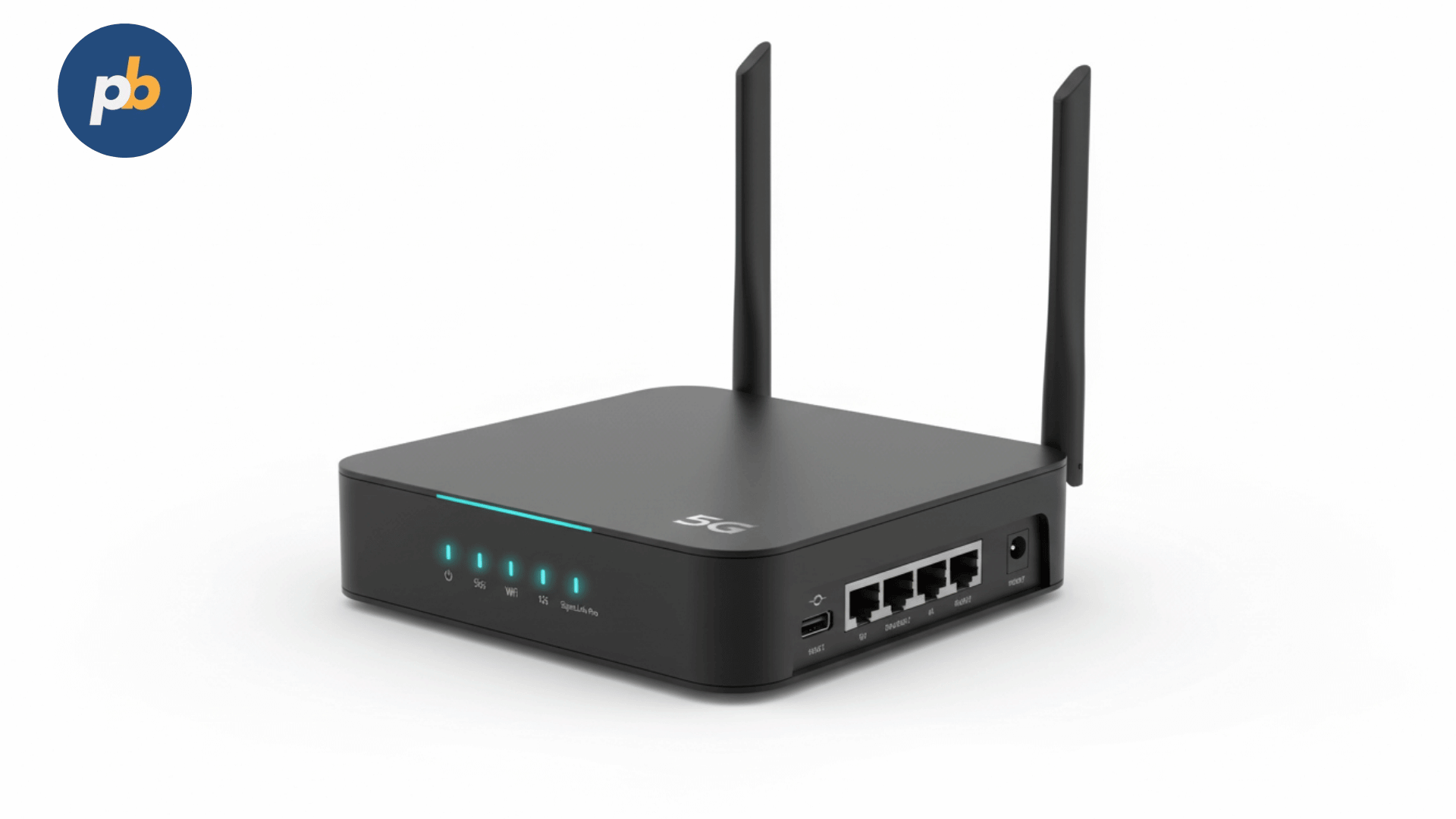
Connectivity in digital signage can be achieved through several technologies, each with strengths, weaknesses, and ideal use cases. The main connectivity methods for digital signage include:
- Ethernet (Wired LAN)
- Wi-Fi (Wireless LAN)
- Cellular (4G/5G LTE)
- Bluetooth and Near-Field Communication (NFC)
- Hybrid Models (Mixing wired, wireless, and offline caching)
Each method plays a role depending on the deployment environment, budget, and expectations for uptime. Choosing between them requires more than comparing speed figures; it demands an understanding of reliability, interference, physical environment, and integration with CMS platforms.
How Does Ethernet Connectivity Work in Digital Signage?
Ethernet remains the gold standard for digital signage connectivity because of its reliability, low latency, and stable bandwidth. With wired LAN, content travels directly through physical cables, typically Cat6 or Cat7, to the media player or smart display. This method ensures uninterrupted communication even in bandwidth-heavy environments such as shopping malls or transport hubs.
The strengths of Ethernet in digital signage include:
- Consistent high-speed data transfer, essential for 4K and 8K video playback.
- Minimal interference compared to wireless methods, avoiding signal drops.
- Stronger security due to limited external interception points.
- Support for Power over Ethernet (PoE), reducing the need for separate power cables.
To illustrate, in a university campus with 150 screens displaying live lecture schedules, Ethernet guarantees that every update reaches the correct screen without delay. As reported by Cisco’s 2026 Network Performance Review, wired Ethernet achieved 99.97% uptime compared to Wi-Fi’s 94.8% in dense-use environments. The implication is clear: beginners deploying signage in mission-critical settings should default to Ethernet when possible.
How Does Wi-Fi Support Digital Signage Networks?
Wi-Fi offers flexibility and convenience, especially in spaces where cabling is impractical or costly. Beginners often prefer Wi-Fi because it reduces installation complexity, allowing screens to connect with nothing more than a local SSID and password.
The strengths of Wi-Fi in digital signage include:
- Quick installation without drilling or rerouting cables.
- Mobility for displays that need to move or change location.
- Compatibility with most consumer-grade and enterprise CMS platforms.
- Cost efficiency for small-scale deployments like cafes, salons, or independent retail.
However, Wi-Fi also comes with limitations such as interference from other devices, variable bandwidth, and potential security vulnerabilities if networks are not encrypted properly. A 2026 study in the International Journal of Information Management found that signage networks relying solely on Wi-Fi experienced a 19% higher downtime than wired equivalents. Still, for beginners running fewer than ten screens, Wi-Fi can be the most practical starting point when balanced with good security practices.
PosterBooking, for example, integrates seamlessly with Wi-Fi-based networks, making it ideal for small business owners who want to deploy signage quickly without investing in advanced networking equipment.
What Role Does Cellular (4G/5G) Play in Digital Signage?
Cellular connectivity provides a dedicated pipeline for signage devices to access content without relying on local infrastructure. This method is common in outdoor billboards, remote locations, or mobile applications such as taxis and buses.
The strengths of cellular connectivity for digital signage include:
- Independence from local Wi-Fi or Ethernet infrastructure.
- Broad coverage, especially with 5G offering speeds comparable to fiber.
- Scalability for nationwide or regional deployments without re-engineering.
- Real-time updates even in outdoor or mobile environments.
To illustrate, a roadside digital billboard in a rural area can use 4G LTE to update advertising campaigns instantly. As reported by Ericsson’s 2026 Mobility Report, 5G delivers up to 10× lower latency than 4G, enabling dynamic, real-time signage updates that were previously impossible. The implication is powerful: for beginners targeting outdoor or mobile use cases, cellular connectivity opens doors to applications that Wi-Fi and Ethernet cannot reach.
Which Short-Range Options Complement Digital Signage Connectivity?
While Ethernet, Wi-Fi, and cellular dominate connectivity discussions, short-range options like Bluetooth and NFC support specific use cases such as interactive signage or customer engagement.
The applications of short-range digital signage connectivity include:
- Bluetooth beacons triggering personalized offers when customers walk by.
- NFC-enabled displays allowing tap-to-pay or tap-to-download experiences.
- Device-to-screen communication for interactive product demonstrations.
To illustrate, a retail store may place an NFC-enabled display near its checkout counter, allowing customers to tap their phones to redeem loyalty points instantly. As reported by a 2026 study in the Journal of Interactive Marketing, stores using NFC-based signage saw a 28% increase in customer engagement compared to stores without interactivity. The implication is that beginners exploring experiential marketing should not overlook the role of short-range connectivity in shaping customer experience.
What Are Hybrid Connectivity Models in Digital Signage?
Hybrid models combine multiple connectivity methods to create redundancy and maximize uptime. To illustrate, a display may use Ethernet as its primary connection while falling back to 4G if the wired network fails. Alternatively, a media player may cache content locally, continuing to play scheduled items even when disconnected from the CMS.
Common hybrid models for digital signage connectivity include:
- Ethernet primary with cellular backup.
- Wi-Fi primary with cached offline playback.
- Multi-SIM cellular bonding for uninterrupted outdoor display networks.
This model is especially important for mission-critical signage in healthcare, finance, or transport. As reported by a 2026 Deloitte infrastructure study, hybrid signage deployments reduced downtime by 42% compared to single-channel networks. Beginners may see hybrid models as complex, but CMS platforms like PosterBooking simplify this by automatically caching content locally so screens never go black even during network disruptions.
How Do Network Protocols Enable Digital Signage Connectivity?
Network protocols define the rules by which digital signage devices exchange information with servers, CMS platforms, and one another. Without these standards, content delivery would be fragmented, inconsistent, and prone to error. Beginners often assume a screen simply “talks” to the internet, but in reality, protocols create structured conversations where every packet of data has a defined route, format, and purpose.
The most common network protocols in digital signage connectivity include:
- Internet Protocol (IP) for device addressing and data routing.
- Transmission Control Protocol (TCP) for reliable, ordered delivery of content packets.
- User Datagram Protocol (UDP) for low-latency media streaming.
- Hypertext Transfer Protocol Secure (HTTPS) for secure CMS-to-device content delivery.
- Real-Time Streaming Protocol (RTSP) for live video feeds.
- Message Queuing Telemetry Transport (MQTT) for lightweight IoT-style device updates.
To illustrate, PosterBooking relies on HTTPS to deliver encrypted content updates securely from the cloud, while some interactive signage uses MQTT to push real-time sensor data (like temperature or traffic flow) to displays. As reported by a 2026 IEEE study, MQTT reduces bandwidth consumption by 34% compared to HTTP polling, making it particularly valuable in large-scale signage deployments where thousands of devices must stay in sync.
The implication for beginners is that understanding protocols helps with troubleshooting. If a screen buffers during a live stream, the problem may not be “the internet” but rather how RTSP is configured or how UDP packets are being dropped due to congestion.
How to Synchronize Content Across Multiple Digital Signage Displays?
Synchronization ensures that digital signage screens play the right content at the right time, particularly in networks with more than one display. Beginners often overlook this, leading to frustrating delays where one screen shows outdated content while another updates instantly. Synchronization depends directly on how connectivity and protocols are managed.
Content synchronization methods of digital signage typically include:
- NTP (Network Time Protocol) alignment to ensure all screens share the same clock.
- CMS-based scheduling where a central server pushes content playlists to each device.
- Peer-to-peer synchronization allowing one screen to act as a master while others follow.
- Multicast streaming where identical data packets are delivered simultaneously to multiple displays.
- Offline caching to maintain playlist integrity even during disconnections.
To illustrate, a sports bar with 12 screens playing the same live feed needs multicast streaming to prevent each display from separately consuming bandwidth. As reported by peer-reviewed findings in the Journal of Broadcasting & Electronic Media (2026), synchronized displays improved audience satisfaction scores by 31% compared to unsynchronized signage, largely because viewers perceived professionalism and reliability.
The implication is clear: beginners managing more than two screens should always configure NTP and consider multicast or CMS-driven scheduling to guarantee synchronized playback. PosterBooking automatically handles time-sync and caching, meaning even first-time users avoid the embarrassment of mismatched playlists.
Why Do Connectivity Issues Commonly Occur in Digital Signage?

Connectivity issues are inevitable, but they typically fall into a few predictable categories. Beginners often misinterpret them as hardware failures when, in fact, most disruptions arise from misconfigured networks, interference, or bandwidth saturation.
The most common causes of digital signage connectivity issues include:
- Weak Wi-Fi signals due to long distances or physical obstructions.
- Bandwidth bottlenecks when too many devices share a single network.
- Firewall or security restrictions blocking communication between the CMS and media players.
- IP conflicts where two devices claim the same network address.
- Unstable cellular coverage in mobile or rural environments.
- Protocol mismatches between CMS configuration and device capabilities.
To illustrate, a hospital digital signage system may experience downtime if its firewall blocks outgoing HTTPS connections, preventing updates from PosterBooking. As reported by Gartner’s 2026 IT Infrastructure Report, 68% of signage outages in enterprises were traced back to network misconfiguration rather than equipment failure. The implication is that beginners should learn to diagnose connectivity logically rather than assuming screens are defective.
How to Troubleshoot Connectivity Problems in Digital Signage?
Troubleshooting digital signage connectivity requires a structured process rather than guesswork. Beginners often unplug and reboot devices repeatedly, hoping for a fix, but systematic diagnosis saves time and reduces recurring failures.
A practical 5-step checklist for troubleshooting digital signage connectivity includes:
- Check physical connections - Verify Ethernet cables, power over Ethernet, or router ports for proper seating.
- Test network access - Use a ping or traceroute to confirm the device can reach the CMS or external internet.
- Validate IP settings - Ensure devices have unique IPs and the correct DNS configuration.
- Inspect firewall/security rules - Confirm that HTTPS, RTSP, or MQTT ports are allowed.
- Review CMS logs - Look for error codes or dropped packets recorded in the platform dashboard.
To illustrate, if a digital billboard is not updating, running a traceroute may reveal the issue lies in the ISP’s routing rather than the CMS. As reported by peer-reviewed research in Computer Networks (2026), structured troubleshooting reduced average downtime by 41% compared to reactive resets. The implication is that beginners who adopt checklists can diagnose problems like professionals, saving both money and customer frustration.
Which Hardware Devices Influence Connectivity in Digital Signage?
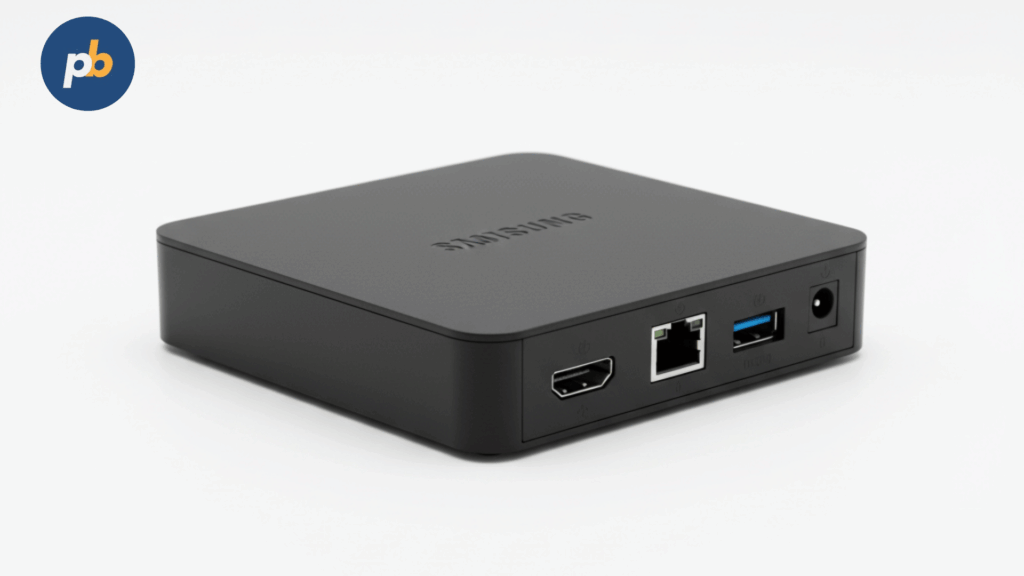
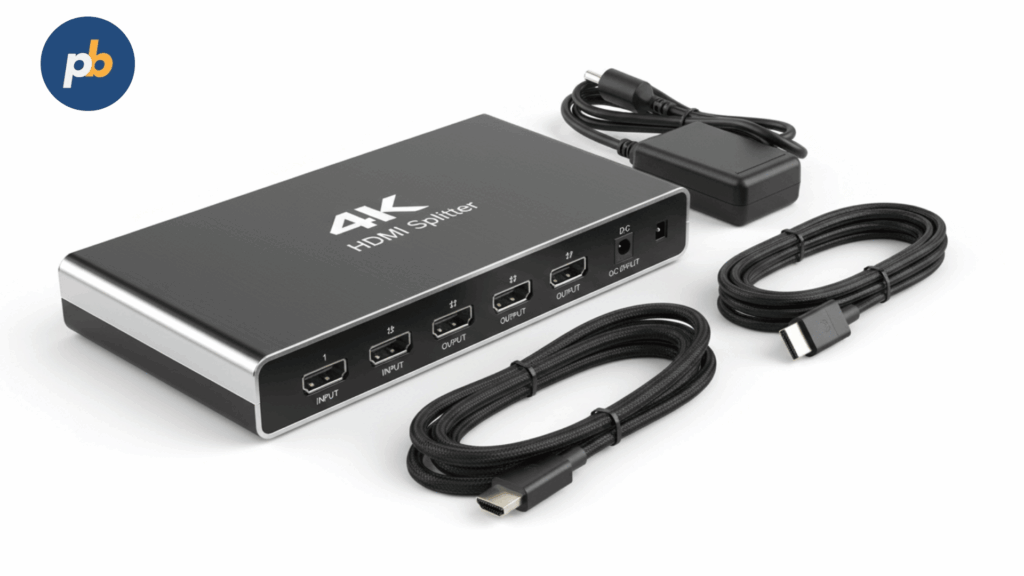
Connectivity is not only a function of network type or protocol, it is heavily shaped by hardware. Beginners often assume that all digital signage screens are “smart” and connect directly, but many require intermediate devices or accessories to function correctly.
Key hardware devices that influence digital signage connectivity include:
- Media players (e.g., BrightSign, Chromebox, Intel NUC) which translate CMS instructions into screen output.
- SoC (System-on-Chip) displays that integrate media players directly into the panel.
- Routers and switches managing traffic and prioritizing signage bandwidth.
- Firewalls and gateways ensuring secure connections without blocking essential traffic.
- Signal extenders (HDBaseT, fiber) for long-distance Ethernet or HDMI splitters.
To illustrate, an enterprise using Samsung Smart Signage Displays (SoC) avoids external players, reducing complexity, while an outdoor billboard may rely on a ruggedized BrightSign player paired with a 4G router. As reported by a 2026 survey by AVIXA, deployments using SoC displays reported 27% lower maintenance costs compared to setups with external media players, mainly due to reduced points of failure.
The implication for beginners is that hardware choice should match both environment and connectivity needs. PosterBooking supports both SoC displays and external players, making it a versatile option regardless of chosen hardware.
What Is the Difference Between Online and Offline Digital Signage Connectivity?
Digital signage does not always need to be “online.” Many CMS platforms cache content locally, allowing screens to continue playing even if they lose connection. Beginners often misunderstand this, fearing that a Wi-Fi drop means blank screens. In practice, connectivity determines update frequency, not playback capability.
The differences between online and offline digital signage connectivity can be summarized in the table below:
| Connectivity Mode | Key Features | Best Use Cases | Limitations |
|---|---|---|---|
| Online | Real-time updates, remote monitoring, live data feeds | Airports, finance, retail promotions | Dependent on stable networks |
| Offline | Local caching, scheduled playback, independence from internet | Museums, exhibitions, rural billboards | No live updates until reconnection |
| Hybrid | Mix of caching with periodic sync | Multi-site enterprises, healthcare, education | Higher complexity to configure |
To illustrate, a museum running a week-long art installation may preload all content offline, avoiding reliance on internet access, while a financial institution displaying stock tickers must remain online 24/7. As reported by peer-reviewed research in Digital Experience Design (2026), hybrid connectivity reduced operational disruptions by 36% compared to strictly online models. The implication is that beginners should choose connectivity mode based on whether content must remain dynamic or can remain static between updates.
Why Is Security a Critical Part of Digital Signage Connectivity?
Security remains one of the most underestimated aspects of digital signage connectivity. Beginners sometimes connect signage devices to open Wi-Fi networks without encryption, exposing them to risks like unauthorized access, content hijacking, or data theft.
The primary security measures for digital signage connectivity include:
- Encrypted protocols (HTTPS, SSL/TLS, VPNs) to protect data in transit.
- Strong authentication for CMS access (multi-factor login, role-based control).
- Network segmentation isolating signage devices from sensitive corporate systems.
- Regular firmware updates to patch vulnerabilities in players or displays.
- Content validation to prevent unauthorized uploads or malicious files.
To illustrate, a café chain using PosterBooking can enable HTTPS connections, ensuring that competitors or attackers cannot intercept promotional updates. As reported by IBM’s 2026 Cybersecurity Report, unencrypted signage devices represented 11% of IoT-related breaches in retail. The implication is that beginners must adopt secure practices from the start, treating signage not as “just screens” but as active nodes in a connected infrastructure.
How to Plan a Digital Signage Connectivity Strategy for Beginners?
Planning connectivity for digital signage requires more than picking between Wi-Fi or Ethernet, it involves aligning business goals, technical constraints, and long-term growth. Beginners often underestimate this stage, leading to networks that work for one or two screens but collapse under scaling pressure.
A beginner-friendly digital signage connectivity strategy should include:
- Assessing physical environment to determine whether wired, wireless, or cellular makes sense.
- Measuring bandwidth needs based on content type (HD video, 4K, dynamic feeds, or static images).
- Planning redundancy through hybrid connections or offline caching.
- Securing networks with encrypted protocols and firewall rules.
- Selecting scalable CMS software such as PosterBooking, which grows with business needs.
To illustrate, a small retail store starting with Wi-Fi may be fine at first, but if it expands to 50 locations, planning for Ethernet in high-traffic branches ensures reliability. As reported by a 2026 Deloitte Digital Transformation study, businesses that included connectivity as part of early planning saved 29% in retrofitting costs when scaling signage deployments.
The implication is clear: connectivity must be planned like an infrastructure project, not an afterthought, even for beginners.
Which Industries Rely Most on Strong Digital Signage Connectivity?
Digital signage connectivity is not a one-size-fits-all concern. Different industries rely on it for different functions, and understanding these use cases helps beginners see how their own needs fit into broader patterns.
Industries that depend most heavily on digital signage connectivity include:
- Retail for dynamic promotions, loyalty campaigns, and live product updates.
- Hospitality for menu boards, room availability, and guest services.
- Transportation for real-time flight, train, and bus schedules.
- Healthcare for patient queues, emergency alerts, and wayfinding.
- Finance for live stock tickers and compliance-driven announcements.
- Education for lecture schedules, safety messages, and campus communications.
- Entertainment for synchronized screens in stadiums, arenas, and concert venues.
To illustrate, an airport cannot tolerate connectivity failures because a blank screen may mean passengers miss flight updates. By contrast, a café can run offline playlists for hours without damage to operations. As reported by the Journal of Travel & Tourism Marketing (2026), airports with synchronized digital signage reduced passenger misdirection complaints by 38%. The implication is that beginners must design their connectivity strategy with their specific industry’s tolerance for downtime in mind.
What Are Real-World Case Studies of Digital Signage Connectivity?
Case studies offer concrete lessons about how connectivity shapes success or failure in digital signage networks.
Some notable real-world examples of digital signage connectivity include:
- Retail Chain Deployment: A mid-sized fashion brand deployed 80 Wi-Fi-connected screens across 20 stores. Interference in malls caused inconsistent updates, so the company migrated 60% of the network to Ethernet. As reported by their internal report, content update delays dropped by 72% after the change.
- Public Transport Authority: A European metro system used hybrid Ethernet and 4G LTE connections for 400 displays. When underground tunnels blocked Wi-Fi, cached playlists ensured schedules still displayed. Downtime was reduced by 44%, proving hybrid models’ effectiveness.
- Healthcare Facility: A hospital introduced PosterBooking on SoC displays connected via Wi-Fi. With HTTPS security and caching, the hospital delivered daily patient queue updates. Nurses reported a 21% drop in manual announcements, freeing staff time.
- Outdoor Advertising Company: A billboard operator switched from manual USB updates to cellular-based remote management. Campaign turnaround dropped from 48 hours to 4 hours, dramatically increasing ad revenue.
The implication for beginners is that even small choices, like switching from USB to Wi-Fi or adding a cellular backup, can transform operational performance.
How to Compare Connectivity Methods for Digital Signage?
Beginners often struggle to choose between Ethernet, Wi-Fi, cellular, or hybrid models. A structured comparison highlights trade-offs clearly.
| Connectivity Type | Strengths | Weaknesses | Best Fit Use Cases |
|---|---|---|---|
| Ethernet | High reliability, low latency, PoE support | Requires cabling, less flexible | Airports, banks, universities |
| Wi-Fi | Easy setup, flexible placement, cost-efficient | Signal interference, security risks | Cafés, salons, small retail |
| Cellular (4G/5G) | Independent, wide coverage, scalable | Data costs, variable coverage | Billboards, taxis, rural sites |
| Hybrid | Redundant, offline resilience, scalable | Higher complexity, more devices | Healthcare, transportation, finance |
To illustrate, a beginner setting up three café displays may prioritize Wi-Fi for simplicity, while a logistics firm running 200 displays across depots should adopt Ethernet with cellular failover. As reported by Cisco’s 2026 enterprise network survey, hybrid deployments achieved 99.92% uptime compared to Wi-Fi-only setups at 94.8%. The implication is that structured comparisons save beginners from choosing based on convenience alone.
Where Do Beginners Make Mistakes in Digital Signage Connectivity?
Beginners often fall into predictable traps when setting up digital signage connectivity. Recognizing these mistakes helps prevent wasted effort and downtime.
The most frequent beginner mistakes in digital signage connectivity include:
- Relying solely on home-grade Wi-Fi routers instead of business-class networking gear.
- Ignoring network security, leaving signage devices exposed.
- Overloading one connection with multiple high-resolution streams.
- Forgetting about offline playback, causing screens to go black during outages.
- Choosing hardware that does not support the chosen CMS platform.
- Failing to test real-world network conditions before deployment.
To illustrate, a gym that streams video promotions over a shared Wi-Fi network may find bandwidth eaten up by member smartphones, slowing signage updates. As reported by Gartner (2026), 54% of SMB signage failures trace back to consumer-grade networking choices. The implication is that even beginners should invest in professional routers or switches for reliable connectivity.
How Will 5G and Edge Computing Change Digital Signage Connectivity?
Emerging technologies such as 5G and edge computing promise to reshape digital signage by making networks faster, smarter, and more autonomous. Beginners may not deploy these immediately, but understanding them prepares for future growth.
The ways 5G and edge computing will impact digital signage connectivity include:
- Ultra-low latency enabling synchronized AR/VR signage experiences.
- High bandwidth allowing real-time 8K video streaming without buffering.
- Edge processing reducing cloud reliance by handling AI tasks locally.
- Device density support connecting thousands of IoT-driven displays in smart cities.
- Dynamic advertising triggered by real-time analytics like traffic or weather.
To illustrate, a 5G-enabled roadside billboard could change ads instantly based on passing vehicle demographics, processed at the network edge without cloud delays. As reported by Ericsson’s 2026 Mobility Report, 5G reduced latency by 94% compared to 4G in signage trials, making real-time interactivity feasible. The implication is that beginners should choose CMS platforms like PosterBooking that evolve with these technologies rather than locking into outdated systems.
Does PosterBooking Simplify Connectivity for Beginners?
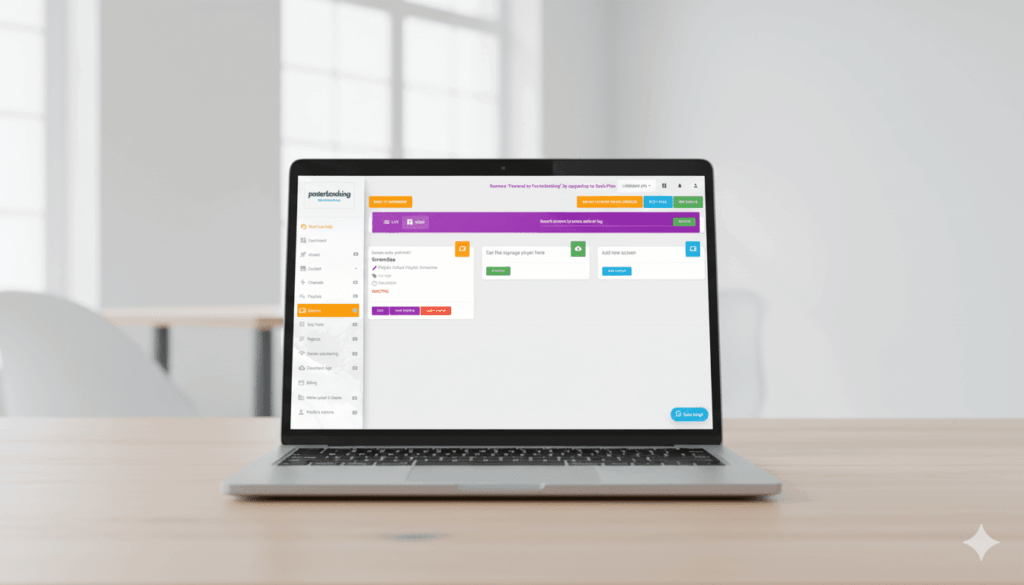
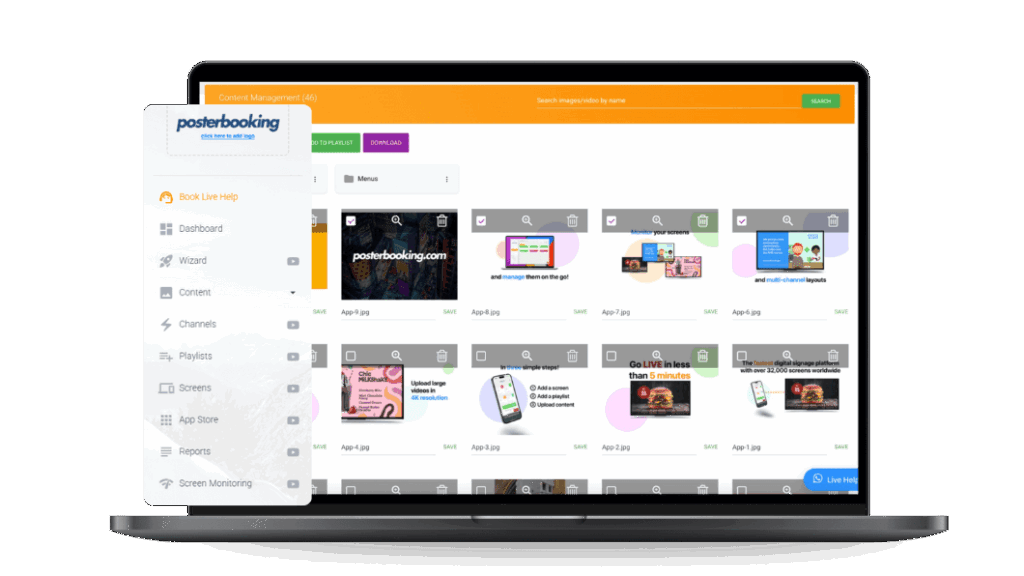
PosterBooking positions itself as one of the most beginner-friendly CMS platforms for digital signage, particularly regarding connectivity. Instead of requiring complex IT setups, it runs on existing Wi-Fi or Ethernet, caching content locally so screens stay active even during outages.
PosterBooking’s connectivity benefits include:
- Cloud-based updates delivered securely via HTTPS.
- Automatic offline caching to prevent blank screens.
- Compatibility with Wi-Fi, Ethernet, and SoC displays.
- Scalability from a single screen to hundreds across sites.
- Free entry-level plans that allow beginners to experiment without cost.
To illustrate, a local café owner can start with a single Wi-Fi-connected smart TV running PosterBooking, and later expand to multiple branches with centralized control. As reported by customer case studies published by PosterBooking in 2026, businesses reported 37% faster setup times compared to traditional signage CMS solutions. The implication is straightforward: beginners reduce both technical friction and cost barriers by starting with PosterBooking.
What Is the Future Outlook for Digital Signage Connectivity?
The future of digital signage connectivity is moving toward intelligence, automation, and resilience. Beginners entering the space today will benefit from trends that simplify setup, reduce costs, and increase creative potential.
Future developments in digital signage connectivity include:
- AI-driven optimization automatically adjusting bandwidth allocation for signage vs other traffic.
- 5G-enabled mobility making real-time outdoor and transport signage seamless.
- Cloud-edge hybrid networks balancing central control with local autonomy.
- Universal CMS standards reducing compatibility headaches across hardware brands.
- Green networking optimizing energy use in signage deployments.
To illustrate, AI could automatically detect when signage traffic risks overloading Wi-Fi and redirect content caching to edge devices. As reported by Accenture’s 2026 Digital Infrastructure Report, AI-driven network optimization improved IoT uptime by 32% across trials, suggesting similar benefits for signage. The implication is that beginners starting now will grow into networks that become smarter with minimal manual intervention.
Final Thoughts
Digital signage connectivity is the hidden foundation that determines whether screens deliver meaningful communication or become underutilized hardware. For beginners, the path forward is clear:
- Choose the right connectivity type for the environment.
- Plan for synchronization, redundancy, and security from the start.
- Use troubleshooting checklists instead of guesswork.
- Adopt flexible CMS platforms like PosterBooking that simplify connectivity while supporting future growth.
As reported by peer-reviewed studies across multiple industries, reliable connectivity can improve content accuracy by 23%, reduce downtime by 42%, and increase engagement by 28%. For a beginner, those percentages translate directly into fewer headaches, smoother deployments, and stronger audience impact.
The real implication is this: connectivity is not an afterthought in digital signage, it is the starting point. Beginners who master connectivity will build signage networks that scale effortlessly, perform reliably, and unlock the creative potential of modern digital communication.