
How to turn off the 'Still Watching?' message on Amazon Fire TV
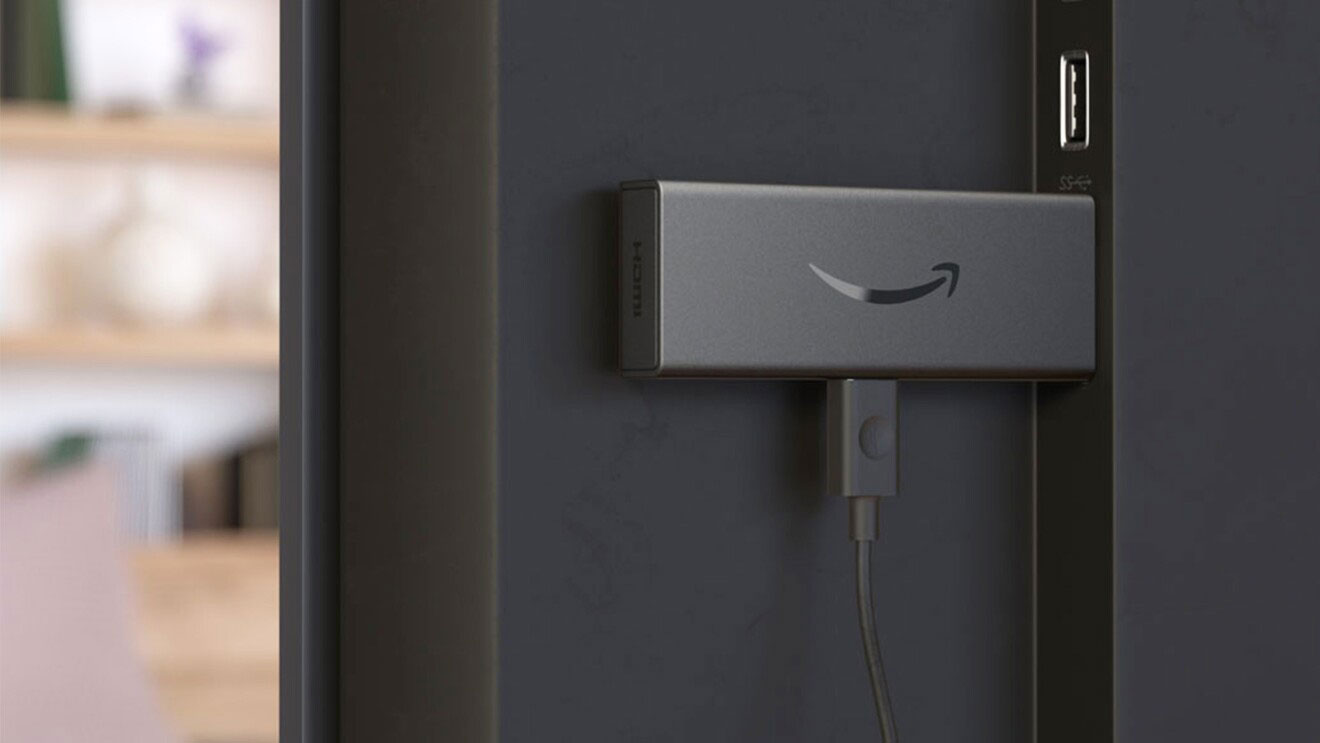
Here is a quick step-by-step guide on how to disable the 'Still Watching?' message on your FireTV
The new FireTV update includes a feature that displays a 'Still Watching?' message on your screen, this happens if your Fire TV remote has been inactive for at least 4 hours, and becomes a problem if you're displaying content using an Amazon Fire TV stick for digital signage. We've made a super simple guide that will help you disable the 'Still Watching?' message in five easy steps.
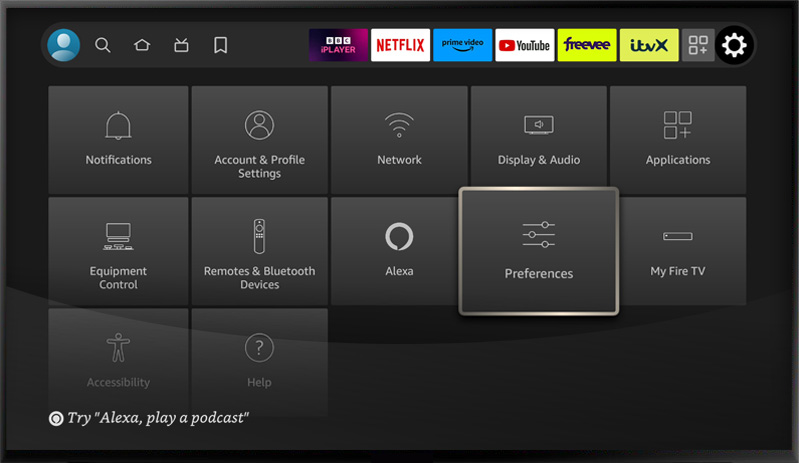
Step 1: Click on the settings icon on your Fire Tv and select 'Preferences'
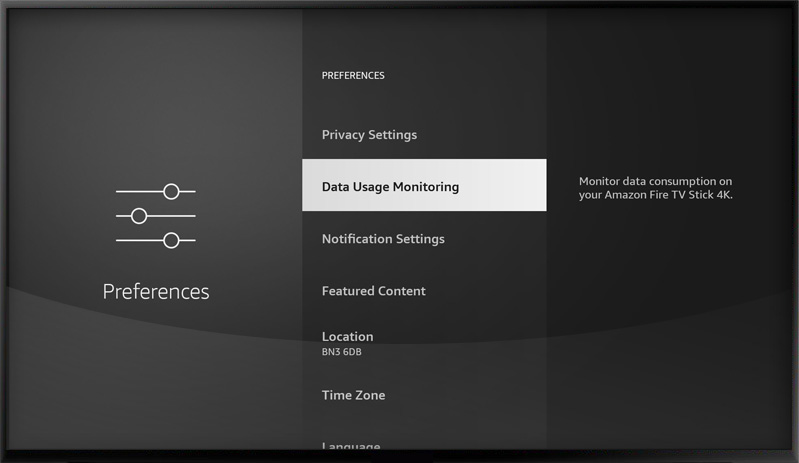
Step 2: Next, click on 'Data Usage Monitoring'
Step 3: Select 'Still Watching'
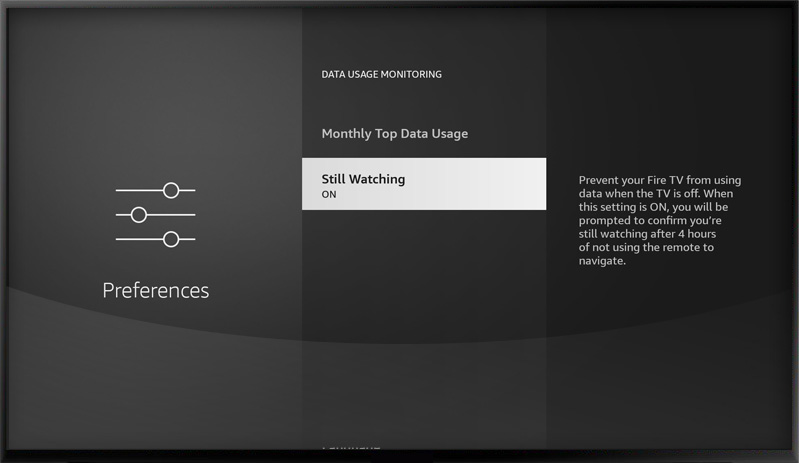
Step 4: Turn 'Off' to disable the 'Still Watching?' message
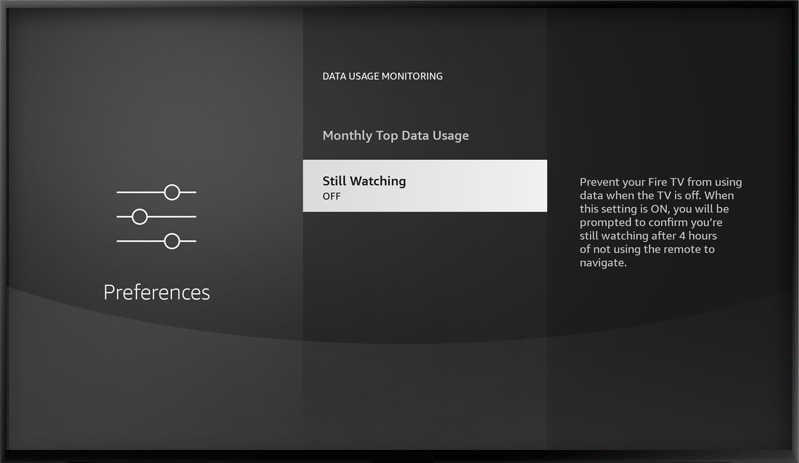
... and there you go, it was as simple as that. The Fire TV should continue to display your digital signage content without any interruption.
Who we are
PosterBooking turns any TV screen into a digital sign. Allowing you to display images and videos for a variety of uses including for advertising, restaurant menus, general messages and more. You simply plug in a device like an Amazon Firestick into the TV, and download the app and upload content via the PosterBooking dashboard.
Display signage live in less than 2 minutes
Seconds to sign up. Seconds to add a screen. Seconds to add content and go live!